TL;DR: Key Takeaways
- Choosing the right tool comes down to three questions: does your output need to be a .pptx file, how many people touch each deck, and whether you need brand consistency without a designer.
- For AI presentation makers, pricing for a 5-person team runs from free to over $1,800 per year, depending on the tool and plan.
- Free tiers vary widely across tools: some give you a full workflow, others gate exports and branding behind paid plans.
- PowerPoint export fidelity is a huge differentiator at the client-facing level; several popular tools still break on export.
Did you know that Presentation.AI is one of the few AI presentation makers built around slide-based workflows, while some competitors don't even export traditional slides?
Or that Gamma exports web cards, not slides? And Beautiful.ai locks custom fonts behind its most expensive plan? Also, it’s not common knowledge that several popular AI presentation makers produce broken layouts the moment you open the export in PowerPoint.
We evaluated 12 tools across six dimensions, spanning AI generation quality, editing control, export fidelity, brand automation, collaboration, and total cost of ownership.
Summary Comparison: All 12 Tools at a Glance
Here is how all 12 tools stack up across the dimensions that matter most at the point of purchase.
How We Evaluated These Tools
We compared 12 AI presentation tools over 5 weeks in early 2026, using each tool on the plan most relevant to a small- to mid-sized team. Pricing was verified from each tool's pricing page.
The six dimensions were:
- AI generation quality: How strong the first draft is from a plain-language prompt
- Editing control: How much you can change after the AI is done
- Export fidelity: Whether the .pptx file holds up when opened in PowerPoint
- Brand automation: How much manual work is needed to match your visual identity
- Collaboration: Real-time editing, sharing, and access controls
- Total cost of ownership: Per-user pricing scaled to a 5-person team over 12 months
Presentations.AI is our product, and we've ranked it first because we believe it earns that position on the criteria above. We've also been specific about where it falls short, because a list that glosses over that isn't useful to anyone making a real buying decision.
The 12 Best AI Presentation Makers in 2026
We cover what each tool is best at, where it falls short, and who should choose it.
1. Presentations.AI: Best Overall AI Presentation Maker
Presentations.AI is built around Clip-E, a conversational AI agent that handles the full creation loop, not just the first draft. You describe what you need; Clip-E generates a full slide structure, populates the content, and applies the design. Then you keep talking to it. Move the revenue slide up.
Add a competitive table. Make this more visual. It iterates in context, which means you're not manually dragging elements around or hunting through menus after the AI drops you off at a rough draft.
Brand Sync is the other standout feature. Point it at your company URL, and it automatically extracts your brand colors, fonts, and logo, then applies them to every slide.
No uploading a brand kit. No entering hex codes. No fixing the logo placement on slide 14. For teams producing client-facing decks without a designer, this alone saves significant time per deck.
The tool also accepts multiple input formats: a prompt, a PDF, a Word doc, a URL, or pasted text. Your existing content becomes a starting point rather than something you have to rewrite as a prompt. Read more about how this works in our guide on how to make an AI presentation.
G2 Rating: Newer platform with limited reviews at this time.
Presentations.AI Pros:
- Prompt-to-deck workflow that produces genuinely usable output, not a rough draft you rebuild from scratch
- Brand Sync automatically applies your visual identity to every deck without manual setup
- Anti-fragile templates that hold their design integrity when content changes
- Clean PowerPoint export that preserves formatting on the other end
- Accepts multiple input formats: prompt, PDF, Word doc, and URL
- Real-time sharing with access controls and built-in analytics
Presentations.AI Cons:
- Template library is still growing compared to more established tools
Presentations.AI Pricing:
Free Starter plan. Pro at $198/year. Team and Enterprise plans available.
Presentations.AI is Ideal for:
B2B teams, consultants, and founders who need brand-consistent, export-ready .pptx decks at speed.
Visit Presentations.AI or explore the AI presentation maker, templates, and tools.
2. Gamma: Best for Web-Native Internal Sharing
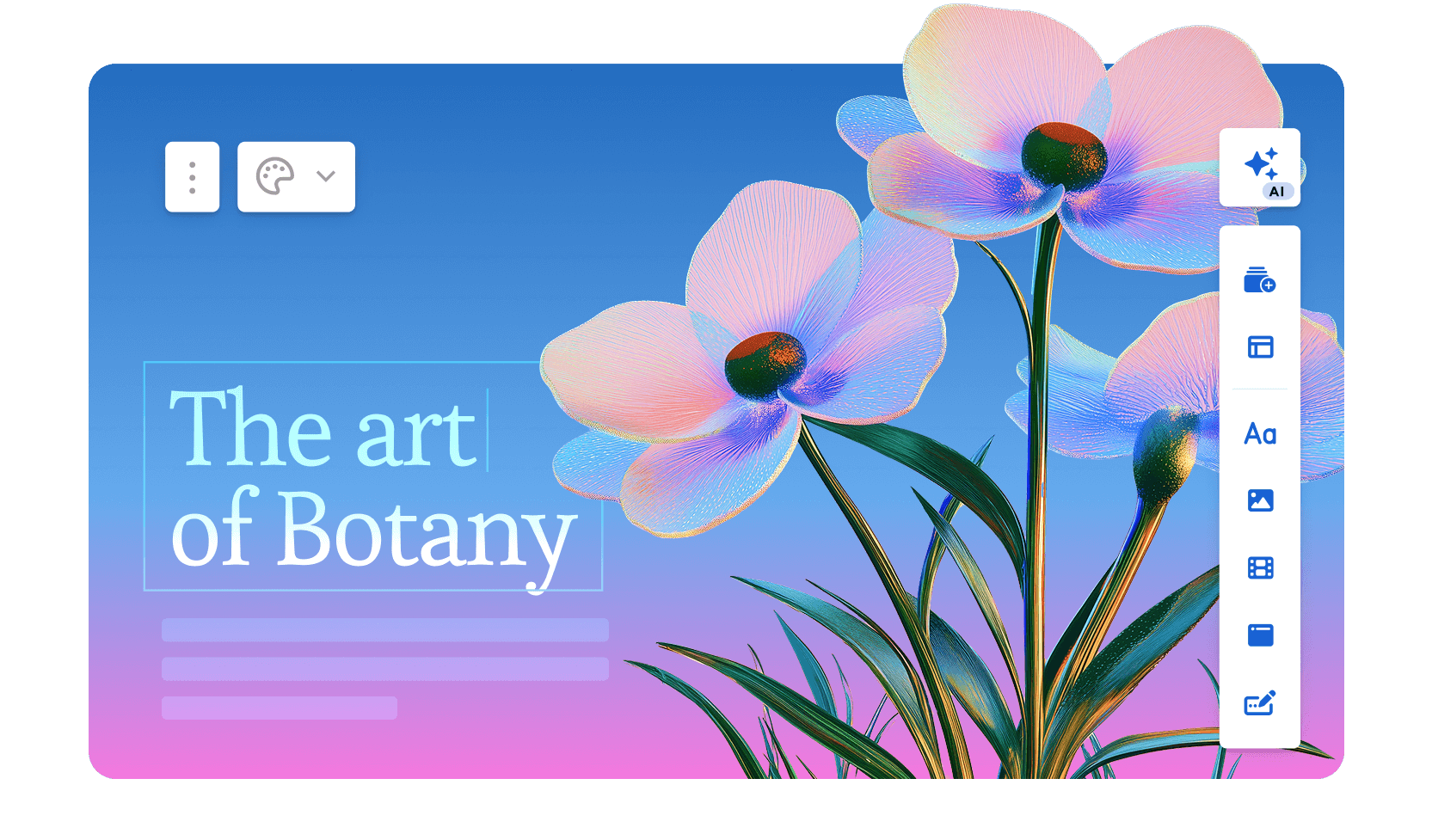
Gamma launched in 2020 and integrated ChatGPT in early 2023, at which point usage grew sharply. Today the platform serves over 70 million users, generates approximately 700,000 pieces of content per day, and carries a reported $2.1 billion valuation with $100 million in annual recurring revenue.
The 2026 Gamma 3.0 release introduced the Gamma Agent, an AI assistant that researches the web, restyled entire decks, and incorporates links or screenshots you drop into the conversation.
Gamma generates scrollable, web-native card decks rather than traditional slides. First-draft quality is strong, the AI handles image selection automatically, and you can go from prompt to shareable link in under a minute.
The free tier requires no credit card and is genuinely useful for occasional use. Gamma achieved SOC 2 Type II certification in October 2025 and offers GDPR and CCPA compliance on Team and Business plans.
The hard limit remains the output format. Gamma's decks are web pages, not slides, and when you export to .pptx, layouts break and the card structure doesn't map cleanly to fixed slide dimensions.
If anyone in your workflow opens the file in PowerPoint, Gamma creates more rework than it saves.
G2 Rating: 4.1/5
Gamma’s Pros:
- Fast prompt-to-deck generation; most standard decks are ready in under a minute
- Genuine free plan with no credit card required
- Web-native output looks polished by default
- Viewer analytics on paid plans
Gamma’s Cons:
- PowerPoint exports frequently break formatting, with overlapping text boxes and missing fonts
- AI credit limits create friction for regular users; Plus plan users realistically hit the ceiling quickly
- No automatic brand enforcement at the workspace level
- AI steps back after the first draft; no conversational iteration or document import
Gamma’s Pricing:
Free tier available. Plus at $9/month. Pro at $18/month (annual).
Gamma is Ideal for:
Internal teams sharing updates and briefs via links where no one needs to open the file in PowerPoint.
If you're interested in a deep-dive, head to our page that compares Gamma and Presentations.AI in depth.
3. Canva: For Quick Templates & Designs

Canva is one of the largest design platforms in the world, ending 2025 with over 265 million monthly active users, 31 million paying subscribers, and $4 billion in annual recurring revenue. The platform is used by over 85% of Fortune 500 companies and operates across more than 190 countries.
Founded in Australia in 2013, it has grown from a simple graphic design tool into a full creative suite covering presentations, social media, video, documents, and websites.
For presentations specifically, Canva's AI features, including Magic Design for layout generation and Magic Write for AI-assisted copy, sit atop a massive template library of over 4.5 million designs.
The collaboration features are genuinely mature, and the Brand Kit on paid plans keeps output consistent across teams. If your team already uses Canva for other content, adding presentations to the same workspace is seamless.
The AI layer is shallower than purpose-built presentation tools. It generates layouts and fills text, but it won't restructure your narrative or iterate conversationally.
And .pptx export often requires manual cleanup for complex layouts. Canva works best when your final deliverable is a PDF or a Canva share link rather than an editable PowerPoint file.
G2 Rating: 4.7/5
Canva’s Pros:
- Enormous template and asset library that covers almost every use case
- Strong free tier with genuinely useful features
- Easy sharing and collaboration across teams
- Brand Kit on paid plans keeps output consistent
Canva’s Cons:
- AI generation is less sophisticated than dedicated AI presentation tools
- Too much flexibility can mean more decisions, not fewer; the tool doesn't guide you toward a finished deck
- Not optimized specifically for presentation workflows
Canva’s Pricing:
Free plan available. Pro at $144/year per user.
Canva is Best for:
Teams already embedded in Canva whose final deliverable is a PDF or a Canva share link rather than a .pptx file.
If you're interested in a deep-dive, head to our page that compares Canva and Presentations.AI in depth.
4. Beautiful.ai: Best for Teams With No Designers
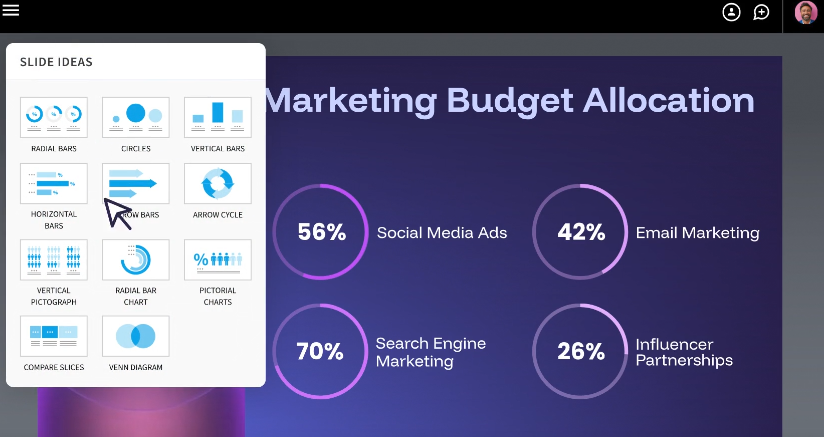
Beautiful.ai was built around a single insight: most people making presentations aren't designers, and they shouldn't have to think like one. The platform's Smart Slides system automatically adjusts layouts, spacing, and alignment as you add or remove content, eliminating the formatting decisions that eat up time in tools like PowerPoint.
The result is that output consistently looks professional regardless of who built it. Over 50,000 teams currently use the platform, and G2 reviewers rate it 4.7 out of 5 across nearly 200 reviews, with ease of use and design quality cited most frequently.
The AI is a layout and drafting assistant rather than a content engine. It can generate a deck from a prompt and help rewrite or polish copy, but it doesn't research topics, pull in external data, or iterate conversationally once the first draft is done.
The 2026 addition of DesignerBot has improved the initial generation quality, but the platform is still primarily about keeping design consistent rather than generating deeply contextual content.
The trade-off is rigidity. The same guardrails that keep slides looking good also limit customization. Custom fonts require the Pro plan, brand controls are locked behind Team and Enterprise tiers, and you cannot override the Smart Slide layout logic when you disagree with its decisions.
G2 Rating: 4.7/5
Beautiful.ai’s Pros:
- Smart Slide layouts that automatically rebalance as you add or remove content
- Consistently high-quality default design output
- Relatively easy learning curve; most users are productive quickly
Beautiful.ai’s Cons:
- Brand customization locked behind Team and Enterprise plans
- Less AI-driven than competitors; functions more as a design assistant than a content generator
- PowerPoint exports don't always retain the smart layout behavior
Beautiful.ai’s Pricing:
No free plan (14-day trial). Pro at $12/month (billed annually). Team at $40/user/month.
Beautiful.ai is Best for:
Teams that want design consistency enforced automatically and don't need to deviate from the template grid.
Read a detailed comparison of Beautiful.ai and Presentations.AI.
5. Prezi: Best for Non-Linear, Interactive Storytelling
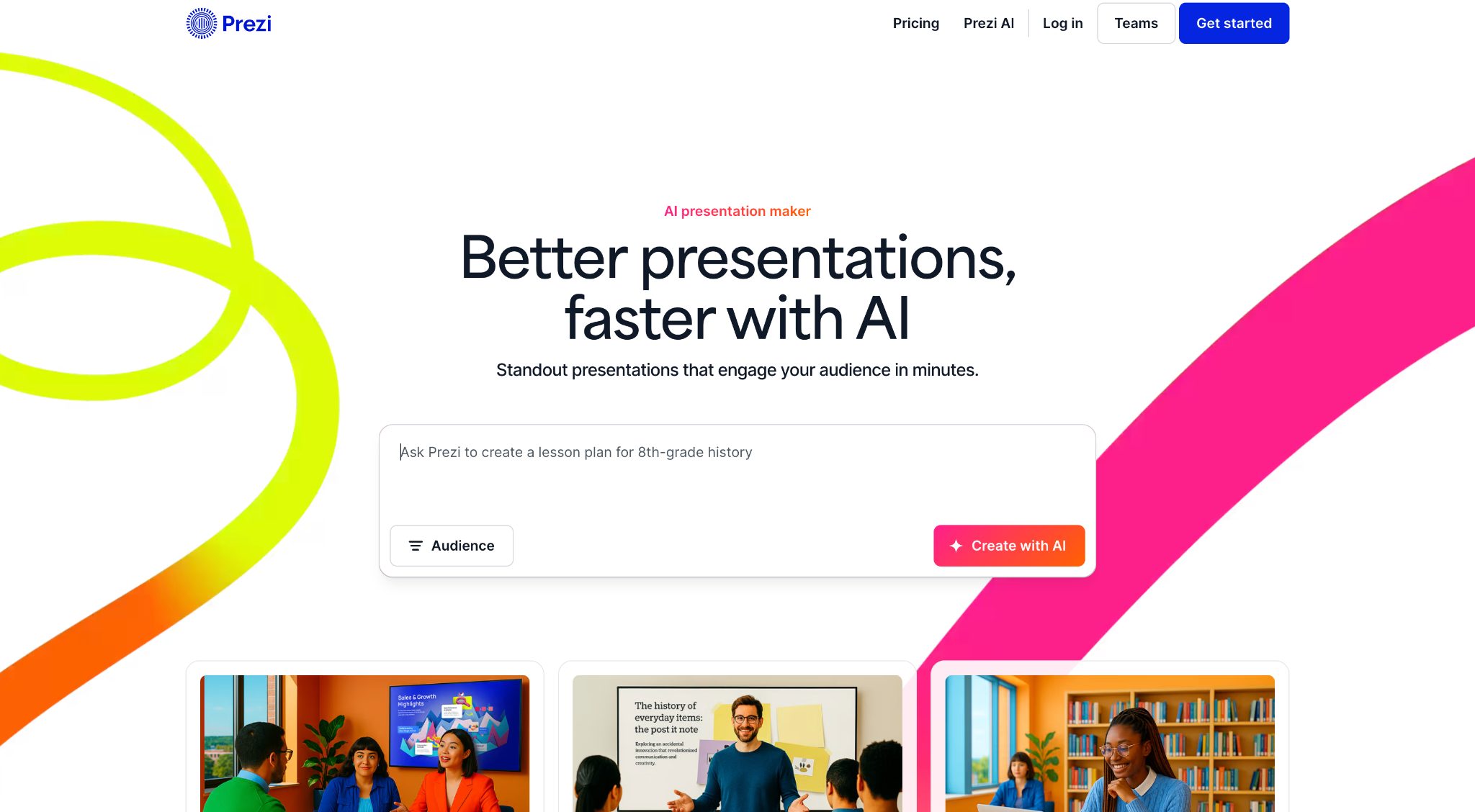
Prezi was founded in Budapest in 2009 and has grown to over 160 million users globally, making it one of the most widely adopted presentation platforms in the world despite occupying a genuinely niche position in the market. Instead of sequential slides, Prezi uses a zooming user interface built on an infinite canvas where all content exists spatially.
You pan between topics, zoom into details, and pull back to reveal the broader picture, a format that creates real engagement when the content supports it.
The 2025 and 2026 updates added AI features including prompt-based generation, AI text tools, and outline editing, bringing it closer to modern competitors while preserving what makes it distinctive.
Prezi also offers Prezi Video, which overlays the presenter on the content for remote delivery, a feature that has gained traction with educators and remote sales teams.
The hard limits remain consistent. Prezi decks don't export to .pptx in any usable form, the learning curve is steeper than conventional slide tools, and the zooming format can disorient audiences if not used carefully.
The AI features are also less developed than those of dedicated AI presentation makers. Prezi is a strong pick for a specific job and a poor fit for everything else.
G2 Rating: 4.2/5
Prezi’s Pros:
- Highly distinctive, memorable format that stands out from conventional slide decks
- Well-suited to visualizing complex relationships and structures
- Strong for conference presentations and live demos
Prezi’s Cons:
- Steep learning curve compared to slide-based tools
- The zooming format doesn't suit all content types and can disorient audiences if overused
- Limited AI capabilities compared to newer tools
- PowerPoint export is not a viable option
Prezi’s Pricing:
Plus at $15/month. Business at $29/month per user.
Prezi is Best for:
Speakers and educators delivering live who want a distinctive format and never need to export to PowerPoint.
6. Visme: Best for Data-Heavy Presentations

Visme is a cloud-based visual content platform serving over 27 million users worldwide, used by organizations including IBM, Gartner, and the Golden State Warriors. It was built specifically to help non-designers produce professional-quality visuals across presentations, infographics, reports, and marketing materials, with a template library covering more than 50 content types.
For teams whose presentations are dense with charts, data visualizations, and branded graphics, Visme offers more specialized tools than most platforms on this list.
The data visualization capabilities are the clearest differentiator. Customizable charts, interactive graphs, and infographic-specific templates make it easier to present complex data clearly without advanced design skills.
The platform also includes Brand Kit features, real-time collaboration, and analytics tracking for published content.
The trade-offs are worth noting. Visme is a general visual content platform, and the editor is more complex than most users need for a straightforward slide deck. The AI generation capabilities are not a core strength, and some Capterra reviewers flag occasional performance issues including slow loading and glitches during design tasks.
For users who need a purpose-built AI presentation maker with strong content generation, Visme is not the right fit. For teams that spend significant time making data visual and need one tool that handles multiple content formats, it earns its place.
G2 Rating: 4.5/5
Visme’s Pros:
- Excellent infographic and data visualization capabilities
- Strong brand kit features for consistent output
- Wide range of content types beyond presentations
Visme’s Cons:
- More complex than most users need for standard slide decks
- AI generation is not a core strength
- Pricing feels high for lighter presentation use cases
Visme’s Pricing:
Free plan available. Starter at $12.25/month. Business at $24.75/month per user.
Visme’s is Best for:
Analysts and data teams who need chart-heavy, infographic-style presentations over AI content generation.
7. Slidesgo: Best Free Template Library

Slidesgo is a template marketplace operated by Freepik Company, the same organization behind one of the largest stock asset libraries on the web. The platform offers thousands of free, professionally designed presentation templates built for Google Slides and PowerPoint, covering a wide range of topics, industries, and visual styles.
It's consistently one of the first results people find when searching for free presentation templates, and for good reason: the library is large, the designs are polished, and the download process is straightforward.
AI features were added in recent years, allowing users to generate basic deck structures from a text prompt. The more practical workflow, however, is to browse the template library, select a design that fits the use case, and customize it directly in Google Slides or PowerPoint. The AI layer is thin compared to dedicated AI presentation makers and isn't the reason most people use the platform.
There is no brand automation, no collaboration workspace, no viewer analytics, and no meaningful AI iteration after the initial generation. Slidesgo is best understood as a starting-point resource rather than a full presentation platform.
It fits into a workflow where someone already knows what tool they'll use to build and present, and just needs a design foundation to work from.
G2 Rating: 4.7/5
Slidesgo’s Pros:
- Large, free template library with broad topic coverage
- No learning curve; works directly with PowerPoint and Google Slides
- Useful starting point for occasional presenters
Slidesgo’s Cons:
- No AI generation or content assistance worth noting
- All customization is entirely manual
- No brand automation or collaboration features
Slidesgo’s Pricing:
Free (with attribution). Premium at $35.99 billed annually.
Slidesgo is Best for:
Individual users who want a free starting point and are comfortable doing all customization manually in PowerPoint or Google Slides.
8. Prezent.ai: Best for Enterprise Brand Control

Prezent.ai is a generative AI platform built specifically for enterprise presentation workflows. As of 2026, it serves tens of thousands of professionals across more than 80 Fortune 2000 companies, with leadership drawn from former executives at Cisco, McKinsey, and Microsoft.
The platform's positioning is narrow and deliberate: it targets large organizations that need brand governance at scale, not individuals looking for a fast way to build a deck.
The core offering includes a library of over 35,000 expert-designed slides and storylines, AI-powered deck generation through its Astrid AI assistant, and a proprietary feature called Fingerprints that tailors presentations to individual audience preferences based on communication style and seniority.
The brand compliance layer is the most mature on this list, with centralized template management, slide libraries, and controls that enforce consistency across large teams without requiring manual review of every output.
Prezent also offers optional expert services including overnight deck creation and personalized communication coaching, which extends its value beyond software into a managed service model. Pricing is not listed publicly on the standard plans and requires a sales conversation, which reflects the enterprise-first approach.
For individual users or small teams, this is not the right tool. For organizations where every presentation carries brand and communication risk, it is worth the conversation.
G2 Rating: 4.5/5
Prezent’s Pros:
- Easy to use with a user-friendly interface that helps users create presentations quickly.
- Saves time through ready-made templates and streamlined presentation workflows.
- Offers a wide variety of slide templates that make presentation creation faster and more creative.
Prezent’s Cons:
- Limited customization options, reducing flexibility for users who want more control over design and layout.
- AI-generated results can be inconsistent, especially when prompts are unclear or complex.
- Offers fewer design options compared to some competing presentation tools.
- Template customization can feel restrictive, making it harder to adapt presentations to specific needs.
- May experience performance issues with larger presentations, leading to slower workflows.
Prezent’s Pricing:
Lite at $399 per year. Enterprise pricing: contact for a quote.
Prezent is Best for:
Large organizations that need brand governance and centralized control across many users producing presentations at scale.
9. Pitch: Best for Collaborative Team Decks
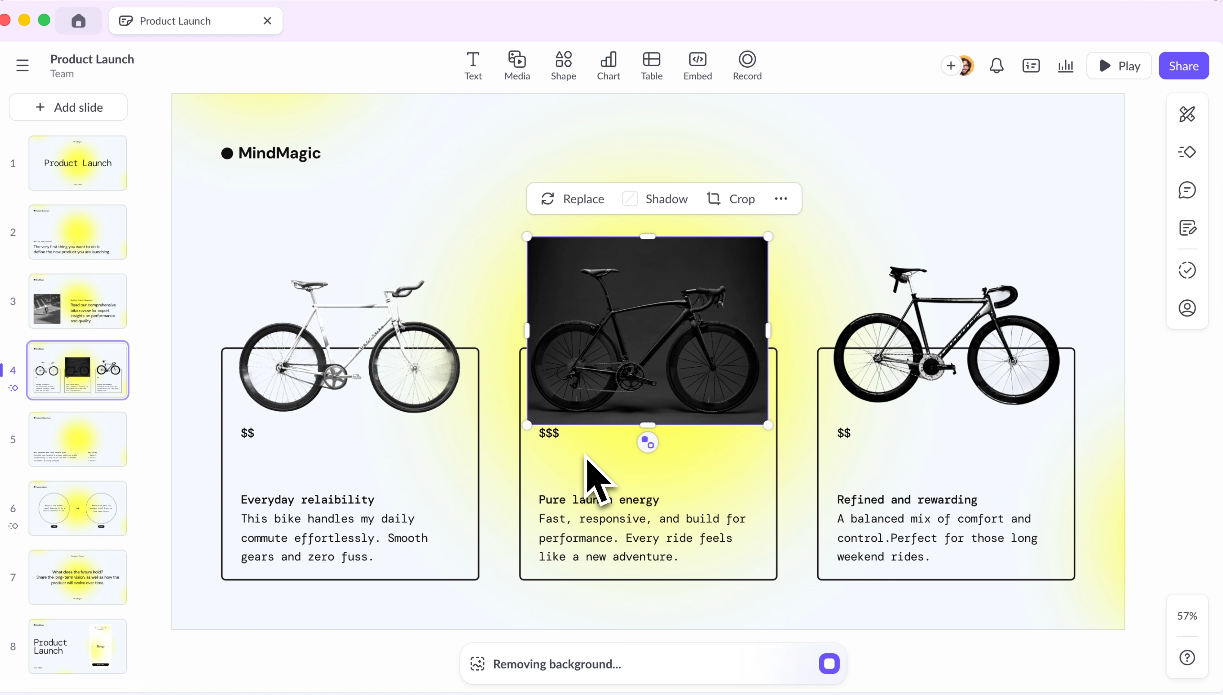
Pitch was built from the ground up as a presentation tool for teams, and that intent shows throughout the product. Millions of teams use it, including brands like Pentagram, Thrive Global, and Synthesia. The platform treats presentations as living documents: collaborative by default, structured around shared workspaces and template libraries, and designed to support the full review and approval cycle that production-grade decks typically require.
Real-time co-editing, threaded comments, presentation statuses, and role-based access are first-class features rather than afterthoughts.
The editor is widely regarded as one of the cleaner experiences in the category. It's responsive, modern, and purpose-built for presentations rather than adapted from a general design platform.
Templates are organized around common business needs including pitch decks, project updates, and OKR reviews, and the designs skew more contemporary than what most teams are used to in PowerPoint.
Pitch has expanded its AI features over the past two years, now supporting draft generation, tone adjustment, copy refinement, and speaker note creation. The AI is a supporting layer rather than the core reason to choose the tool.
Pitch also integrates with Slack, Google Analytics, and CRM tools, which extends its usefulness for revenue and marketing teams tracking how decks perform after they're shared.
G2 Rating: 4.4/5
Pitch’s Pros:
- Purpose-built for team workflows with shared workspaces and template libraries
- Strong commenting, review, and approval features
- Good analytics on deck engagement
Pitch’s Cons:
- AI generation is less advanced than dedicated AI-first tools
- Pricing scales up steeply for larger teams
- Learning curve for teams migrating from simpler tools
Pitch’s Pricing:
Free Starter plan. Plus at $10/month per user (billed annually).
Pitch is Best for:
Teams that collaborate heavily on presentations and want a modern workspace for decks where multiple people are contributing.
10. Google Slides + AI Add-ons: Best Budget Option for Google Workspace Teams
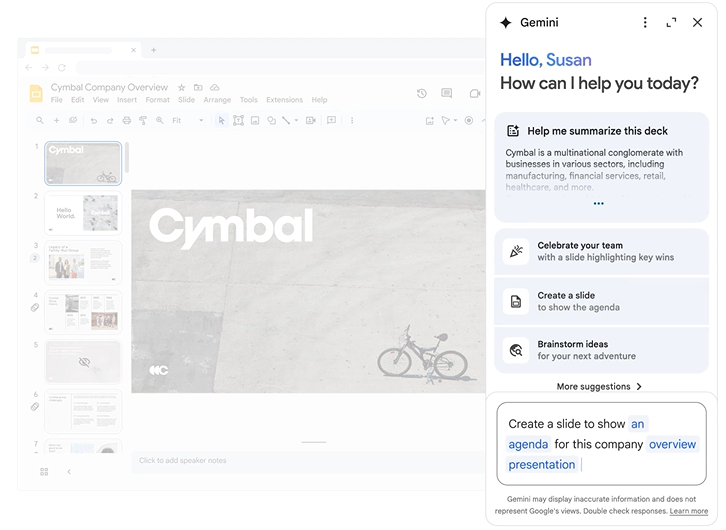
Google Slides launched as part of Google Docs in 2006 and has since become one of the most widely used presentation tools in the world by sheer volume, largely because it's free and already embedded in the Google Workspace environment that hundreds of millions of people use daily.
The collaboration infrastructure is genuinely best-in-class: multiple people can edit the same deck simultaneously, comments are threaded and resolved inline, and version history is automatic and unlimited.
Native AI generation does not exist in Google Slides directly, but a growing ecosystem of add-ons brings that capability into the environment. SlidesAI, Plus AI, and MagicSlides are among the most commonly used, each offering different approaches to prompt-based slide generation within the familiar interface.
The appeal is that teams stay in a tool they already know, with real-time co-editing built in, rather than learning a new platform.
The limitations are real. Each add-on has different strengths, quality levels, and pricing structures, which creates a fragmented experience compared to purpose-built AI presentation tools.
Native design capabilities are basic, and none of the add-ons match the generation depth or brand control of standalone platforms. For teams where cost and familiarity matter more than design quality, this remains a practical option.
G2 Rating: 4.6/5 (rated as part of Google Workspace)
Google Slides’ Pros:
- Best-in-class real-time collaboration out of the box
- Free with a Google account
- Seamless integration with Google Docs, Sheets, and Drive
Google Slides’ Cons:
- Native design capabilities are limited compared to dedicated presentation tools
- AI add-ons are third-party and vary significantly in quality
- Not the right choice if design quality or brand consistency matters
Google Slides’ Pricing:
Free with a Google account. Google Workspace from $6/user/month.
Google Slides is Best for:
Budget-conscious Google Workspace teams who want basic AI assistance without switching platforms.
Learn how Presentations.AI complements Google Slides here.
11. Keynote: Best for Apple-Native Presenters
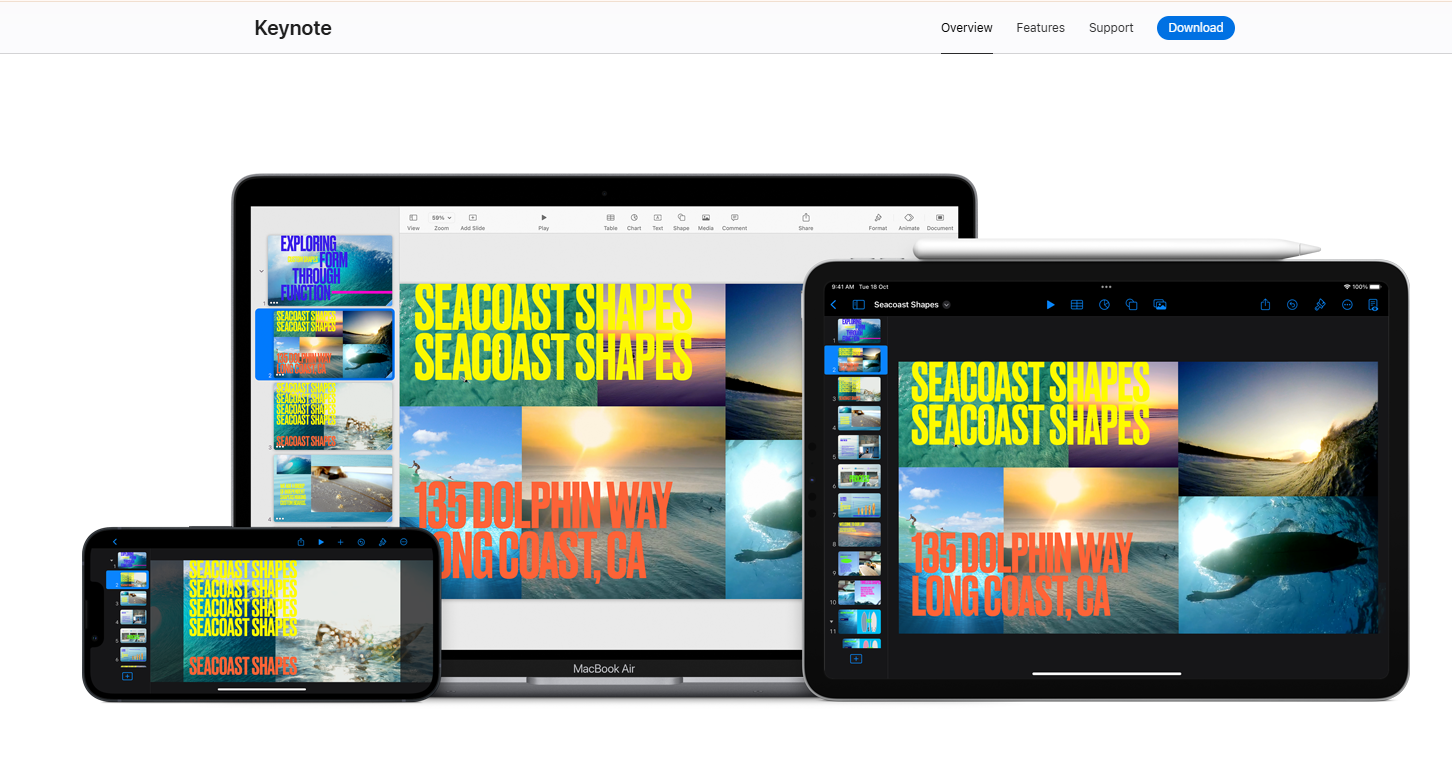
Keynote is Apple's native presentation application, available free to all Apple device users since 2013 and widely regarded as having the best animation engine of any tool on this list. Magic Move transitions, cinematic motion effects, and object-level animation capabilities outclass every competitor in terms of visual polish for live presentations.
For solo presenters or all-Apple teams delivering on stage or in client meetings, nothing else matches the quality of what Keynote produces in a live environment.
The AI story, however, is nearly nonexistent. As of 2026, Keynote has no meaningful built-in AI generation, making it a manual tool in a market that has moved decisively toward automation.
You build every slide by hand, which means the time investment per deck is significantly higher than with any AI-assisted alternative on this list. For teams that produce presentations at volume, this is a real cost.
The other hard constraint is ecosystem lock-in. Keynote works beautifully within the Apple ecosystem and creates friction the moment it meets Windows. The animations and transitions that make Keynote presentations memorable also don't survive export to .pptx, which means the output is only impressive to the people who see it live.
Keynote earns a 4.3/5 on G2, with users consistently praising design quality and faulting limited collaboration and cross-platform compatibility.
G2 Rating: 4.3/5
Keynote’s Pros:
- Stunning default design quality and smooth animations
- Free for all Apple users
- The best live presenting experience on Mac and iPad
Keynote’s Cons:
- No meaningful AI generation features
- Collaboration is limited compared to Google Slides or Pitch
- Exporting to PowerPoint causes formatting issues; animations don't survive the conversion
Keynote’s Pricing:
Free for Apple users.
Keynote is Best for:
Solo presenters or all-Apple teams who deliver live and prioritize animation quality over AI generation speed.
12. Microsoft Copilot for PowerPoint: Best for Microsoft 365 Organizations
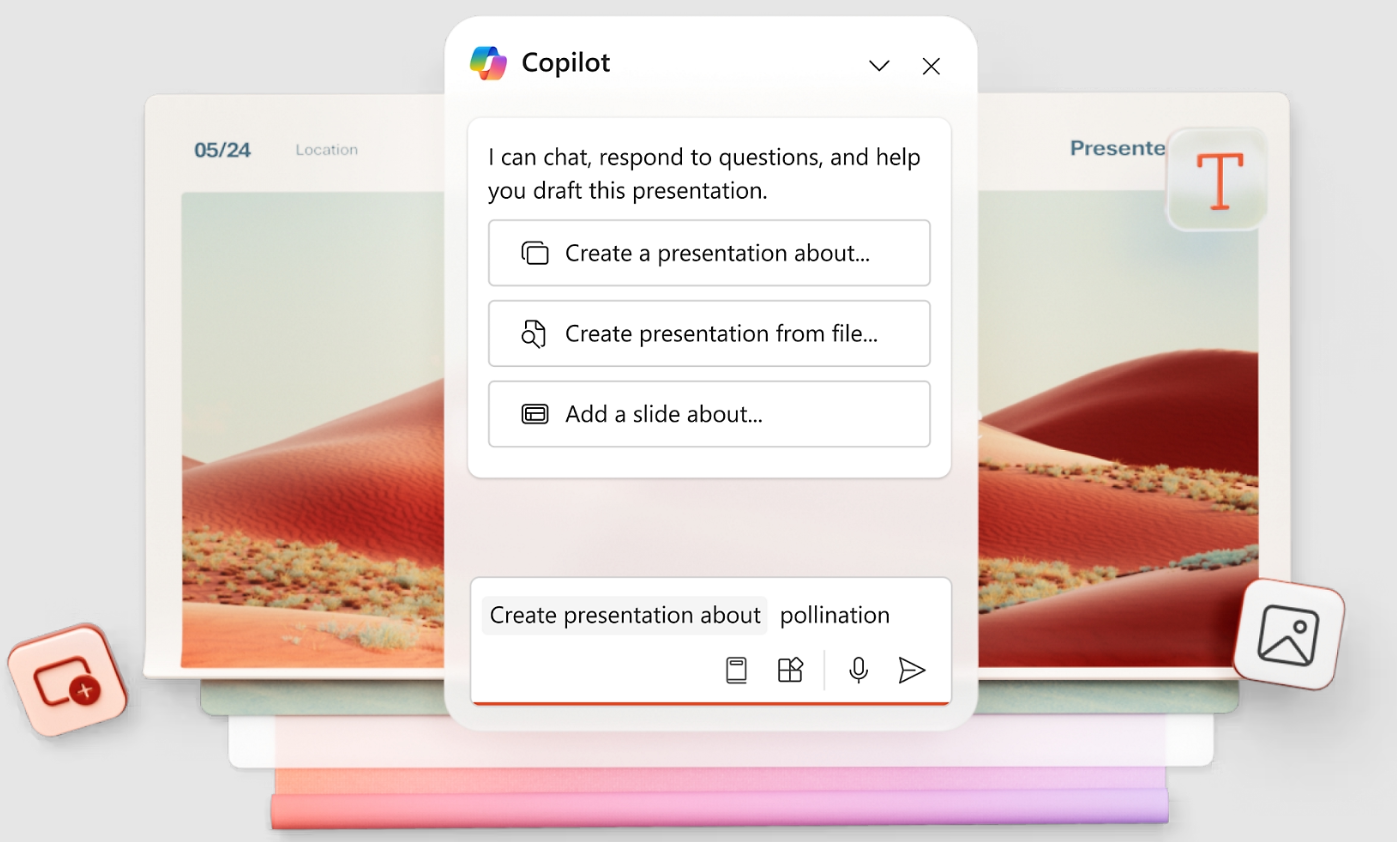
Microsoft Copilot for PowerPoint adds AI generation directly inside the PowerPoint interface, letting users describe what they need and receive AI-populated slides within their existing .pptx workflow. For organizations deeply embedded in Microsoft 365, the zero-friction integration is a genuine advantage: no new platform to learn, no file conversion, no export step.
Copilot also connects to Microsoft Graph, which means it can reference your organization's existing files, emails, and data when generating content, a capability no standalone tool on this list can replicate.
PowerPoint itself remains the dominant presentation standard globally, with over a billion users and decades of enterprise adoption. Copilot adds a modern AI layer on top of that installed base rather than asking teams to abandon familiar infrastructure. For organizations where IT governance, security compliance, and Microsoft 365 integration are non-negotiable, this is the path of least resistance.
The limitations are worth stating clearly. Copilot's design output is the weakest on this list; slides look auto-formatted rather than designed, and significant manual cleanup is typically required before a deck is ready for a client or board.
The license adds $30/user/month on top of an existing Microsoft 365 subscription, making it one of the most expensive options at scale. Brand automation is also shallow, limited to whatever PowerPoint template is already in use.
G2 Rating: 4.6/5
Copilot’s Pros:
- Native PowerPoint experience with no export or import friction
- Copilot understands your existing files and company data via Microsoft Graph
- Near-zero learning curve for existing PowerPoint users
Copilot’s Cons:
- Requires a Copilot license on top of existing Microsoft 365 costs
- AI output quality varies and often needs significant cleanup
- Not a standalone product; an add-on to tools you already pay for
- Weak on brand automation with no URL-based extraction
Copilot’s Pricing:
Included with Microsoft 365 (from $6.99/month personal). Copilot AI add-on at approximately $30/user/month.
Copilot’ is Best for:
Large Microsoft 365 organizations where staying inside PowerPoint is non-negotiable and design quality is a secondary concern.
If you're interested in a deep-dive, head to our page that compares PowerPoint and Presentations.AI in depth.
How to Choose the Right AI Presentation Tool
The fastest way to pick the right tool is to map your most important requirement to the tool built for it.
Why Presentations.AI Is the Top Pick
You've seen all 12 tools. Here is what actually separates Presentations.AI from the rest of the list when you get down to the three things that matter most at the point of purchase: brand automation, AI iteration, and export quality.
1. Brand Sync Requires Zero Manual Setup
You paste in your company URL and it pulls your colors, fonts, and logo automatically. Every slide, every new deck stays on-brand without anyone entering a hex code or uploading a logo file. No other tool on this list does this from a URL. Canva's Brand Kit is strong but requires initial configuration. Everything else is manual.
2. Clip-E Stays in the Conversation
Most AI tools give you a first draft and leave you to finish it manually. Clip-E iterates with you: restructure sections, add comparison tables, adjust tone, change the visual weight of a slide. You're not bouncing between the AI and a separate editor; it all happens in one conversation. Underneath Clip-E, an AI Slide Creator rebuilds each slide individually as you iterate, so the layout adapts to the conversation rather than locking in after the first draft the way most other tools do. The difference in practice is spending 10 minutes in conversation to get a deck that's 90 percent done, versus generating a draft and spending 45 minutes fixing it by hand.
3. The .pptx Export Holds Up
If your final deliverable needs to be a PowerPoint file, the export needs to work cleanly. Gamma fails here. Canva requires cleanup. Copilot is native to PowerPoint but produces weaker designs. Presentations.AI gives you AI-designed slides that survive export intact. You can read more about how the export workflow compares in our AI presentation tools comparison.
4. You Can Start for Free
No credit card. No trial countdown. No "upgrade to share." The Starter plan gives unlimited users and real collaboration. Try it and see how fast you can go from a brief to a finished deck.
You've seen all 12 tools and where each one wins or falls short. If you need brand-consistent, client-ready decks without the manual rework, the fastest way to find out if Presentations.AI fits your workflow is to try it
Take Presentations.AI for a spin.
(No Credit Card Required)
Making the Right Decision For Your Business
Picking an AI presentation tool comes down to one question: what does your output actually need to do?
If it needs to be a polished, brand-consistent .pptx file that survives a client's inbox and holds up in PowerPoint, most of the tools on this list will disappoint you at some point in the process. Gamma looks great until someone asks for the file. Copilot stays in PowerPoint but produces designs that look like they skipped the design step entirely. Canva works well until export day. Presentations.ai was built for the full loop: prompt in, branded deck out, clean .pptx export, no manual cleanup. That's why it's at the top of this list.
That said, the right tool is the one that fits your actual workflow. If your team lives in Google Workspace and has no budget, Google Slides with a free add-on gets the job done. If you're a solo presenter on a Mac who delivers live, Keynote is still the best animation engine available. If you need brand governance across a large organization, Prezent.ai is worth the enterprise conversation.
Use the "How to Choose" table above to narrow it down, then test your top two picks on a real deck before you commit. Most of these tools have a free tier or a trial, and nothing tells you more than running your actual content through the workflow. If Presentation ai is one of those picks, the free Starter tier lets you test the full workflow without entering payment details, so the comparison stays honest.