
TL;DR
- Presentations.AI, Gamma, and Pitch lead the AI-native category. Presentations.AI builds full branded decks from a prompt, Gamma is best for web sharing, and Pitch is purpose-built for investor decks.
- PowerPoint and Apple Keynote are the tools to reach for when design control and file reliability matter more than speed.
- Google Slides and Canva Presentations are the easiest starting points for teams that don't need advanced features. Slides wins on collaboration; Canva wins on template depth.
- Beautiful.ai and Visme sit in the middle ground. Beautiful.ai enforces design consistency automatically; Visme goes deeper on data visualization and infographics.
- Prezi and Slidebean serve niche but specific needs well. Prezi for live, memorable keynotes; Slidebean for early-stage founders building seed-round pitch decks.
- Prezent stands apart for enterprise and regulated industries where brand governance, narrative compliance, and high-stakes executive presentations are the priority.
The gap between presentation tools has never been wider. On one end, you have AI-powered tools that generate a full deck from a prompt in under a minute. On the other, you have desktop software with decades of feature depth that still dominates enterprise workflows. In between, there's everything from collaborative browser apps to niche tools built specifically for pitch decks, data visualization, or regulated industries.
This guide covers 12 of the best presentation software tools available right now. We compared them on creation speed, brand control, export quality, collaboration, and real-world pricing. We've included Presentations.AI because we built it, which means we can be more specific about where it fits and where it doesn't than any third-party review. If you're trying to match a tool to how your team actually works, this is the comparison you need.
Quick Comparison: All 12 Tools at a Glance
Here's how the tools stack up across the five criteria that showed the biggest variance in our testing.
How We Evaluated These Tools
Every tool in this roundup was assessed on five criteria that matter:
- Creation speed: How fast can you go from zero to a shareable deck? For AI tools, we checked prompt-to-deck generation. For traditional tools, we measured template-to-finished-deck time.
- Brand control: Can you enforce your brand's colors, fonts, and logo placement without fixing every slide manually? We checked whether brand settings survive editing, export, and sharing.
- Export fidelity: Does the .pptx or PDF output look like what you built? We opened every export in PowerPoint 365 and flagged broken layouts, missing fonts, and anything that needed manual cleanup.
- Collaboration and sharing: Real-time co-editing, commenting, link sharing, view analytics, and whether those features require a paid seat.
- Total cost at scale: Not just the headline price, but what 5, 10, or 25 users actually pay once per-seat pricing, feature gating, and add-ons factor in.
The 12 Best Presentation Software Tools: Full Breakdown
“Best” is subjective here, and is based on your checklist and what your business needs. The list below compiles the top tools based on the above criteria.
1. Presentations.AI
Presentations.ai is a platform behind more than 8 million business professionals who have stopped wrestling with slide formatting and started focusing on outcomes. The core idea is simple: Instead of a blank slide and a template, you get an AI teammate that handles research, data collection, narrative structure, and design automatically.
Teams using Presentations.ai report saving anywhere from 4 to 40 hours a month, mostly by eliminating the repetitive work that traditional tools leave entirely to the user: rebuilding charts when data changes, reformatting slides when content shifts, and realigning layouts every time something gets added or removed. Explore the full feature set.
Pros of Presentations.AI
- Full deck generation from a prompt, URL, PDF, or Word doc in under a minute
- Brand Sync auto-extracts colors, fonts, and logo from your company URL with no manual setup
- Clip-E AI assistant handles generation and refinement in one conversational thread
- Anti-fragile templates reflow content without breaking layout when slides are added or rearranged
- Free Starter plan with unlimited users and brand themes, no credit card required
- Clean .pptx export on Pro, tested in PowerPoint 365 with zero broken layouts or missing fonts
- SOC 2 Type II compliance on Pro and above
- Post-share analytics showing slide-level engagement from viewers
Cons of Presentations.AI
- AI credits on the free tier run out quickly with regular deck generation, and there's no published credit count
- PowerPoint export requires Pro ($240/year per user); free and Beta tiers offer PDF and web sharing only
- Per-user Pro pricing scales linearly with no published volume discounts between Beta and Enterprise
- Web-only: no desktop app and no native plugin for PowerPoint or Keynote
- Advanced brand customization such as custom fonts, extended color palettes, and company-wide template libraries requires Pro or Enterprise
Best For
- B2B sales and marketing teams that build decks weekly and need brand-consistent output without a designer in the loop
- Founders and operators who want to go from a brief to a shareable deck in minutes
- Teams already in web-based workflows (Notion, Figma, Google Workspace) where a browser-native tool fits naturally
Pricing
- Starter: Free, unlimited users, brand themes included
- Pro: $240/year per user (early bird pricing)
- Enterprise: Custom pricing
2. Gamma
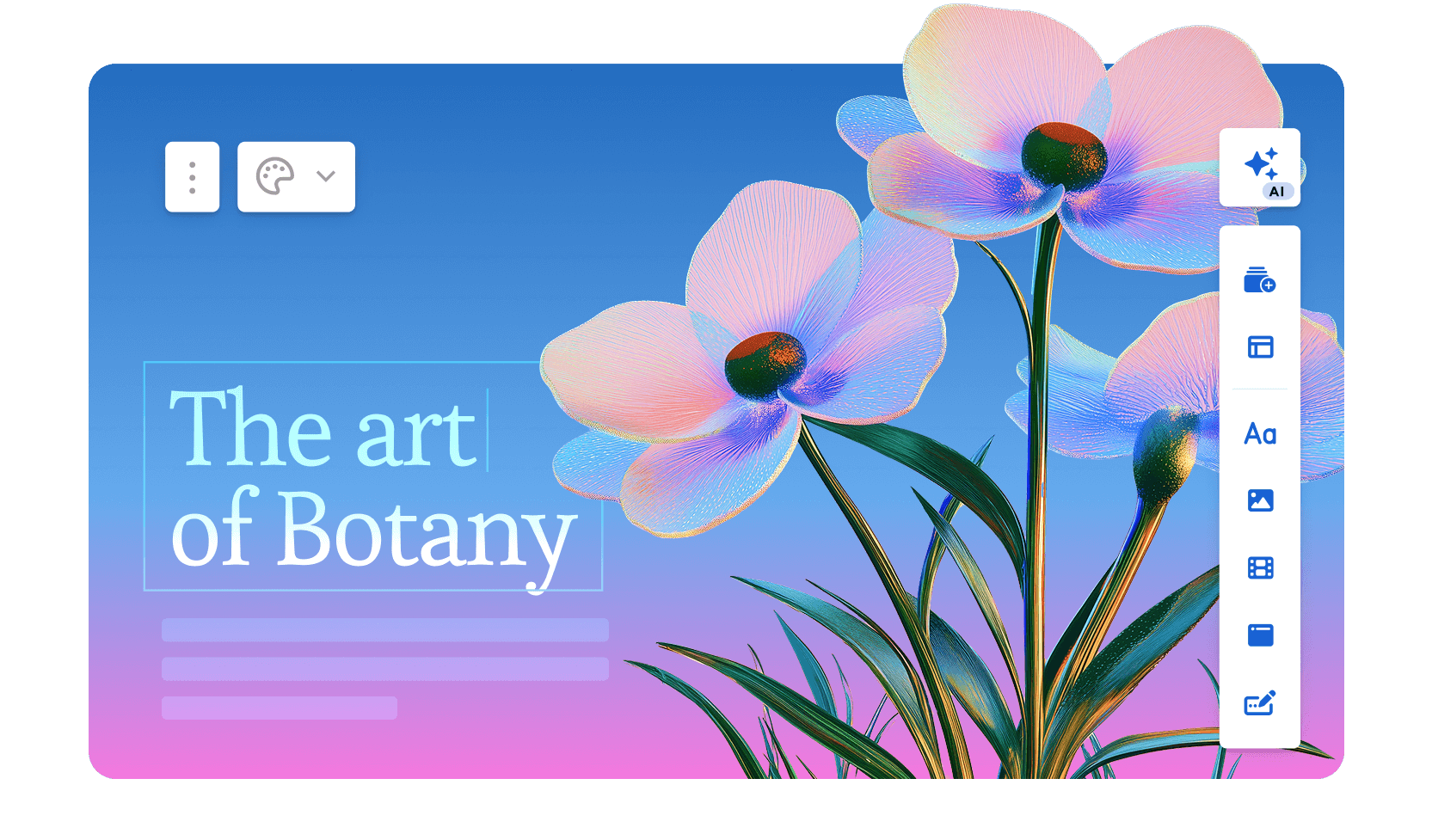
Gamma takes a different structural approach to presentations: instead of traditional slides, it builds a scrollable, web-first format of cards that reads more like an interactive document than a deck. You paste in a prompt or outline, and Gamma generates a full presentation with layout, imagery, and copy in about 30 seconds.
The results are clean and modern, and for presentations shared via link rather than displayed on a projector, Gamma's format often performs better than a standard .pptx.
Read our review of Gamma here.
Pros of Gamma
- Fast AI generation, full deck from a prompt or outline in under a minute
- Modern card-based format looks polished for web-shared presentations and documents
- Built-in image generation for slide visuals, no need for external stock libraries
- Analytics on shared presentations including views and engagement per card
- Collaboration with comments and shared workspaces on paid plans
- Free tier available without a credit card
Cons of Gamma
- PowerPoint export quality is inconsistent, better suited for web sharing or PDF than .pptx handoff
- Free tier is limited to 400 AI credits, which depletes quickly across multiple decks
- Less brand control than tools with dedicated brand kit functionality
- Card format doesn't always translate well to traditional boardroom or projector presentations
Best For
- Marketing and content teams who primarily share presentations online via link
- Anyone who needs fast, AI-generated decks without a .pptx export requirement
Pricing
- Free: 400 AI credits
- Plus: $8/month
- Pro: $15/month
3. Beautiful.ai
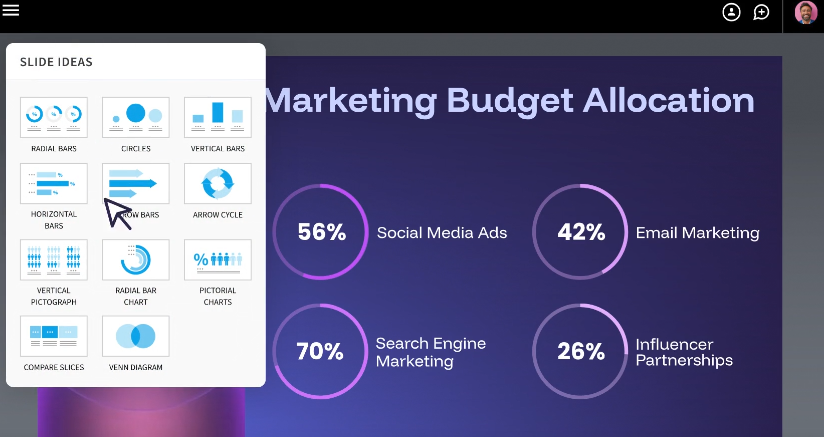
Beautiful.ai occupies the space between full AI automation and manual design control. Its core mechanic is smart templates: you pick a slide type (timeline, comparison, chart, team bio), and the layout auto-adjusts as you add content, recalculating spacing, alignment, and typography in real time.
This removes the formatting tax from individual slides without requiring any design skill, and the constraint-based system makes it genuinely hard to produce an ugly slide.
Read our blog comparing Beautiful.ai vs. Presentations.AI. If you’d like a more detailed review of Beautiful.ai, check out our blog.
Pros of Beautiful.ai
- Smart Slide templates auto-adjust layout, spacing, and typography as content is added or removed
- Design guardrails enforce visual consistency across the full deck without requiring a style guide
- Real-time collaboration with commenting on Pro plans
- AI-assisted content generation for individual slides
- Presentation analytics on shared links: views, time per slide, completion rate
Cons of Beautiful.ai
- Limited creative freedom: smart template system blocks manual element positioning
- PowerPoint export introduces alignment shifts and font substitutions for complex layouts
- No free plan, only a trial period before payment is required
- Brand controls (custom fonts, shared templates, centralized brand management) gated behind the Team tier at $39/month per user
- Per-seat pricing adds up fast: a 10-person team pays $1,440 to $4,680 per year depending on plan
Best For
- Mid-size teams where visual consistency matters more than creative flexibility
- Internal decks, client reports, and recurring presentations where every slide needs to look polished without a design review bottleneck
Pricing
- Pro: $12/month per user (billed annually)
- Team: $39/month per user (billed annually)
- Enterprise: Custom pricing
4. Canva

Canva is the tool your team probably already has a login for, and its presentation feature rides on the same template-first ecosystem that made it dominant for social graphics and marketing materials.
With thousands of pre-designed slide templates, drag-and-drop editing, and a built-in stock media library, Canva gets a non-designer from blank screen to finished deck faster than almost anything that isn't AI-generated. Read our comparison between Canva and Presentations.AI.
Pros of Canva
- Massive template library across industries and use cases, far more than most competitors
- Drag-and-drop editing with near-zero learning curve, anyone on the team can build a deck without training
- Built-in stock media (photos, illustrations, icons, video) included with most plans
- Real-time collaboration on free and paid plans
- Multi-format export: PDF, PowerPoint, MP4 video, and direct link sharing
- Docs-to-Deck workflow converts written content into slide format
Cons of Canva
- Presenter view and speaker notes require Canva Pro or Teams, limiting the free tier for live presentations
- Brand Kit (custom fonts, brand colors, logo management) locked behind paid plans
- PowerPoint export breaks complex layouts: text repositioning and image cropping appear when opening exports in PowerPoint 365
- No post-share analytics: you can share a link but have no visibility into audience engagement
- AI presentation generation is limited compared to purpose-built tools: Magic Design suggests layouts but doesn't generate full decks from a prompt
Best For
- Small teams and solo operators who need good-looking decks quickly without advanced features
- Non-designers who want a familiar, low-friction tool for one-off or occasional presentations
- Teams where the deck is a supporting asset rather than a primary deliverable
Pricing
- Free: limited features
- Canva Pro: $120/year per user
- Canva Teams: $100/year per user (3-seat minimum)
- Enterprise: Custom pricing
5. Microsoft PowerPoint
PowerPoint is the default setting for presentations in most enterprise organizations, and for good reason. After 30-plus years of development, it offers more design control, animation depth, and layout customization than any other tool on this list.
If you need pixel-perfect positioning, complex transitions, embedded video, or a file that opens identically on any machine anywhere in the world, PowerPoint is the benchmark everything else gets measured against.
Pros of Microsoft PowerPoint
- Maximum design control: pixel-level positioning, custom animations, master slide configuration, and deep formatting options
- Universal .pptx compatibility, files open as expected in every major tool
- Offline-first desktop app with cloud sync via OneDrive
- Rich animation and transition library unmatched by web-based alternatives
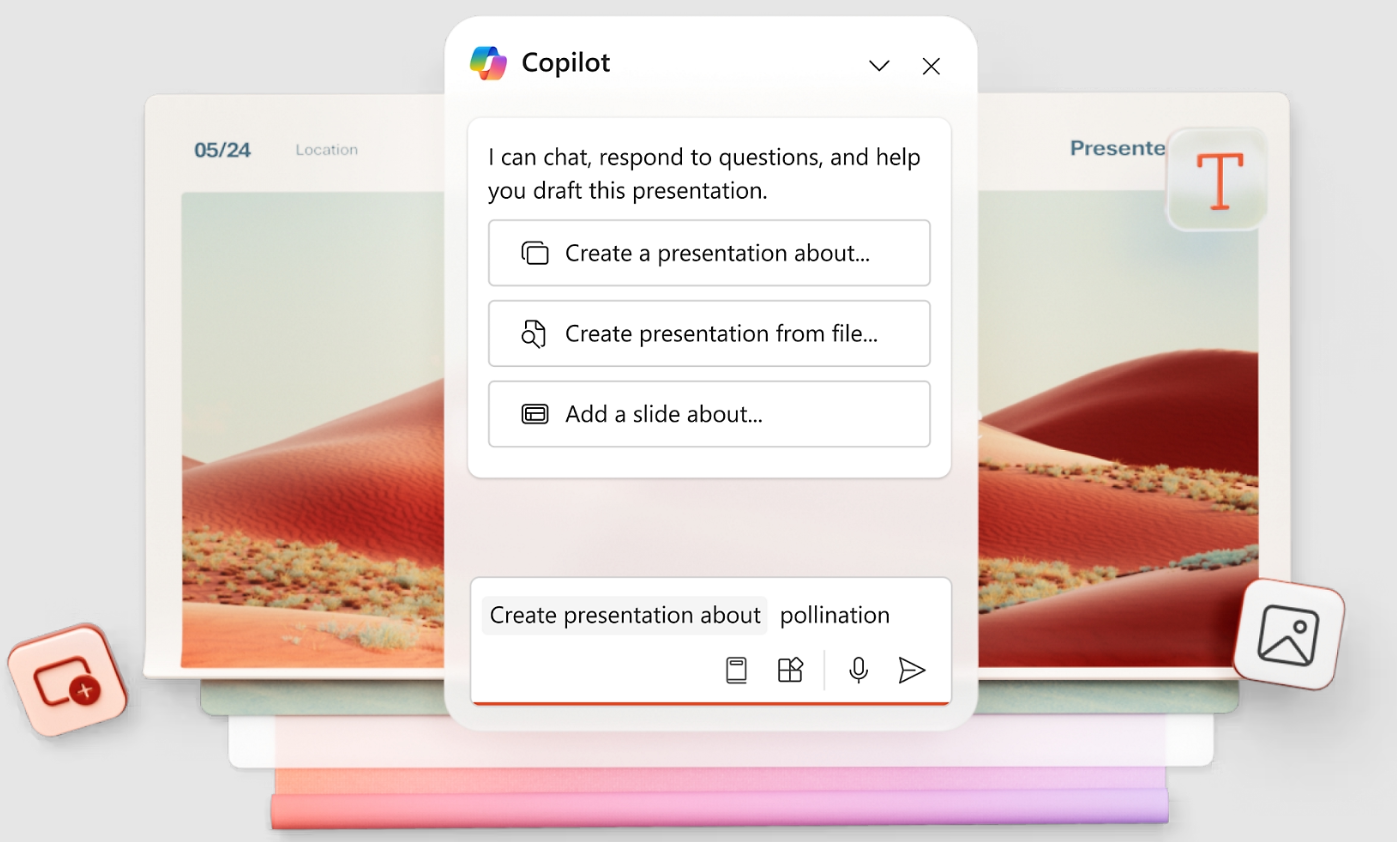
- Microsoft Copilot integration (add-on) for AI-assisted content and design suggestions
- Enterprise-grade security and compliance through Microsoft 365
Cons of Microsoft PowerPoint
- Steep learning curve for advanced features; mastering slide masters, animations, and layouts takes real time
- Collaboration is functional but not seamless, requiring SharePoint or OneDrive and lagging behind real-time web tools
- Licensing cost is significant if you only need presentation software and not the full Office suite
- No built-in AI deck generation from a prompt: Copilot helps with content but doesn't build full decks
- Out-of-the-box templates skew corporate and dated, requiring significant customization to look modern
Best For
- Enterprise teams, consultants, and anyone producing complex presentations requiring deep layout control and advanced animations
- Organizations where .pptx format compatibility and cross-platform file integrity are non-negotiable
Pricing
- Microsoft 365 Personal: $69.99/year
- Microsoft 365 Business Basic: $6/month per user
- Microsoft 365 Business Standard: $12.50/month per user
- Microsoft Copilot AI features available as a separate add-on
6. Google Slides
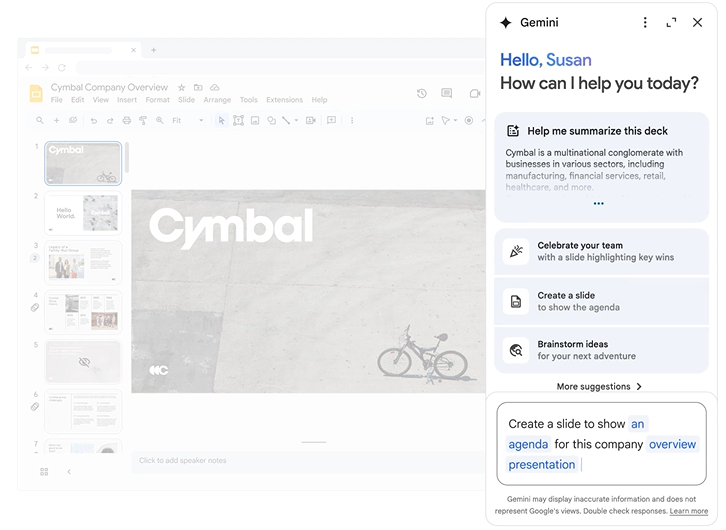
Google Slides is the most accessible presentation tool on this list. It's free with any Google account, works entirely in the browser, and offers real-time collaboration that's still the smoothest of any tool we tried.
For teams already living in Google Workspace, with Docs, Sheets, and Gmail as the backbone of daily work, Slides slots in without friction.
Pros of Google Slides
- Free with any Google account, no subscription required for core features
- Best-in-class real-time collaboration with simultaneous editing, comments, and version history
- Deep Google Workspace integration: pull data from Sheets, link to Docs, present directly from Drive
- Works on any device with a browser, no software installation required
- Reliable PowerPoint import and export for cross-platform compatibility
Cons of Google Slides
- Limited design capabilities: fewer layout options, less animation depth, and a thinner template library than PowerPoint or Canva
- No meaningful AI deck generation from a prompt: Duet AI assists with text but doesn't build full branded presentations
- Offline mode is available but unreliable compared to a true desktop app
- PowerPoint export can introduce formatting inconsistencies for slides with complex layouts
- No presentation analytics: no visibility into how audiences engage with shared decks
Best For
- Teams already in Google Workspace who prioritize collaboration and accessibility over design depth
- Anyone who needs a free, frictionless tool for building and sharing simple to mid-complexity presentations
Pricing
- Free with a Google account
- Google Workspace Business Starter: $6/month per user
- Google Workspace Business Plus: $18/month per user
7. Prezi
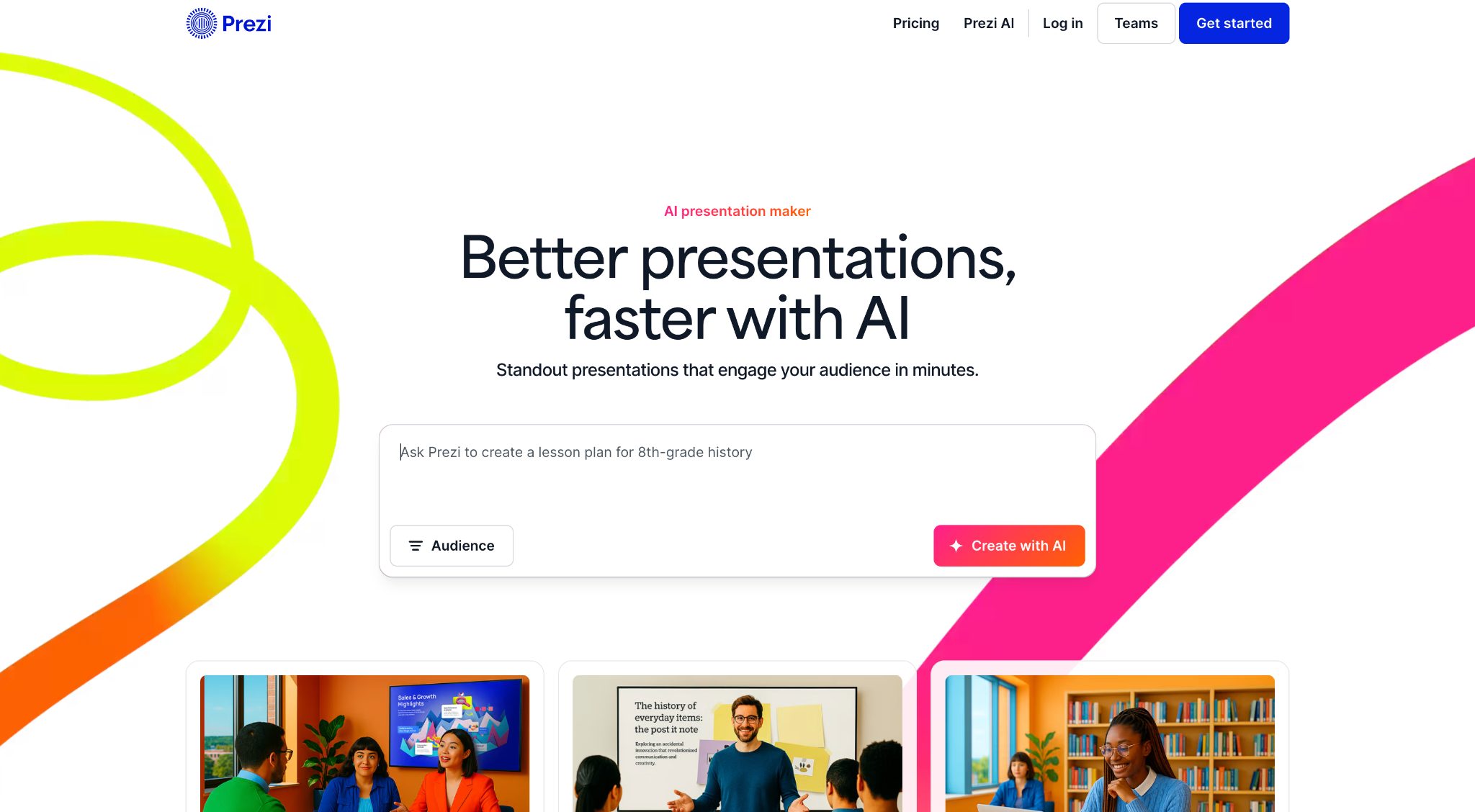
Prezi replaces the linear slide format with a zoomable canvas where you navigate a spatial map that zooms in and out of topics, creating a sense of narrative movement that traditional decks can't replicate. For keynote speakers, sales teams working complex deals, or anyone whose content has a hierarchical or interconnected structure, this format is genuinely memorable when executed well.
Pros of Prezi
- Unique zooming canvas format creates a memorable, non-linear narrative experience for live presentations
- Strong for in-person keynotes and sales presentations where visual storytelling differentiates the presenter
- Prezi Video allows presenters to appear alongside their content during video calls
- AI-assisted text and design suggestions added in recent updates
- Free tier available for basic use
Cons of Prezi
- Steeper learning curve than traditional slide tools because spatial storytelling requires more upfront planning
- Format feels gimmicky when the content doesn't naturally benefit from non-linear navigation
- Performance degrades on slower internet connections or older hardware
- Not suited for presentations that need to be shared as .pptx files
- Limited brand control compared to tools with dedicated brand kit features
Best For
- Keynote speakers, sales presenters, and educators whose content benefits from spatial or narrative storytelling
- Anyone presenting live in-person where a memorable, non-standard format is a differentiator
Pricing
- Free: basic use, watermarked output
- Standard: $5/month
- Plus: $12/month
- Premium: $16/month
8. Apple Keynote
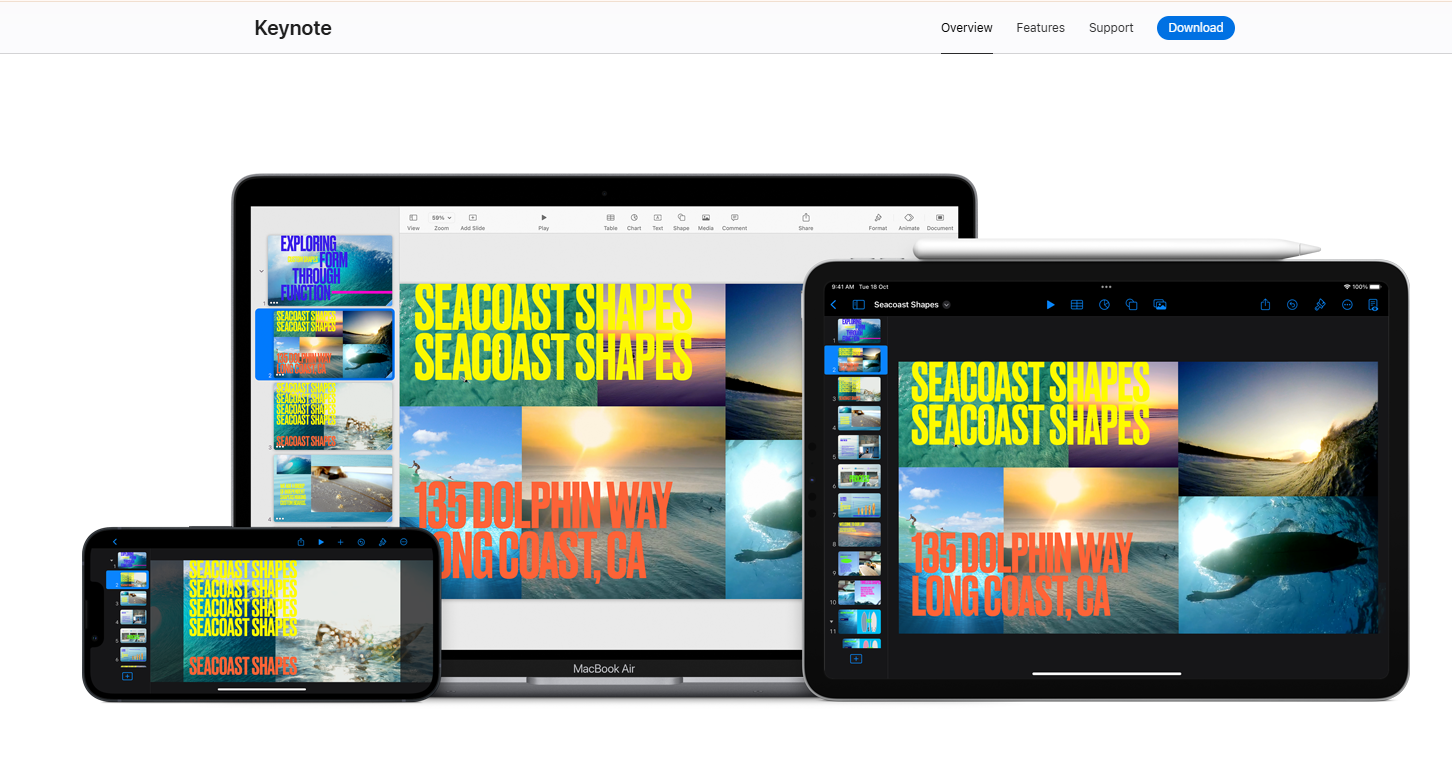
Apple Keynote is the obvious choice for anyone already in the Apple ecosystem who wants a presentation tool that's both free and genuinely well-designed. The built-in themes are polished well beyond what PowerPoint ships with by default, Magic Move and other animations are smooth and visually impressive, and the iOS and iPad apps make it possible to build and present from an iPhone or iPad with minimal compromise.
Pros of Apple Keynote
- Free on all Apple devices: Mac, iPad, and iPhone
- Polished built-in themes that look modern and professional without customization
- Magic Move and other animations are among the smoothest of any presentation tool
- iCloud collaboration allows real-time editing across Apple devices
- Excellent video export: presentations can be rendered as high-quality video files
Cons of Apple Keynote
- Apple ecosystem only: no Windows native app, and the browser version is limited
- PowerPoint export introduces formatting issues particularly with animations, custom fonts, and complex layouts
- No AI presentation generation, no prompt-to-deck, no brand sync features
- iCloud collaboration is less seamless than Google Slides for mixed-device teams
- No presentation analytics or link-sharing insights
Best For
- Mac and iOS users who present frequently in Apple environments and value design quality over AI-powered creation
- Anyone who wants a free, polished presentation tool and works exclusively within the Apple ecosystem
Pricing
- Free on Mac, iPad, and iPhone
9. Pitch
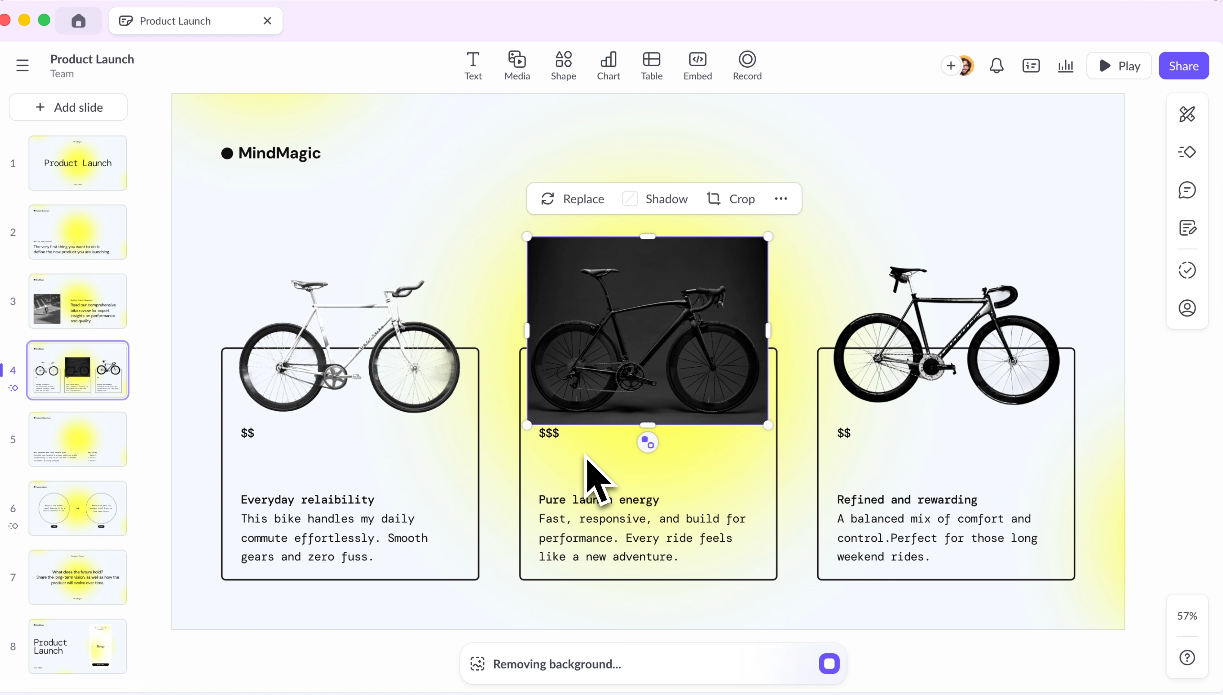
Pitch was built specifically for the kinds of presentations that matter most to startups and growth teams: investor decks, product updates, company all-hands, and sales materials that get shared externally.
Its template library is smaller than Canva's but notably better suited for pitch contexts, and its collaboration features are strong, with real-time co-editing, commenting, and a workspace structure that keeps decks organized by project rather than buried in a flat file list. AI features are available for content suggestions within slides.
Pros of Pitch
- Beautiful, modern templates designed specifically for pitch decks, company updates, and sales materials
- Strong real-time collaboration with commenting, version history, and workspace organization
- Presentation analytics on shared links: views, time per slide, and completion rate
- AI content suggestions integrated into the editor
- Free tier with meaningful feature access for solo users and small teams
- Clean, intuitive interface with a lower learning curve than PowerPoint
Cons of Pitch
- AI features are content suggestions rather than full deck generation from a prompt
- Template library is narrow outside of startup and business contexts
- PowerPoint export quality is inconsistent for complex layouts
- Full real-time co-editing requires a paid plan; free tier limits collaboration
Best For
- Startups and early-stage founders building investor decks, company updates, and external-facing sales materials
- Growth teams who need polished, shareable decks with built-in analytics on viewer engagement
Pricing
- Free: limited collaboration
- Pro: $8/month per user
- Business: $16/month per user
10. Visme

Visme sits at the intersection of presentations, infographics, and visual content creation. If a significant portion of your presentations involve charts, data visualizations, timelines, or process diagrams, Visme is worth a serious look.
Its data visualization library is deeper than most presentation tools, and it extends into formats others don't cover, including standalone infographics, interactive reports, and visual documents.
Pros of Visme
- Deep data visualization library with chart types, maps, and interactive diagram options beyond most presentation tools
- Extends into infographics, reports, and visual content formats beyond standard slide decks
- Brand kit with custom fonts, colors, and logo management available on paid plans
- AI slide generation available for accelerating deck creation
- Wide format export options including PDF, PowerPoint, HTML, and video
Cons of Visme
- Steeper learning curve than simpler tools like Canva or Google Slides due to feature depth
- Editor can feel slow and cluttered compared to more focused presentation tools
- Free tier is too limited for regular work without upgrading
- Team pricing is expensive relative to the feature set for pure presentation use cases
- AI generation is less refined than purpose-built tools like Presentations.AI or Gamma
Best For
- Marketing teams, data analysts, and content creators who produce data-heavy presentations, infographics, and visual reports as core deliverables
- Teams that need one tool for presentations, reports, and standalone visual content
Pricing
- Free: limited features
- Starter: $12.25/month
- Pro: $24.75/month
- Teams: Custom pricing
11. Slidebean

Slidebean is built around one specific use case: the startup pitch deck. If you're raising a pre-seed or seed round, or preparing a deck for accelerator applications or angel investor meetings, Slidebean's template library and AI-assisted structure are calibrated specifically for that job.
The tool has analyzed thousands of successful pitch decks and built those patterns into its templates, covering the problem, solution, market size, traction, team, and ask structure that investors expect.
Pros of Slidebean
- Templates built specifically for startup pitch deck structures, calibrated to what investors expect to see
- AI-assisted structuring helps founders organize their narrative in a logical flow
- Presentation analytics showing which investors engaged and how far they got
- Optional professional design service for founders who want human designers to polish the final deck
- Clean, focused interface that doesn't overwhelm first-time founders
Cons of Slidebean
- Very narrow use case: strong for pitch decks, limited for general presentations or team decks
- Small template library outside of the startup context
- Free tier is significantly limited and hits a paywall quickly for substantive work
- Expensive relative to feature scope at higher tiers
- Design customization is more constrained than general-purpose tools
Best For
- Early-stage startup founders who are actively fundraising and need a pitch deck structure that matches what seed-stage investors expect
- Founders preparing applications for accelerator programs or angel pitch events
Pricing
- Free: limited features
- Content: $29/month
- Content + Design: $99/month
12. Prezent

Prezent is purpose-built for enterprise teams and regulated industries where brand governance, narrative structure, and compliance matter as much as speed. Where most AI tools generate generic decks from broad prompts, Prezent applies what it calls Contextual Intelligence: it personalizes each presentation across five layers of input including your individual preferences, your company, your industry, your content, and proven layout frameworks.
Its Fingerprints feature functions like a communication style profile, adjusting tone, visuals, and storytelling structure to match how your specific audience prefers to receive information.
Pros of Prezent
- Contextual AI personalizes presentations across individual, company, industry, and content layers rather than generating one-size-fits-all decks
- Fingerprints feature tailors tone, visuals, and narrative structure to match how your audience prefers to receive information
- Enterprise-grade brand governance enforces fonts, colors, layouts, and tone at scale across large teams
- Library of 35,000+ expert-designed, on-brand slide templates
- Overnight presentation service pairs AI output with domain expert review for high-stakes decks
- Built-in communication skills training and learning modules for teams
- Strong security and compliance posture: SSO, access controls, data privacy, trusted by pharma and regulated industries
Cons of Prezent
- Pricing is not publicly listed and requires contacting the sales team, making it difficult for teams to evaluate cost without a conversation
- Overkill for small teams, freelancers, or anyone who needs a quick, self-serve presentation tool
- Learning curve is steeper than simpler tools due to feature depth and the Contextual Intelligence layer
- Some features require additional onboarding and training to use effectively
- Less suited for fast, ad hoc deck creation compared to Presentations.AI or Gamma
Best For
- Enterprise teams in regulated industries (biopharma, healthcare, financial services) where brand compliance and narrative accuracy are non-negotiable
- Large organizations where dozens of teams create presentations daily and consistency at scale is a real operational problem
- Strategy, medical affairs, and commercial teams producing high-stakes, executive-facing presentations
Pricing
- Free: limited access
- Contact Prezent for pricing
Why Presentations.ai Is a Great Option
Most presentation tools ask you to start with a blank slide or pick a template and fill it in. Presentations.ai does the opposite: you describe what you need, and the AI builds a full, structured deck with your brand already applied. Here's what sets it apart:
- Prompt-to-deck generation: Feed Clip-E, the built-in AI assistant, a text prompt, URL, PDF, or Word doc and a complete presentation comes back in under a minute, no template-hunting or blank slide anxiety.
- Brand Sync: Drop in your company URL and Presentations.ai auto-extracts your colors, fonts, and logo, then applies them across every generated deck automatically. No manual hex codes or font uploads on day one.
- Adaptable templates. Layouts reflow content without breaking alignment or hierarchy when you add, remove, or rearrange slides, which means less cleanup after generation.
- Free Starter plan: Unlimited users, brand themes included, no credit card required. The free tier is genuinely usable, not just a demo.
- Clean .pptx export: Pro plan exports open in PowerPoint 365 with zero broken layouts or missing fonts, so the handoff to clients or stakeholders is painless.
- Post-share analytics: See exactly which slides your audience engaged with and how long they spent on each one, useful for sales decks and investor materials.
- SOC 2 Type II compliance: Available on Pro and above, relevant for teams where IT or legal needs to sign off on tool adoption.
Which Tool Is Right for You?
The right presentation tool depends on how your team works, not just which tool has the longest feature list. Here's a quick guide based on the most common decision scenarios:
- You need full AI deck generation from a prompt: Presentations.AI is the strongest option. Gamma is a solid alternative if web sharing is your final destination rather than .pptx.
- You're a founder building a pitch deck: Pitch and Slidebean are both designed for this context. Pitch gives more design flexibility; Slidebean provides more narrative scaffolding for the investor story. Presentations.AI works well here too if speed is the priority.
- Your team lives in Google Workspace: Google Slides is the path of least resistance. The collaboration is unmatched at the price point, and it integrates directly with the tools your team uses every day.
- You're in enterprise and need maximum layout control: PowerPoint remains the answer for complex, highly customized presentations where .pptx compatibility and pixel-level control are non-negotiable.
- You're in enterprise and need brand governance at scale: Prezent is purpose-built for this, particularly for regulated industries where compliance and narrative structure are as important as design.
- You need great-looking decks fast without a designer: Canva Presentations and Beautiful.ai both serve this. Canva offers more templates; Beautiful.ai offers stronger design consistency through its smart template system.
- You produce data-heavy reports and infographics: Visme is the strongest option for teams where data visualization is central to the presentation, not just a slide or two.
- You present live and want to stand out: Prezi's nonlinear canvas format is genuinely memorable for in-person keynotes and sales presentations when the content structure supports it.
- You're on Mac and don't need cross-platform editing: Apple Keynote is free, polished, and handles Apple-to-Apple workflows without friction.
Conclusion
The right presentation tool depends on what you're actually building and how your team works.
For speed and brand consistency, AI-native tools like Presentations.ai have a clear edge. For collaboration, Google Slides is hard to beat.
For enterprise-grade control or compliance, PowerPoint and Prezent are the obvious choices. Most tools here have a free tier, so pick two or three that fit your use case from this guide and spend 30 minutes with each one before committing.
For deeper comparisons across specific tools, the Presentations.AI blog covers detailed head-to-head breakdowns across the full range of presentation software on the market.
Ready to build your next deck in minutes?
Try Presentations.AI free. No credit card required.