Why Convert Word to PowerPoint?
Word documents are made for reading. Slides are made for showing — to a room, a client, a team, or an investor. They hold attention better. They're easier to follow. And they're the format people expect when you're presenting.
Most people still convert Word to PowerPoint by hand. They open a blank deck, copy a chunk of text, paste it on a slide, fix the formatting, and repeat. It takes hours. Tables come out wrong. Headings get lost. Images end up in the wrong place.
Our Word to PPT converter does all of this for you in under a minute. Our AI reads your full document, picks out the key points, and turns each section into a proper slide. You get clean, on-brand ai presentations, not a wall of text on blank slides.
Use it for:
- Sales pitches from your one-pager or proposal
- Training decks from your SOPs and process docs
- Client presentations from your reports
- Investor decks from your business plan
- Webinar slides from your script
Working from notes or a script instead of a Word file? Our text to ppt tool turns plain text into slides the same way.
How to Convert Word to PowerPoint in 5 Steps
Step 1: Import your Word file
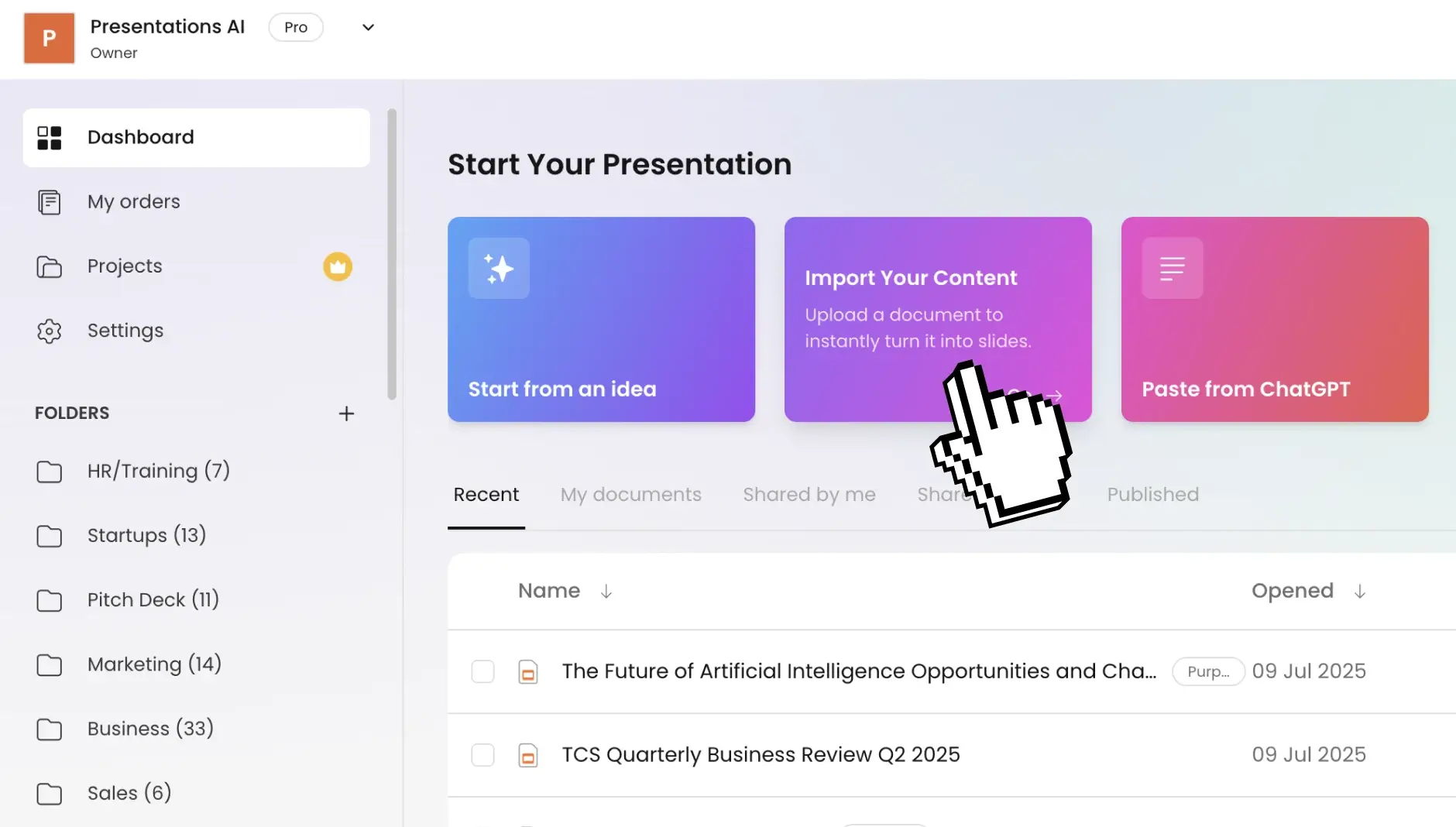
Head to your dashboard and drag in your .docx file — business reports, client proposals, technical documentation, research papers, training materials. All document types supported.
Have the file as a PDF instead? Our pdf to ppt converter handles that format too.
Step 2: Set your presentation preferences
Tailor the conversion to your needs. Pick how many slides you want, select your preferred language, and define who'll be viewing this. The AI shapes content depth and visual style around your specifications.
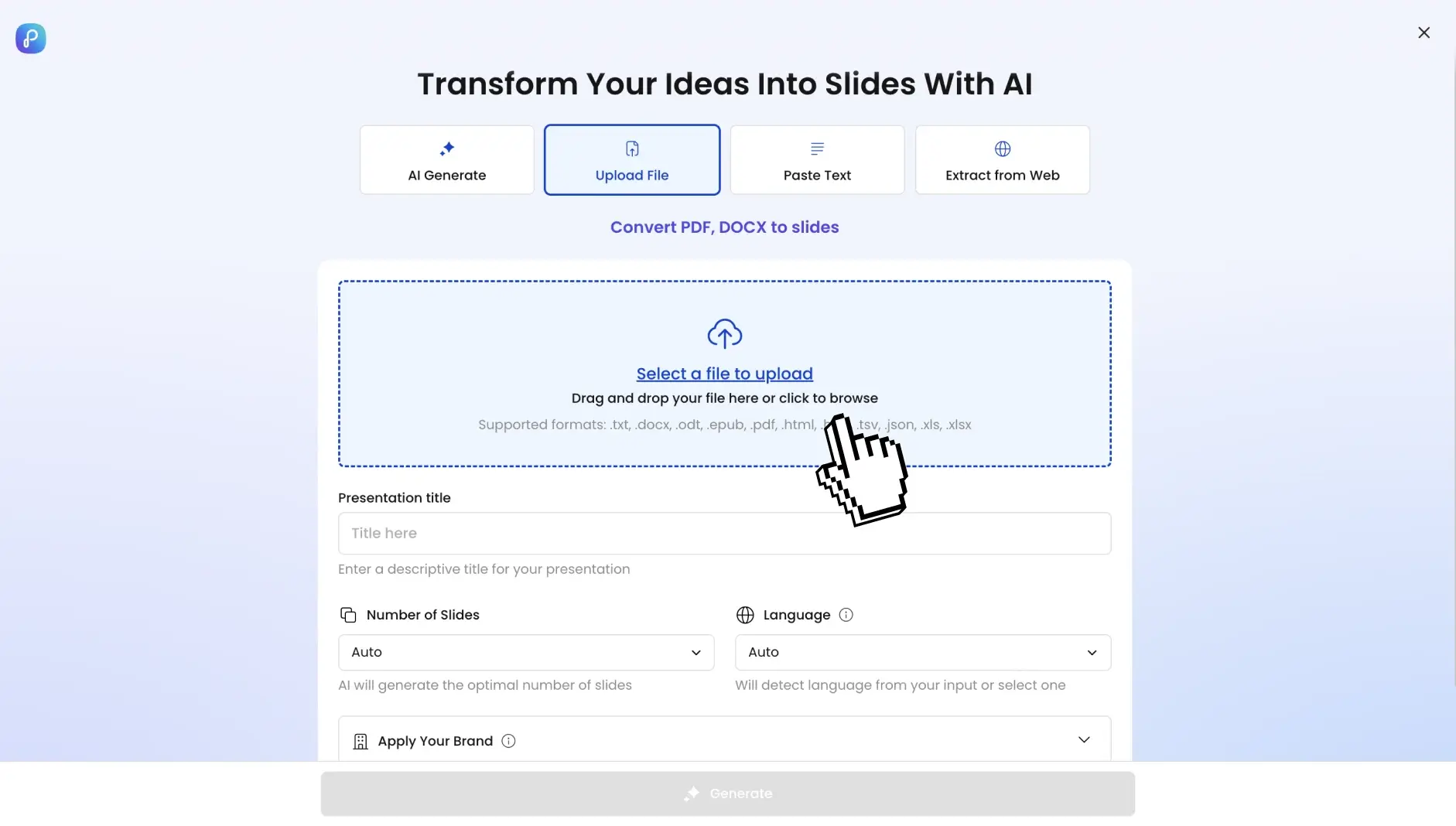
Step 3: Click once to generate your PowerPoint
Click convert. The AI dissects your document structure, extracts core messages, surfaces supporting data, and maps everything into presentation logic. Not reformatting, but a total transformation.

Step 4: Preview your deck
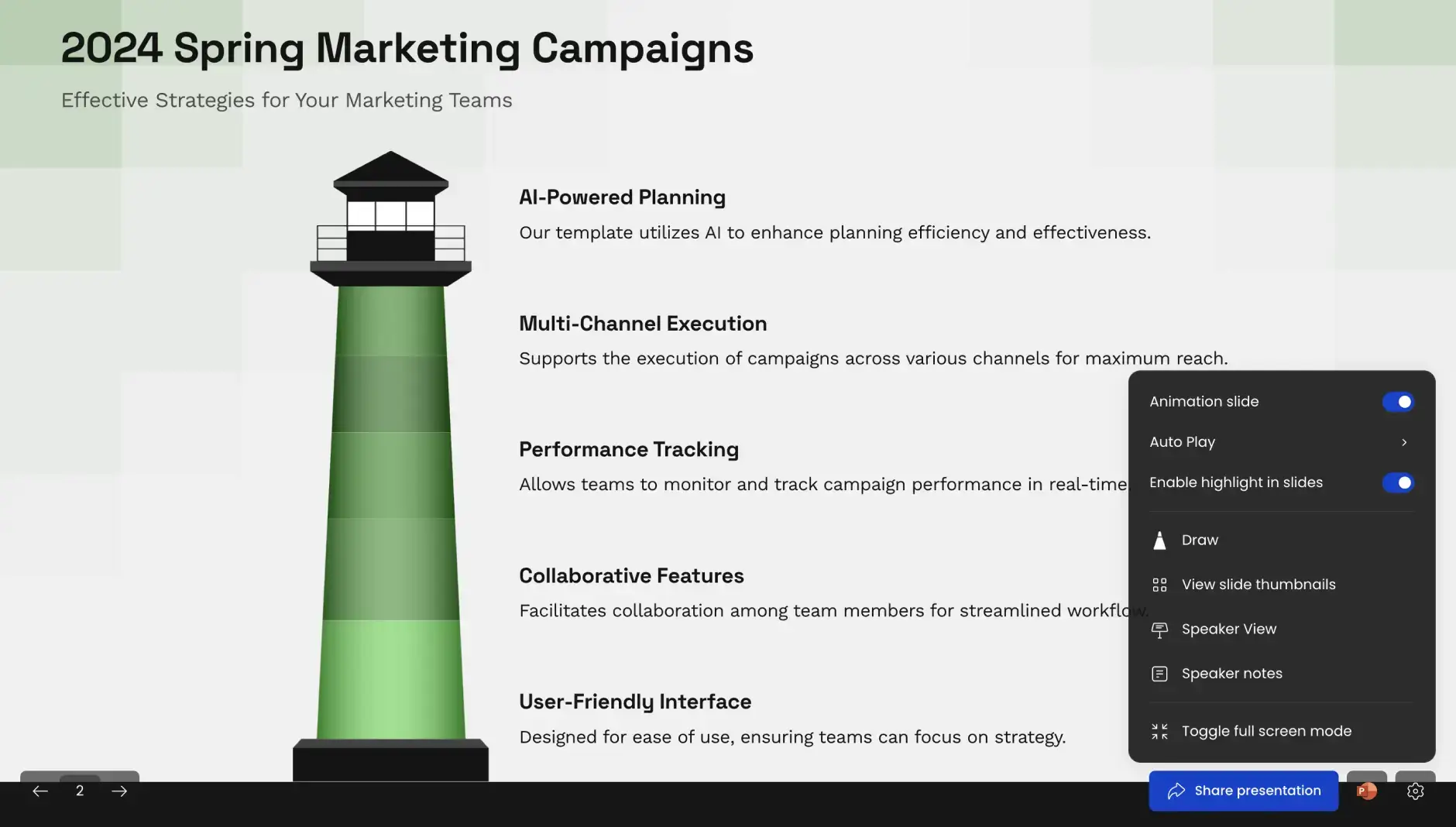
View immediately in slideshow mode. Clean, editable slides with logical sections, smooth transitions, emphasized key points, and presentation-ready data layouts — no paragraph dumps.
Step 5: Polish and personalize as needed
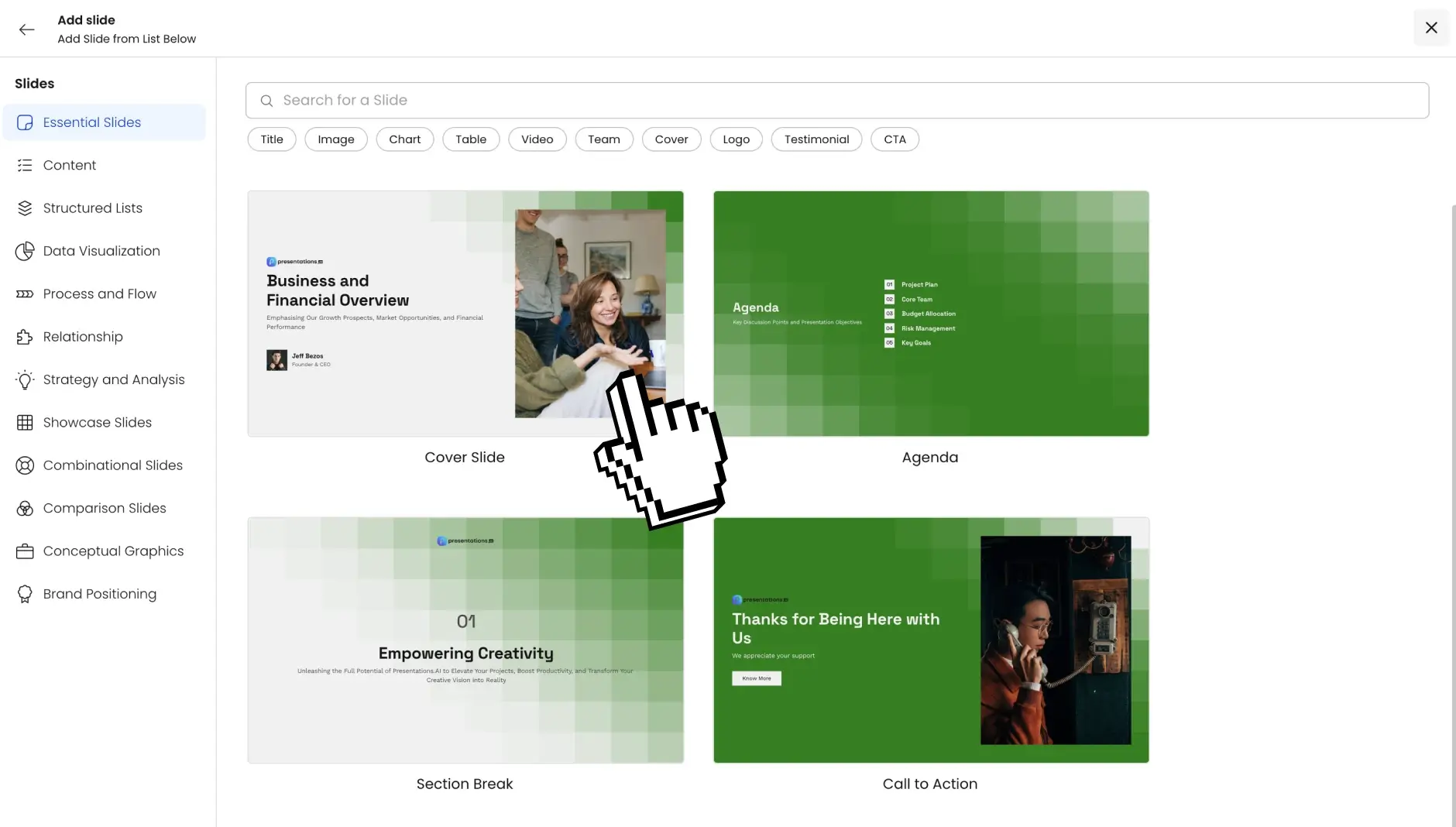
Dive into the AI-generated deck and tweak anything you want — swap text, change images, adjust layouts, add slides, or fine-tune anything directly in the built-in editor. Full control over the finished product.
Step 6: Share anywhere
Happy with how it looks? Share it with everyone by creating a presentation link, or loop in specific team members to collaborate on edits. You can also download it as a PDF or use the fully-editable PowerPoint file.
Why Choose Presentations.ai to Convert Word to PPT?
AI reads your doc — it doesn't just copy text to slides
Most Word to PPT converters paste your text straight onto blank slides. You end up with walls of text no one will read. Same content, different file format. That's not a presentation.
Ours is different. Our ai presentation generator reads the whole document, finds the key ideas, and rewrites the content as proper slide copy. Short headlines. Clear bullets. Real talking points. The kind of slides you'd actually use in a meeting.
Auto brand kit — your colors, fonts, and logo on every slide
Upload your logo once. Set your brand colors. Pick your fonts. From then on, every deck we build for you uses your brand — automatically.
No more cleaning up slides one by one. No more decks that look off-brand. Every conversion looks like it came from your design team.
Fully editable PowerPoint output
What you get is a real .pptx file. Not a locked PDF. Not a watermarked preview. A proper PowerPoint file you can open in PowerPoint, Google Slides, or Keynote.
Change any text. Swap any image. Move slides around. Add new ones. Everything is yours to edit and keep.
Handles tables, images, and tracked changes
Your Word doc has tables? Charts? Images? Tracked edits from your team? We handle all of it.
Tables come out as clean slide tables. Images go on the right slides at the right size. Tracked changes are accepted before we build the deck — so you don't see anyone's old comments in your final slides.
Works with long documents
Got a 50-page Word file? No problem. Our AI handles long documents and still builds a tight, focused deck.
You don't end up with 80 cluttered slides. You get the right number of slides for what you actually want to say.
Free to start — no signup required
Upload your first Word doc and see the deck before you pay anything. No credit card. No sign-up to try it. If you like it, see our pricing for unlimited conversions and team plans.