
TL;DR
- We compared 11 AI pitch deck generators on speed, structure, design polish, branding control, exports, and team collaboration features.
- The best AI deck generator depends on your use case: fundraising, sales outreach, agency work, or enterprise branding at scale.
- Gamma and Beautiful.ai excel at fast AI-first drafts, while Canva offers the most manual design flexibility for visual storytelling.
- Slidebean and Pitch stand out for startup fundraising narrative and real-time team collaboration, respectively, among specialized pitch deck tools.
- Presentations.AI ranked best overall for teams that need brand-consistent, structured, and trackable business-ready pitch decks from a single platform.
Founders pitch investors. Sales teams pitch prospects. Agencies pitch clients. Every one of those conversations starts with a deck, and the pressure to get it right is real.
AI pitch deck generators have changed how teams build presentations. Instead of starting from a blank slide, you describe your idea and get a structured, designed draft in minutes. Each tool delivers a different quality. Some prioritize speed. Others focus on design. A few are built for business outcomes.
Comparing the best AI pitch deck generators in 2026 requires a consistent framework. We tested eleven tools across the criteria that matter: AI generation quality, branding control, export formats, collaboration features, and analytics. Each tool is reviewed with honest strengths, clear tradeoffs, and a best-fit use case.
This comparison covers fundraising decks, sales presentations, and scalable team workflows to help you choose the right tool.
11 Best AI Pitch Deck Generators in 2026, Quick Comparison
The table below summarizes all eleven tools across the criteria that matter most. Use it to narrow your shortlist before reading the detailed reviews.
What Makes a Great AI Pitch Deck Generator?
AI deck generators solve different problems. Some prioritize speed. Others focus on design. A few are built around business outcomes. Before comparing individual tools, it helps to understand the criteria that actually separate a good pitch deck builder from a great one.
AI deck generation quality
Strong tools produce slides with a logical narrative arc, covering problem, solution, traction, and ask, rather than random content blocks. Weak tools generate generic filler that needs heavy rewriting. If you want a primer on thinking about structure before you start generating, the guide to building a presentation outline is a useful starting point.
Branding and visual consistency
A pitch deck represents your company. Mismatched fonts, off-brand colors, and inconsistent layouts undermine credibility before your audience reads a single word. The best tools let you lock brand themes, upload custom fonts, set color palettes, and apply them consistently across every slide.
Export quality and presentation formats
Pitch decks are shared outside the tool that created them. Clean PowerPoint, PDF, and Google Slides exports are non-negotiable. Poor export quality, including broken layouts, shifted text, and missing fonts, creates friction when decks are shared with investors, clients, or internal stakeholders.
Collaboration and team workflow
Teams rarely build decks alone. Comments, shared editing, and role-based permissions enable multiple contributors to work without overwriting one another. Collaboration features matter most for sales teams, agencies, and any group producing decks at volume.
Analytics and performance tracking
Some teams need to know what happens after a deck is sent. Slide-level engagement data and time-per-slide analytics help sales and fundraising teams understand which decks drive action and which fall flat. The same principle that applies to refining a deck also applies to improving how you deliver it. If you want to sharpen your presentation skills alongside your tools, those fundamentals transfer directly to how you discuss your deck in the room. For outcome-focused teams, analytics capability is a deciding factor in tool selection.
How We Compared These AI Pitch Deck Generators
We evaluated each tool using the same five criteria, applied consistently.
- Prompt-to-deck speed
- Pitch deck structure quality
- Design polish and slide consistency
- Branding and customization
- Export, sharing, and collaboration
Pro Tip: Test your top two tools using the same prompt and brand assets. Side-by-side output comparison reveals quality differences that feature lists never show.
11 Best AI Pitch Deck Generators in 2026
Each tool below is reviewed with a clear positioning line, key features, honest pros, and real tradeoffs. The right choice depends on your deck needs, your workflow, and what you value most in pitch deck software for startups, sales, or agency work.
1. Presentations.AI: Best Overall For Business-ready Pitch Decks
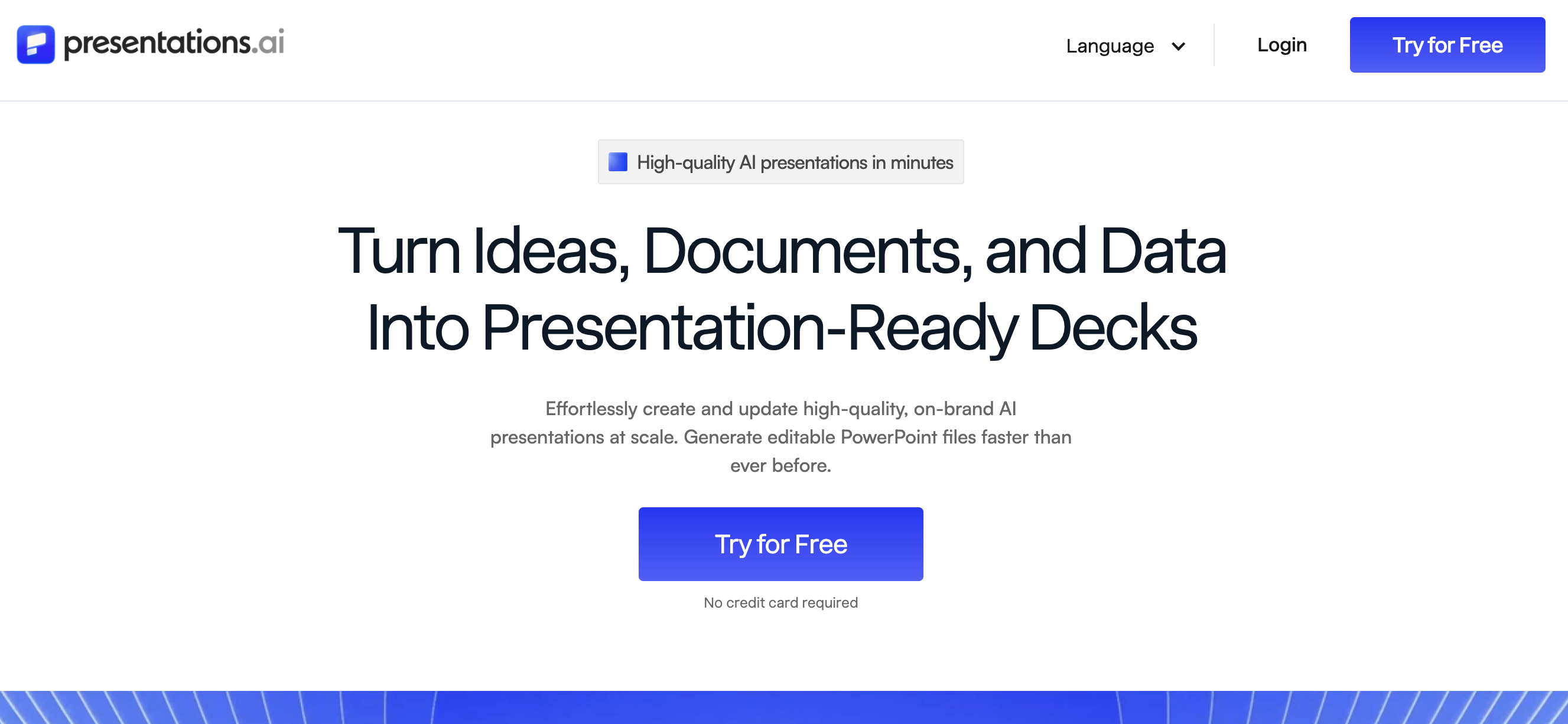
Presentations.AI is built for teams that need decks designed around outcomes, not just aesthetics. It combines AI-generated structure with deep brand control, slide-level analytics, and team collaboration workflows. The result is a pitch deck builder that produces investor-ready and client-ready decks from a single platform.
Presentations.AI’s Key Features
- Conversational AI generation that transforms a plain-text description into a structured, designed deck
- Adaptable design system that adapts layouts automatically as your content changes, without breaking slide integrity
- Remix feature to regenerate slide designs while keeping your content intact
- Brand extraction on Pro plans to pull your colors, fonts, and logo directly from your website or uploaded assets
- Slide-level analytics tracking viewer engagement and time per slide
- Team collaboration with role-based permissions, approval workflows, version history, and shared editing
- Extensive library of pitch deck templates for fundraising, sales, and business use cases
- Export to PowerPoint and shareable web links, with live data connections on Pro plans
Presentations.AI’s Pros
- Strongest narrative structure out of the box among all tools tested
- Brand consistency is enforced across every slide automatically, with anti-fragile templates that adapt without design drift
- Analytics give sales and fundraising teams actionable engagement data at the slide level
- Full team workflows with permissions, approval workflows, comments, and version control
Presentations.AI’s Cons
- More feature-rich than some teams need for simple one-off decks
- Annual pricing plan only
Presentations.AI’s Pricing Plans
- Free / Starter: $0
- Pro (1 user): $240 per year
- Enterprise: Contact sales
2. Gamma: Best For Fast AI-first Pitch Deck Drafts
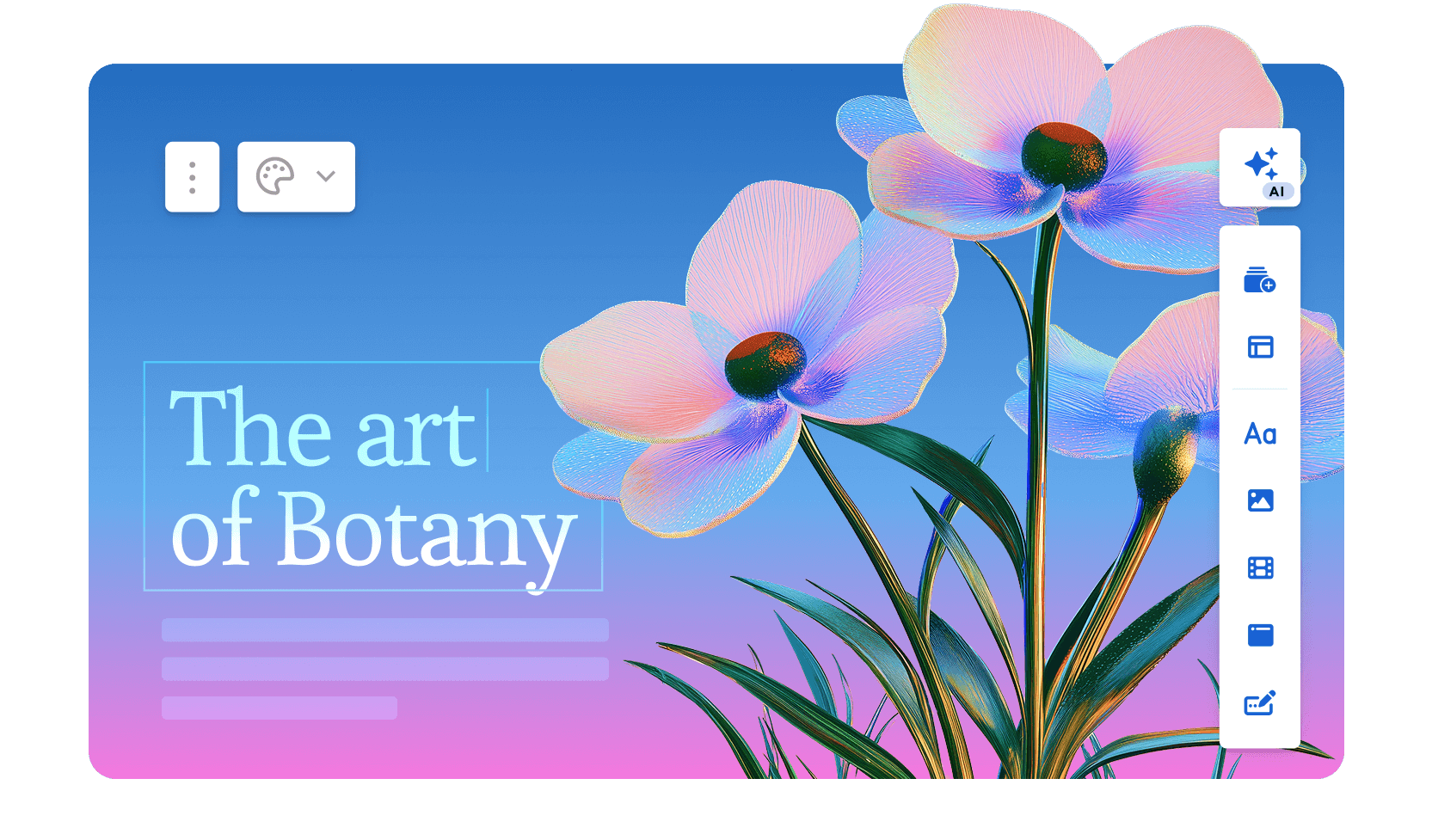
Gamma prioritizes speed above everything else. Enter a prompt and get an editable deck in under a minute. Its card-style format works well for internal presentations and quick brainstorming sessions. Gamma is a strong AI deck generator for teams that iterate fast and refine later.
Gamma’s Key Features
- Fastest prompt-to-deck generation among all tools tested
- Card-style and traditional slide formats available, with up to 10 cards per prompt on the free plan and up to 75 on Ultra
- AI-powered content suggestions and rewriting tools
- Web-based sharing with built-in view analytics on Pro plans and above
- Advanced AI image models are available on Plus plans and higher
- Custom branding, fonts, and API access on the Pro plan
Gamma’s Pros
- Unmatched speed for first drafts and rapid iteration
- Clean, modern default designs require minimal editing
- The free plan is genuinely usable for individuals and early-stage founders
Gamma’s Cons
- Brand customization options are limited compared to dedicated pitch deck tools, with full custom branding only available on Pro
- Exports can lose formatting fidelity, especially in PowerPoint
- Deck structure suits general presentations more than investor-specific narratives
- AI credit limits on lower plans can constrain heavy users
Gamma’s Pricing Plans
- Free: 400 credits at signup
- Plus: $108 per seat per year
- Pro: $216 per seat per year
- Ultra: $1,080 per seat per year
3. Beautiful.ai: Best for Polished Auto-Layout Slides
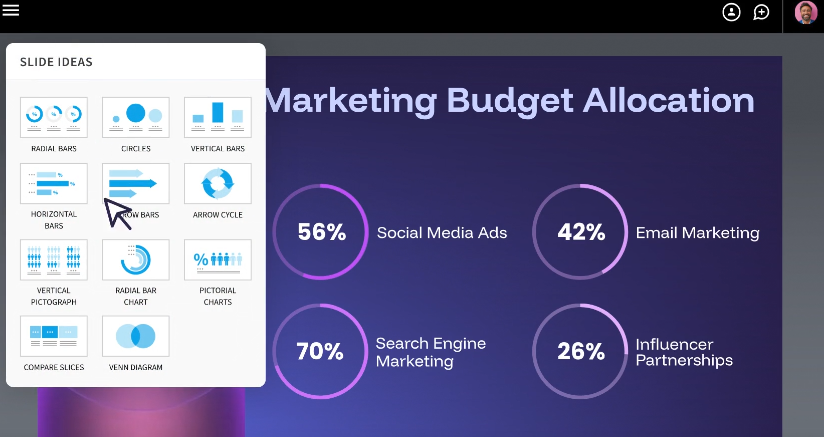
Beautiful.ai uses Smart Slide templates that automatically adjust spacing, alignment, and layout as you add content. It removes the guesswork from slide design. Teams that want professional-looking decks without touching a design tool will find it effective.
Beautiful.ai’s Key Features
- Smart Slide templates with automatic layout adjustments across 300+ slide layout types
- Clean, consistent design output across every slide type, with auto-formatting built in
- AI content generation, AI image generation, and an AI writing assistant on all paid plans
- Multi-language support with on-demand slide translation into 100+ languages on Teams plans
- Live data linking to charts and tables, real-time collaborative editing, and engagement tracking analytics on the Teams plan
- PowerPoint and PDF export support
Beautiful.ai’s Pros
- Slides look polished immediately with zero manual design effort
- Consistent visual quality across long decks with many slide types
- Team collaboration features, live data linking, and engagement analytics are solid on the Teams plan
Beautiful.ai’s Cons
- AI generation focuses more on layout than narrative structure
- Less flexibility for custom branding compared to top-tier tools
- No free plan available; paid subscription required from day one
- Advanced analytics and collaboration features require upgrading to the Teams plan
Beautiful.ai’s Pricing Plans
- Pro: $72 per user per year
- Teams: $480 per user per month, billed annually
- Enterprise: Contact sales
4. Canva: Best for Design Flexibility and Visual Storytelling

Canva gives users the largest design asset library paired with optional AI assistance. It suits teams that want manual creative control alongside AI-generated starting points. The Canva AI pitch deck generator works well for visual-heavy presentations, though it requires more hands-on editing.
Canva’s Key Features
- Over 1.6 million templates, 141 million premium stock photos and graphics (paid plans), icons, and design elements
- AI-assisted content and layout generation, with monthly credits varying by plan
- Full manual design control over every slide element
- Export to PowerPoint, PDF, PNG, and video formats
- Shared Brand Kits and real-time collaboration on Teams plans and above
- Approval workflows and role-based permissions on Teams plans
Canva’s Pros
- Unmatched design flexibility and asset variety
- Free tier covers basic deck creation with strong template options
- Familiar interface for teams already using Canva for other design work
Canva’s Cons
- AI-generated deck structure is weaker than purpose-built pitch deck tools
- Requires more manual editing to achieve a cohesive investor-grade narrative
- Brand kit features, collaboration, and approval workflows are locked behind paid plans
- AI credit allocations are limited on lower-tier plans
Canva’s Pricing Plans
- Free: $0
- Pro: $144 per person per year
- Teams: $250 per person per year
- Enterprise: Contact sales
5. Slidebean: Best for Startup Fundraising Narrative
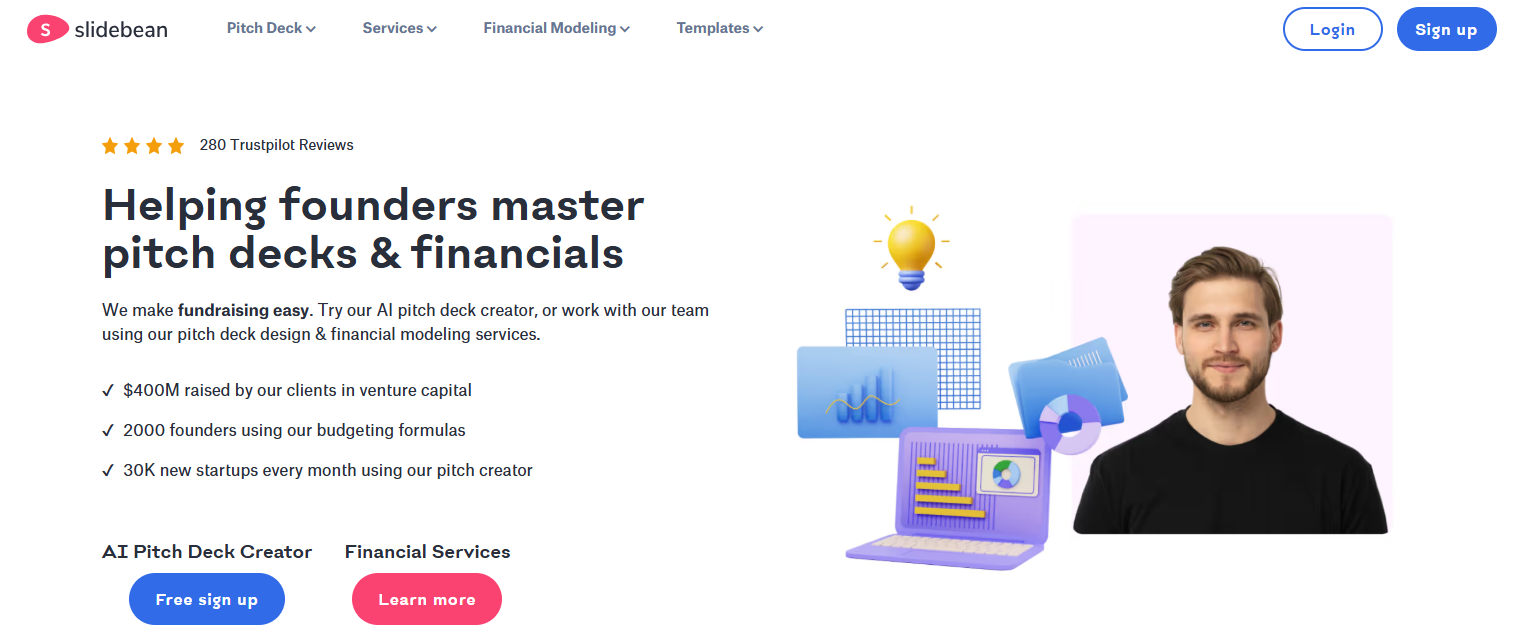
Slidebean is purpose-built for founders raising capital. Its templates follow proven investor deck frameworks, and its financial slide support helps early-stage startups present traction data clearly. If you are thinking through what makes a compelling opening for an investor meeting, the guide on how to start a presentation covers the principles that apply directly to the first slides of any fundraising deck.
Slidebean’s Key Features
- 100+ startup-specific pitch deck templates and frameworks built around real investor expectations
- Unlimited AI Pitch Deck Builder access on all plans
- Financial Modeling Bootcamp and Cap Table Tool included in the Starter plan
- Investor Finder and CRM toolkit on the Accelerate plan
- Monthly sessions with the Pitch Deck Writing and Financial Modeling teams on Accelerate
- Deck view tracking and basic sharing analytics
Slidebean’s Pros
- Strongest startup fundraising focus among all tools tested
- Templates follow real investor expectations for deck structure and slide sequencing
- Accelerate plan adds meaningful human expert support alongside AI tools
Slidebean’s Cons
- Limited flexibility outside the fundraising use case
- Design customization is more constrained than general-purpose tools
- Collaboration features are basic compared to team-oriented platforms
Slidebean’s Pricing Plans
- Starter: $84 per year
- Accelerate: $99 per month
6. Pitch: Best for Collaborative Team Decks
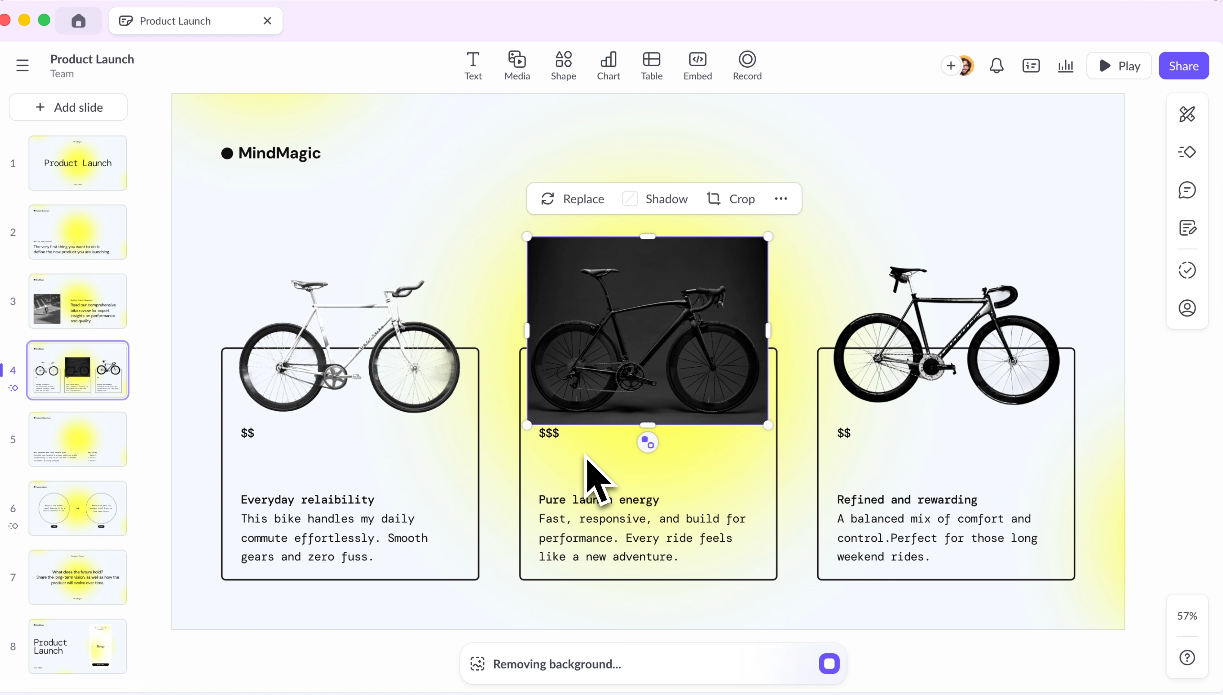
Pitch is designed around real-time team collaboration. Its workspace model supports multiple contributors editing simultaneously, making it a strong pick for agencies and larger teams producing decks together.
Pitch’s Key Features
- Real-time co-editing with live cursors and comments
- Workspace management with folders, teamspaces, and team permissions
- Custom brand themes and style guides
- Co-present functionality and content variables on Team plans and above
- Batch presentation creation on Business plans
- PowerPoint and PDF export support; custom domain on Team plans
Pitch’s Pros
- Best-in-class real-time collaboration among AI pitch deck tools
- Clean workspace management for teams handling multiple deck projects simultaneously
- Brand themes apply consistently across shared workspaces
Pitch’s Cons
- AI generation quality is average compared to AI-first tools like Gamma
- Analytics and engagement tracking are limited
- Smaller template library than Canva or Beautiful.ai
Pitch’s Pricing Plans
- Free: 100 AI credits
- Plus: $156 per seat per year
- Team: $228 per seat per year
- Business: $300 per seat per year
- Enterprise: Contact sales
7. Tome: Best for AI-Generated Narrative Decks
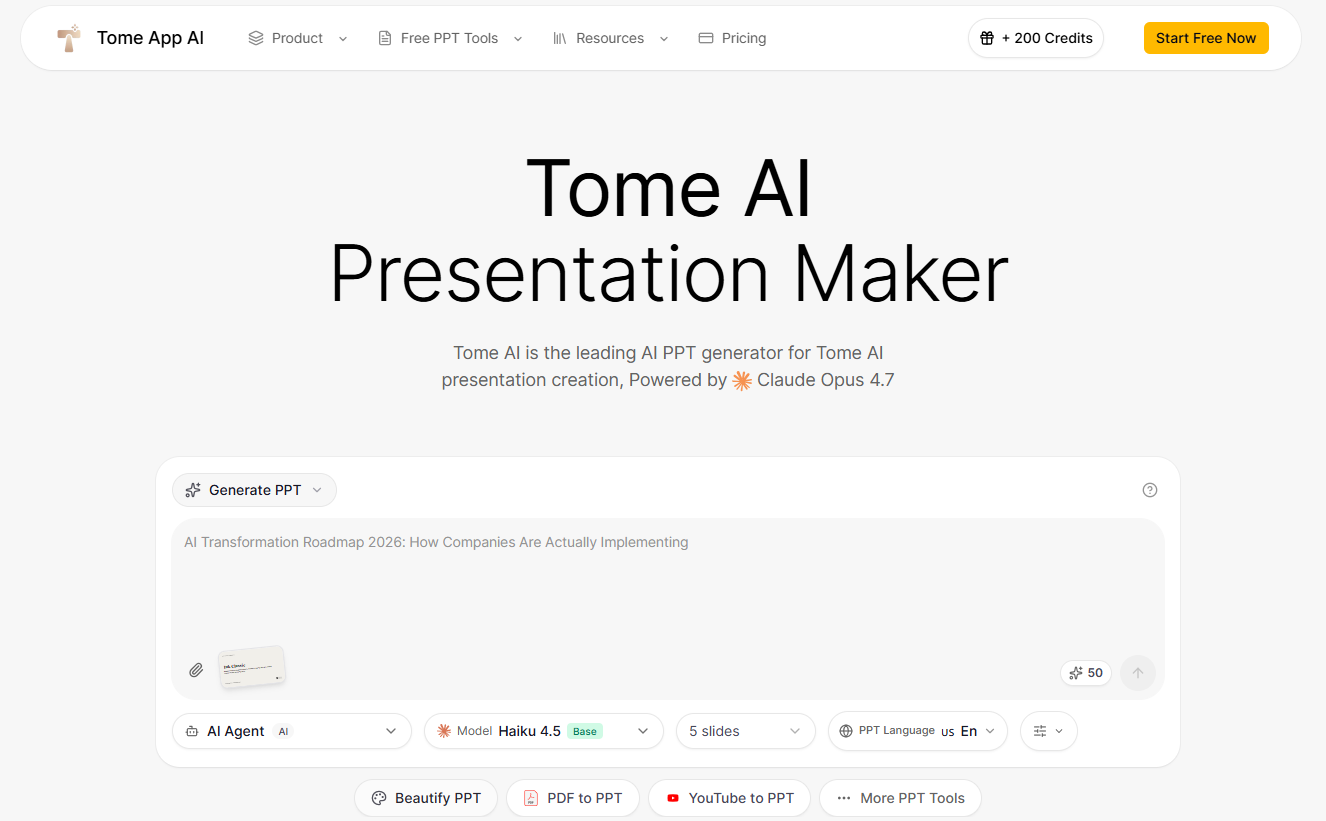
Tome leans heavily on AI content generation, producing longer narrative-style presentations from prompts. It works well for storytelling-heavy decks where text and visuals need to flow together.
Tome’s Key Features
- AI-generated long-form narrative content using Claude Sonnet (Starter/Standard) or Claude Opus (Premium)
- Integrated AI image generation with Nano Banana 2 quality, up to 4K resolution on Premium
- Voice to PPT functionality on Standard plans and above
- Web search enhancement for AI-informed slide content on Standard plans and above
- PPTX export available on all paid plans
- Batch export and batch processing on Standard and Premium plans
Tome’s Pros
- Strong AI content generation for narrative-driven presentations
- Integrated media tools reduce the need for external image sourcing
- Voice to PPT is a genuinely useful feature for fast content capture
Tome’s Cons
- Deck structure can feel more like a document than a traditional pitch deck
- No free plan; paid plans start at $114 per year
- Less suited for data-heavy or financially focused pitch decks
- Credit and generation limits apply at all plan levels
Tome’s Pricing Plans
- Starter: $114 per year
- Standard: $286.80 per year
- Premium: $574.80 per year
8. Visme: Best for Data-Heavy Pitch Decks

Visme shines when decks need charts, infographics, and data visualization. It offers strong tools for teams presenting complex information in a visual format.
Visme’s Key Features
- Built-in chart, graph, and infographic creation tools
- Data visualization widgets with live data connections
- Brand kit with custom fonts, colors, and logo management, available on the Pro plan
- Export to PDF and PNG across plans; PowerPoint export requires the Pro plan
- Privacy controls and most integrations on the Pro plan
- Enterprise features include custom subdomains, SSO, project management, and approvals
Visme’s Pros
- Best data visualization tools among all pitch deck builders tested
- Brand kit features are comprehensive and reliable on Pro
- Strong template variety for data-focused presentations
Visme Cons
- AI deck generation is less advanced than AI-first competitors
- Interface has a steeper learning curve for new users
- PowerPoint export and brand kit are gated behind the Pro plan, which nearly doubles the cost from the starter plan
Visme’s Pricing Plans
- Basic: Free
- Starter: $147 per year
- Pro (required for PPTX export): $297 per year
- Enterprise: Contact sales
9. Decktopus: Best for Guided Deck Building
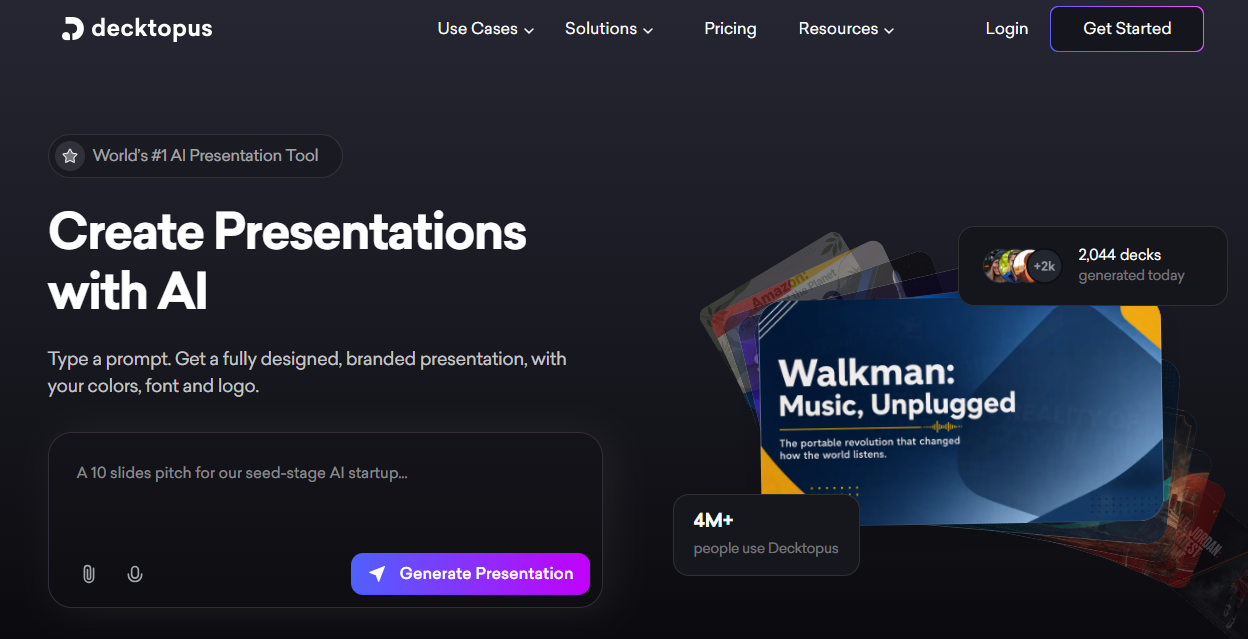
Decktopus walks users through deck creation step by step. Its guided prompts and content suggestions suit first-time deck builders who want structure without having to start from scratch.
Decktopus’s Key Features
- Step-by-step guided deck creation workflow
- AI content suggestions for each slide section, with 9,000 annual credits on Pro and 12,000 on Business
- Up to 300 AI-generated presentations per year on Pro (400 on Business), with credits refreshed annually
- Custom domain connection on the Business plan
- Slide analytics and webhook integration on the Business plan
- Team and organization management features on Business
Decktopus’s Pros
- Easiest onboarding experience for users new to pitch decks
- Guided flow reduces decision fatigue during deck creation
- Annual credit refresh keeps the platform usable without constant top-ups
Decktopus’s Cons
- Design customization is limited compared to professional-grade tools
- Branding control is basic; slide analytics require upgrading to Business
- Suited for individual and small team use; advanced collaboration requires the Business plan
Decktopus’s Pricing Plans
- Pro: $179.99 per year
- Business: $419.99 per year
- Enterprise: Contact sales
10. Alai: Best for Pitch-Specific AI Generation
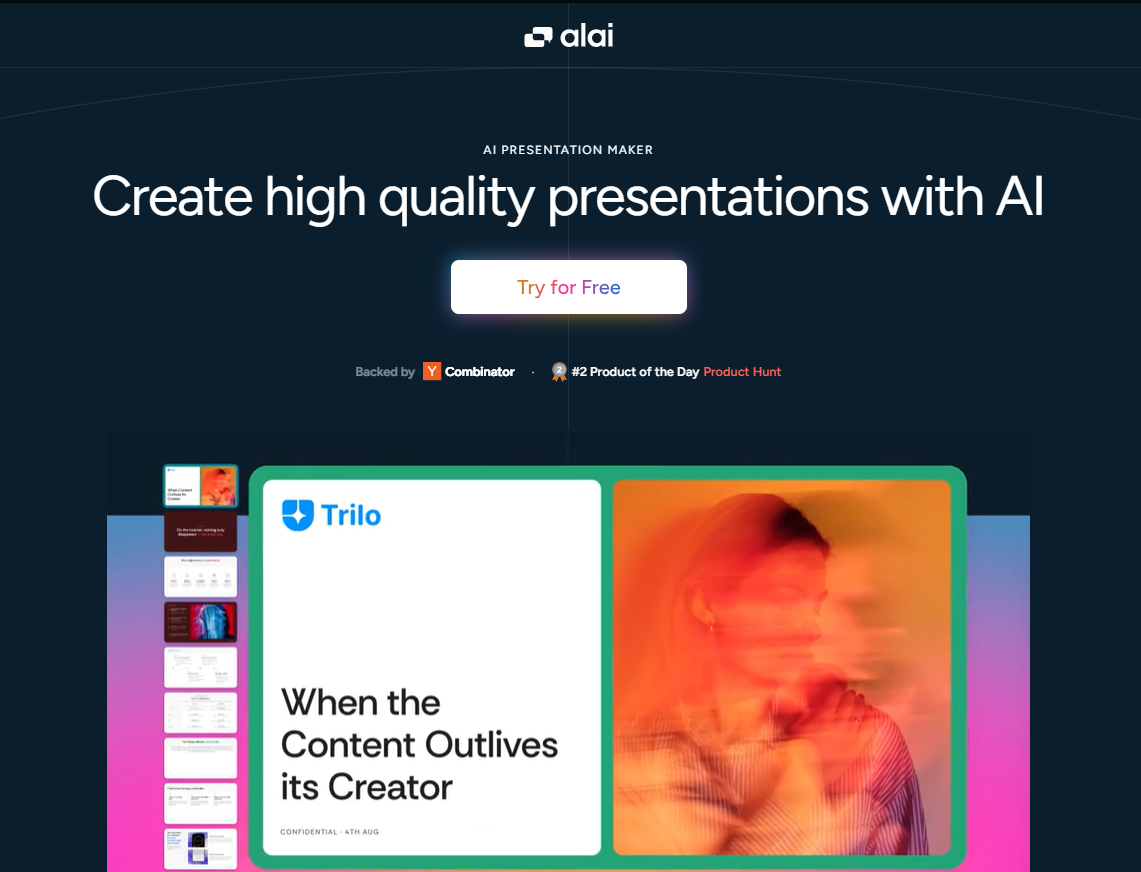
Alai focuses specifically on pitch deck creation with a streamlined feature set designed around fundraising and business presentations. It keeps the interface simple and the output relevant.
Alai’s Key Features
- AI generation focused on pitch deck content and structure
- Up to 50 AI slides per prompt on Pro and Ultra plans (10 on Free, 20 on Plus)
- Monthly credit renewals on Plus, Pro, and Ultra plans
- Watermark-free exports on all paid plans
- Export in both PDF and PowerPoint formats
- Priority support from the founding team on Pro; direct feature request access on Ultra
Alai’s Pros
- AI output is more pitch-relevant than general-purpose tools
- Faster onboarding for users who only need pitch decks
- Focused feature set avoids unnecessary complexity
Alai’s Cons
- Limited design customization and branding tools
- Collaboration features are minimal
- A smaller user community means fewer templates and integrations
- Free plan exports include watermarks and use one-time credits with no renewal
Alai’s Pricing Plans
- Free: 300 one-time credits
- Plus: $192 per year
- Pro: $300 per year
- Ultra: $720 per year
11. Prezent AI: Best for Enterprise Presentation Standards

Prezent AI is built for large organizations that need brand governance and compliance across every presentation. It suits enterprise teams more than startups or individuals.
Prezent AI’s Key Features
- Enterprise-grade brand governance and compliance controls
- Over 10,000 ready-to-use slides on Lite; 35,000+ expert-curated slides on Premium and above
- Audience personalization and content recommendations based on communication context
- Overnight presentation building by expert teams on Pro and Agency plans
- 300+ proven use case templates and 100+ best-practice storylines on Premium plans
- SCIM seat management, SSO, and dedicated customer success support on Enterprise tiers
- PowerPoint-native output throughout
Prezent AI’s Pros
- Strongest brand compliance and governance features in this category
- Audience-aware content suggestions improve presentation relevance at scale
- Designed for enterprise-scale, security requirements, and IT governance
Prezent AI’s Cons
- Pricing puts it out of reach for small teams and startups
- Less useful for one-off pitch decks or quick AI drafts
- AI generation is more template-guided than freely generative
Prezent AI’s Pricing Plans
- Lite: $399 per year
- Premium: Contact sales
- Pro: Contact sales
- Agency: Contact sales
Best AI Pitch Deck Generator by Use Case
Features matter, but use cases matter more. The right AI pitch deck tool depends on the kind of deck you build most often. Here is how the top tools map to the four most common use cases.
1. Best for Startup Fundraising Decks
Presentations.AI and Slidebean are the strongest picks. Slidebean offers investor-specific templates and financial slide support built for founders raising capital. Presentations.AI adds brand consistency, analytics, and a stronger narrative structure that scales as your fundraising story evolves across rounds. Looking at real presentation examples from investor-focused decks can sharpen your thinking before you sit down to generate.
2. Best for Sales Pitch Decks
Presentations.AI and Beautiful.ai lead here. Sales teams need persuasive, branded decks they can send to prospects and track afterward. Presentations.AI offers slide-level engagement analytics that show which slides hold attention. Beautiful.ai delivers polished, consistent layouts that make outbound decks look professional without design effort.
3. Best for Agencies and Client Presentations
Presentations.AI and Canva are the best fit for this use case. Agencies need reusable templates, strong branding controls, and the ability to customize decks per client. Canva offers unmatched design flexibility for visual-heavy client work. Presentations.AI provides brand-locked themes and team workflows that keep client decks consistent at volume.
4. Best for Enterprise Teams
Presentations.AI and Prezent AI serve enterprise needs. Prezent AI is purpose-built for brand governance and compliance at large organizations. Presentations.AI combines enterprise-grade branding control with AI generation quality, analytics, and collaboration that support growing teams without sacrificing creative speed.
Why Presentations.AI Is the Best AI Pitch Deck Generator for Most Teams
Many AI pitch deck tools generate slides quickly. Fewer produce decks that are ready for the meeting, the boardroom, or the investor call without heavy rework. That difference is what sets Presentations.AI apart.
- Brand consistency: It signals professionalism, credibility, and attention to detail. Presentations.AI lets teams lock brand themes, fonts, colors, and logo placement across every deck. New slides inherit brand settings automatically. There is no slide-by-slide cleanup, no rogue fonts, and no off-brand color choices slipping through.
For teams producing decks at scale, this control eliminates visual inconsistencies that erode trust with investors and clients alike.
- Outcome-focused: A great-looking deck that fails to persuade is still a failed deck. Presentations.AI structures content around decisions: funding asks, deal proposals, and strategic recommendations. Its AI presentation maker builds narrative flow that moves audiencs toward action, not just through slides.
Gamma and Beautiful.ai produce attractive output quickly. Presentations.AI goes further by organizing content for the outcome the deck is meant to drive.
- Scalable deck creation: Growing teams need more than a slide editor. They need analytics to understand which decks perform, permissions to control who can edit what, and workflows to support repeatable deck production. Presentations.AI delivers slide-level engagement tracking, team roles, shared workspaces, and API access for teams integrating deck creation into larger systems.
A team building one deck per quarter will find most tools on this list adequate. A team-building deck that runs every week needs the scalability that separates a tool from a platform.
Making The Right Choice For Your Business
The right AI pitch deck generator depends on what your team builds, how often, and what the deck needs to accomplish. Speed-focused teams have excellent options in Gamma and Beautiful.ai. Design-driven teams will get the most from Canva's asset library. Founders raising capital should look closely at Slidebean's investor frameworks. Teams prioritizing collaboration will find Pitch a strong fit.
Teams that need brand-consistent, outcome-driven, and trackable decks will find Presentations.AI covers the most ground from a single platform. No feature list replaces hands-on testing.
Pick your top two tools from this list. Run the same prompt through both, using your actual brand assets. Compare the structure and the design quality. The output will make the decision clearer than any comparison article can.