TL;DR
- With AI, the formatting, layout, and brand consistency are now handled automatically. Your time goes into the analysis and storytelling.
- Prompt-based creation replaces the blank slide. Type what you need, get a structured first draft in seconds, then edit rather than build from zero.
- Adaptive layouts replace rigid templates. Slides reorganize around your actual content instead of breaking when it does not fit a placeholder.
- Conversational editing replaces menus and click-and-drag. Describe what you want changed and the AI makes the change in context across the relevant slides.
- Presentations.AI is built around all of these shifts. It is a practical example of what AI-first presentation creation looks like.
You've been there. It's 10 PM, the deck is due at 8 AM, and you're still fighting with slide layouts that break every time you add a bullet point. You're not designing. You're not thinking about the story. You're pixel-pushing: Dragging text boxes two pixels to the left, hunting for icons that match your brand colors, and wondering why the font changed on slide 14.
That workflow is outdated. And the reason it's becoming outdated has everything to do with how AI is changing the way presentations are created.
AI-powered presentation tools have moved well past the novelty phase. What started as an interesting experiment has turned into a genuine shift in how people build decks — from how they start, to how they structure content, to how teams collaborate on a single file. The change is not just about speed, although speed is part of it. The bigger shift is about what you actually spend your time on.
This article breaks down the key changes, explains what is actually happening under the hood, and looks at where this is heading next. It also walks through Presentations.AI as a real example of what these changes look like in practice today.
Here is a quick look at what that shift looks like side by side:
Five Ways AI is Changing the Way Presentations Are Created
The major change is that you no longer have to spend time on mundane tasks and busywork. You can focus on the things that matter, such as refining strategy and storytelling.
1. Prompt-Based Creation
The most visible change is how you start. Instead of opening a blank slide and making a hundred micro-decisions before typing the first word, you describe what you need in plain language and the AI generates a structured, designed deck as a starting point.
Type something like: “Quarterly review presentation for the sales team, covering revenue results, pipeline health, and three priorities for next quarter”. Within seconds, you have a coherent outline mapped across multiple slides, with layouts chosen, sections sequenced, and placeholder content generated.
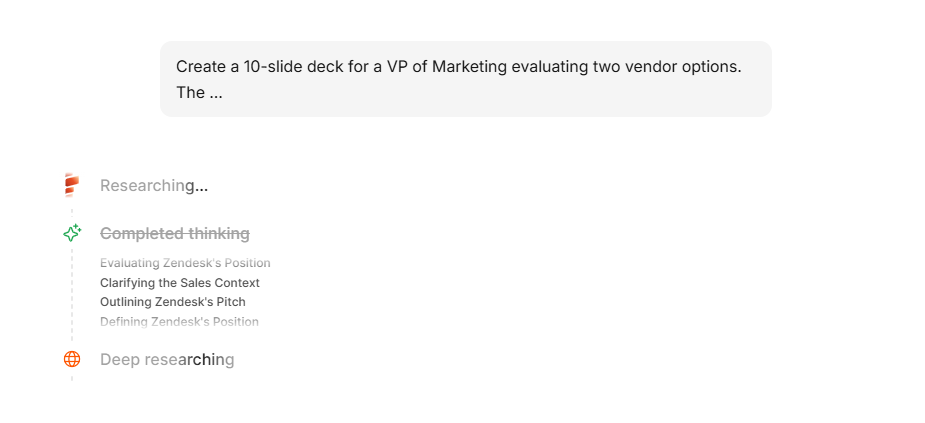
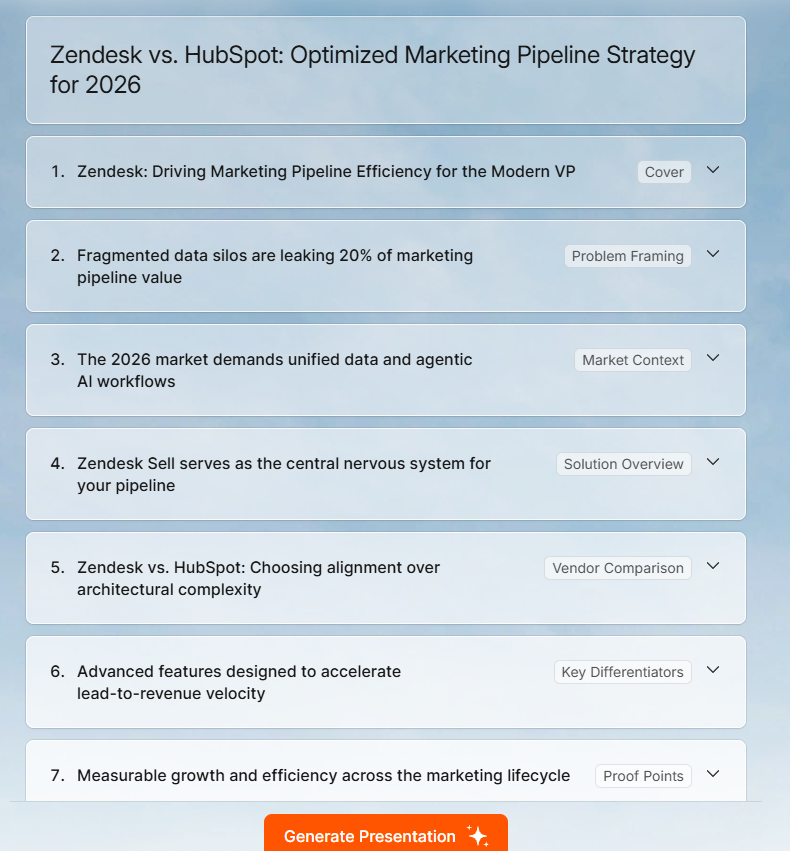
The starting point is not a template you fill in. It is a working draft you edit. That sounds like a small distinction, but it changes how the entire session feels. Editing a draft is cognitively easier than building from zero, which means most people finish the job faster and with fewer false starts.
Presentations.AI's AI presentation maker accepts multiple input formats beyond a text prompt: you can paste a URL, upload a PDF or Word document, or paste raw text from meeting notes. The AI interprets whichever format you provide and builds the deck from it, so you are not forced to rewrite your material before the tool can use it.
2. Auto-Design and Adaptive Layouts
Traditional templates assume fixed content. Three bullets, one image, a title under 40 characters. When your actual content does not fit those assumptions, things break: text overflows, spacing collapses, and the deck that looked polished on slide 2 starts to fall apart by slide 8.

AI-native layout engines work differently. They treat design as a set of constraints — alignment grids, whitespace ratios, visual hierarchy — and generate layouts that satisfy those constraints for your specific content. Whether you have five bullet points or two, a short heading or a long one, the layout adapts. The design integrity holds.
Presentations.AI calls these anti-fragile templates. The name reflects how they behave: instead of breaking when content changes, they reorganize around the change. For anyone who has ever spent 20 minutes reformatting slides because they edited a single paragraph, this is a meaningful difference in daily practice.
You can browse Presentations.AI's template library to get a sense of how this works across different presentation types.
3. Smart Content Suggestions: AI That Structures Ideas, Not Just Words
This is the part that surprises people most. AI presentation tools do not just take your text and place it on slides. They analyze the content — what belongs in a headline versus a supporting point, which ideas group naturally, what order the sections should follow — and make structural decisions accordingly.

Modern natural language processing picks up on intent signals in your input. A prompt that mentions 'investor update' triggers a different structural approach than one that mentions 'team onboarding.' A document about quarterly results gets organized differently than one about a product launch. The AI is not just formatting your words; it is interpreting what kind of presentation you actually need and building a framework around that.
For anyone working from raw, unstructured material, this is where the time savings really add up. Paste in meeting notes or a strategy document, and instead of spending an hour deciding what goes on which slide, you get a structured first draft that already makes reasonable organizational decisions.
For practical guidance on structuring presentations effectively regardless of whether you use AI, the presentation tips guide covers what makes a deck actually land with an audience.
4. Real-Time Editing Through Conversation: Saying What You Want Instead of Clicking for It
Most early AI presentation tools had the same limitation: they generated a first draft and then handed you back a manual editor. The AI's job ended at slide one. From there, you were clicking through menus and dragging elements just like before.
The more significant development is conversational iteration. Tools with this capability let you describe changes in natural language throughout the process, not just at the start. Say “Make slide 4 more concise”, “Move the budget slide after the timeline”, or “Adjust the color scheme to something more neutral”, and the AI makes the change in context, understanding what is already on each slide and how the new request fits the overall deck.
Presentations.AI's Clip-E assistant works this way. You stay in a dialogue with the tool from first draft to final version, which turns AI from a one-shot generator into something closer to an ongoing creative collaborator.
5. How Teams Collaborate Differently Now
Presentations have always been collaborative in theory. In practice, collaboration on a deck usually meant emailing a file back and forth, dealing with version conflicts, and spending time reconciling different formatting choices from different contributors.
AI changes this in two ways. First, cloud-based tools with AI assistance allow multiple people to work on a file simultaneously without the version conflict problem. Second, and more interesting, AI can maintain coherence across multiple contributors. If five people are working on different sections of the same deck, the AI can flag narrative inconsistencies, resolve conflicting formatting choices, and help the final product read like it was built by one person rather than assembled from five different working styles.
This is still developing, but the early versions are already changing how teams approach high-stakes collaborative deliverables, particularly in consulting, agency work, and senior leadership communications.
For more on what makes presentations land with different audiences, the article on how to start a presentation is worth reading alongside this one.
Presentations.AI: What These Changes Look Like in Practice
It is one thing to describe these shifts in the abstract. It is more useful to see how they come together in a tool that is built entirely around them.
Presentations.AI was built as an AI-first product, not a traditional presentation tool with AI features bolted on afterward. That distinction matters in how the features work together.
When you start from a prompt, a PDF, a URL, or raw pasted text, the tool interprets your input, organizes the content into a logical slide structure, selects adaptive layouts, and applies your brand identity automatically. The Brand Sync feature pulls your colors, fonts, and logo directly from your company URL, so brand application happens before you see the first draft — not as a final manual step.
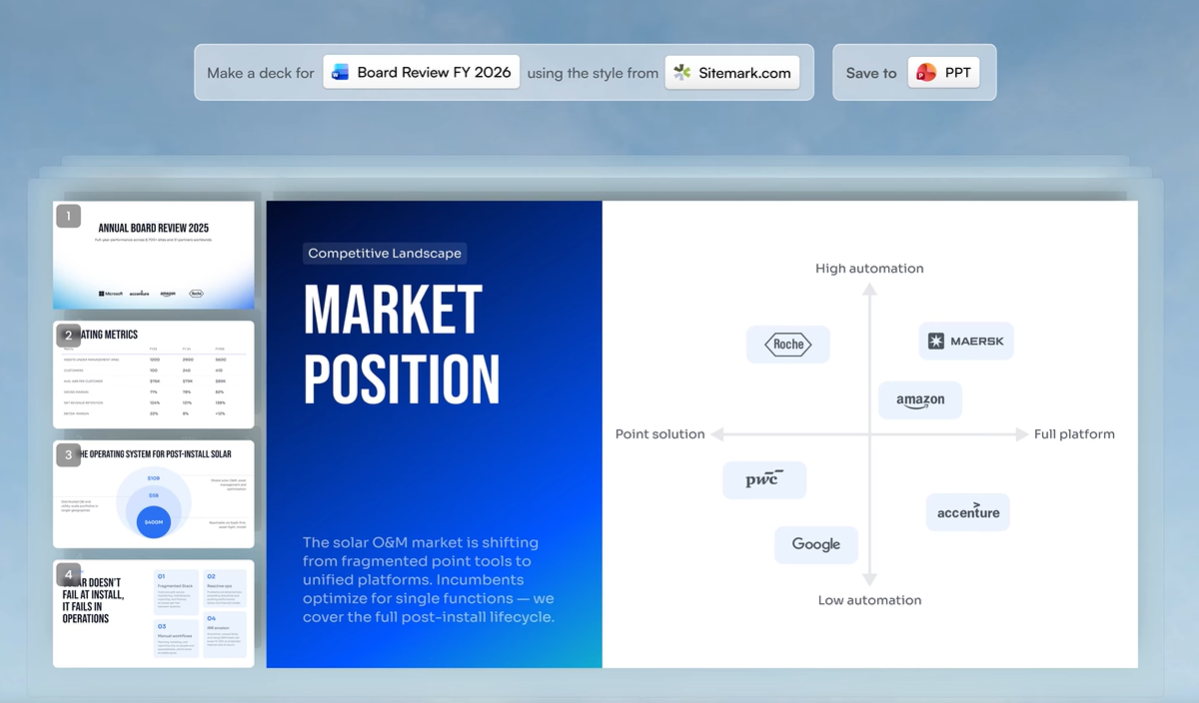
The Clip-E assistant handles iteration through conversation. Rather than hunting through menus to adjust a specific slide, you describe what you want and Clip-E makes the change across the relevant slides, maintaining the context of the rest of the deck.
The output exports as a clean .pptx file that opens in PowerPoint without formatting issues. For teams whose workflow includes a final PowerPoint review or client delivery, the file works immediately without manual fixes.
Post-share analytics show slide-level engagement data: which slides viewers spent time on, where they moved on quickly, and where they stopped. That data feeds back into how you refine the next version.
This is not a product endorsement so much as a practical illustration. The features described above, prompt-based creation, adaptive layouts, brand automation, conversational editing, and post-share analytics, are the things that define what AI-powered presentation tools look like when the capabilities are fully integrated rather than partially layered on.
What AI Still Needs From You
Honesty about limitations is more useful than hype, especially if you are trying to decide whether and how to incorporate AI into your workflow. Here is where human judgment still matters.
- The strategic argument. AI can structure information logically. It cannot determine what your argument should be. Whether to lead with market size or team credibility in an investor pitch is a strategic decision based on context the AI does not have. You bring the “So what”. The AI handles the mechanics.
- Emotional calibration. A restructuring announcement requires different framing than a product launch. A board presentation to skeptical directors needs different language than one to supportive allies. AI is improving at tone adjustment, but navigating the interpersonal and political dimensions of how you communicate remains a distinctly human skill.
- Factual accuracy. AI tools generate content based on your inputs. They do not verify that the revenue number in your uploaded PDF is correct, or that the market statistic you prompted with is current. You are still the quality control layer. The best workflow treats AI output as a capable first draft that needs your verification, not a finished product you send blind.
- Knowing when less is more. AI will generate as many slides as your input warrants. Knowing when to cut, when to let a single data point carry a whole slide, and when a deck is not even the right format — those judgment calls stay with you.
Where AI Can Save Time and Effort
The takeaway here is not that AI falls short. It is that AI has shifted where your effort goes. Less time formatting, designing, and structuring. More time thinking about what you actually want to say and how your audience needs to hear it. That is a better use of your hours.
The tools available today already represent a significant change from where presentation creation was two years ago. But the trajectory is worth understanding, especially if you are making decisions about workflow, tooling, or how your team communicates.
For a broader look at what makes presentations effective, this article on innovative presentation ideas is a useful companion read.