TL;DR
- AI presentation tools in 2026 go far beyond template generation. Real-time deck creation, voice inputs, and audience-specific versions are becoming table stakes.
- Auto-branding features mean you no longer have to configure a brand kit manually. Tools pull your visual identity directly from your company URL.
- The shift from 'AI as generator' to 'AI as co-pilot' is the defining change of 2026. The best tools work alongside you in a conversation, not just in response to a single prompt.
- Multimodal inputs (documents, PDFs, URLs, voice) are replacing plain-text prompts as the dominant way people start a deck.
- Analytics built into presentation tools are closing the loop between creation and delivery, showing you how audiences actually engage with your slides.
A year ago, the pitch for AI slide tools was speed. You could get from a blank page to a finished-looking deck in minutes instead of hours. That was genuinely useful, and a lot of people found it worthwhile for that reason alone.
What's happening in 2026 goes further. The speed argument hasn't gone away, but it's no longer the whole story. The tools are getting better at understanding context, maintaining consistency across a full deck, adapting to different audiences, and working with you in an ongoing dialogue rather than a single prompt-and-generate cycle. The category is growing up.
This piece covers eight trends shaping how AI presentation tools work in 2026, what's already here, and what's close enough to plan around. If you're someone who builds decks regularly for work, whether for internal meetings, client pitches, or conference talks, these trends matter practically, not just theoretically.
Quick Reference: 2026 AI Presentation Trends at a Glance
Trend 1: Real-Time Deck Generation from a Single Sentence
A couple of years ago, generating a full presentation from a text prompt was genuinely impressive. Today, the bar has moved. The question isn't whether an AI tool can produce a deck from a prompt. It's how fast, how coherent, and how close to ready-to-use the output actually is.
According to McKinsey's AI in the Workplace report, 92% of companies are planning to increase their AI investments over the next three years, and real-time content generation is among the most commonly cited use cases.
The best tools in 2026 are generating structured, visually laid-out decks in seconds, not minutes. You type a sentence, describe your goal or your audience, and the tool produces a 10-to-12 slide deck with a logical narrative arc, formatted slides, and reasonable visual hierarchy. The days of watching a progress bar inch across the screen while you wait are mostly behind us.
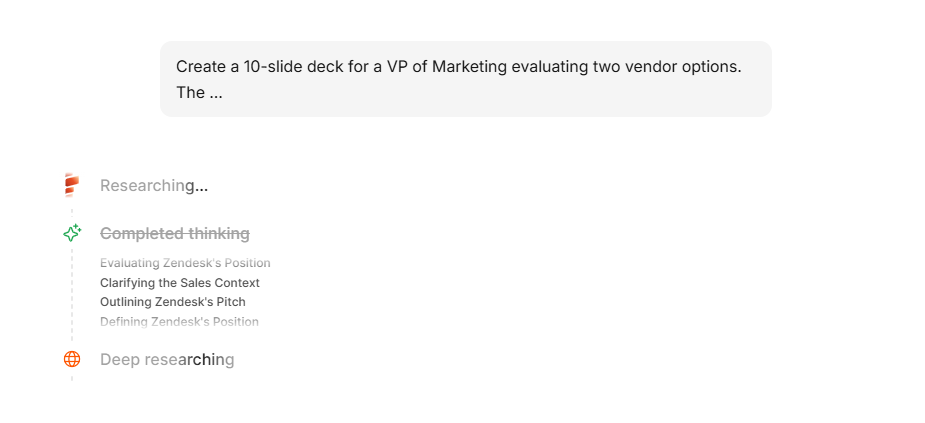
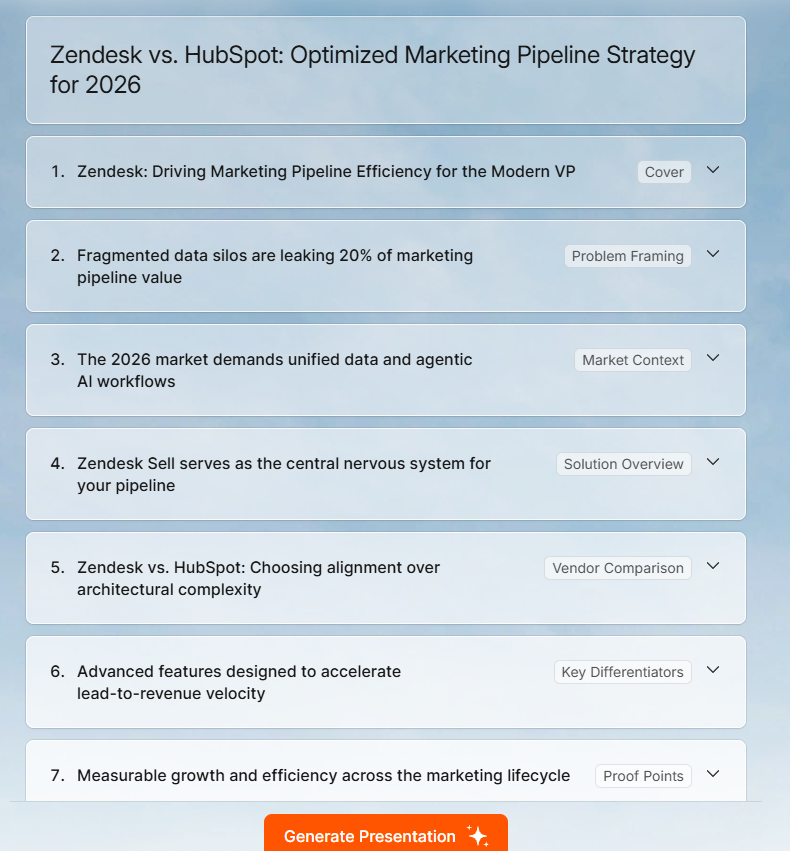
What makes this practically useful rather than just fast is that the generation is becoming more context-aware. A prompt like “Create a pitch deck for a Series A fundraise targeting SaaS investors” produces different output from “Create a quarterly review deck for an internal ops team.” The tools are getting better at reading intent, not just keywords.
Where this is going
The next step is generation that responds to iterative feedback in real time, which is already happening in more sophisticated tools. You generate, see something that's close but not quite right, and instead of regenerating the whole thing, you say, “Make the opening more direct” or “Cut slide 4 and expand slide 7.” The AI treats the deck as a live document, not a finished artifact.
Trend 2: Inputs from Different Formats
The plain-text prompt had a good run. But in 2026, the more common way people start a deck isn't by typing a description of what they want. It's by dropping in something they already have. According to Gartner's prediction on multimodal AI, 80% of enterprise software and applications will be multimodal by 2030.
Uploading a research brief, pasting a company URL, importing a PDF of last quarter's report, handing over a Word document with existing talking points. These are becoming the default starting points for AI-generated decks, and for good reason. A tool that works from your actual content produces a deck grounded in your real data and language, not in the AI's general knowledge of your topic.
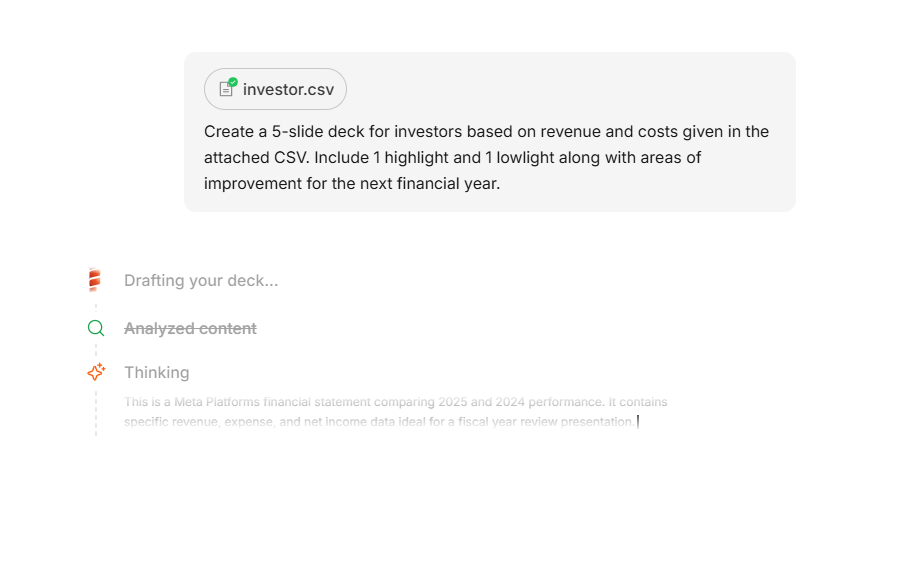
This matters especially for people who have already done the hard work of gathering and structuring information. If you've written a 2,000-word brief, you don't want to summarize that brief into a prompt and then watch the AI reimagine it. You want the tool to read the brief and turn it into a deck directly.
The practical difference
When the source material is real content rather than a prompt, the output tends to be more accurate, more specific, and more aligned with your actual message. You still need to review and edit, but the editing pass is about refinement rather than error-correction. The gap between what the AI produced and what you needed is smaller from the start.
Trend 3: Voice-to-Slide Is Becoming a Real Workflow
Voice inputs for AI tools have been around for a while in other categories, transcription tools, note-takers, meeting assistants. In 2026, that capability is moving into the presentation creation workflow in a meaningful way.
The premise is simple: speak your idea, and the tool structures it into a deck. Describe the narrative arc out loud, say what you want each section to cover, and get back a structured slide outline ready for visual layout. For people who think better out loud than in writing, this removes one of the biggest friction points in the deck-creation process.
Voice-to-slide is also picking up in mobile contexts. People on the move, who have an idea they want to capture before a meeting, can describe a deck concept into their phone and come back to it in a more developed form. The capture-to-creation gap gets shorter.
Where it's at right now
Full voice-to-finished-slide workflows are still maturing in most tools, but the underlying capability is solid. Speech-to-text accuracy is good enough that the main question is how well the tool interprets and structures what it hears. The early movers here are building interfaces that let you toggle between text and voice input without changing your workflow.
Trend 4: Auto-Branding Becomes the Default, Not an Add-On
Ask most people who use AI presentation tools what they spend the most time fixing after generation, and brand consistency comes up quickly. The AI produces a clean deck, but it uses the wrong fonts, approximate colors, or a generic style that doesn't match how your company looks. You then spend 15 to 20 minutes making the slides look like yours.
In 2026, the tools that require that manual correction step are falling behind. Auto-branding, pulling your visual identity automatically and applying it to every slide from the start, is becoming a baseline expectation rather than a premium feature.
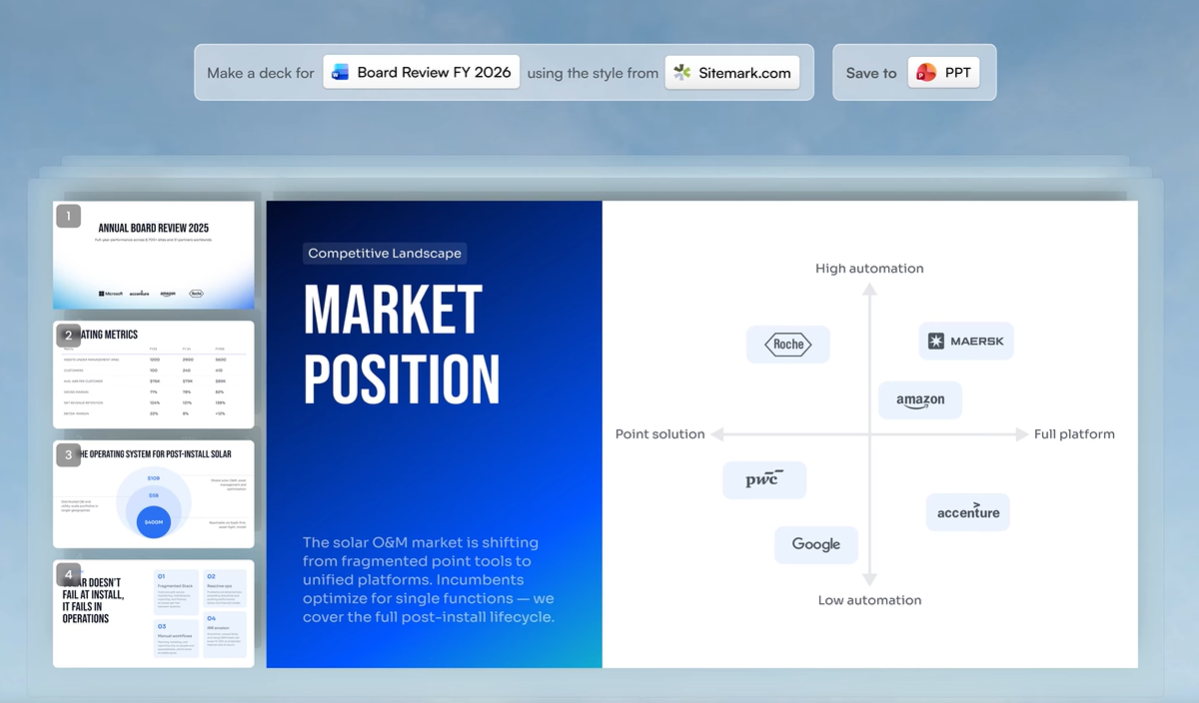
The approach that's working best is URL-based extraction. Paste your company website, and the tool reads your brand colors, fonts, and logo from the page and applies them across the deck. No uploading a brand kit. No color codes. No explaining your visual guidelines. The tool figures it out and stays consistent slide to slide.
According to Deloitte's Marketing Trends report, 64% of brands have already implemented AI tools to automate content creation and improve operational efficiency, with brand consistency explicitly cited as a driver.
Why this matters more than it sounds
A deck that looks like your brand isn't just about aesthetics. For pitches, proposals, and external presentations, brand consistency is a credibility signal. When a VP of Sales sends a proposal to a client and the slides look like a default template, it raises a quiet question about how much care went into the rest of the work. When the deck looks exactly like your company, that question doesn't come up.
Trend 5: AI Co-Pilots Are Replacing One-Shot Generation
The original version of AI presentation tools was essentially a vending machine. You put in a prompt, you got out a deck. If the output wasn't right, you put in a better prompt and tried again.
That model is being replaced by something that feels much more like working with a collaborator. In 2026, the better tools operate as ongoing co-pilots inside the deck-building process. You talk to them. You tell them what to change. They respond to specific instructions rather than starting over from scratch every time something needs to be different.
The practical effect is that the editing process becomes conversational. Instead of going into a layout editor, clicking on a text box, selecting text, and rewriting it, you say 'make slide 3 more concise' or 'shift the focus of slide 6 to cost savings instead of features.' The AI makes the change, you review it, and you either keep it or redirect. That back-and-forth is fundamentally different from how presentation tools have always worked.
Gartner predicts that 40% of enterprise applications will integrate task-specific AI agents by the end of 2026, up from less than 5% today.
What this changes about the creation process
When the tool becomes a conversation partner, the barrier to getting a slide exactly right drops significantly. You don't need to know where to click or how to format something. You just need to be able to describe what you want. That makes the tool more accessible for people who aren't naturally comfortable in slide editors, and it makes the refinement step faster for people who are.
Trend 6: Audience-Personalized Decks Are Moving from Manual to Automatic
One of the persistent frustrations of presentation work is that the same underlying content often needs to be delivered in very different ways depending on who's in the room. A product update presented to engineers needs different depth and terminology than the same update presented to sales. A fundraising pitch tailored to a consumer-focused investor looks different from the same pitch tailored to an enterprise-focused one.
Most people handle this by building multiple versions of a deck manually, which is time-consuming and error-prone, or by using a single version for all audiences and hoping the gaps don't matter too much. Neither approach is great.
AI tools in 2026 are starting to address this more directly. The concept is that you describe your audience as part of the generation input, and the tool adjusts not just the content but the framing, the depth, and the visual emphasis based on who will be seeing it. A finance audience gets more numbers and fewer feature descriptions. A creative team gets more visual examples and fewer data tables. The underlying story is the same. The presentation of it changes.
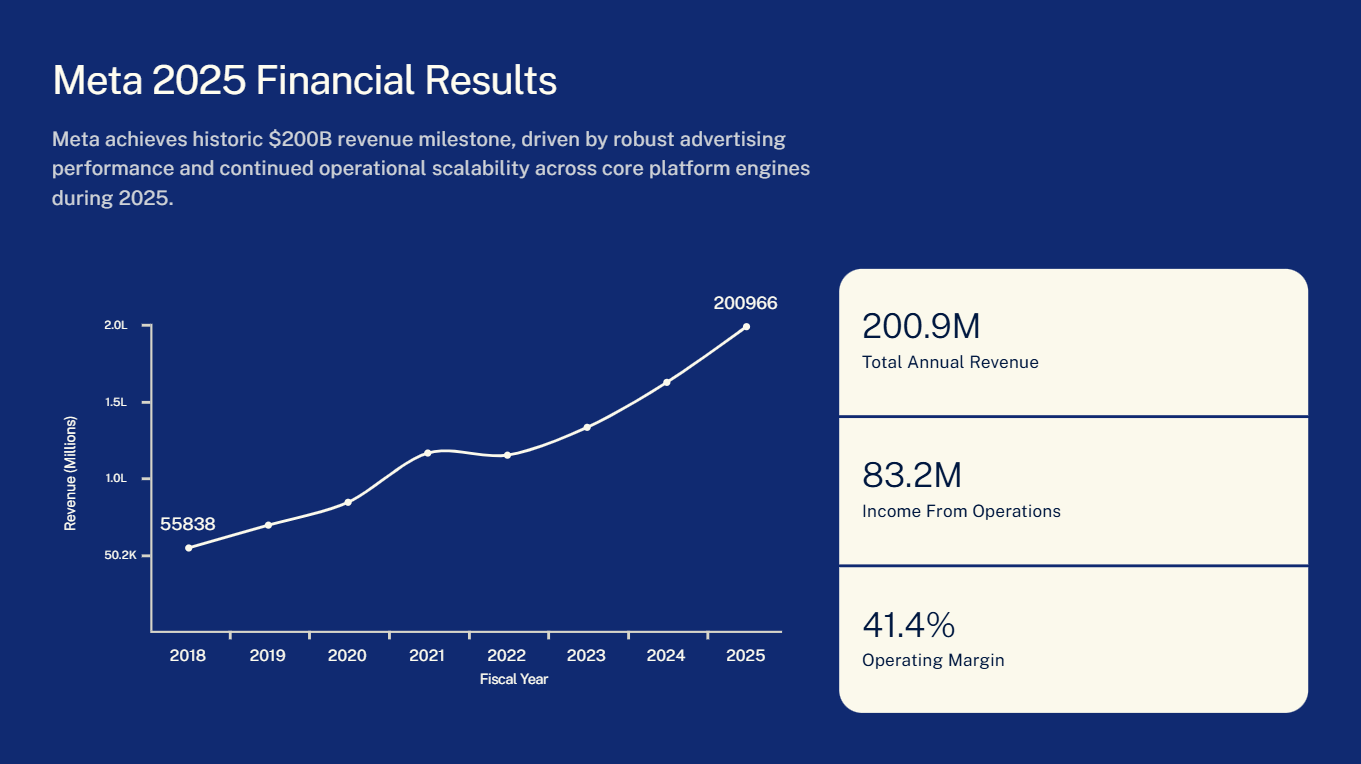
Financial Year results slide created by Presentations.ai for investors
According to McKinsey's analysis of personalization in marketing, companies that execute well on personalization generate 40% more revenue from those activities compared to average performers, and personalization consistently drives 5 to 15 percent revenue lift.
The early version of this
Full automatic audience-switching is still developing, but the building blocks are here. Tools that let you specify audience characteristics in the prompt are already producing meaningfully different decks from the same source material. The more explicit you are about who the audience is and what they need to do with the information, the better the differentiation gets.
Some teams are already working with a 'base deck' model: generate a comprehensive version, then use AI editing tools to strip it down and reframe it for each specific audience. It's not fully automatic, but it's significantly faster than building multiple versions from scratch.
Trend 7: Smart Templates That Adapt Instead of Constrain
The classic template problem: you find a layout you like, you start dropping in your content, and by the third slide it's broken. You've added one more bullet point than the template expected and now the text is overflowing or the image has shifted into the heading. So you spend 10 minutes fighting the layout instead of working on the content.
The template model in 2026 is moving away from fixed layouts toward adaptable design. The layout adapts to your content as you edit it, rather than assuming a specific amount of content and breaking when you deviate. Add a bullet point, and the layout reorganizes to fit it. Remove a content block, and the remaining elements redistribute instead of leaving a blank space.
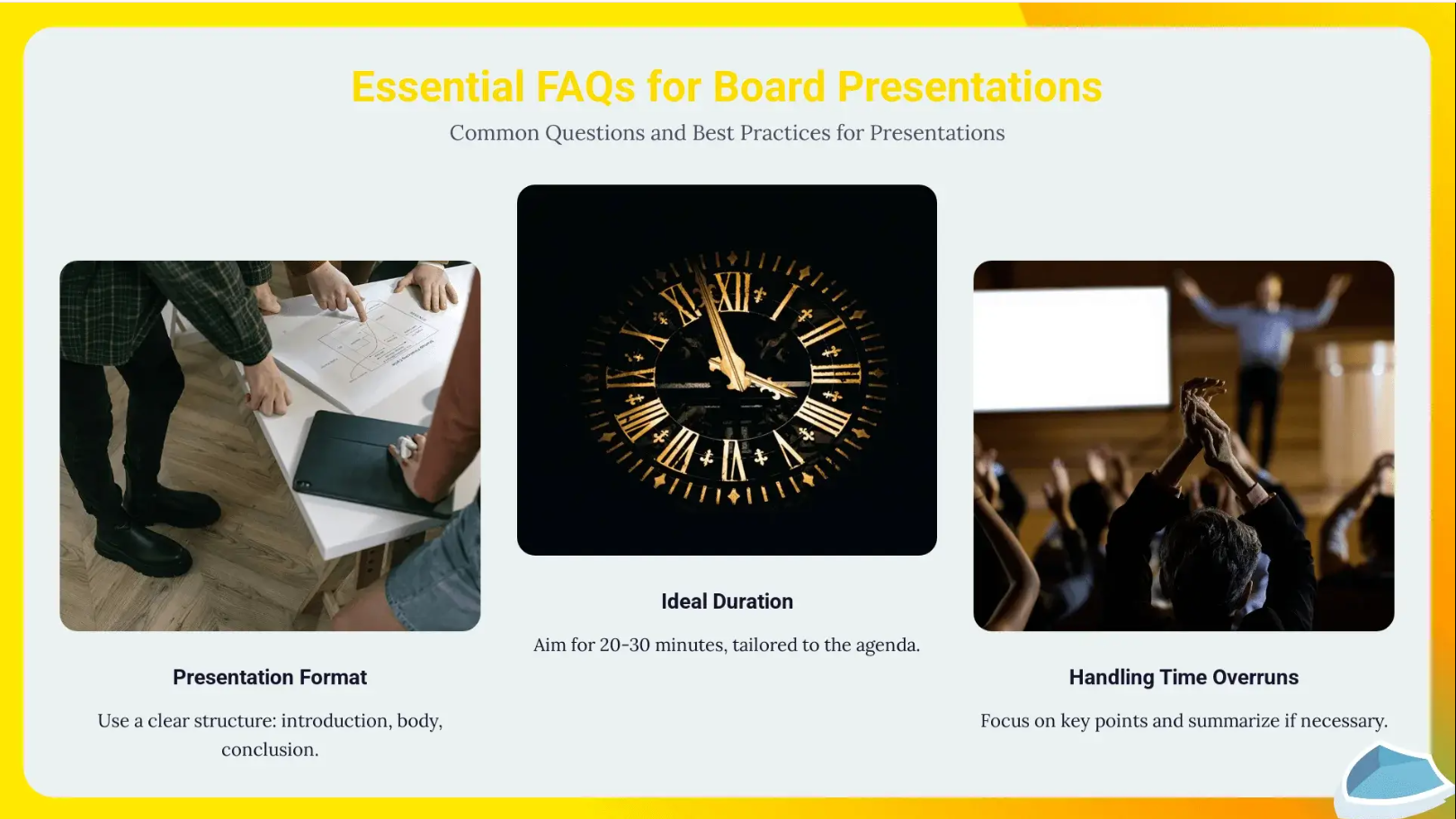
This might sound like a small quality-of-life improvement, but it changes how people work. When you're not worrying about whether your edits will break the layout, you spend more time on the actual content. The tool stops being something you work around and becomes something you work with.
Beyond layout flexibility
The smarter template systems are also starting to make content suggestions based on the slide's context. If you're on a data slide and the chart is sparse, the tool might suggest additional data points. If you're on an agenda slide, it might pre-populate based on the headings it sees across the deck. These aren't big, dramatic AI interventions. They're small, contextual nudges that save you the mental overhead of remembering what goes where.
Trend 8: Analytics That Close the Loop Between Creation and Delivery
Building a great deck used to be the end of the story. You sent it, presented it, and then had very little information about what actually landed. Did people read the slides you spent the most time on? Did they exit the deck halfway through? Did the proposal get opened again after the initial meeting?
Presentation analytics have existed in various forms for a while, but they're becoming more integrated with AI creation tools in 2026. The idea is that the same platform where you build the deck also tells you how it performs after you send it. Slide-by-slide engagement data, time spent per slide, whether the deck was shared further, and how viewer behavior differed across different audience segments.
That data is genuinely useful for improving future decks. If three out of four viewers exit on slide six, slide six has a problem. If the ROI slide gets three times more time than any other, that's the argument you should be leading with. You stop guessing about what resonates and start seeing it in the data.
Where this leads
The next step, already in development at several companies, is AI that reads engagement data from past presentations and surfaces recommendations for future ones. “In presentations to this segment, financial slides get 40% more attention than feature slides. Consider leading with the cost analysis.” That kind of feedback loop is where analytics and AI generation start reinforcing each other.
Want to See These Trends in Action?
Presentations.ai is already built around what's coming next in AI-powered slide creation. Real-time generation, Brand Sync, multi-format inputs, and conversational editing are all live today.
Try Presentations.ai free