TL;DR
- Gamma AI enables prompt-to-deck generation in under a minute without design skills.
- Multiple content types: presentations, documents, websites, and social posts.
- Plans run from Free to Plus ($12/mo), Pro ($25/mo), and Ultra ($100/mo); Team plans start at $20/seat/mo.
- Free plan available with no credit card; Free plan credits are one-time (400 total), not monthly.
- No workspace-level brand enforcement; users select themes manually per presentation.
- For business-critical team presentations, dedicated tools like Presentations.AI may be better suited.
When Gamma was launched in 2020, things were different. People who needed to make presentations only had a few options, which they were soon tired of. As a result, Gamma gained a mass following.
However now, in 2026, you have more options than ever. You can either choose to get Gamma, keep working with it, or move on to the next solution.
To help you decide, we used Gamma’s Pro and Plus plans for a month, both offer a different number of credits (60 in Pro, while only 20 in Plus) and several other features. And based on our experience, here is a comprehensive review of the platform.
Our Review Methodology
We tested Gamma's Plus and Pro plans over four weeks, creating decks across a range of real business scenarios, including sales pitches, internal reports, investor presentations, and client-facing proposals. This was done internally; the resources created were not shared with our clients.
Our evaluation covered AI generation speed and output quality, PowerPoint and PDF export reliability, brand control setup, collaboration features, AI credit consumption at typical usage levels, and pricing relative to competing tools at similar price points.
We also reviewed user feedback from the past six months on G2, Capterra, and Trustpilot to cross-check our hands-on findings against broader user experience. Feature details and pricing were verified directly from Gamma's website and pricing page at the time of publication.
Gamma Overview

Gamma is an accessible AI presentation tool in the market. The free plan is genuinely useful, the AI generation is fast, and the web-native output looks great. For individual contributors who need to create decks quickly and share them as links, Gamma delivers.
It struggles in the areas that matter most when teams grow: brand consistency cannot be enforced at the workspace level, PowerPoint exports frequently disappoint in desktop versions, and AI credit limits create friction for anyone using the tool regularly. The platform was built with individuals in mind, and that design intent shows when you try to scale its use across a team.
Gamma is best for
- Individual contributors who need to produce well-designed decks quickly without a design background
- Freelancers and consultants who share presentations as web links rather than PowerPoint files
- Teams evaluating AI presentation tools that want to test the category without a payment commitment
- Educators and students creating visual content for presentations or pitches
Gamma is not ideal for
- Teams that need brand standards enforced automatically across all decks; Gamma has no workspace-level brand controls.
- Organizations whose stakeholders or clients work in PowerPoint and need editable .pptx exports
- High-volume users; AI credit limits on all plans create friction for teams building multiple decks per week
- Companies that need real team collaboration features like shared template libraries, granular permissions, or approval workflows.
- Presentations that are data-heavy or require complex infographics and custom charts
What Is Gamma AI?
Gamma is an AI-powered content creation platform that turns prompts into presentations, documents, websites, and other visual assets. While it started as a presentation tool, it has evolved into a broader workspace for creating and sharing business content.
Gamma's Evolution and Core Workflow
The company launched Gamma in 2020 as a slide editor. In early 2023, the team integrated ChatGPT, dramatically expanding its reach. Adoption accelerated quickly, including more than 60,000 signups after its Product Hunt debut. For many users, this was the moment Gamma became known as an AI-first alternative to traditional presentation software.
Since then, the product has expanded into websites, documents, social media content, and other formats. Presentations are referred to as "Gammas," reflecting the company's goal of serving a wider range of content creation needs rather than focusing exclusively on slide decks.
This evolution also helps explain how the platform operates today. AI handles the initial draft creation, while users make edits, customize layouts, and prepare files for sharing within the editor. Some people value this distinction between generation and refinement because it provides greater control over the final output. Others prefer a more unified experience with fewer handoffs between stages.
Instead of relying on conventional slide-by-slide navigation, Gamma uses a card-based format that scrolls vertically and expands interactively. This design works particularly well when content is shared through a link and viewed in a browser. Teams that primarily collaborate in PowerPoint can still export to .pptx, although the conversion process may occasionally require minor formatting adjustments.
Key Features of Gamma
AI Generation From Prompts
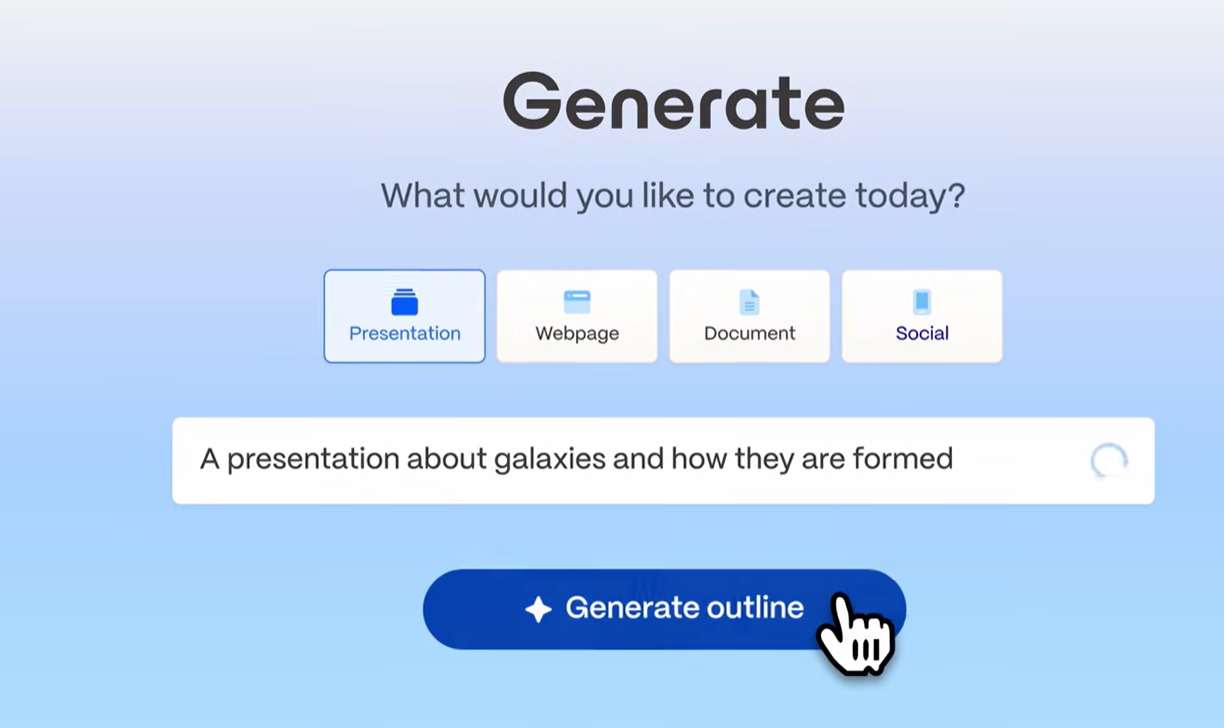
We started by generating several common deck types, including a company overview, a project update, and an educational presentation. In each case, Gamma produced a complete draft in under a minute after we entered a topic, added a small amount of context, and selected a presentation structure.
The results were generally well organized, with a logical flow between sections and clean visual layouts. For business topics, the generated content was usable as a starting point and required less editing than we usually see from comparable AI presentation tools. The strongest outputs were informational decks instead of highly specialized or data-heavy presentations.
AI image generation
Gamma added image creation capabilities in March 2026 as part of its push into visual content production. According to TechCrunch, the feature “will let users employ text prompts to create brand-specific assets like interactive charts and visualizations, marketing collateral, social graphics, and infographics”.
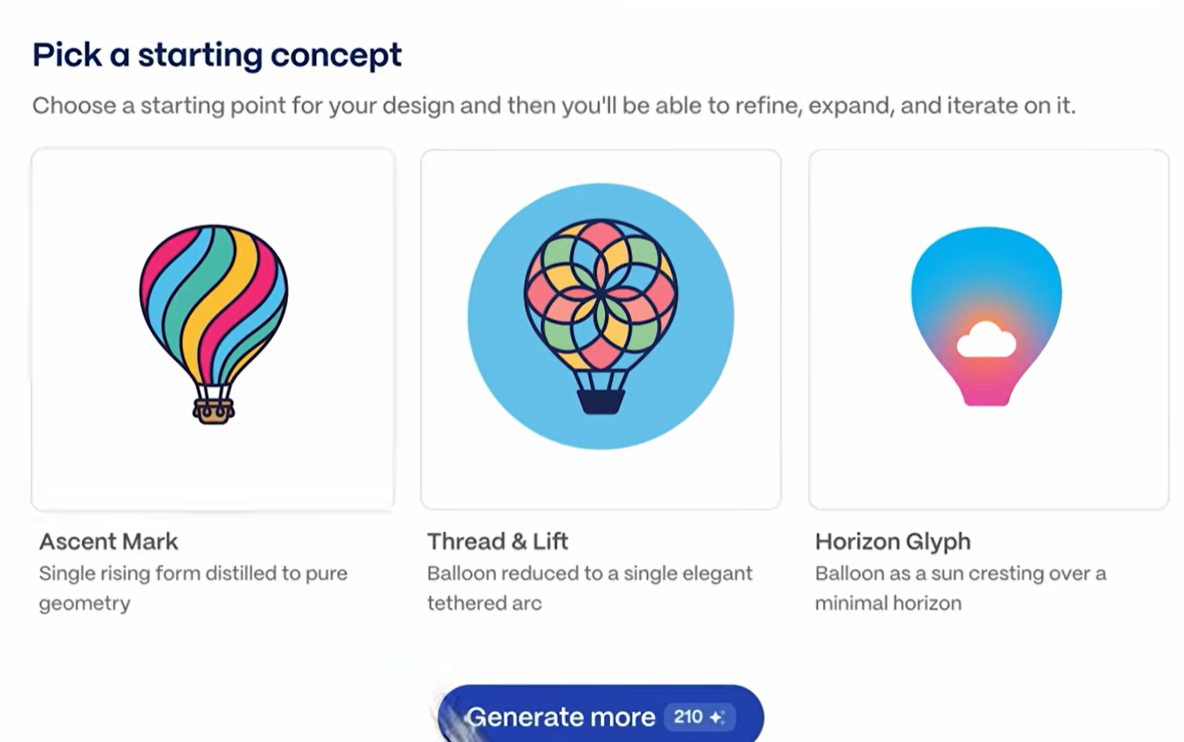
We experimented with several prompts and found the feature easy to use within the existing workspace. Instead of moving between separate applications, users can create custom visuals alongside written content. While still newer than dedicated design platforms, the addition makes it easier to build charts, graphics, and branded assets without leaving the platform.
Web-native presentation format
One aspect that stood out immediately was Gamma's browser-first approach. Instead of sending files back and forth, content is distributed through a link that opens directly in a web browser.
For external audiences and asynchronous communication, the experience feels seamless. Interactive elements remain intact, and recipients see the content exactly as intended.
The trade-off appeared when we exported our work to PowerPoint. Although the conversion process was straightforward, certain layouts required minor cleanup afterward. Whether this matters depends largely on your team's workflow. Organizations that primarily distribute links will likely appreciate the approach, while PowerPoint-centric environments may encounter occasional friction.
Editing and content controls
After creating an initial draft, we spent time refining copy, rearranging sections, replacing visuals, and adjusting layouts. Navigation felt intuitive, and the card-based structure made restructuring content quick.
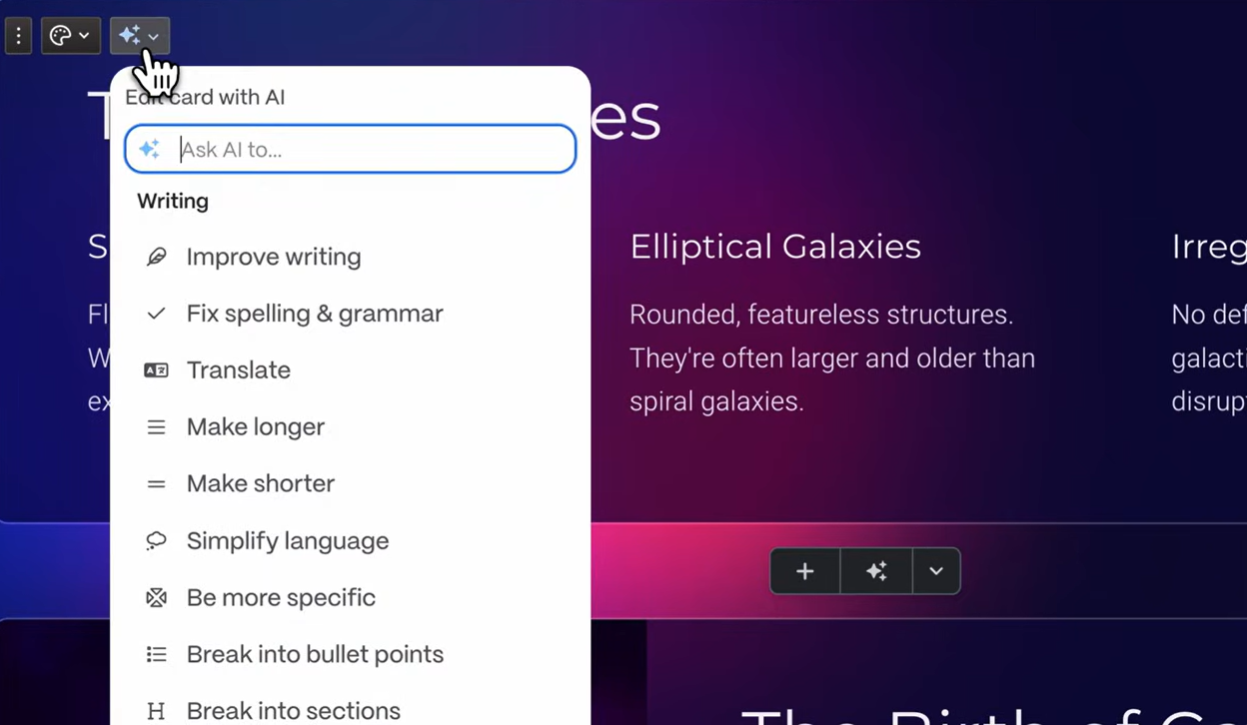
We also tested the built-in assistance tools for shortening, expanding, and rewording text. These worked well for targeted changes. However, the platform becomes more hands-on once the first version is complete. Large-scale revisions generally require direct manipulation rather than issuing broader instructions through a conversational interface.
Analytics and sharing
We reviewed Gamma's engagement tracking by publishing content and monitoring audience activity. The platform reports metrics such as views, time spent, and completion rates, providing useful insight into how recipients interact with materials.
These signals can be particularly valuable for sales and marketing teams that distribute resources as part of outreach efforts. Access controls are straightforward, with options for password protection and restricted visibility.
That said, the focus remains on audience engagement rather than document administration. Companies seeking extensive governance or advanced organizational controls may find the available options relatively basic.
Collaboration features
We also explored how the platform handles team-based work. Multiple contributors can make changes simultaneously, leave feedback, and work from the same asset.
For smaller groups, the available functionality is likely sufficient. Larger organizations may notice the absence of features such as approval chains, granular permissions, or centralized template governance. Compared with software designed specifically for structured team workflows, the offering feels relatively lightweight.
How to Create a Presentation in Gamma
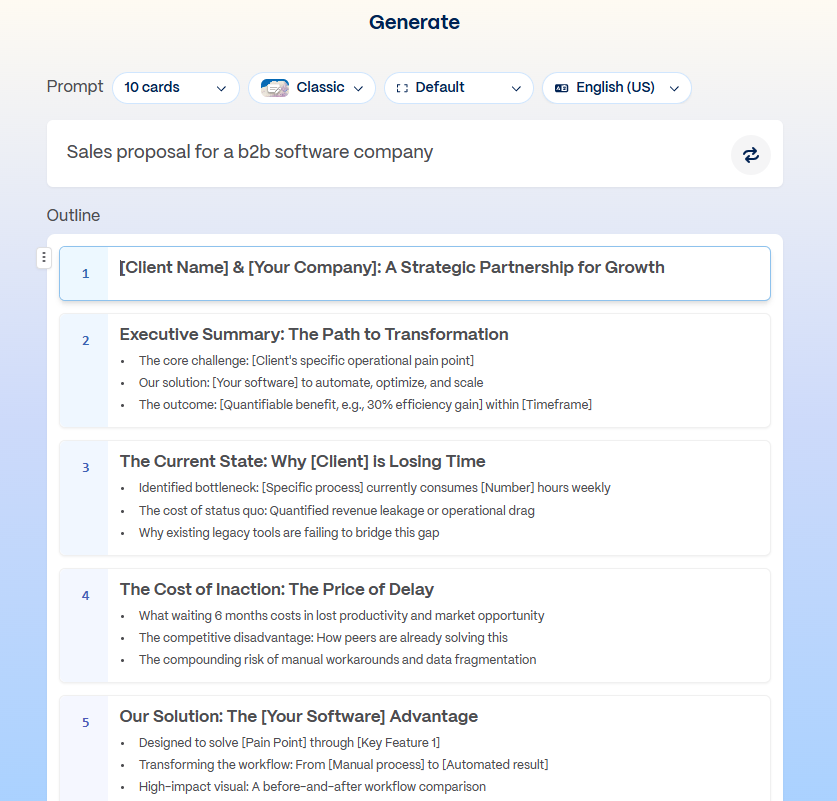
During testing, we were able to build a complete presentation within a few minutes of signing up. The process is simple and follows a clear four-step workflow.
Step 1: Provide your input
From the dashboard, click Create new and select Presentation. You can start with a written brief, paste existing material, or import content from a URL. Before proceeding, Gamma lets you choose the approximate length and structure of the final output.
Step 2: Review the first draft
Gamma produces a structured, multi-slide draft in under a minute. It selects a layout, populates slides with content, and automatically pulls in contextually relevant images. The output is organized and visually consistent out of the box.
Step 3: Customize the content
Once the draft is ready, you move into the editor to adjust text, swap images, reorder cards, and apply a theme. AI rewrite options (expand, condense, adjust tone) are available per card, though deeper structural changes require manual editing.
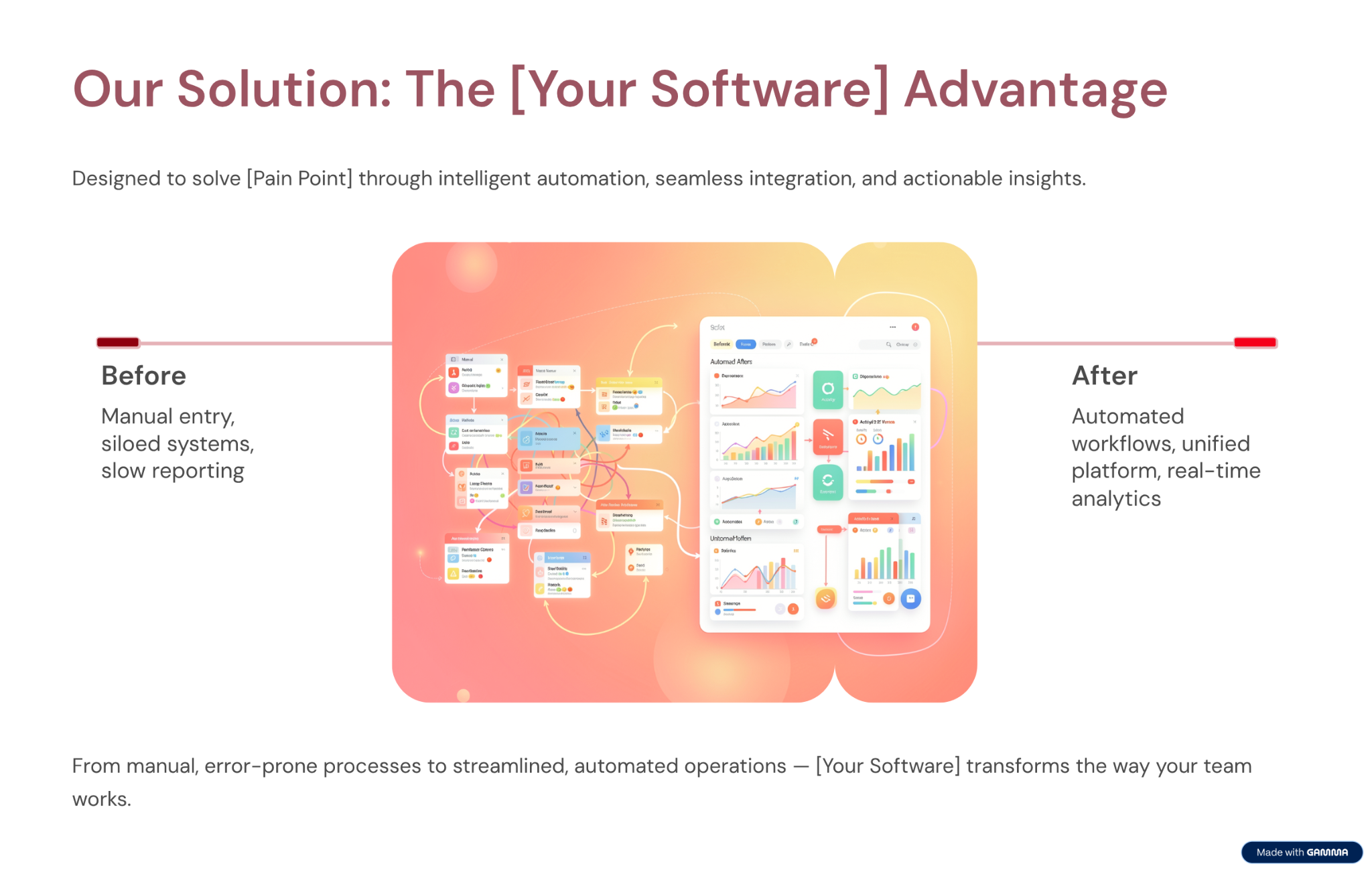
Built-in assistance tools can rewrite, shorten, or expand individual blocks of content. Larger changes, however, typically require direct modification rather than a single AI instruction.
Step 4: Publish or download
When you're satisfied with the result, you can distribute it through a shareable link or export it as a PDF or PowerPoint file.
Browser-based sharing delivered the smoothest experience during our evaluation since recipients view the content exactly as intended. PowerPoint exports were generally usable, though some files benefited from a quick formatting check before being sent externally.
Example prompts that worked well in our tests
- Sales presentation
"Create a 10-slide sales pitch for a B2B SaaS product that helps HR teams automate onboarding. Include a problem slide, solution overview, key features, pricing, and a call to action."
- Investor presentation
"Build a 12-slide investor deck for an early-stage fintech startup focused on expense management for SMBs. Include market size, product demo, traction, team, and funding ask."
One pattern became clear throughout our evaluation: detailed instructions consistently produced stronger results than short, open-ended requests. Defining the audience, desired length, and major sections upfront reduced the amount of refinement required afterward.
AI Capabilities: What It Can and Can't Do
What Gamma's AI Does Well
The generation speed is genuinely impressive. You can go from a prompt to a finished deck in under a minute if your use case is simple.
The AI also handles image selection well by default, pulling in contextually relevant images that match the generated content. This removes one of the more time-consuming steps in building a deck from scratch.
How Gamma’s AI Architecture Affects the Workflow
Gamma integrated AI into its existing editor, creating a workflow with two distinct stages. The AI generates an initial draft, while the editor is where users customize layouts, refine messaging, and finalize their work. Some users value this division because it offers more control over the finished output, while others prefer a more integrated creation experience.
Where the AI Reaches its Limits
Gamma's AI produces a strong first draft, then steps back. You cannot have a back-and-forth conversation with it to refine the deck, instruct it to add a new section based on a document you've written, or ask it to rework the narrative from a different angle. The AI's input ends largely when the first draft is generated.
The AI also doesn't accept rich external inputs. You can paste text, but you cannot import a PDF, a Word document, or a URL to have Gamma build a deck directly from that source. For teams whose presentations regularly start from existing documents (strategy briefs, research reports, client emails), this is a practical limitation that adds manual steps to the workflow.
AI Credit Limits
Gamma's AI features are credit-based. Each plan includes a set number of AI credits, and generating a new deck, regenerating sections, and using AI editing features all consume credits. Free plan users encounter these limits quickly. Even on paid plans, teams that produce multiple decks per week or iterate heavily on AI-generated content can burn through their credit allocation faster than expected. This is one of the most consistently noted friction points in user reviews.
The table below shows exactly what each action costs:
To put this in context: a Plus plan user with 1,000 monthly credits can generate roughly 25 decks per month if each is created from a single prompt with no additional editing. In practice, factor in card additions, AI rewrites, and image generation, and that number drops quickly.
A 10-slide deck with 5 AI images and 10 chat interactions costs around 200 credits, meaning a Plus user realistically gets 4 to 5 well-produced decks per month before hitting the limit. Pro plan users at 4,000 credits have considerably more headroom, but teams building multiple decks weekly will still want to track consumption.
Where Gamma AI Falls Short
AI Generation
One thing became clear during testing: Gamma is remarkably fast at creating a first draft. The caveat is that the initial output is often just the starting point. Business presentations that require a specific narrative, technical accuracy, or material sourced from existing documents typically need additional refinement before they're ready to share.
Brand Controls
Gamma offers themes that users can select for each presentation. The Team plan adds a custom workspace theme. What it cannot do is automatically apply your brand from a URL, lock down fonts and colors at the organization level, or enforce consistency without deliberate action on every deck. For teams where brand compliance matters on every output, this distinction is significant. An AI Slide Generator built around Brand Sync handles this automatically per slide during generation, so brand drift never happens between the first slide and the last, regardless of who on the team built the deck.
PowerPoint Export
Gamma's web-native card format doesn't always translate cleanly to .pptx. Overlapping text boxes and missing fonts are the most common complaints in user reviews when exported files are opened in desktop PowerPoint. For internal decks that stay in Gamma's viewer, this doesn't matter. For client deliverables or stakeholder presentations that need to be edited in PowerPoint, a cleanup pass is typically required.
Content Rights, Security, and Compliance
Content rights: Free and Plus users grant Gamma a perpetual, irrevocable, worldwide license to use their content for AI training. For commercially sensitive presentations or proprietary strategy documents, this is worth reviewing before uploading content.
Enterprise security: Gamma does not hold SOC 2 Type II certification on standard plans. SOC 2 documentation is available on request for Business plan subscribers only. For organizations with formal IT vendor review processes, this is a practical blocker at standard plan levels.
Privacy: Gamma collects viewers' data through shared presentations, raising GDPR compliance questions for teams with European customers or employees. Teams with strict data privacy obligations should verify their current data-handling practices before using the platform for external-facing work.
Gamma Pricing: All Plans Explained
Gamma has four individual plans that cover a wide range of users. For a full plan-by-plan breakdown with current numbers, see our gamma pricing guide:
Team Plan Breakdown
Gamma team plans are priced per seat and unlock collaboration, branding, and organizational controls.
Gamma AI Pros and Cons
Pros
- Fast prompt-to-deck workflow
- Genuine free plan with no credit card required
- Competitive pricing: Plus at $12/mo, Pro at $25/mo
- Web-native output looks polished by default
- Viewer analytics on paid plans
- Clean, intuitive interface with a minimal learning curve
Cons
- PowerPoint exports are unreliable; overlapping text boxes and missing fonts are common when files are opened in desktop PowerPoint
- AI credit limits create friction for regular users; Plus plan users realistically get 4 to 5 well-produced decks per month before hitting the ceiling
- No automatic brand enforcement; theme selection is manual per deck with no workspace-level controls
- Free and Plus users grant Gamma a perpetual, irrevocable license to use their content for AI training
- No SOC 2 certification on standard plans; fails most enterprise IT security reviews
- AI steps back after the first draft; no conversational iteration or document import for subsequent edits
Gamma vs Presentations AI
The core difference is architecture and intent. Gamma is a general-purpose content generator that integrates AI into an existing slide editor. Presentations.AI was built around AI from the outset, specifically for business presentations, and deepens that focus with every update rather than broadening into other content formats.
Best Alternatives to Gamma AI
Gamma works well for a specific type of user, but it's not the right tool for every workflow. If the credit limits, export reliability, or brand control gaps are deal-breakers, the tools below are worth evaluating. Each takes a different approach to AI-assisted presentation creation.
For most business teams moving away from Gamma, Presentations.AI and Beautiful.ai are the closest functional replacements. Canva is the better pick if design flexibility is the priority. Tome and Plus AI serve narrower use cases. The former is best suited to narrative-driven storytelling, while the latter appeals to teams that are deeply invested in their existing software stack and don't want to adopt a separate platform.
How to Decide
Choose Gamma if:
- You want to test an AI deck builder without paying first
- You share presentations as web links, not PowerPoint files
- You work alone or in a small team without brand or compliance requirements
- You create decks occasionally and won't hit credit limits regularly
Choose Presentations AI if:
- Your presentations have business consequences: deals, funding, board approvals
- Brand consistency needs to be automatic, not manually applied per deck
- Stakeholders expect clean, editable PowerPoint files
- Your organization requires SOC 2 compliance and full data ownership
- Your presentations regularly start from existing documents, PDFs, or URLs
Should You Choose Gamma AI For Your Company?
Gamma is a strong option for a specific use case: quickly creating visually appealing presentations with minimal setup. Individuals, educators, consultants, and content creators who primarily share work through web links and operate outside strict compliance requirements will find solid value here. The Plus plan at $9 per seat/month and the Pro plan at $18 per seat/month are both competitively priced for users who need AI-powered presentation creation without enterprise-level requirements.
The more important question is whether Gamma fits workflows where presentations play a business-critical role. During our evaluation, the main limitations were PowerPoint export consistency, the lack of automated brand governance, limited enterprise controls, and content ownership restrictions on lower-tier plans. These may not matter for casual use, but they become more significant as presentation volume, stakeholder involvement, and compliance requirements increase.
Teams that rely on presentations to secure funding, support sales conversations, communicate strategy, or influence decisions often need capabilities that extend beyond fast content generation. Dedicated tools such as Presentations AI address several of the areas where Gamma's broader, general-purpose approach can create friction, while still delivering the speed and convenience that make AI presentation software appealing in the first place.