TL;DR
- Gamma AI enables prompt-to-deck generation in under a minute without design skills.
- Multiple content types: presentations, documents, websites, and social posts.
- Plans run from Free to Plus ($12/mo), Pro ($25/mo), and Ultra ($100/mo); Team plans start at $20/seat/mo.
- Free plan available with no credit card; Free plan credits are one-time (400 total), not monthly.
- No workspace-level brand enforcement; users select themes manually per presentation.
- For teams producing business-critical presentations, Presentations AI is purpose-built, whereas Gamma is not.
When Gamma went live in 2020, many teams were exhausted by PowerPoint, unimpressed by Google Slides, and Generative AI was yet to make a mark. Gamma fits into this niche quite nicely with its web-native format and a more modern look and feel. In 2022, launched on Product Hunt with over 60,000 signups.
However, the AI presentation space in 2026 looks nothing like it did when Gamma launched. The tools it's being compared against have caught up in speed and surpassed it on brand control, export reliability, and team features. Whether Gamma still makes sense for your workflow depends on what you're asking it to do.
This review covers what Gamma actually does well in 2026, where its limitations show up in practice, how the pricing holds up at different usage levels, and how it compares directly to Presentations AI for business teams.
Gamma Overview

Gamma is an accessible AI presentation tool in the market. The free plan is genuinely useful, the AI generation is fast, and the web-native output looks great. For individual contributors who need to create decks quickly and share them as links, Gamma delivers.
It struggles in the areas that matter most when teams grow: brand consistency cannot be enforced at the workspace level, PowerPoint exports frequently disappoint in desktop versions, and AI credit limits create friction for anyone using the tool regularly. The platform was built with individuals in mind, and that design intent shows when you try to scale its use across a team.
Best for
- Individual contributors who need to produce well-designed decks quickly without a design background
- Freelancers and consultants who share presentations as web links rather than PowerPoint files
- Teams evaluating AI presentation tools that want to test the category without a payment commitment
- Educators and students creating visual content for presentations or pitches
Not ideal for
- Teams that need brand standards enforced automatically across all decks; Gamma has no workspace-level brand controls.
- Organizations whose stakeholders or clients work in PowerPoint and need editable .pptx exports
- High-volume users; AI credit limits on all plans create friction for teams building multiple decks per week
- Companies that need real team collaboration features like shared template libraries, granular permissions, or approval workflows.
- Presentations that are data-heavy or require complex infographics and custom charts
What Is Gamma AI?
Gamma launched in 2020 as a slide editor. In early 2023, the team integrated ChatGPT into the product. Usage exploded. That inflection point is what most people think of as "Gamma" today, but it's worth understanding that the AI was added to a product that was already built, not designed from the ground up as an AI-native platform.
Since 2023, Gamma has expanded steadily beyond presentations. It now generates websites, documents, social media content, and decks. Presentations are called "Gammas." The platform is positioning itself as a general-purpose AI content creator rather than a specialist presentation tool.
This context matters for evaluating what Gamma actually is in 2026. The core creation workflow is still built on the 2020 editor infrastructure, with AI layered on top. Generation happens through the AI, but editing, refining, and exporting happen in the underlying editor, a division that creates the "two-mode" workflow (AI mode, then manual mode) that users frequently cite as the source of cleanup time.
Presentations live on the web as interactive card-based documents that scroll and expand rather than click through as conventional slides. For workflows where link-sharing is the norm, this feels clean and modern. For workflows where stakeholders need a .pptx file, it introduces a conversion step that frequently produces formatting issues.
Key Features of Gamma
AI Generation From Prompts
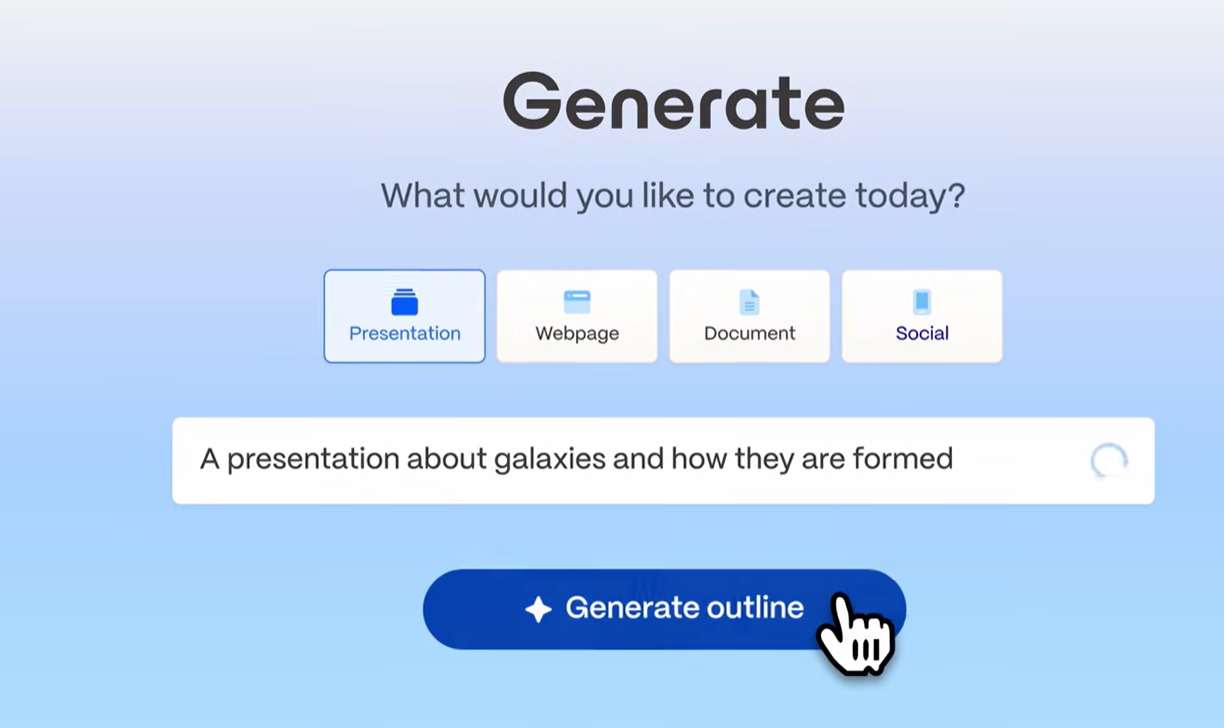
This is currently Gamma's headline feature and, supposedly, its strongest. Enter a topic, add context if you have it, choose a rough structure, and the AI generates a full deck in under a minute. The output is logically organized, reasonably well-written for general topics, and visually laid out. For most standard deck types (company overviews, project updates, pitches, educational content), the first draft requires less cleanup than comparable tools.
AI Image Generation
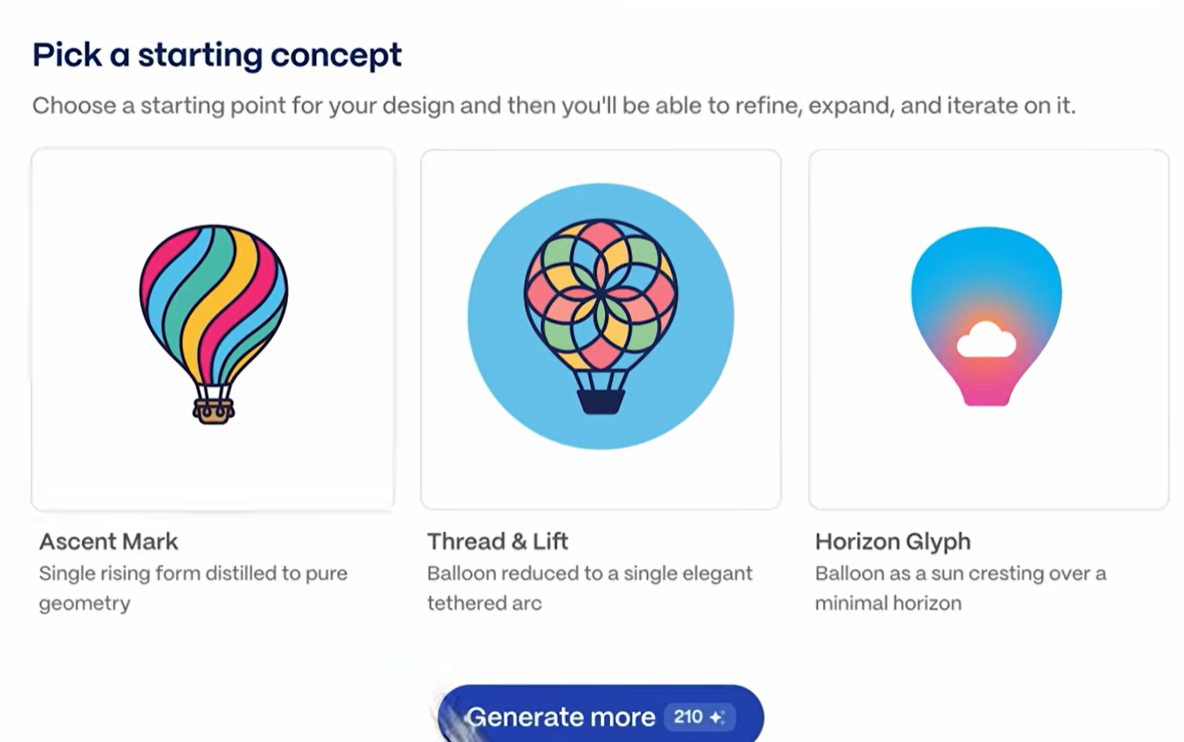
Gamma recently released AI image generation in March 2026 in a bid to take on tools like Canva and Adobe. According to TechCrunch, the feature “will let users employ text prompts to create brand-specific assets like interactive charts and visualizations, marketing collateral, social graphics, and infographics”.
Web-native Presentation Format
Gamma presentations live on the web. Sharing means sending a link, not a file. The recipient views the presentation in a browser, where Gamma's layout and interactive elements work as intended. For teams that share work asynchronously or with external stakeholders who just need to view (not edit) a deck, this workflow is genuinely smooth.
The trade-off emerges when someone needs to do something other than view the presentation as a link. Downloading it as a PowerPoint file introduces format conversion issues. The web-native format is a feature when your workflow matches it and a constraint when it doesn't.
Editing and Content Controls
Once a deck is generated, Gamma provides an editor where you can rework individual cards, adjust the AI-generated text, swap images, add charts, and reorder content. The editing experience is clean and reasonably fast. The block-based structure makes it easy to add, remove, or reorder sections.
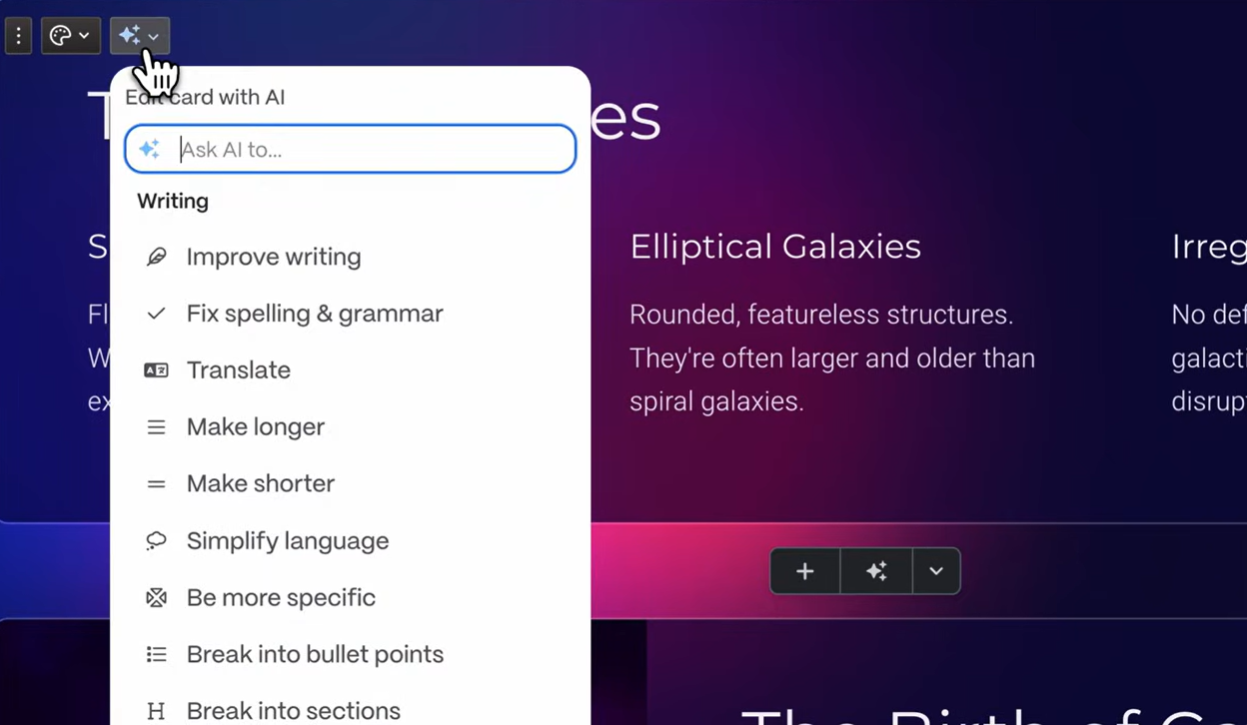
One notable limitation: the AI is not deeply integrated into the editing workflow. Once the initial generation is done, additional AI assistance is available (rewrite, expand, condense). Still, it's not a conversational experience where you can instruct the AI to restructure the deck or add a section based on new information. The AI's most useful role is at the start, not throughout.
Analytics and Sharing
Gamma includes engagement analytics on shared presentations: view counts, time spent, and completion rates. For sales and marketing teams that share decks as part of a follow-up workflow, these metrics provide a useful signal on prospect engagement.
Sharing is handled entirely through links, with options for password protection and public or restricted access. There is no built-in file management or team workspace structure beyond basic organization.
Collaboration Features
Gamma supports basic sharing and co-editing on paid plans. Multiple users can work on the same deck, leave comments, and track changes. The collaboration features are functional but not purpose-built for team workflows the way Pitch or even Google Slides is. There are no shared template libraries, no role-based permissions beyond basic access controls, and no structured approval workflows.
AI Capabilities: What It Can and Can't Do
What Gamma's AI Does Well
The generation speed is genuinely impressive. You can go from a prompt to a finished deck in under a minute if your use case is simple.
The AI also handles image selection well by default, pulling in contextually relevant images that match the generated content. This removes one of the more time-consuming steps in building a deck from scratch.
The Bolt-on Architecture Problem
Gamma's AI was integrated into an existing editor rather than built as the product's foundation. In practice, this creates a split workflow: the AI generates content, then hands it back to the 2020-era editor to refine, adjust, and finalize. You're constantly switching between "AI mode" and "manual mode," which is why users consistently report spending more time editing than the initial generation speed would suggest.
Where the AI Reaches its Limits
Gamma's AI produces a strong first draft, then steps back. You cannot have a back-and-forth conversation with it to refine the deck, instruct it to add a new section based on a document you've written, or ask it to rework the narrative from a different angle. The AI's input ends largely when the first draft is generated.
The AI also doesn't accept rich external inputs. You can paste text, but you cannot import a PDF, a Word document, or a URL to have Gamma build a deck directly from that source. For teams whose presentations regularly start from existing documents (strategy briefs, research reports, client emails), this is a practical limitation that adds manual steps to the workflow.
AI Credit Limits
Gamma's AI features are credit-based. Each plan includes a set number of AI credits, and generating a new deck, regenerating sections, and using AI editing features all consume credits. Free plan users encounter these limits quickly. Even on paid plans, teams that produce multiple decks per week or iterate heavily on AI-generated content can burn through their credit allocation faster than expected. This is one of the most consistently noted friction points in user reviews.
Where Gamma AI Falls Short
AI Generation
This is what we discussed above: Gamma's headline feature holds up: prompt-to-finished deck in under a minute, with reasonable structure and contextually matched images. The limitation is what happens after generation. The AI doesn't iterate conversationally, doesn't accept PDF or Word documents as input, and steps aside once the first draft is done. You're then back in the underlying 2020 editor to refine, select a theme, and fix formatting before the deck is ready to share. This split between AI mode and manual mode is why users consistently report more editing time than the generation speed would suggest. A purpose-built AI Presentation Generator avoids this split-workflow problem because the AI handles both initial generation and ongoing refinement in the same flow, rather than handing the deck off to a separate editor that wasn't built with AI in mind.
Brand Controls
Gamma offers themes that users can select for each presentation. The Team plan adds a custom workspace theme. What it cannot do is automatically apply your brand from a URL, lock down fonts and colors at the organization level, or enforce consistency without deliberate action on every deck. For teams where brand compliance matters on every output, this distinction is significant. An AI Slide Generator built around Brand Sync handles this automatically per slide during generation, so brand drift never happens between the first slide and the last, regardless of who on the team built the deck.
PowerPoint Export
Gamma's web-native card format doesn't always translate cleanly to .pptx. Overlapping text boxes and missing fonts are the most common complaints in user reviews when exported files are opened in desktop PowerPoint. For internal decks that stay in Gamma's viewer, this doesn't matter. For client deliverables or stakeholder presentations that need to be edited in PowerPoint, a cleanup pass is typically required.
Content Rights, Security, and Compliance
Content rights: Free and Plus users grant Gamma a perpetual, irrevocable, worldwide license to use their content for AI training. For commercially sensitive presentations or proprietary strategy documents, this is worth reviewing before uploading content.
Enterprise security: Gamma does not hold SOC 2 Type II certification on standard plans. SOC 2 documentation is available on request for Business plan subscribers only. For organizations with formal IT vendor review processes, this is a practical blocker at standard plan levels.
隐私: Gamma 通过共享演示文稿收集观看者数据,这给拥有欧洲客户或员工的团队带来了 GDPR 合规性问题。对于有严格数据隐私义务的团队,在使用该平台进行对外工作之前,应核实其当前的数据处理实践。
Gamma 定价:所有方案详解
Gamma 提供四种个人方案,覆盖广泛的用户群体:
团队方案细分
Gamma 团队方案按席位定价,可解锁协作、品牌和组织控制功能。
Gamma AI 的优缺点
优点
- 快速的提示到演示文稿工作流程
- 真正的免费方案,无需信用卡
- 价格具有竞争力:Plus 版每月 12 美元,Pro 版每月 25 美元
- 网页原生输出默认精美
- 付费方案提供观看者分析
- 界面简洁直观,学习曲线短
缺点
- AI 附加在 2020 年的编辑器上;分离的工作流程需要大量手动清理
- PowerPoint 导出不可靠;重叠的文本框和字体缺失是常见问题
- 不支持自动品牌规范;每份演示文稿需手动选择主题。
- 免费/Plus用户授予Gamma永久内容使用权,用于AI训练。
- 标准套餐不提供SOC 2认证;无法通过大多数企业IT审查。
- Plus套餐每月1,000积分,不足以满足团队日常使用。
- 平台正拓展至网站和社交内容;演示文稿不再是其唯一重心。
Gamma 对比 Presentations AI
核心差异在于其架构和设计理念。Gamma是一个通用内容生成器,于2023年在一个表现不佳的幻灯片编辑器中加入了AI功能。而Presentations AI从一开始就围绕AI构建,专门用于商务演示文稿,并且每次更新都深化这一重点,而不是扩展到其他内容格式。
深入对比 Gamma 和 Presentations AI →
如何选择
如果您选择 Gamma:
- 您想不先付费就测试AI演示文稿生成器
- 您以网页链接而非PowerPoint文件形式分享演示文稿
- 您独自工作或在小型团队中工作,且没有品牌或合规性要求
- 您偶尔创建演示文稿,并且不会经常达到积分限制
如果您选择 Presentations AI:
- 您的演示文稿具有商业影响:促成交易、获得融资、通过董事会批准
- 品牌一致性需要自动化,而不是每次演示都手动应用
- 利益相关者期望获得整洁、可编辑的PowerPoint文件
- 您的组织要求符合SOC 2标准并拥有完全数据所有权
- 您的演示文稿通常基于现有文档、PDF文件或网址创建
您的公司应该选择 Gamma AI 吗?
Gamma 是一个适用于特定任务的优秀工具:以低门槛快速生成AI演示文稿。对于通过网页链接分享作品且不受正式合规性要求约束的个人用户、教育工作者和内容创作者来说,它以具有竞争力的价格提供了真正的价值。每月12美元的Plus套餐和每月25美元的Pro套餐,对于它们为个人用户提供的功能来说,定价都非常合理。
更难的问题是,Gamma 是否适合商业工作流程,在这样的流程中,演示文稿决定了结果。其附加的AI功能、不可靠的PowerPoint导出、缺乏自动品牌控制以及低级套餐中的永久内容权利并非微不足道的限制。它们是一个平台为了自救而添加AI的产物,而非从一开始就为商业用户构建的平台。
对于那些演示文稿能够促成交易、获得融资或推动董事会通过战略的团队来说,Presentations AI 能够弥补 Gamma 的不足,同时又能达到 Gamma 最初吸引人的生成速度。如果这听起来像您的工作流程,那么一个 AI演示文稿 平台,如果它是围绕商业成果(而非通用内容创作)构建的,则会更适合您。免费的入门级套餐让您可以在承诺之前直接与 Gamma 的免费套餐进行比较。