
Tome 与 Presentations.AI:2026年真实对比

什么是 Tome?

什么是 Tome?

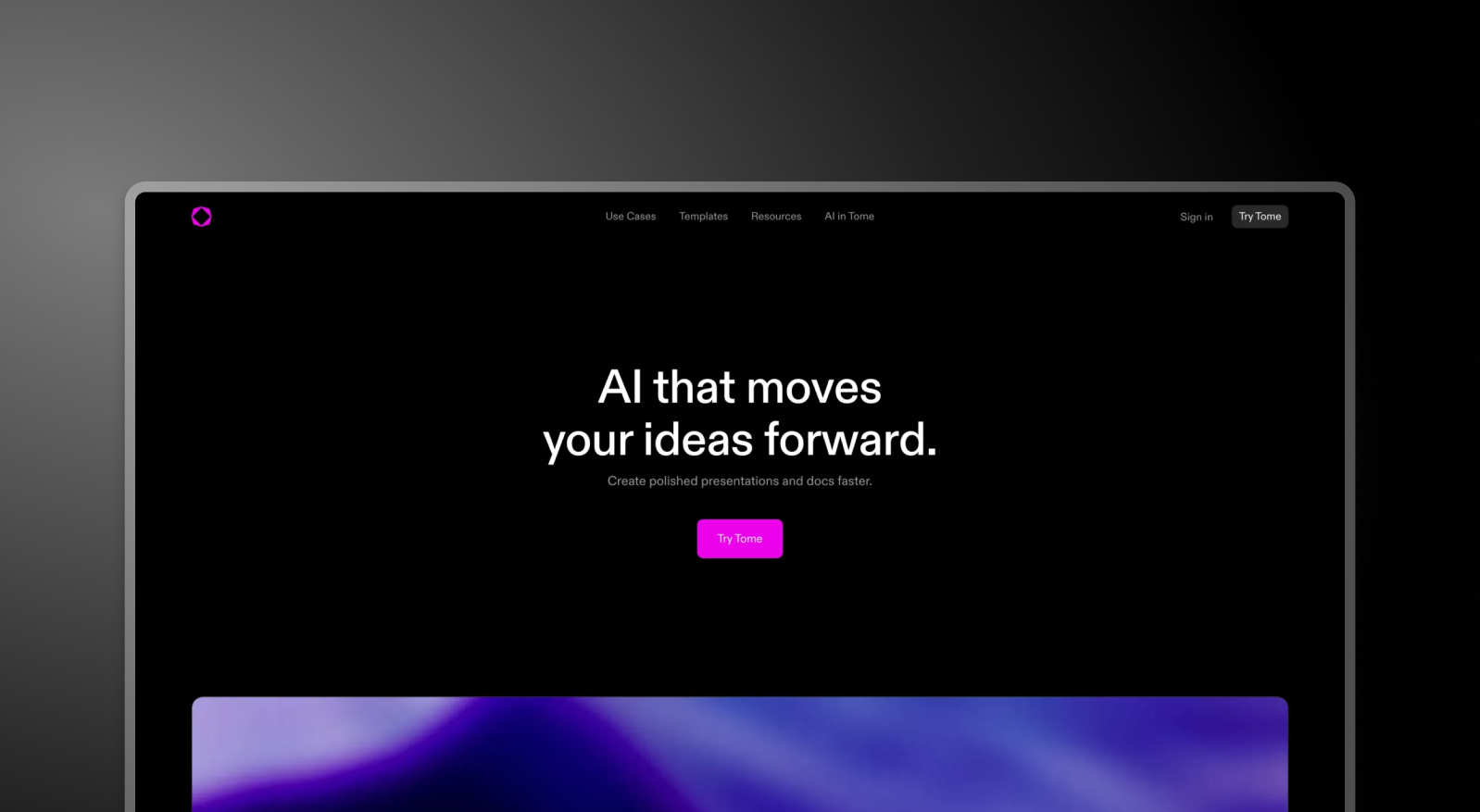
一个AI驱动的平台,旨在通过提供PowerPoint的替代方案来重新定义叙事方式。它采用基于图块的系统,而非传统幻灯片。最近,该平台已转型,专门面向销售和营销人员,并从其免费计划中移除了AI功能,而且无论何种价格方案,均不支持PowerPoint导出。

什么是 Presentations.AI?

什么是 Presentations.AI?

一个原生AI演示平台,专为基于幻灯片的商业演示文稿而构建——AI是其所有功能的核心,并从一开始就包含自动品牌同步和高保真PowerPoint导出功能。

Tome 与 Presentations.AI:功能对比

Tome 将演示文稿重新构想为在线发布的基于图块的文档。Presentations.AI 则构建可在现实世界中发挥作用的幻灯片演示文稿——可导出为PowerPoint,在会议室中演示,并围绕实际的商业决策过程进行设计。不同的工具,带来截然不同的结果。
功能 Tome Presentations AI
设计质量 基础版式,基于磁贴的结构 由 AI 生成的高质量幻灯片设计
AI 能力 有限;免费套餐中不可用 以 AI 为核心,完整生成并组织整套演示文稿
模板与素材 没有真正的幻灯片模板;样式有限 丰富的模板库,含图片和图标
文本转演示文稿 基础且有限的转换 先进的文档转演示文稿功能
品牌一致性 手动设置字体和颜色 跨幻灯片自动同步品牌
PowerPoint 导出 不支持 高保真 .pptx 导出
演示格式 基于磁贴的页面(并非真正的幻灯片) 结构化的逐页幻灯片演示
价格与免费套餐 没有实质性的免费 AI 使用权;价格层级偏高 免费套餐(5 个演示文稿),付费套餐性价比高
易用性 2 / 5 4.5 / 5
性价比 1.5 / 5 5 / 5
综合评分 1.5 / 5 4.5 / 5

借助最佳AI演示文稿制作工具,迈向未来。告别平庸,尽享惊艳。

在60秒内,将任何文档、大纲或想法转化为精心设计的幻灯片演示文稿。

免费开始

Tome 和 Presentations.AI 概览

Tome 是一个由 AI 驱动的平台,它将自己定位为 PowerPoint 的现代替代品,强调更流畅、文档式的叙事格式。其底层架构仍是基于图块的页面,而非幻灯片。你无法将 Tome 文档作为幻灯片演示,只能将其发布为只读页面,类似于 Notion 文档。它不支持 PowerPoint 导出,AI 功能仅限付费方案,企业版每月每用户 60 美元,一个十人团队每年需支付 7,200 美元。

Presentations.AI 围绕着商业运作所依赖的幻灯片格式构建。该 AI 演示文稿生成器 自动处理结构、品牌、动画和设计。免费方案包含五份完整的 AI 生成演示文稿,无需信用卡。付费方案每月 16 美元起,对于同等规模的团队,其成本效益比 Tome 的企业版高出 95%。

对于需要可导出、可现场演示并能以 PowerPoint 文件形式共享的演示文稿的专业人士而言,Tome 基于图块且仅限网页的格式在每一步都制造了障碍。Presentations.AI 完全消除了这些障碍。与网页文档工具不同,真正的 AI 演示 是围绕着可现场演示和导出的幻灯片构建的。

Tome 的工作原理

步骤 1:注册 – 提供免费方案,但 AI 功能不包含在内。若要进行有意义的使用,需要付费方案,每月每用户 20 美元起。

步骤 2:前往仪表盘 – 点击“创建新演示文稿”,然后选择空白文档或一套有限的基本模板。

步骤 3:使用图块构建 – 手动将内容图块(文本、媒体、形状、表格、图表)拖放到文档中。没有传统的幻灯片、幻灯片布局,也没有演示文稿特有的结构。
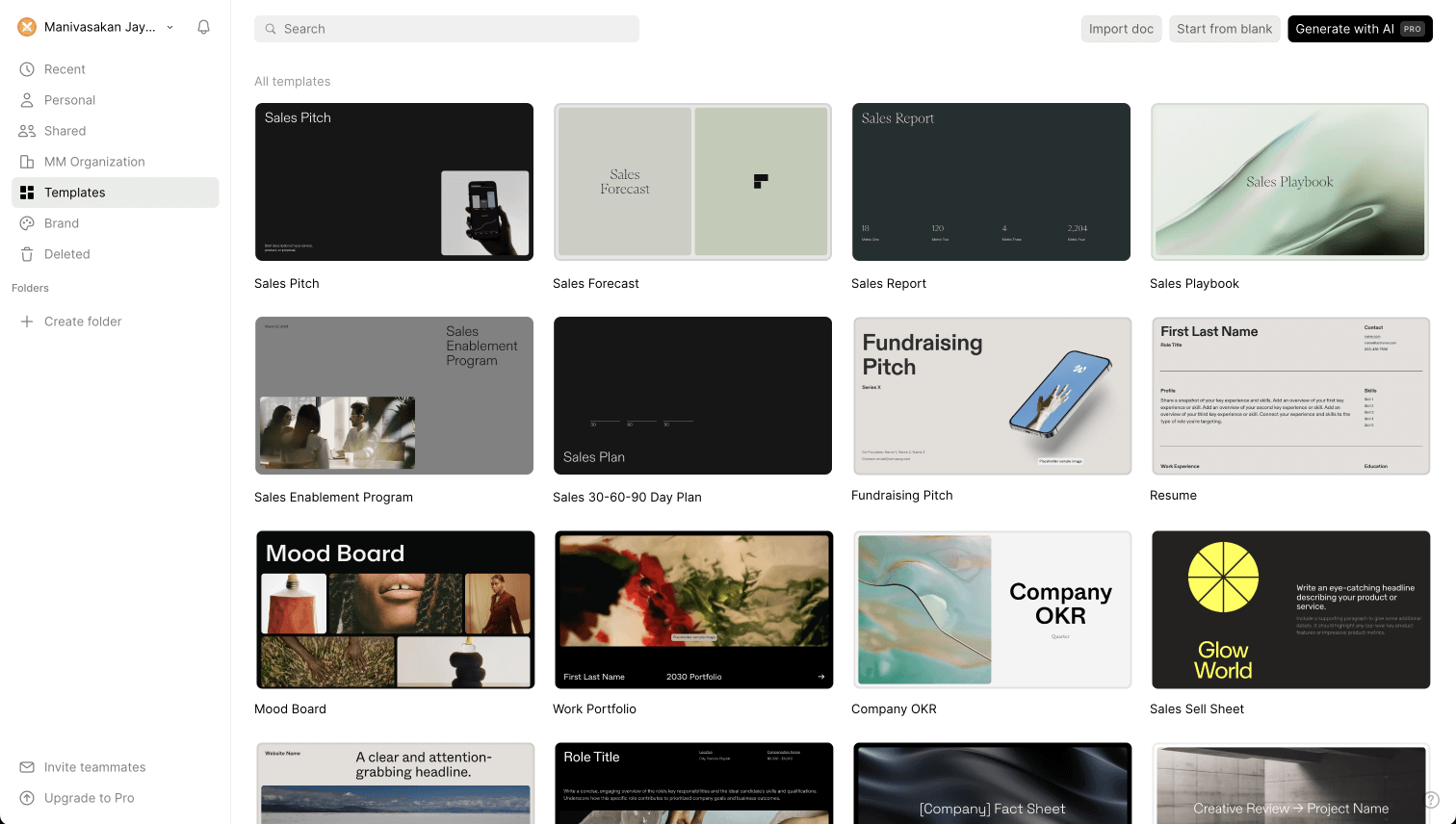
Tome editor interface - step 4

步骤 4:自定义字体和颜色 – 提供基本的样式设置选项。不支持自动品牌同步,也无法从公司网址提取品牌信息。

Tome screenshot 2 - step 4
Tome screenshot 3 - step 4

步骤 5:发布和分享 - 您完成的文档将以只读网页形式分享。观看者可以像Google文档一样逐页浏览。在任何套餐级别,都没有幻灯片模式、演示者视图,也无法导出PowerPoint。

Presentations.AI 工作原理

第一步:注册 – 免费套餐包含5个完整的AI演示文稿。无需信用卡。设置时间不到30秒。

第二步:选择创建方式 – 您可以从大纲创建、导入Word或PDF文档、直接转换提示词,或从10,000多个专业模板中选择——所有模板均专为商务演示文稿设计。

第三步:审阅AI生成的大纲 – 自动生成详细、结构化的大纲。编辑文本、重新排序幻灯片,一键生成您的演示文稿。

第四步:获取商务就绪的演示文稿 – 自动应用企业品牌。动画和过渡效果已添加。立即获得高保真PowerPoint导出文件——在PowerPoint中打开即可使用。

Presentations.AI final deck - step 6


团队选择Presentations.AI而非Tome的五个理由

幻灯片,而非图块: Tome基于图块的页面并非幻灯片,而是网页文档。没有幻灯片模式、演示者视图,也无法进行实时演示。Presentations.AI构建的是真正的幻灯片组,专为演示、分享和导出而设计。

真正可用的PowerPoint导出功能: Tome在任何套餐级别均不提供PowerPoint导出功能。对于在以.pptx为标准的环境中运营的任何团队(这涵盖了大多数商业领域)来说,这是一个决定性的缺陷。Presentations.AI原生导出高保真PowerPoint文件。

真正包含的AI功能: Tome的免费套餐不包含AI功能。Presentations.AI的免费套餐包含五个完整的AI生成演示文稿——在您花费一分钱之前,即可享受品牌同步、动画和完整的演示文稿创建功能。

成本效益高出95%: Tome的企业版套餐每年为十个用户收费7,200美元。Presentations AI的同等套餐费用约为396美元。团队规模相同,专业产出相同,成本却只是零头。

品牌同步,无需手动操作: Tome没有自动品牌应用功能。Presentations AI能从您的公司网址中提取品牌信息,并自动应用于每个演示文稿——无需为每个演示文稿手动配置。不仅仅是比较这两款产品?我们的总结文章中, 最佳AI演示文稿制作工具 将Tome与所有主要替代品进行了比较。

当仅限浏览器的工具无法满足董事会演示文稿需求时

一家成长型初创公司的战略总监在Tome上工作了三个月后才转用其他工具。其基于图块的格式非常适合内部文档——但每当演示文稿需要提交给投资者或董事会成员时,都必须在PowerPoint中从头重新制作。Tome没有导出功能。演示文稿只能在浏览器中查看,无法用于正式会议。

Presentations AI同时解决了这两个问题。制作出符合商业预期的演示文稿,无需清理即可导出为PowerPoint格式,成本仅为Tome的一小部分。转换过程只花了一周时间。重建后的工作流程为每个演示文稿节省了数小时。

当您的演示文稿需要脱离浏览器存在时——例如在会议室、客户收件箱和投资者门户中——您使用的工具需要能在这些环境中运行。Tome做不到,但Presentations AI可以。

Divider Lines

常见问题

What is the main difference between Tome and Presentations.AI?

Down IconUp Icon

The main difference is format. Tome uses tile-based pages that publish as read-only web documents rather than slideshow presentations. Presentations.AI builds traditional slide decks designed to be presented, exported as PowerPoint, and shared in business contexts. Tome is structured for online reading. Presentations.AI is structured for boardrooms and client meetings.

Is Tome still available in 2026?

Down IconUp Icon

Tome's original presentation product was discontinued in 2025. The founding team pivoted to a sales intelligence company called Lightfield, and the Tome brand was acquired by AngelList for document summarization. A separate product called Tome App AI is marketed under similar branding. For users who relied on Tome for presentations, Presentations.AI is a like-for-like replacement built around slides, PowerPoint export, and AI generation.

Can you export from Tome to PowerPoint?

Down IconUp Icon

No, the original Tome did not support PowerPoint export at any plan level. Files could only be shared as read-only web pages or PDFs, with no native .pptx output. This was one of the most cited limitations before the product was discontinued. Presentations.AI exports a high-fidelity PowerPoint file with layouts, fonts, and brand styling preserved, ready to open and present.

Is Tome free?

Down IconUp Icon

Tome offered a free Basic plan, but AI features such as generating presentations from a prompt were locked behind paid tiers. The free plan was limited to manual editing and template browsing. Presentations.AI offers a free plan with five complete AI-generated presentations included, no credit card required, and no branding on exports. The Presentations.AI free plan includes the AI, not just the editor.

What is the best alternative to Tome for business presentations?

Down IconUp Icon

Presentations.AI is the closest replacement for Tome users who need an AI-driven presentation tool. It generates complete decks from documents, outlines, or prompts, applies brand colors and fonts automatically, and exports a high-fidelity PowerPoint file ready for client and boardroom use. Unlike Tome, it is built around the slide format, supports live presenting, and is SOC 2 Type II certified for enterprise use.