TL;DR
- Gamma AI enables prompt-to-deck generation in under a minute without design skills.
- Multiple content types: presentations, documents, websites, and social posts.
- Plans run from Free to Plus ($12/mo), Pro ($25/mo), and Ultra ($100/mo); Team plans start at $20/seat/mo.
- Free plan available with no credit card; Free plan credits are one-time (400 total), not monthly.
- No workspace-level brand enforcement; users select themes manually per presentation.
- For teams producing business-critical presentations, Presentations AI is purpose-built, whereas Gamma is not.
When Gamma went live in 2020, many teams were exhausted by PowerPoint, unimpressed by Google Slides, and Generative AI was yet to make a mark. Gamma fits into this niche quite nicely with its web-native format and a more modern look and feel. In 2022, launched on Product Hunt with over 60,000 signups.
However, the AI presentation space in 2026 looks nothing like it did when Gamma launched. The tools it's being compared against have caught up in speed and surpassed it on brand control, export reliability, and team features. Whether Gamma still makes sense for your workflow depends on what you're asking it to do.
This review covers what Gamma actually does well in 2026, where its limitations show up in practice, how the pricing holds up at different usage levels, and how it compares directly to Presentations AI for business teams.
Gamma Overview

Gamma is an accessible AI presentation tool in the market. The free plan is genuinely useful, the AI generation is fast, and the web-native output looks great. For individual contributors who need to create decks quickly and share them as links, Gamma delivers.
It struggles in the areas that matter most when teams grow: brand consistency cannot be enforced at the workspace level, PowerPoint exports frequently disappoint in desktop versions, and AI credit limits create friction for anyone using the tool regularly. The platform was built with individuals in mind, and that design intent shows when you try to scale its use across a team.
Best for
- Individual contributors who need to produce well-designed decks quickly without a design background
- Freelancers and consultants who share presentations as web links rather than PowerPoint files
- Teams evaluating AI presentation tools that want to test the category without a payment commitment
- Educators and students creating visual content for presentations or pitches
Not ideal for
- Teams that need brand standards enforced automatically across all decks; Gamma has no workspace-level brand controls.
- Organizations whose stakeholders or clients work in PowerPoint and need editable .pptx exports
- High-volume users; AI credit limits on all plans create friction for teams building multiple decks per week
- Companies that need real team collaboration features like shared template libraries, granular permissions, or approval workflows.
- Presentations that are data-heavy or require complex infographics and custom charts
What Is Gamma AI?
Gamma launched in 2020 as a slide editor. In early 2023, the team integrated ChatGPT into the product. Usage exploded. That inflection point is what most people think of as "Gamma" today, but it's worth understanding that the AI was added to a product that was already built, not designed from the ground up as an AI-native platform.
Since 2023, Gamma has expanded steadily beyond presentations. It now generates websites, documents, social media content, and decks. Presentations are called "Gammas." The platform is positioning itself as a general-purpose AI content creator rather than a specialist presentation tool.
This context matters for evaluating what Gamma actually is in 2026. The core creation workflow is still built on the 2020 editor infrastructure, with AI layered on top. Generation happens through the AI, but editing, refining, and exporting happen in the underlying editor, a division that creates the "two-mode" workflow (AI mode, then manual mode) that users frequently cite as the source of cleanup time.
Presentations live on the web as interactive card-based documents that scroll and expand rather than click through as conventional slides. For workflows where link-sharing is the norm, this feels clean and modern. For workflows where stakeholders need a .pptx file, it introduces a conversion step that frequently produces formatting issues.
Key Features of Gamma
AI Generation From Prompts
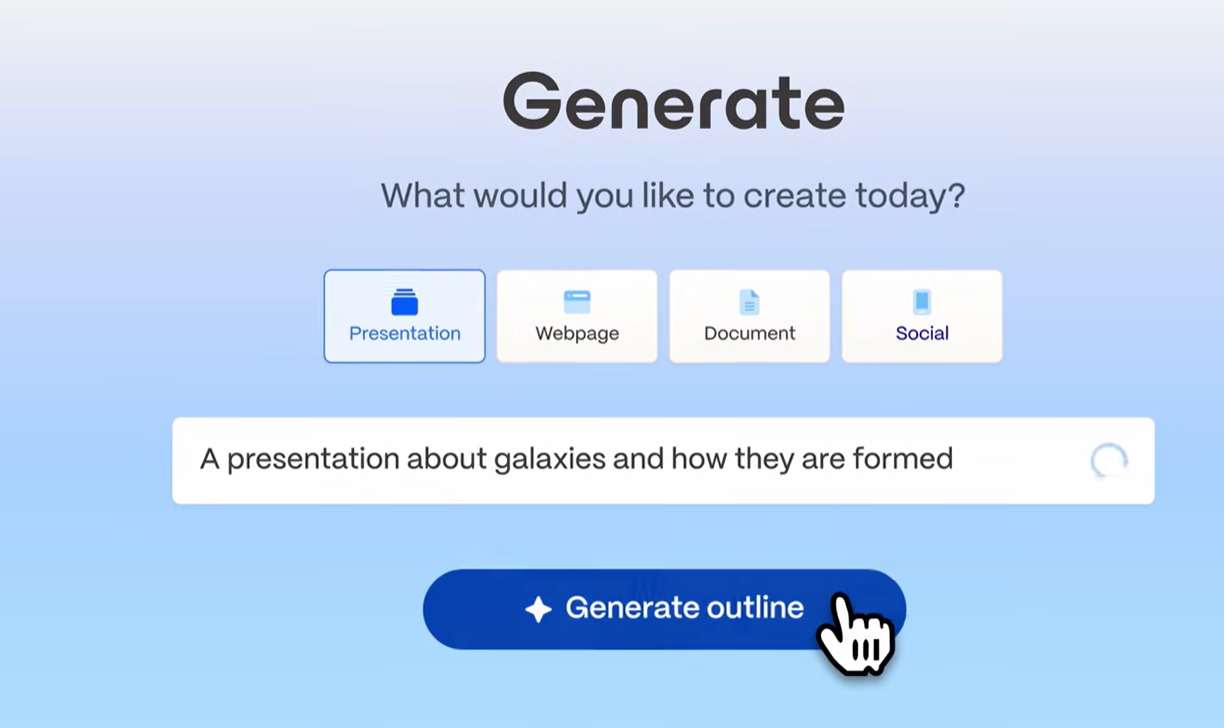
This is currently Gamma's headline feature and, supposedly, its strongest. Enter a topic, add context if you have it, choose a rough structure, and the AI generates a full deck in under a minute. The output is logically organized, reasonably well-written for general topics, and visually laid out. For most standard deck types (company overviews, project updates, pitches, educational content), the first draft requires less cleanup than comparable tools.
AI Image Generation
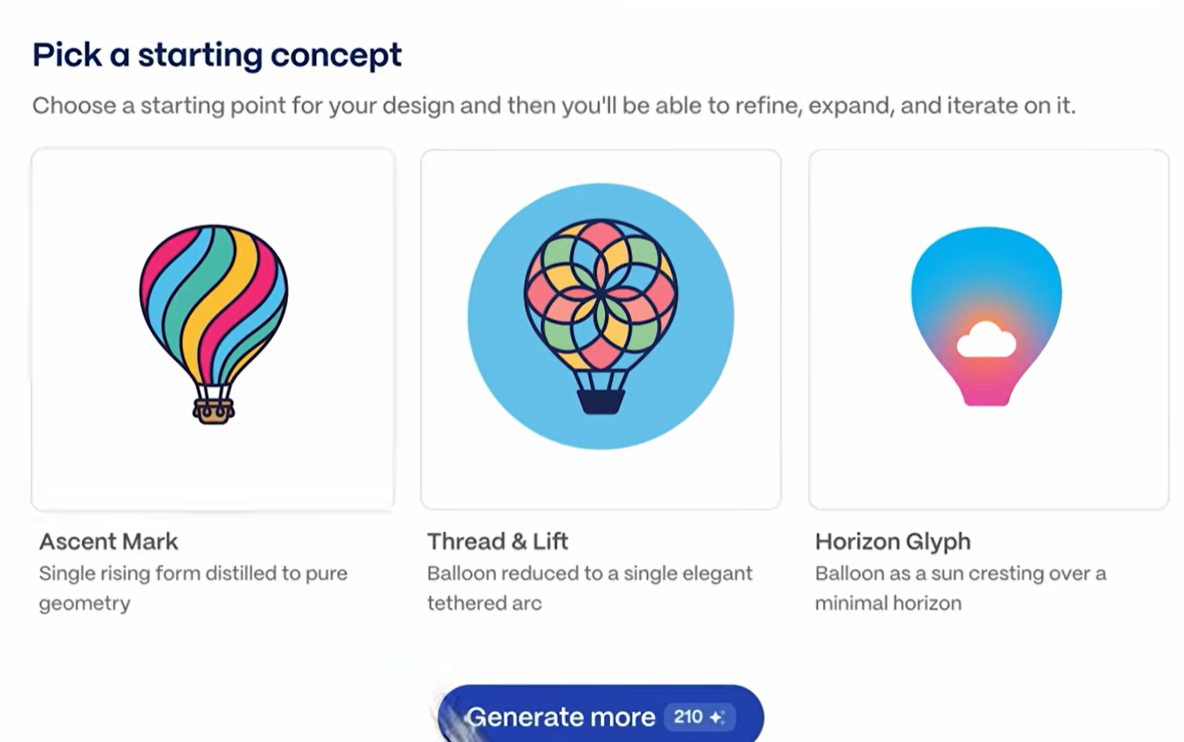
Gamma recently released AI image generation in March 2026 in a bid to take on tools like Canva and Adobe. According to TechCrunch, the feature “will let users employ text prompts to create brand-specific assets like interactive charts and visualizations, marketing collateral, social graphics, and infographics”.
Web-native Presentation Format
Gamma presentations live on the web. Sharing means sending a link, not a file. The recipient views the presentation in a browser, where Gamma's layout and interactive elements work as intended. For teams that share work asynchronously or with external stakeholders who just need to view (not edit) a deck, this workflow is genuinely smooth.
The trade-off emerges when someone needs to do something other than view the presentation as a link. Downloading it as a PowerPoint file introduces format conversion issues. The web-native format is a feature when your workflow matches it and a constraint when it doesn't.
Editing and Content Controls
Once a deck is generated, Gamma provides an editor where you can rework individual cards, adjust the AI-generated text, swap images, add charts, and reorder content. The editing experience is clean and reasonably fast. The block-based structure makes it easy to add, remove, or reorder sections.
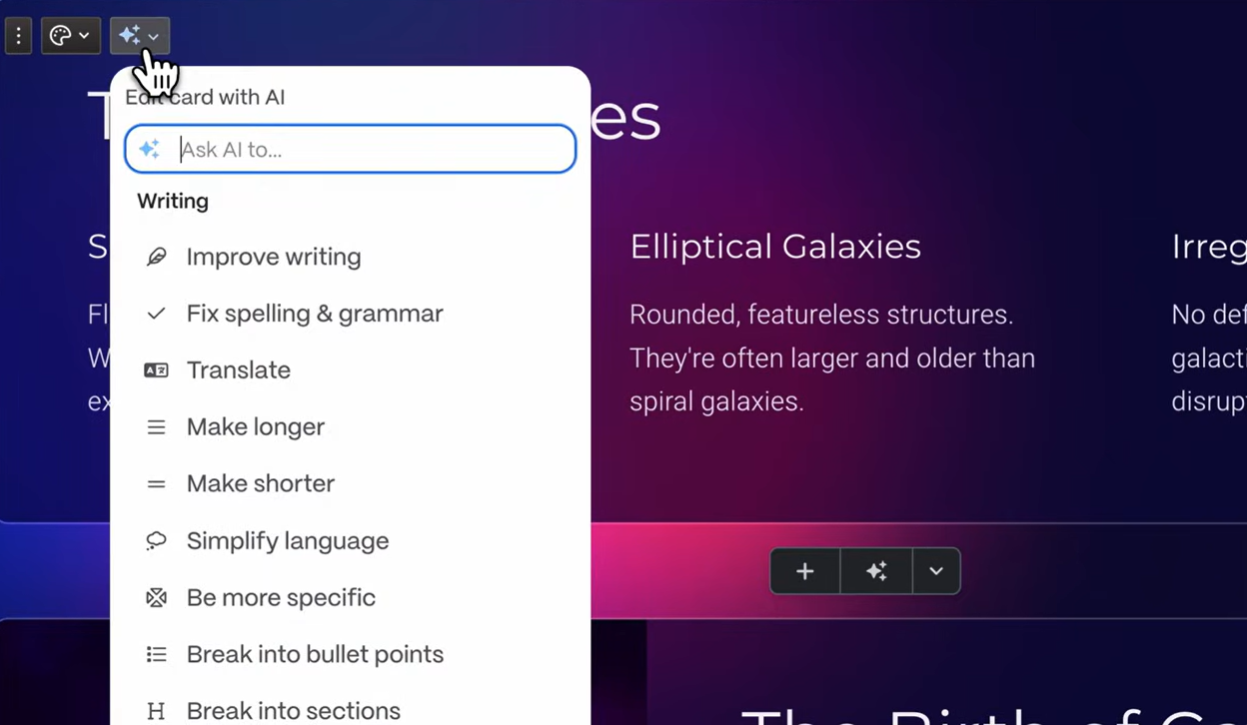
One notable limitation: the AI is not deeply integrated into the editing workflow. Once the initial generation is done, additional AI assistance is available (rewrite, expand, condense). Still, it's not a conversational experience where you can instruct the AI to restructure the deck or add a section based on new information. The AI's most useful role is at the start, not throughout.
Analytics and Sharing
Gamma includes engagement analytics on shared presentations: view counts, time spent, and completion rates. For sales and marketing teams that share decks as part of a follow-up workflow, these metrics provide a useful signal on prospect engagement.
Sharing is handled entirely through links, with options for password protection and public or restricted access. There is no built-in file management or team workspace structure beyond basic organization.
Collaboration Features
Gamma supports basic sharing and co-editing on paid plans. Multiple users can work on the same deck, leave comments, and track changes. The collaboration features are functional but not purpose-built for team workflows the way Pitch or even Google Slides is. There are no shared template libraries, no role-based permissions beyond basic access controls, and no structured approval workflows.
AI Capabilities: What It Can and Can't Do
What Gamma's AI Does Well
The generation speed is genuinely impressive. You can go from a prompt to a finished deck in under a minute if your use case is simple.
The AI also handles image selection well by default, pulling in contextually relevant images that match the generated content. This removes one of the more time-consuming steps in building a deck from scratch.
The Bolt-on Architecture Problem
Gamma's AI was integrated into an existing editor rather than built as the product's foundation. In practice, this creates a split workflow: the AI generates content, then hands it back to the 2020-era editor to refine, adjust, and finalize. You're constantly switching between "AI mode" and "manual mode," which is why users consistently report spending more time editing than the initial generation speed would suggest.
Where the AI Reaches its Limits
Gamma's AI produces a strong first draft, then steps back. You cannot have a back-and-forth conversation with it to refine the deck, instruct it to add a new section based on a document you've written, or ask it to rework the narrative from a different angle. The AI's input ends largely when the first draft is generated.
The AI also doesn't accept rich external inputs. You can paste text, but you cannot import a PDF, a Word document, or a URL to have Gamma build a deck directly from that source. For teams whose presentations regularly start from existing documents (strategy briefs, research reports, client emails), this is a practical limitation that adds manual steps to the workflow.
AI Credit Limits
Gamma's AI features are credit-based. Each plan includes a set number of AI credits, and generating a new deck, regenerating sections, and using AI editing features all consume credits. Free plan users encounter these limits quickly. Even on paid plans, teams that produce multiple decks per week or iterate heavily on AI-generated content can burn through their credit allocation faster than expected. This is one of the most consistently noted friction points in user reviews.
Where Gamma AI Falls Short
AI Generation
This is what we discussed above: Gamma's headline feature holds up: prompt-to-finished deck in under a minute, with reasonable structure and contextually matched images. The limitation is what happens after generation. The AI doesn't iterate conversationally, doesn't accept PDF or Word documents as input, and steps aside once the first draft is done. You're then back in the underlying 2020 editor to refine, select a theme, and fix formatting before the deck is ready to share. This split between AI mode and manual mode is why users consistently report more editing time than the generation speed would suggest. A purpose-built AI Presentation Generator avoids this split-workflow problem because the AI handles both initial generation and ongoing refinement in the same flow, rather than handing the deck off to a separate editor that wasn't built with AI in mind.
Brand Controls
Gamma offers themes that users can select for each presentation. The Team plan adds a custom workspace theme. What it cannot do is automatically apply your brand from a URL, lock down fonts and colors at the organization level, or enforce consistency without deliberate action on every deck. For teams where brand compliance matters on every output, this distinction is significant. An AI Slide Generator built around Brand Sync handles this automatically per slide during generation, so brand drift never happens between the first slide and the last, regardless of who on the team built the deck.
PowerPoint Export
Gamma's web-native card format doesn't always translate cleanly to .pptx. Overlapping text boxes and missing fonts are the most common complaints in user reviews when exported files are opened in desktop PowerPoint. For internal decks that stay in Gamma's viewer, this doesn't matter. For client deliverables or stakeholder presentations that need to be edited in PowerPoint, a cleanup pass is typically required.
Content Rights, Security, and Compliance
Content rights: Free and Plus users grant Gamma a perpetual, irrevocable, worldwide license to use their content for AI training. For commercially sensitive presentations or proprietary strategy documents, this is worth reviewing before uploading content.
Enterprise security: Gamma does not hold SOC 2 Type II certification on standard plans. SOC 2 documentation is available on request for Business plan subscribers only. For organizations with formal IT vendor review processes, this is a practical blocker at standard plan levels.
Confidentialité: Gamma collecte les données des spectateurs via les présentations partagées, ce qui soulève des questions de conformité au RGPD pour les équipes ayant des clients ou des employés européens. Les équipes soumises à des obligations strictes en matière de confidentialité des données devraient vérifier leurs pratiques actuelles de traitement des données avant d'utiliser la plateforme pour des travaux destinés à l'extérieur.
Tarification Gamma : Tous les forfaits expliqués
Gamma propose quatre forfaits individuels qui couvrent un large éventail d'utilisateurs :
Détail du forfait Équipe
Les forfaits équipe de Gamma sont facturés par siège et débloquent la collaboration, l'image de marque et les contrôles organisationnels.
Gamma AI : Avantages et inconvénients
Avantages
- Flux de travail rapide de l'invite à la présentation
- Véritable forfait gratuit sans carte de crédit requise
- Tarification compétitive : Plus à 12 $/mois, Pro à 25 $/mois
- Le rendu natif web est soigné par défaut
- Analyses des spectateurs sur les forfaits payants
- Interface épurée et intuitive avec une courbe d'apprentissage minimale
Inconvénients
- IA greffée sur un éditeur de 2020 ; le flux de travail scindé nécessite un nettoyage manuel important
- Les exportations PowerPoint sont peu fiables ; les chevauchements de cadres et les polices manquantes sont courants
- Pas d'application automatique de la marque ; sélection manuelle du thème requise par présentation
- Les utilisateurs gratuits/Plus accordent à Gamma des droits perpétuels sur le contenu pour l'entraînement de l'IA
- Pas de certification SOC 2 sur les forfaits standard ; ne passe pas la plupart des audits informatiques d'entreprise
- 1 000 crédits/mois sur le forfait Plus sont insuffisants pour une utilisation régulière en équipe
- La plateforme s'étend aux sites web et au contenu social ; les présentations ne sont plus le seul objectif
Gamma vs Presentations AI
La différence fondamentale réside dans l'architecture et l'intention. Gamma est un générateur de contenu généraliste qui a ajouté l'IA à un éditeur de diapositives défaillant en 2023. Presentations AI a été conçu autour de l'IA dès le départ, spécifiquement pour les présentations professionnelles, et approfondit cet objectif à chaque mise à jour plutôt que de s'étendre à d'autres formats de contenu.
Comparez Gamma et Presentations AI en détail →
Comment décider
Choisissez Gamma si:
- Vous voulez tester un créateur de présentations IA sans payer au préalable
- Vous partagez des présentations sous forme de liens web, et non de fichiers PowerPoint
- Vous travaillez seul ou au sein d'une petite équipe sans exigences de marque ou de conformité
- Vous créez des présentations occasionnellement et n'atteindrez pas régulièrement les limites de crédits
Choisissez Presentations AI si:
- Vos présentations ont des enjeux commerciaux : contrats, financements, approbations du conseil d'administration
- La cohérence de la marque doit être automatique, et non appliquée manuellement pour chaque présentation
- Les parties prenantes attendent des fichiers PowerPoint propres et modifiables
- Votre organisation exige la conformité SOC 2 et la pleine propriété des données
- Vos présentations commencent régulièrement à partir de documents existants, de PDF ou d'URL
Devriez-vous choisir Gamma AI pour votre entreprise ?
Gamma est un bon outil pour une tâche spécifique : la génération rapide de présentations par IA avec une faible barrière à l'entrée. Pour les particuliers, les éducateurs et les créateurs de contenu qui partagent leur travail sous forme de liens web et opèrent en dehors des exigences de conformité formelles, il offre une réelle valeur à un prix compétitif. Le plan Plus à 12 $/mois et le plan Pro à 25 $/mois sont tous deux à un prix raisonnable pour ce qu'ils offrent aux utilisateurs individuels.
La question plus difficile est de savoir si Gamma a sa place dans un flux de travail professionnel où les présentations déterminent les résultats. L'IA ajoutée a posteriori, les exportations PowerPoint peu fiables, l'absence de contrôles automatiques de la marque et les droits de contenu perpétuels sur les plans inférieurs ne sont pas des limitations mineures. Elles sont le produit d'une plateforme qui a ajouté l'IA pour se sauver, plutôt que d'une plateforme conçue dès le départ pour les utilisateurs professionnels.
Pour les équipes où les présentations concluent des affaires, obtiennent des financements ou font approuver des stratégies par les conseils d'administration, Presentations AI couvre le terrain que Gamma ne peut pas couvrir, tout en égalant la vitesse de génération de Gamma qui a rendu Gamma attrayant au départ. Si cela correspond à votre flux de travail, une Présentation IA plateforme conçue autour des résultats commerciaux (et non de la création de contenu général) est la solution la plus adaptée, et la formule Starter gratuite vous permet de comparer directement avec le plan gratuit de Gamma avant de vous engager.