





The Best AI Presentation Maker!

すべてのマーケティングイニシアチブはプレゼンテーションで始まり、プレゼンテーションで終わります

テキストボックスを調整したり、ロゴのサイズを変更したり、PPTテンプレートを使用したりすることなく、キャンペーンの開始、売上の促進、ROIのレポート作成を行うことができます。

Try for Free

No credit card required

マーケティング

Trusted by over 10 million professional teams

TRUSTED BY

Google Logo
Adobe Logo
Microsoft Logo
Amazon Logo
Notion Logo
Facebook Logo
Google Logo
Adobe Logo
Microsoft Logo
Amazon Logo
Notion Logo
Facebook Logo
Google Logo
Adobe Logo
Microsoft Logo
Amazon Logo
Notion Logo
Facebook Logo

Never start from a blank slide again

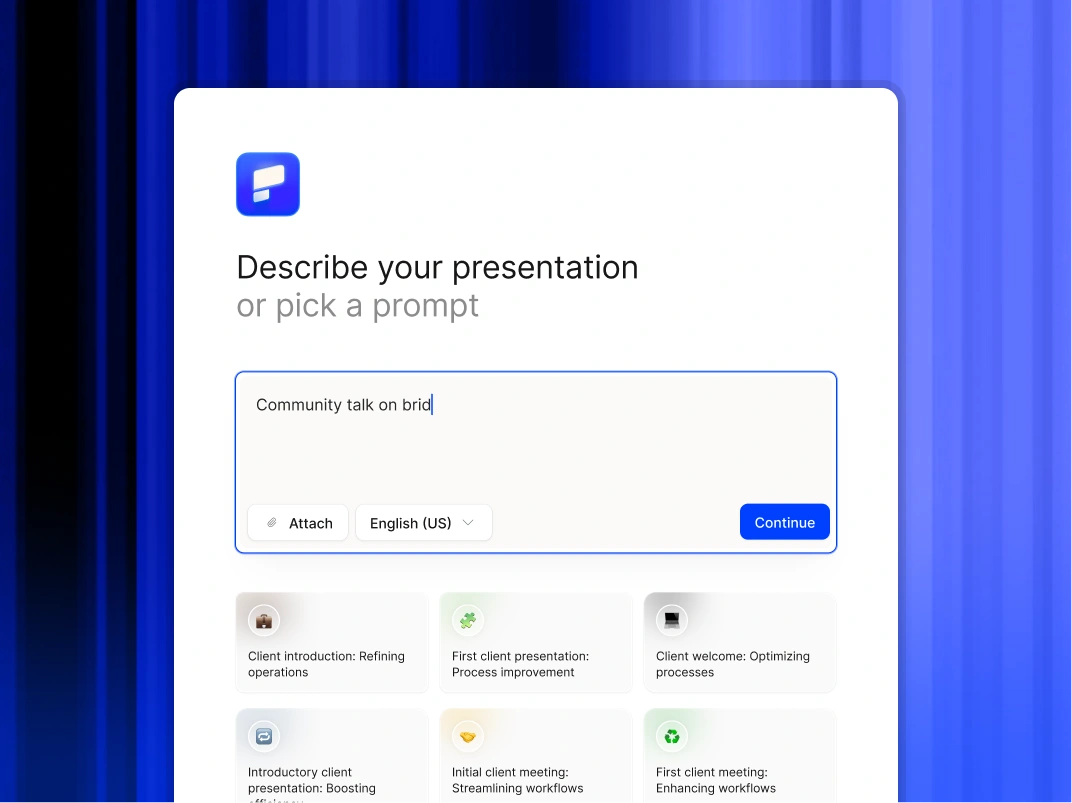
Type a topic, paste your notes, or upload a document. In minutes, you get a polished, structured presentation - edit or export directly to PowerPoint or Google Slides.

Try For Free

マーケティング担当者がプレゼンテーション AI を使用する方法

コンテンツ ROI の乗算

価値の高い資産を即座に転用できます。ホワイトペーパー、ブログ投稿、またはケーススタディをアップロードすると、AI がそれをウェビナー、セールスイネーブルメント、ソーシャル共有用のプレゼンテーションに変換する準備が整います。

GTM 実行を加速

セールスイネーブルメント資料、トレーニング資料、発表用プレゼンテーションを数分で作成できるため、製品が発売された瞬間に現場で準備万端であることを確認できます。

ブランドガバナンスの拡大

ブランドポリスのような振る舞いをするのはやめましょう。ビジュアルアイデンティティを一度設定すれば、営業、製品、人事部門が作成したすべてのスライドに AI が自動的にフォント、色、ロゴを適用します。

キャンペーン戦略を視覚化

キャンペーンブリーフをアップロードして、経営陣やエージェンシーパートナー向けのビジュアルピッチデッキをすぐに生成できます。

パフォーマンスレポートの標準化

分析ツールや有料メディアツールからのパフォーマンスデータを、スプレッドシートのフォーマットに惑わされることなく、インパクトの明確な説明に変えることができます。

マーケティングチームがプレゼンテーション AI を選ぶ理由

プレゼンテーションデザインの自動化

未加工のアイデア、簡単なメモ、戦略文書を洗練されたプレゼンテーションに瞬時に変換できます。AI が構造、レイアウト、フォーマットを処理するので、ユーザーはメッセージに完全に集中できます。

ブランドガバナンスの強化

組織が作成するすべてのデッキがコーポレートアイデンティティ標準に準拠していることを確認してください。プラットフォームは、手作業による監視なしに、ロゴ、フォント、色をすべてのスライドに自動的に適用します。

ワークフローの柔軟性を維持

完全に編集可能なネイティブ PowerPoint ファイルや Google スライドをエクスポートできます。Microsoft 365 と Google Workspace のどちらを使用してコンテンツを絞り込むかを選択できます。

機密データを保護する

エンタープライズ向けに設計されたプラットフォームを信頼してください。当社はSOC 2 Type II認証と厳格なプライバシー管理を提供し、取締役会の資料や内部戦略の機密保持を保証します。

Divider Lines

ブランドの一貫性

すべてのキャンペーンプレゼンテーションをブランドと期日どおりに保ち、企業から承認された状態に保つ

A collaborative AI partner at your command.

Chat with the app and ask it to do what you want - every user is a power user!

Bring your ideas to life instantly

Turn any idea into a presentation instantly. Simply type and get a beautiful deck.

You bring the story. We bring design.

Focus on your content. Beautiful output with no design work.

Divider Lines

よくある質問

Will the designs stay on brand?

Down IconUp Icon

Yes. You input your website URL once, and the AI builds a rigid Brand Kit. It applies your exact logo, color palette, and typography to every slide automatically. Only admins get to modify the core themes.

Can we edit the files in PowerPoint?

Down IconUp Icon

Yes. We export native .pptx files. This allows your team or your agency to make final tweaks, adjust animations, or merge slides using the standard workflow you already use.

Does this replace our design agency?

Down IconUp Icon

It optimizes the work you ask them to do. Use Presentations AI for the high-volume day-to-day needs -- sales decks, internal updates, and standard reports. This frees up your agency budget for high-ticket hero assets like TV spots or flagship keynotes.

How fast is the turnaround?

Down IconUp Icon

A typical 15-slide deck takes under 2 minutes to generate from a prompt or uploaded document. This compares to the 3-5 day turnaround typical of internal design requests.

Can I customize the design templates in the AI Slide Maker to fit my brand?

Down IconUp Icon

Yes. Presentations.AI goes beyond manual template customization. Paste your company URL and the AI PowerPoint generator automatically pulls your brand colors, fonts, and logo, then applies them across every slide. You can also adjust any element manually to match specific brand guidelines or client requirements.

Can I use these tools for recurring reports that need to stay current?

Down IconUp Icon

Presentations.AI supports live data connections to tools like Salesforce, HubSpot, and Snowflake, so recurring decks update automatically. This is a feature no other tool on this list matches. For teams running monthly or quarterly reports, this alone makes Presentations.AI the clear choice.

Can I use these tools if my team already works in Google Slides?

Down IconUp Icon

Plus AI is built specifically for this, it's a Google Slides extension that adds AI assistance without changing your workflow. Presentations.AI exports clean .pptx files that import well into Google Slides if needed.

How do I keep recurring presentations up to date automatically?

Down IconUp Icon

Presentations.AI's Refresh Workflows connect your slides to live data sources like Salesforce, HubSpot, or Snowflake. When the numbers change, your charts and summaries update on a schedule you set. Plus AI offers a similar capability inside Google Slides.

Is my organization's data safe?

Down IconUp Icon

Yes, we take data privacy seriously.

  1. Your presentation is not shared with other users/customers
  2. We do not use your presentation to train our AI models