





The Best AI Presentation Maker!

모든 마케팅 이니셔티브는 프레젠테이션에서 시작하고 끝납니다

텍스트 상자를 조정하거나 로고 크기를 조정하거나 PPT 템플릿을 다시 사용하지 않고도 캠페인을 시작하고 판매를 활성화하고 ROI를 보고할 수 있습니다.

Try for Free

No credit card required

마케팅

Trusted by over 10 million professional teams

TRUSTED BY

Google Logo
Adobe Logo
Microsoft Logo
Amazon Logo
Notion Logo
Facebook Logo
Google Logo
Adobe Logo
Microsoft Logo
Amazon Logo
Notion Logo
Facebook Logo
Google Logo
Adobe Logo
Microsoft Logo
Amazon Logo
Notion Logo
Facebook Logo

Never start from a blank slide again

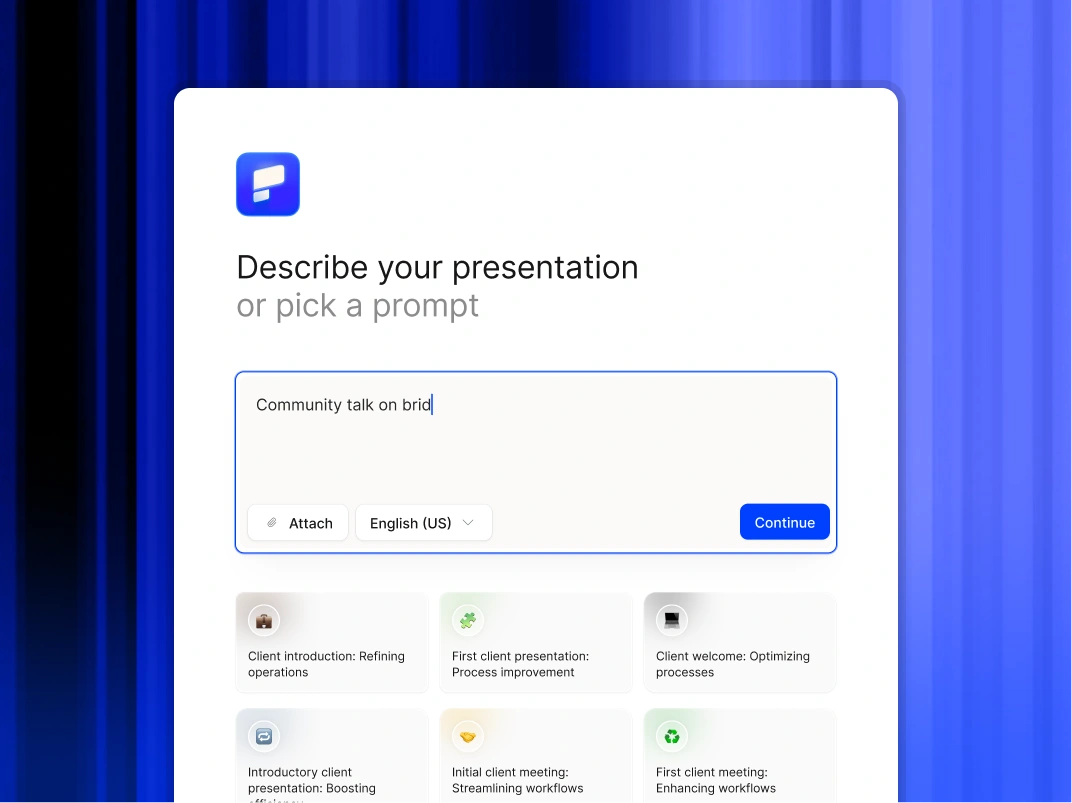
Type a topic, paste your notes, or upload a document. In minutes, you get a polished, structured presentation - edit or export directly to PowerPoint or Google Slides.

Try For Free

마케터가 프레젠테이션 AI를 사용하는 방법

콘텐츠 ROI 곱하기

고부가가치 자산의 용도를 즉시 변경하세요.백서, 블로그 게시물 또는 사례 연구를 업로드하면 AI가 이를 프레젠테이션으로 변환하여 웨비나, 영업 지원 또는 소셜 공유에 바로 사용할 수 있습니다.

GTM 실행 가속화

영업 지원 덱, 교육 자료 및 출시 프레젠테이션을 몇 분 만에 생성하여 제품이 출시되는 순간 현장 준비를 완료할 수 있습니다.

브랜드 거버넌스 확장

브랜드 폴리스 역할을 그만두세요.비주얼 아이덴티티를 한 번 설정하면 Akamai의 AI가 Sales, Product 또는 HR에서 만든 모든 슬라이드에 글꼴, 색상, 로고를 자동으로 적용합니다.

캠페인 전략 시각화

캠페인 브리프를 업로드하고 경영진 또는 에이전시 파트너를 위한 시각적 피치덱을 즉시 생성하세요.

성과 보고 표준화

스프레드시트 서식을 놓치지 않고 분석 및 유료 미디어 도구의 성과 데이터를 영향에 대한 명확한 설명으로 전환하세요.

마케팅 팀이 프레젠테이션 AI를 선택하는 이유

프레젠테이션 디자인 자동화

원시 아이디어, 간단한 메모 또는 전략 문서를 세련된 프레젠테이션으로 즉시 변환할 수 있습니다.AI가 구조, 레이아웃, 서식을 처리하므로 사용자는 메시지에만 집중할 수 있습니다.

브랜드 거버넌스 강화

조직에서 제작하는 모든 덱이 기업 정체성 표준을 준수하는지 확인하세요.플랫폼은 수동 관리 없이 모든 슬라이드에 로고, 글꼴 및 색상을 자동으로 적용합니다.

워크플로우 유연성 유지

완전히 편집 가능한 네이티브 파워포인트 파일 또는 Google 프레젠테이션을 내보낼 수 있습니다.Microsoft 365 또는 Google Workspace를 사용하여 콘텐츠를 구체화하도록 선택할 수 있습니다.

민감한 데이터 보호

엔터프라이즈용으로 설계된 플랫폼을 신뢰하십시오.당사는 SOC 2 Type II 인증과 엄격한 개인 정보 보호 제어를 제공하여 이사회 자료와 내부 전략의 기밀을 유지합니다.

Divider Lines

브랜드 일관성

모든 캠페인 프레젠테이션을 브랜드에 맞게, 정시에, 기업 승인을 받은 상태로 유지

데이터 소스를 연결하고 일정을 설정합니다.

보고서, QBR 및 보드 덱은 수동으로 재구성할 필요 없이 최신 수치로 자동 업데이트됩니다.

프레젠테이션 생성 기능을 제품에 포함시키세요.

사용자는 세련된 덱을 얻게 되지만 우리 브랜드를 전혀 볼 수 없습니다.완전한 화이트 라벨 지원이 포함되어 있습니다.

완벽해질 때까지 반복합니다.

모든 Studio 참여에는 덱이 제대로 작동할 수 있도록 무제한 수정 라운드가 포함됩니다.

Divider Lines

자주 묻는 질문

Will the designs stay on brand?

Down IconUp Icon

Yes. You input your website URL once, and the AI builds a rigid Brand Kit. It applies your exact logo, color palette, and typography to every slide automatically. Only admins get to modify the core themes.

Can we edit the files in PowerPoint?

Down IconUp Icon

Yes. We export native .pptx files. This allows your team or your agency to make final tweaks, adjust animations, or merge slides using the standard workflow you already use.

Does this replace our design agency?

Down IconUp Icon

It optimizes the work you ask them to do. Use Presentations AI for the high-volume day-to-day needs -- sales decks, internal updates, and standard reports. This frees up your agency budget for high-ticket hero assets like TV spots or flagship keynotes.

How fast is the turnaround?

Down IconUp Icon

A typical 15-slide deck takes under 2 minutes to generate from a prompt or uploaded document. This compares to the 3-5 day turnaround typical of internal design requests.

Can I customize the design templates in the AI Slide Maker to fit my brand?

Down IconUp Icon

Yes. Presentations.AI goes beyond manual template customization. Paste your company URL and the AI PowerPoint generator automatically pulls your brand colors, fonts, and logo, then applies them across every slide. You can also adjust any element manually to match specific brand guidelines or client requirements.

Can I use these tools for recurring reports that need to stay current?

Down IconUp Icon

Presentations.AI supports live data connections to tools like Salesforce, HubSpot, and Snowflake, so recurring decks update automatically. This is a feature no other tool on this list matches. For teams running monthly or quarterly reports, this alone makes Presentations.AI the clear choice.

Can I use these tools if my team already works in Google Slides?

Down IconUp Icon

Plus AI is built specifically for this, it's a Google Slides extension that adds AI assistance without changing your workflow. Presentations.AI exports clean .pptx files that import well into Google Slides if needed.

How do I keep recurring presentations up to date automatically?

Down IconUp Icon

Presentations.AI's Refresh Workflows connect your slides to live data sources like Salesforce, HubSpot, or Snowflake. When the numbers change, your charts and summaries update on a schedule you set. Plus AI offers a similar capability inside Google Slides.

Is my organization's data safe?

Down IconUp Icon

Yes, we take data privacy seriously.

  1. Your presentation is not shared with other users/customers
  2. We do not use your presentation to train our AI models