Genspark has been getting attention as an AI Super Agent: a single workspace that handles research, slides, web pages, spreadsheets, video, and automated phone calls from one prompt interface.
The pitch is appealing for anyone who spends their day switching between tools. But the homepage gives you no introduction at all. You land directly inside the workspace, and figuring out what the product actually does requires either prior research or a fair amount of exploration.
Pricing follows the same pattern: gated behind a login, and once you get in, three unnamed personal plans appear, listed only by dollar amount.
This review covers what Genspark delivers for presentation workflows specifically, what the plans actually cost, where the tool earns its reputation, and where purpose-built alternatives do the job better. If you are evaluating Genspark against other AI presentation tools in 2026, this is the breakdown you need.
TL;DR
- Genspark is a multi-agent AI workspace, not a dedicated presentation tool. It generates slides alongside research briefs, websites, videos, spreadsheets, and automated phone calls.
- The homepage drops you straight into the workspace with no product introduction. Pricing is gated behind a login, and the three personal plans have no names, just dollar amounts: $19.99/month, $39.99/month, and $199.99/month.
- Credits are shared across every task type on the platform. A single slide deck consumes an estimated 250-450 credits, competing with research, image generation, and everything else you do in Genspark.
- Design output for presentations is the weakest point. Independent reviewers consistently flag generic layouts and limited visual polish compared to purpose-built slide tools.
- Brand control is manual at every tier. No brand kit, no URL-based extraction, no automatic style enforcement for presentations.
- If presentations are your primary deliverable, Presentations.AI gives you purpose-built AI, automatic brand sync, and conversational editing without the credit trade-offs.
Quick Verdict
Score: 6/10 (For presentation use cases)
Genspark is a capable research and multi-output AI platform. As a dedicated presentation tool, it falls short in design quality, brand control, and export reliability. This score is weighted for presentation workflows: Design quality (5/10), AI depth for slides (6/10), brand control (3/10), export fidelity (5/10), ease of use (7/10), and pricing clarity (4/10).
Best for
- Researchers and analysts who need to turn research output into a slide format quickly and are comfortable with visual cleanup afterward.
- Solo creators who need a single AI platform spanning multiple output types: research briefs, slides, web content, and more.
- Low-stakes internal decks where brand precision and PowerPoint export fidelity are not requirements.
Not ideal for
- Teams producing client-facing or investor-grade decks where brand consistency and visual polish directly affect how the work is received.
- Anyone whose workflow ends in a PowerPoint handoff. Export fidelity has not been confirmed as presentation-grade in independent coverage.
- Data-heavy presentations that require advanced charts, dynamic visualizations, or complex custom layouts.
- Organizations that need automatic brand enforcement across multiple team members and deck types.
How We Evaluated Genspark
This review evaluated Genspark across six dimensions that matter most for presentation and research workflows in 2026.
- AI Output Quality: How usable is the first AI draft without significant manual editing?
- Brand Control: Can teams enforce fonts, colors, and layout rules consistently?
- Export Flexibility: Does it produce clean, editable .pptx and PDF files?
- Ease of Use: How fast can a non-designer build a professional-looking deck?
- Team Collaboration: Does it support shared themes, comments, and permissions?
- Pricing Transparency: Are core features included or gated behind paywalls?
What Is Genspark (And How It's Different)
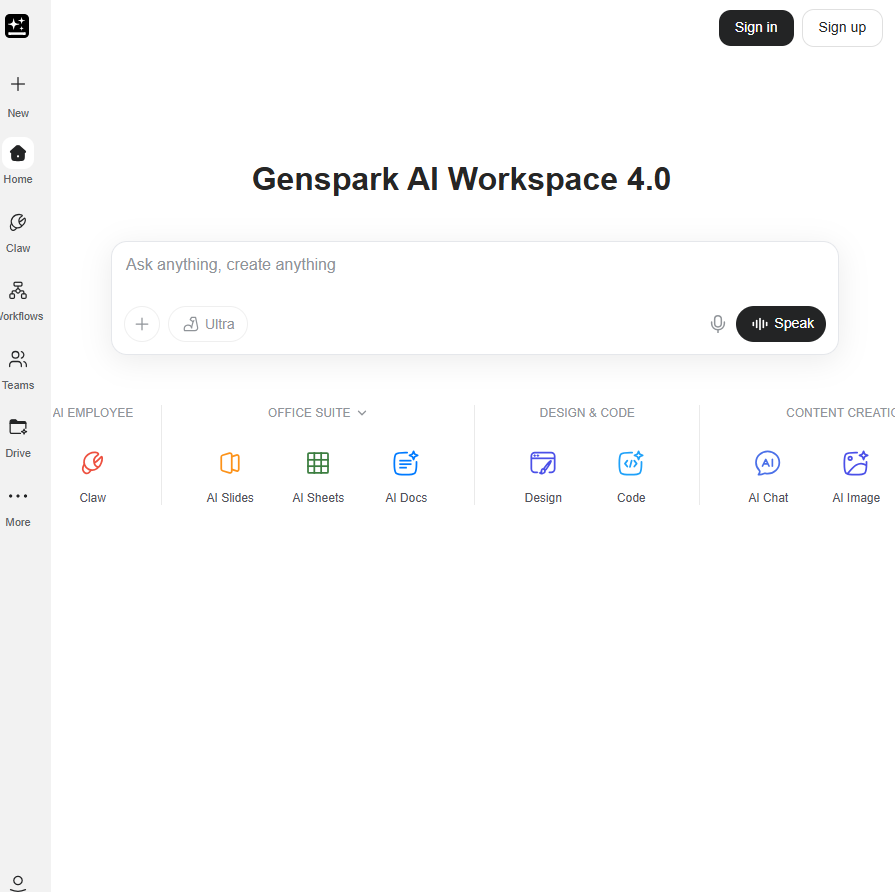
Genspark is built on a multi-agent AI architecture: a network of specialized agents that coordinate to complete complex, multi-step tasks. Submit a prompt, and the platform routes it through agents handling research, content structuring, and output formatting. The result can be a slide deck, a web page, a research brief, a spreadsheet, or an automated phone call.
That multi-agent setup is what gives Genspark its research depth. While most AI tools operate as a single model, Genspark can pull from multiple sources simultaneously and synthesize them. For research-heavy tasks, this produces notably thorough output. Specifically for presentations, the gap shows. Design quality, layout intelligence, and visual consistency require specialized training that general-purpose agents are not optimized for. The research engine and the slide engine share the same architecture, but they do not produce the same quality of output.
Key Features That Matter in Real Work
Genspark covers the basics you would expect from an AI presentation tool: prompt-to-deck generation, a template library, and export options. But the platform was built as a general-purpose AI workspace, and that design decision shapes how every one of these features performs. Here is what each one actually delivers when you are building a real deck, not a demo.
AI-generated slide drafts from prompts or URLs
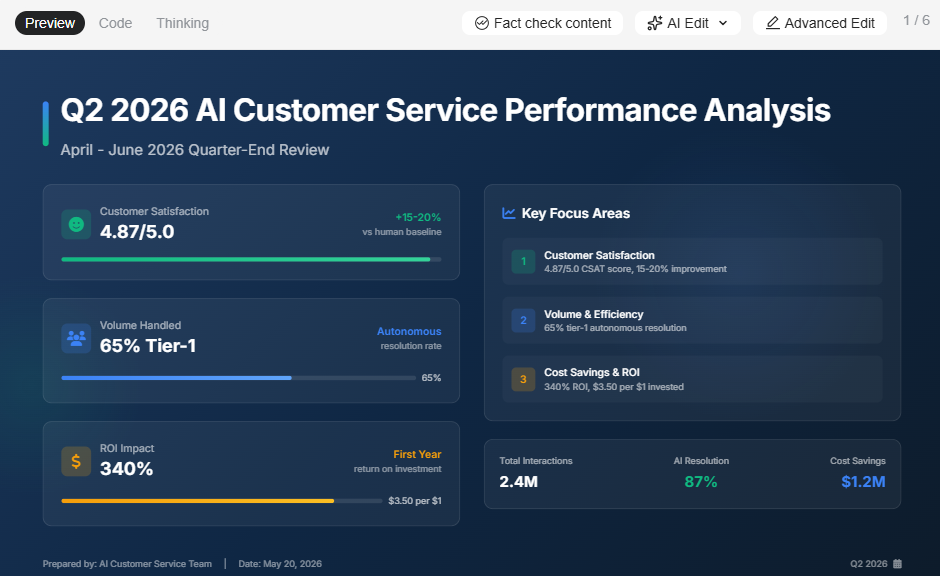
Genspark can generate a full slide deck from a text prompt. The content structure tends to be logical, with information well-organized, reflecting the platform's research strength. Paste a URL or upload a document, and the AI uses it as source material for the deck. The caveat is that what comes out is a starting point, not a finished product. The layout is generic, visual balance is basic, and slide designs do not adapt when you add or remove content. Most users report needing a meaningful editing pass before the output is client-ready.
Research and web-grounded content
This is Genspark's most legitimate differentiator. The multi-agent setup draws on live web sources and synthesizes content from multiple references. For presentations that are primarily informational, such as market overviews, competitive briefings, and trend reports, the research quality is genuinely strong. The AI cites sources, cross-references information, and produces content that is more current and multi-perspective than a standard single-model prompt response.
Templates and slide types
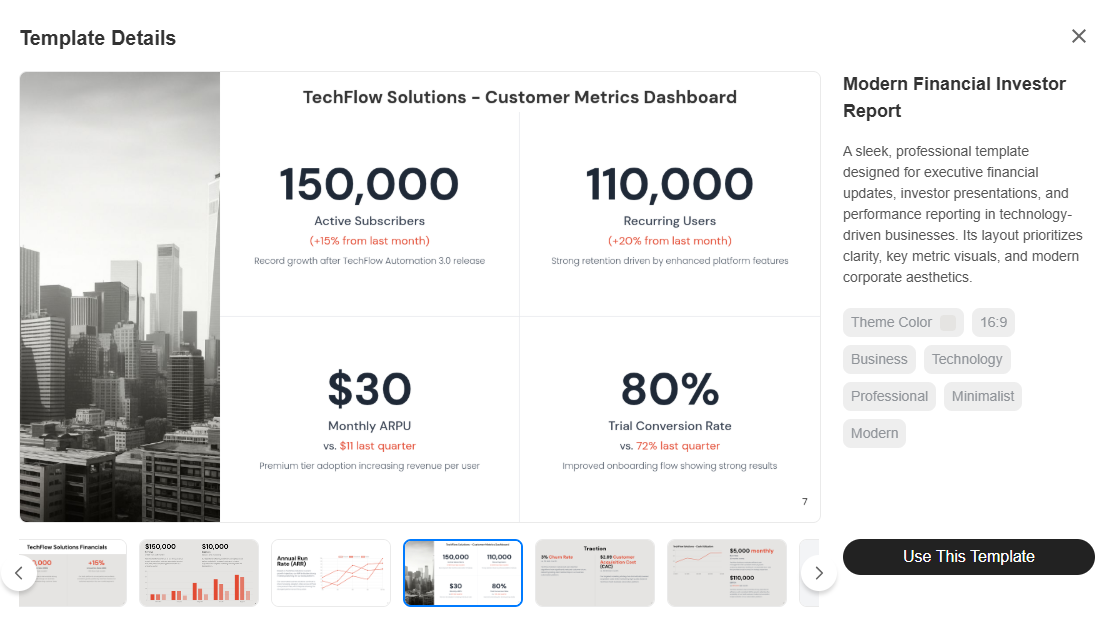
Genspark provides a set of general-purpose templates covering common deck formats. The variety covers pitch decks, report-style layouts, and briefing structures. The templates are functional rather than polished: they give the AI a structure to populate but do not adapt intelligently to content changes. For teams with specific visual standards or recurring deck formats, the template system does not offer the kind of locked, brand-consistent starting points that purpose-built presentation platforms provide.
Brand controls (themes, fonts, colors)
In practice, there are none worth relying on for business use. Across all available public documentation and independent coverage, Genspark has no brand kit, no persistent style settings, and no automatic brand extraction at any plan tier. If you need your company's colors, fonts, and logo applied consistently across decks, you are either re-specifying them in the prompt each time or cleaning them up manually after generation for teams producing presentations at volume, which adds up to a significant recurring time cost.
Export and sharing options
Genspark supports exporting slides and sharing via a link. The .pptx export fidelity for presentations specifically has not been confirmed as production-grade in independent reviews. Because the platform is a general-purpose AI workspace rather than a presentation-native tool, the export pipeline is not optimized specifically for PowerPoint compatibility. If your deck needs to open cleanly in Microsoft 365 on someone else's machine, test the export quality directly before committing to the workflow.
AI Capabilities (What It Can and Can't Do)
Genspark's AI is genuinely useful for getting content from your head onto slides quickly. Where it starts to show its limits is everything that comes after that first draft. Here is an honest look at what the AI handles well, what it handles adequately, and where you will still be doing the work yourself.
AI for outlines and slide drafts
Genspark generates well-structured outlines and first-draft slides from prompts, URLs, or uploaded documents. The speed from brief to initial deck is competitive. For research-backed content, the AI draws on current sources, giving the draft more depth than a standard template-fill approach. For most users, the first draft saves a meaningful amount of time on structure and content gathering, even if the visual side needs work.
AI for rewriting and content polishing
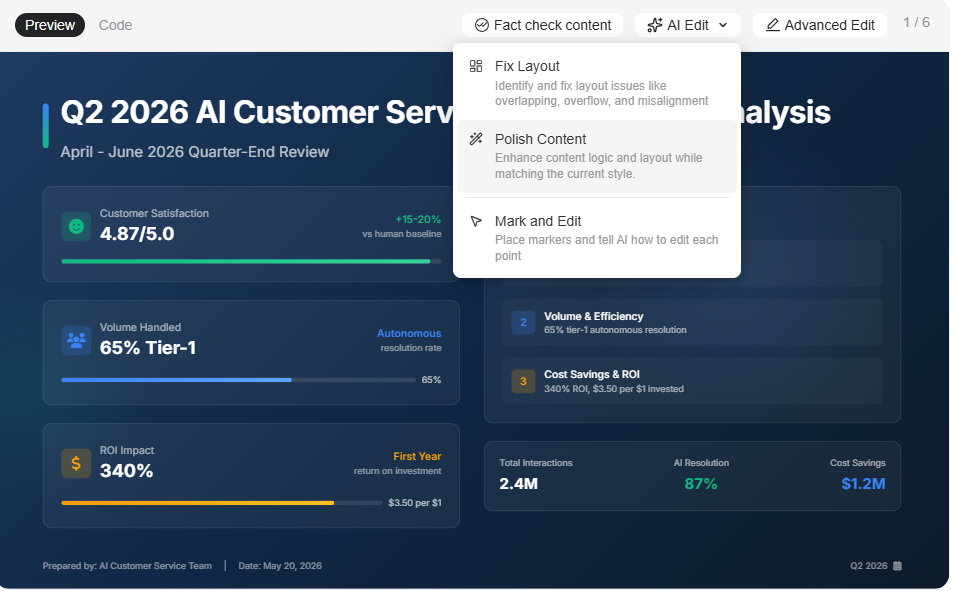
Once content is on a slide, Genspark's AI can rewrite text for clarity, condense verbose copy, and adjust tone. This helps tighten individual slides without manually reworking everything line by line. The rewriting quality is generally solid for factual, business-style content. For highly specialized or technical topics, the AI can produce output that reads accurately but lacks the precision a subject-matter expert would bring.
Where AI still struggles
The consistent gap across independent reviews is design: layouts are functional but generic, and there is no adaptive template engine to handle content variation. Add a few extra bullet points, and the slide does not self-correct. Complex data visualization, custom chart types, and advanced animations are not supported. And unlike conversational AI platforms built specifically for slides, Genspark does not stay engaged through the revision cycle. Once the first output is generated, iteration means re-prompting or editing manually rather than refining through natural-language dialogue.
Genspark Pricing Overview
Genspark's pricing page is not publicly accessible without logging in. Once inside, three personal plans appear with no tier names, only price points. A Team plan is listed separately. All current pricing has a December 31, 2026, validity date, suggesting promotional rather than permanent rates. For the full breakdown, see the dedicated Genspark pricing page.
Usability and Editing Experience
Speed is one of Genspark's genuine selling points, but it applies unevenly across the workflow. Getting to a first draft is fast. Getting to a finished, shareable deck is a different story.
How fast can you build a good deck?
Getting to a first draft is genuinely fast. Submit a prompt, and Genspark produces a structured deck within a reasonable time. The content organization is usually solid, particularly for topic-driven or research-backed presentations. Where speed slows down is after generation: without adaptive templates or a conversational AI to guide revisions, most users spend additional time on layout cleanup, visual adjustments, and brand application before the deck is ready to share.
Flexibility vs AI constraints
Genspark's AI-first approach gives you a fast starting point and removes the blank-page problem. The trade-off is that you are working within the boundaries of what the AI generated. There is no free-canvas editing experience, and the layout logic is not as flexible as in a traditional slide editor. For users who want to rework a slide design or build non-standard layouts completely, the platform constrains more than it enables. The experience is optimized for users who mostly accept the AI output and make targeted content edits rather than structural redesigns.
Real Use Cases (Where Genspark Shines)
Genspark's research depth gives it a natural fit for certain presentation types, particularly ones where getting the content right matters more than getting the design perfect. These are the scenarios where it holds up best.
Research-backed reports and briefings
Genspark's strongest use case for presentation is turning research-heavy prompts into a structured slide format. Market analysis, competitive overviews, industry trend reports, and multi-source briefings all benefit from the multi-agent research capability. The content foundation is more thorough than that of a standard AI prompt, and the slide structure organizes it logically. The visual cleanup time is the cost, but for internal briefings where content accuracy matters more than polish, the trade-off is reasonable.
Sales decks and pitches
For sales teams that need a fast first draft of a pitch or proposal, Genspark meaningfully reduces time-to-initial-deck. The AI structures the content, and users can edit the copy for their specific deal context. The limitation is brand consistency: without a brand kit, each deck requires manual application of colors, fonts, and logos. For teams sending branded proposals to multiple prospects, that overhead accumulates quickly.
Marketing and campaign decks
Campaign briefs, launch plans, and stakeholder updates benefit from Genspark's research-backed content generation. The AI can pull in market context, relevant data points, and structured narratives from a simple brief. The visual output needs work for most marketing standards, but for internal planning decks and preliminary drafts, the speed advantage is real.
Internal updates and team briefings
For recurring internal presentations that require current, well-structured content, such as leadership updates, weekly standups, and operational reviews, Genspark's research depth and rapid generation reduce the time spent on content gathering. Visual standardization across these decks is limited without brand controls, but for informal internal use, the functional output is sufficient.
Advantages and disadvantages of Genspark
While Genspark is great for broader use cases, it falls short in design, pricing clarity, and a couple of other areas.
Genspark Pros
- Research quality is genuinely strong. Multi-agent synthesis produces well-sourced, current, and logically organized content.
- Versatility across output types: slides, research briefs, web pages, video, and automated calls from a single platform.
- Unlimited chat and image generation at zero credit cost on all paid plans is a real advantage for high-volume users.
- Fast time-to-first-draft for content-heavy presentations. The blank-page problem is largely eliminated.
- Team plan includes proper admin controls: SSO/SAML, usage analytics, centralized billing, and role management.
Genspark Cons
- デザインの出力は常に平凡で視覚的な洗練さに欠けると報告されています。レイアウトはコンテンツの変更に適応しません。
- ブランドキット、自動ブランド抽出、どのプランでも永続的なスタイル設定がありません。
- 料金はログインしないと表示されず、プラン名もありません。また、2026年12月31日までの有効期限は、将来のコストに関する不確実性を生み出しています。
- クレジットはすべてのタスクタイプで共有されます。スライドを多用するワークフローは、調査、動画、その他の機能と同じ月額予算を競合します。
- スライドの反復作業のための対話型AIはありません。生成後の修正は手動で行うか、新しいプロンプトが必要です。
- PowerPointエクスポートの忠実度は、ビジネスプレゼンテーション用途で実用レベルであると独立して検証されていません。
Genspark vs. 代替AIプレゼンテーションツール
AIプレゼンテーションツールであるPresentations.AIを見て、Gensparkがどのように比較されるか見てみましょう。
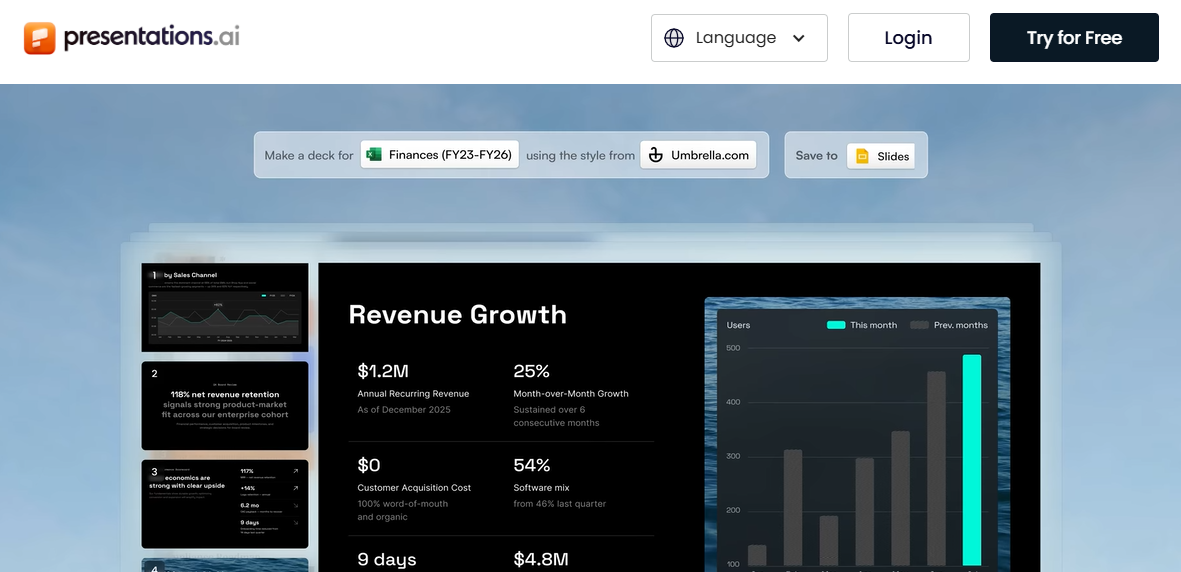
両プラットフォームはAIを使用してプレゼンテーションを生成しますが、異なるコアとなる前提に基づいて構築されています。Gensparkは、スライドを汎用AIワークスペースからの多くの可能な出力の1つとして扱います。一方、Presentations.AIは、スライドを唯一の出力として扱い、そのタスクを中心に製品全体を構築しています。詳細な比較については、 Genspark vs. Presentations.AI 比較ページ.
迅速な下書きにはどちらが優れていますか?
Gensparkは迅速に初稿を生成し、その調査品質はほとんどのAIツールよりもコンテンツに強力な基盤を与えます。Presentations.AIのClip-Eアシスタントは、プロンプト、PDF、Word文書、またはURLからコンテンツを生成し、その後も修正のために会話を続けるため、初稿からすぐに送信できる資料までの道のりが短くなります。単一の下書きで済むユースケースでは、その差は小さいですが、複数回の入力が必要な資料の場合、Presentations.AIの反復型AIは大きな利点を提供します。
ブランドの一貫性にはどちらが優れていますか?
Presentations.AIには明確な利点があります。Brand Syncは、会社のURLから色、フォント、ロゴを自動的に抽出し、手動設定なしですべての資料をブランドに沿ったものにします。Gensparkには、どのプランでも同等の機能がありません。ブランドの正確さが不可欠な対外向けプレゼンテーションを作成するチームにとって、すべての資料で視覚的アイデンティティを再指定することは、量が増えるにつれて増大する時間コストとなります。
チームにとってどちらが優れていますか?
Presentations.AIは、無料のStarterプランでチームコラボレーションを提供し、ユーザー数無制限でシートごとの課金はありません。Gensparkは、コラボレーションを月額30ドルのシートごとのTeamプランの背後に置いています。10人チームの場合、Gensparkでは年間3,600ドルかかるのに対し、Presentations.AI Proでは年間198ドルです。Presentations.AIは、機能間のクレジット競合も排除します。すべてのクレジットはプレゼンテーションに充当され、調査タスク、動画生成、自動通話には充当されません。
Gensparkの最適な代替ツール
デザインの自由度をより高めたい場合
Canvaは、膨大なテンプレートライブラリ、完全なレイアウトの自由度を持つドラッグ&ドロップ編集機能を提供し、有料プランではフォント、色、ロゴを統一するためのブランドキットも利用できます。Canvaのエコシステムに既に組み込まれており、他のデザイン作業と並行してプレゼンテーションも必要とするチームにとって、Canvaは最も自然な選択肢です。PowerPointは、ピクセル単位の制御、高度なアニメーション、あらゆるビジネス環境でのネイティブな互換性において、業界標準であり続けています。
より強力なAIファーストのワークフローを求める場合
Presentations.AIがこの分野をリードしています。Clip-Eは、プロンプト、PDF、Word文書、またはURLからデッキ全体を生成し、その後、平易な言葉での修正にも対応します。ブランド同期機能は、視覚的なアイデンティティを自動的に適用します。アンチフラジャイルテンプレートは、コンテンツが変更されてもレイアウトを維持します。また、.pptxエクスポートは、実際のPowerPointとの互換性を考慮して構築されています。この 無料のスタータープランは クレジットカード不要で、無制限のユーザーをサポートしています。Gammaも、クリーンでモダンなAI生成出力を求め、厳密なPowerPointエクスポートの忠実性を必要としない個人にとっては検討する価値があります。
エンタープライズレベルの管理機能が必要な場合
SSO、SCIM、監査証跡、高度な管理機能を必要とする大規模組織向けに、GensparkのチームプランはSSO/SAML、利用状況分析、一元請求に対応しています。Presentations.AIは、Proプラン以上でSOC 2 Type IIコンプライアンスを含むエンタープライズレベルの機能をサポートしています。Microsoft 365エコシステムに既に組み込まれているチームの場合、Copilotを搭載したPowerPointは、既存のセキュリティおよびコンプライアンスインフラストラクチャとネイティブに統合されます。ただし、Copilotのライセンスは、既存のM365サブスクリプションに月額30ドル/ユーザーが追加されます。
自社に最適な選択
プレゼンテーションが主要な成果物である場合、その目的に特化して作られたツールが最適です。
Gensparkを選ぶべき場合:
- ワークフローがリサーチ、スライド、ウェブコンテンツ、複数の出力タイプにまたがり、専門ツールではなく単一のプラットフォームが必要な場合。
- プレゼンテーションの頻度が少なく社内向けであり、生成後の視覚的な修正時間が許容できる場合。
- Gensparkがワークフローのために提供する他のすべての機能と共有した場合に、実際のスライド量に対してクレジット計算が成り立つ場合。
Presentations.AIを選ぶべき場合:
- プレゼンテーションが主要な成果物である場合、 AIプレゼンテーション作成ツールから始めましょう。
- ブランドの一貫性が自動的に適用され、各デッキで手動で再適用する必要がない場合。
- プレゼンテーション資料は何度も修正を重ねるため、初稿作成後も役立つAIが必要です。
- チームで共同作業を行う際、共有ワークスペースへのアクセスにシートごとの料金を支払うことなく、コラボレーションできる必要があります。
以下の場合は、別の選択肢を検討してください:
- ピクセル単位のデザイン制御や高度なアニメーション機能が必要な場合(PowerPointまたはKeynote)。
- 最新の出力機能とウェブネイティブな共有機能を備えた無料のAIプランを求める場合(Gamma)。
- プレゼンテーションだけでなく、ソーシャルメディア、ドキュメント、その他のアセットも扱える幅広いビジュアルデザインプラットフォームが必要な場合(Canva)。