Genspark has been getting attention as an AI Super Agent: a single workspace that handles research, slides, web pages, spreadsheets, video, and automated phone calls from one prompt interface.
The pitch is appealing for anyone who spends their day switching between tools. But the homepage gives you no introduction at all. You land directly inside the workspace, and figuring out what the product actually does requires either prior research or a fair amount of exploration.
Pricing follows the same pattern: gated behind a login, and once you get in, three unnamed personal plans appear, listed only by dollar amount.
This review covers what Genspark delivers for presentation workflows specifically, what the plans actually cost, where the tool earns its reputation, and where purpose-built alternatives do the job better. If you are evaluating Genspark against other AI presentation tools in 2026, this is the breakdown you need.
TL;DR
- Genspark is a multi-agent AI workspace, not a dedicated presentation tool. It generates slides alongside research briefs, websites, videos, spreadsheets, and automated phone calls.
- The homepage drops you straight into the workspace with no product introduction. Pricing is gated behind a login, and the three personal plans have no names, just dollar amounts: $19.99/month, $39.99/month, and $199.99/month.
- Credits are shared across every task type on the platform. A single slide deck consumes an estimated 250-450 credits, competing with research, image generation, and everything else you do in Genspark.
- Design output for presentations is the weakest point. Independent reviewers consistently flag generic layouts and limited visual polish compared to purpose-built slide tools.
- Brand control is manual at every tier. No brand kit, no URL-based extraction, no automatic style enforcement for presentations.
- If presentations are your primary deliverable, Presentations.AI gives you purpose-built AI, automatic brand sync, and conversational editing without the credit trade-offs.
Quick Verdict
Score: 6/10 (For presentation use cases)
Genspark is a capable research and multi-output AI platform. As a dedicated presentation tool, it falls short in design quality, brand control, and export reliability. This score is weighted for presentation workflows: Design quality (5/10), AI depth for slides (6/10), brand control (3/10), export fidelity (5/10), ease of use (7/10), and pricing clarity (4/10).
Best for
- Researchers and analysts who need to turn research output into a slide format quickly and are comfortable with visual cleanup afterward.
- Solo creators who need a single AI platform spanning multiple output types: research briefs, slides, web content, and more.
- Low-stakes internal decks where brand precision and PowerPoint export fidelity are not requirements.
Not ideal for
- Teams producing client-facing or investor-grade decks where brand consistency and visual polish directly affect how the work is received.
- Anyone whose workflow ends in a PowerPoint handoff. Export fidelity has not been confirmed as presentation-grade in independent coverage.
- Data-heavy presentations that require advanced charts, dynamic visualizations, or complex custom layouts.
- Organizations that need automatic brand enforcement across multiple team members and deck types.
How We Evaluated Genspark
This review evaluated Genspark across six dimensions that matter most for presentation and research workflows in 2026.
- AI Output Quality: How usable is the first AI draft without significant manual editing?
- Brand Control: Can teams enforce fonts, colors, and layout rules consistently?
- Export Flexibility: Does it produce clean, editable .pptx and PDF files?
- Ease of Use: How fast can a non-designer build a professional-looking deck?
- Team Collaboration: Does it support shared themes, comments, and permissions?
- Pricing Transparency: Are core features included or gated behind paywalls?
What Is Genspark (And How It's Different)
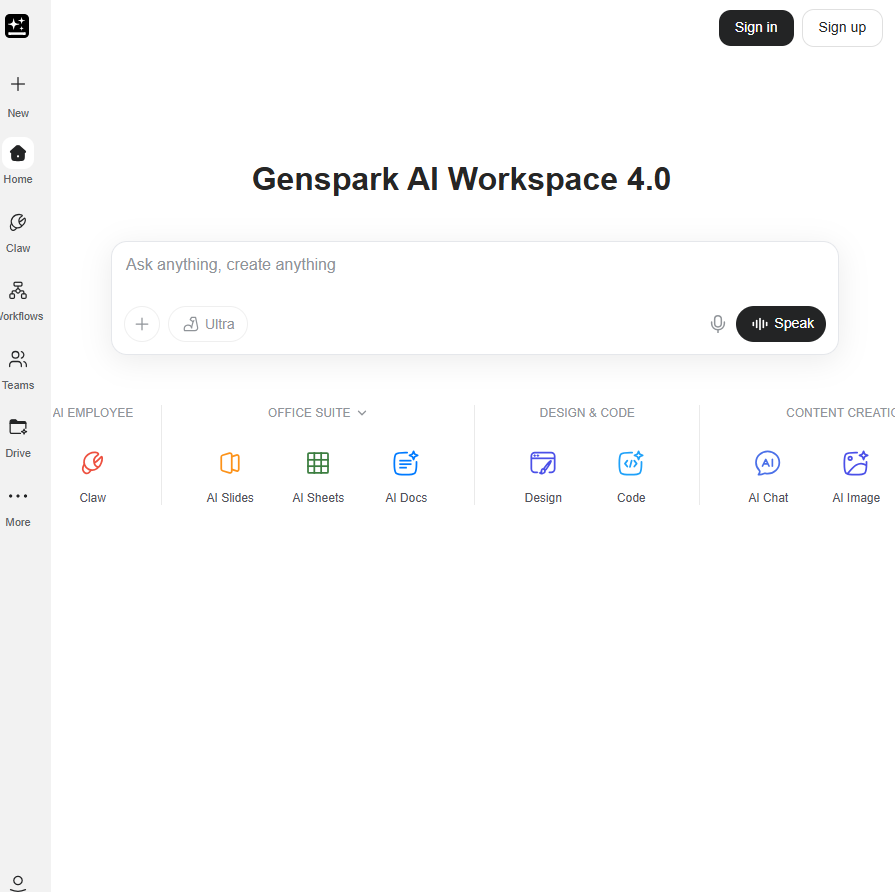
Genspark is built on a multi-agent AI architecture: a network of specialized agents that coordinate to complete complex, multi-step tasks. Submit a prompt, and the platform routes it through agents handling research, content structuring, and output formatting. The result can be a slide deck, a web page, a research brief, a spreadsheet, or an automated phone call.
That multi-agent setup is what gives Genspark its research depth. While most AI tools operate as a single model, Genspark can pull from multiple sources simultaneously and synthesize them. For research-heavy tasks, this produces notably thorough output. Specifically for presentations, the gap shows. Design quality, layout intelligence, and visual consistency require specialized training that general-purpose agents are not optimized for. The research engine and the slide engine share the same architecture, but they do not produce the same quality of output.
Key Features That Matter in Real Work
Genspark covers the basics you would expect from an AI presentation tool: prompt-to-deck generation, a template library, and export options. But the platform was built as a general-purpose AI workspace, and that design decision shapes how every one of these features performs. Here is what each one actually delivers when you are building a real deck, not a demo.
AI-generated slide drafts from prompts or URLs
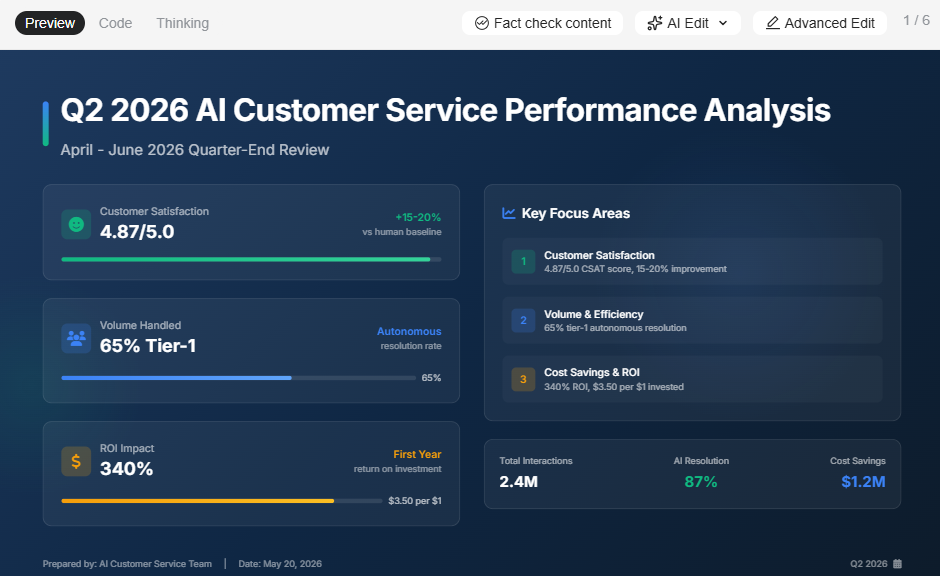
Genspark can generate a full slide deck from a text prompt. The content structure tends to be logical, with information well-organized, reflecting the platform's research strength. Paste a URL or upload a document, and the AI uses it as source material for the deck. The caveat is that what comes out is a starting point, not a finished product. The layout is generic, visual balance is basic, and slide designs do not adapt when you add or remove content. Most users report needing a meaningful editing pass before the output is client-ready.
Research and web-grounded content
This is Genspark's most legitimate differentiator. The multi-agent setup draws on live web sources and synthesizes content from multiple references. For presentations that are primarily informational, such as market overviews, competitive briefings, and trend reports, the research quality is genuinely strong. The AI cites sources, cross-references information, and produces content that is more current and multi-perspective than a standard single-model prompt response.
Templates and slide types
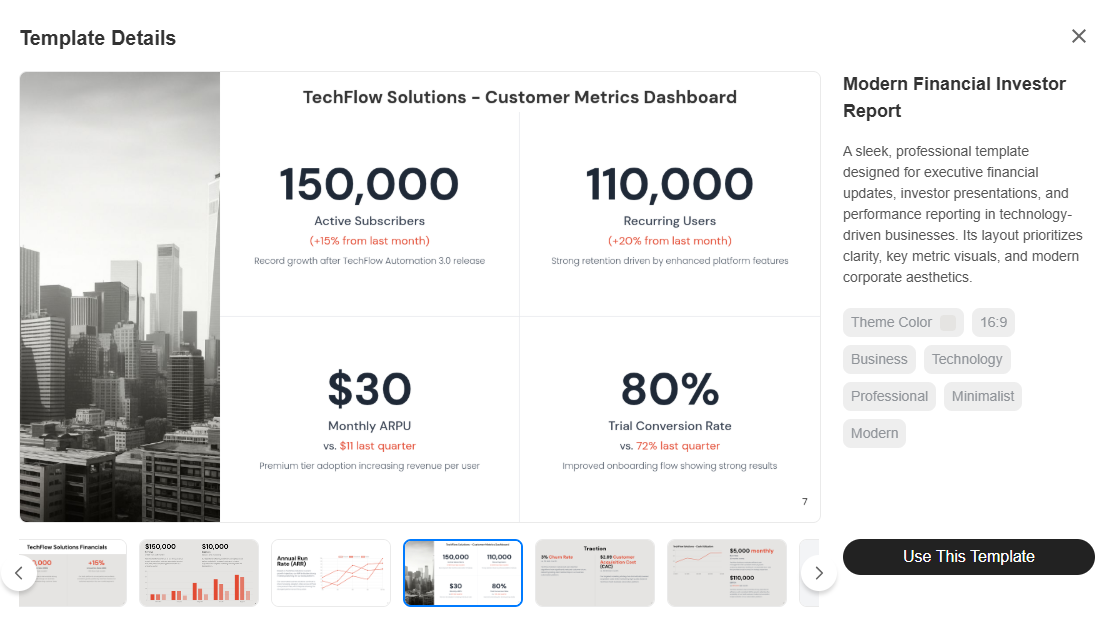
Genspark provides a set of general-purpose templates covering common deck formats. The variety covers pitch decks, report-style layouts, and briefing structures. The templates are functional rather than polished: they give the AI a structure to populate but do not adapt intelligently to content changes. For teams with specific visual standards or recurring deck formats, the template system does not offer the kind of locked, brand-consistent starting points that purpose-built presentation platforms provide.
Brand controls (themes, fonts, colors)
In practice, there are none worth relying on for business use. Across all available public documentation and independent coverage, Genspark has no brand kit, no persistent style settings, and no automatic brand extraction at any plan tier. If you need your company's colors, fonts, and logo applied consistently across decks, you are either re-specifying them in the prompt each time or cleaning them up manually after generation for teams producing presentations at volume, which adds up to a significant recurring time cost.
Export and sharing options
Genspark supports exporting slides and sharing via a link. The .pptx export fidelity for presentations specifically has not been confirmed as production-grade in independent reviews. Because the platform is a general-purpose AI workspace rather than a presentation-native tool, the export pipeline is not optimized specifically for PowerPoint compatibility. If your deck needs to open cleanly in Microsoft 365 on someone else's machine, test the export quality directly before committing to the workflow.
AI Capabilities (What It Can and Can't Do)
Genspark's AI is genuinely useful for getting content from your head onto slides quickly. Where it starts to show its limits is everything that comes after that first draft. Here is an honest look at what the AI handles well, what it handles adequately, and where you will still be doing the work yourself.
AI for outlines and slide drafts
Genspark generates well-structured outlines and first-draft slides from prompts, URLs, or uploaded documents. The speed from brief to initial deck is competitive. For research-backed content, the AI draws on current sources, giving the draft more depth than a standard template-fill approach. For most users, the first draft saves a meaningful amount of time on structure and content gathering, even if the visual side needs work.
AI for rewriting and content polishing
Once content is on a slide, Genspark's AI can rewrite text for clarity, condense verbose copy, and adjust tone. This helps tighten individual slides without manually reworking everything line by line. The rewriting quality is generally solid for factual, business-style content. For highly specialized or technical topics, the AI can produce output that reads accurately but lacks the precision a subject-matter expert would bring.
Where AI still struggles
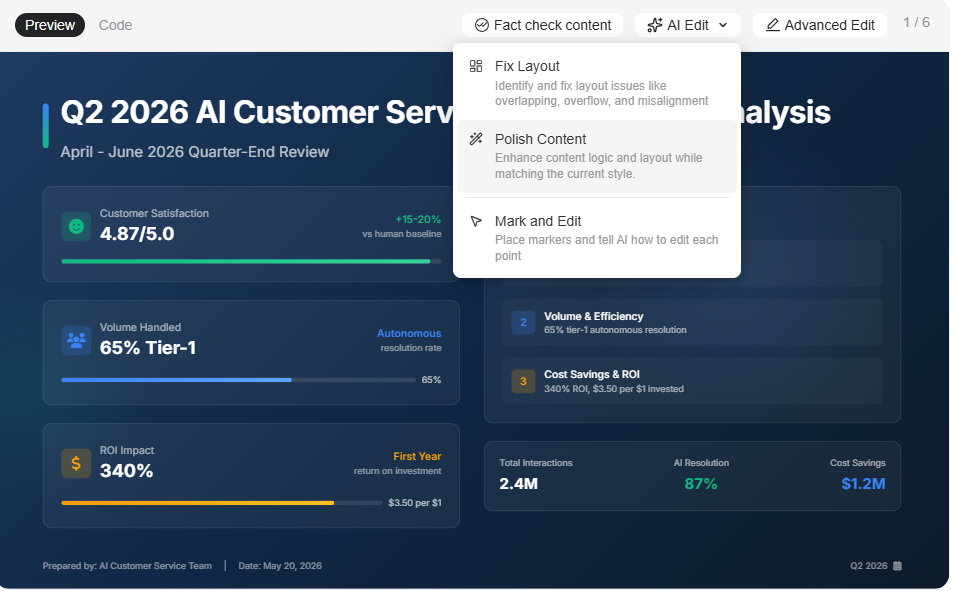
The consistent gap across independent reviews is design: layouts are functional but generic, and there is no adaptive template engine to handle content variation. Add a few extra bullet points, and the slide does not self-correct. Complex data visualization, custom chart types, and advanced animations are not supported. And unlike conversational AI platforms built specifically for slides, Genspark does not stay engaged through the revision cycle. Once the first output is generated, iteration means re-prompting or editing manually rather than refining through natural-language dialogue.
Genspark Pricing Overview
Genspark's pricing page is not publicly accessible without logging in. Once inside, three personal plans appear with no tier names, only price points. A Team plan is listed separately. All current pricing has a December 31, 2026, validity date, suggesting promotional rather than permanent rates. For the full breakdown, see the dedicated Genspark pricing page.
Usability and Editing Experience
Speed is one of Genspark's genuine selling points, but it applies unevenly across the workflow. Getting to a first draft is fast. Getting to a finished, shareable deck is a different story.
How fast can you build a good deck?
Getting to a first draft is genuinely fast. Submit a prompt, and Genspark produces a structured deck within a reasonable time. The content organization is usually solid, particularly for topic-driven or research-backed presentations. Where speed slows down is after generation: without adaptive templates or a conversational AI to guide revisions, most users spend additional time on layout cleanup, visual adjustments, and brand application before the deck is ready to share.
Flexibility vs AI constraints
Genspark's AI-first approach gives you a fast starting point and removes the blank-page problem. The trade-off is that you are working within the boundaries of what the AI generated. There is no free-canvas editing experience, and the layout logic is not as flexible as in a traditional slide editor. For users who want to rework a slide design or build non-standard layouts completely, the platform constrains more than it enables. The experience is optimized for users who mostly accept the AI output and make targeted content edits rather than structural redesigns.
Real Use Cases (Where Genspark Shines)
Genspark's research depth gives it a natural fit for certain presentation types, particularly ones where getting the content right matters more than getting the design perfect. These are the scenarios where it holds up best.
Research-backed reports and briefings
Genspark's strongest use case for presentation is turning research-heavy prompts into a structured slide format. Market analysis, competitive overviews, industry trend reports, and multi-source briefings all benefit from the multi-agent research capability. The content foundation is more thorough than that of a standard AI prompt, and the slide structure organizes it logically. The visual cleanup time is the cost, but for internal briefings where content accuracy matters more than polish, the trade-off is reasonable.
Sales decks and pitches
For sales teams that need a fast first draft of a pitch or proposal, Genspark meaningfully reduces time-to-initial-deck. The AI structures the content, and users can edit the copy for their specific deal context. The limitation is brand consistency: without a brand kit, each deck requires manual application of colors, fonts, and logos. For teams sending branded proposals to multiple prospects, that overhead accumulates quickly.
Marketing and campaign decks
Campaign briefs, launch plans, and stakeholder updates benefit from Genspark's research-backed content generation. The AI can pull in market context, relevant data points, and structured narratives from a simple brief. The visual output needs work for most marketing standards, but for internal planning decks and preliminary drafts, the speed advantage is real.
Internal updates and team briefings
For recurring internal presentations that require current, well-structured content, such as leadership updates, weekly standups, and operational reviews, Genspark's research depth and rapid generation reduce the time spent on content gathering. Visual standardization across these decks is limited without brand controls, but for informal internal use, the functional output is sufficient.
Advantages and disadvantages of Genspark
While Genspark is great for broader use cases, it falls short in design, pricing clarity, and a couple of other areas.
Genspark Pros
- Research quality is genuinely strong. Multi-agent synthesis produces well-sourced, current, and logically organized content.
- Versatility across output types: slides, research briefs, web pages, video, and automated calls from a single platform.
- Unlimited chat and image generation at zero credit cost on all paid plans is a real advantage for high-volume users.
- Fast time-to-first-draft for content-heavy presentations. The blank-page problem is largely eliminated.
- Team plan includes proper admin controls: SSO/SAML, usage analytics, centralized billing, and role management.
Genspark Cons
- 디자인 결과물이 일관되게 평범하고 시각적 완성도가 떨어진다고 보고됩니다. 레이아웃은 콘텐츠 변경에 맞춰 조정되지 않습니다.
- 브랜드 키트, 자동 브랜드 추출 기능이 없으며, 어떤 요금제에서도 영구적인 스타일 설정 기능이 제공되지 않습니다.
- 가격 정보는 로그인해야 확인할 수 있으며, 요금제 이름도 없습니다. 2026년 12월 31일까지의 유효 기간은 향후 비용에 대한 불확실성을 야기합니다.
- 크레딧은 모든 작업 유형에 걸쳐 공유됩니다. 슬라이드 작업이 많은 워크플로우는 연구, 비디오 및 기타 기능과 동일한 월별 예산을 놓고 경쟁합니다.
- 슬라이드 반복 작업을 위한 대화형 AI가 없습니다. 생성 후 수정은 수동으로 하거나 새로운 프롬프트가 필요합니다.
- 파워포인트 내보내기 충실도는 비즈니스 프레젠테이션 사용을 위한 프로덕션 수준으로 독립적으로 검증되지 않았습니다.
젠스파크 vs. 다른 AI 프레젠테이션 도구
AI 프레젠테이션 도구인 Presentations.AI를 살펴보고 젠스파크와 어떻게 비교되는지 알아보겠습니다.
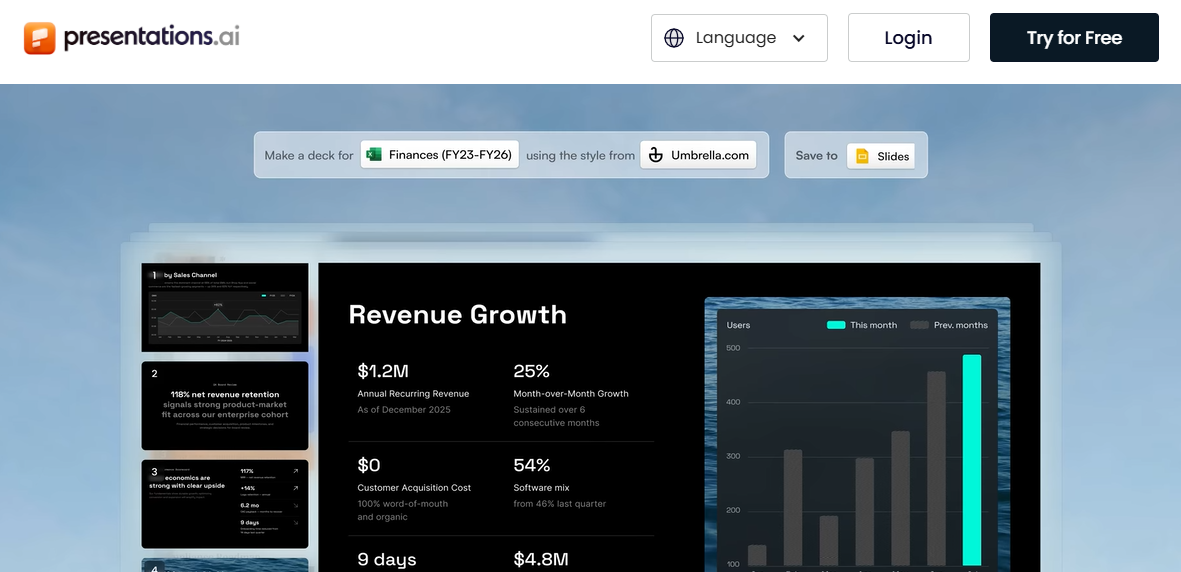
두 플랫폼 모두 AI를 사용하여 프레젠테이션을 생성하지만, 서로 다른 핵심 가정을 기반으로 구축되었습니다. 젠스파크는 슬라이드를 일반 AI 작업 공간에서 나올 수 있는 여러 결과물 중 하나로 취급합니다. Presentations.AI는 슬라이드를 유일한 결과물로 간주하고 전체 제품을 이 작업에 맞춰 구축합니다. 자세한 내용은 다음을 참조하세요. 젠스파크 vs. Presentations.AI 비교 페이지.
빠른 초안 작성에는 어느 쪽이 더 좋을까요?
젠스파크는 초안을 빠르게 생성하며, 연구 품질이 대부분의 AI 도구보다 콘텐츠에 더 강력한 기반을 제공합니다. Presentations.AI의 Clip-E 어시스턴트는 프롬프트, PDF, Word 문서 또는 URL에서 콘텐츠를 생성한 다음 수정 작업을 위해 대화를 계속 이어가므로, 초안에서 바로 보낼 수 있는 완성된 자료까지의 경로가 더 짧습니다. 단일 초안 사용 사례의 경우 차이는 미미합니다. 여러 차례의 입력 과정을 거치는 자료의 경우, Presentations.AI의 반복적인 AI는 상당한 이점을 제공합니다.
브랜드 일관성에는 어느 쪽이 더 좋을까요?
Presentations.AI가 확실한 이점을 가집니다. Brand Sync는 회사 URL에서 색상, 글꼴, 로고를 자동으로 추출합니다. 모든 자료는 수동 설정 없이 브랜드에 맞춰 시작됩니다. 젠스파크는 어떤 요금제에서도 이와 동등한 기능을 제공하지 않습니다. 브랜드 정확성이 필수적인 대외용 프레젠테이션을 제작하는 팀의 경우, 모든 자료에서 시각적 아이덴티티를 다시 지정하는 것은 작업량에 따라 누적되는 시간 비용입니다.
팀에게는 어느 쪽이 더 좋을까요?
Presentations.AI는 무료 Starter 요금제에서 팀 공동 작업을 제공하며, 사용자 수 제한이 없고 사용자당 요금 부과가 없습니다. 젠스파크는 월 사용자당 30달러의 팀 요금제에서만 공동 작업을 허용합니다. 10인 팀의 경우, 젠스파크는 연간 3,600달러인 반면 Presentations.AI Pro는 연간 198달러입니다. Presentations.AI는 또한 기능 간 크레딧 경쟁을 없애줍니다. 모든 크레딧은 프레젠테이션에 사용되며, 연구 작업, 비디오 생성 또는 자동 통화에는 사용되지 않습니다.
고려해 볼 만한 최고의 Genspark 대안
더 많은 디자인 제어 기능을 원한다면
캔바는 방대한 템플릿 라이브러리, 완전한 레이아웃 자유를 제공하는 드래그 앤 드롭 편집 기능, 그리고 유료 플랜에서는 글꼴, 색상, 로고를 일관되게 적용할 수 있는 브랜드 키트를 제공합니다. 캔바 생태계에 이미 익숙하며 다른 디자인 작업과 함께 프레젠테이션이 필요한 팀에게는 가장 적합한 선택입니다. 파워포인트는 픽셀 단위 제어, 정교한 애니메이션, 그리고 모든 비즈니스 환경에서의 기본 호환성 면에서 여전히 업계 표준입니다.
더 강력한 AI 우선 워크플로우를 원한다면
Presentations.AI가 이 분야를 선도합니다. Clip-E는 프롬프트, PDF, Word 문서 또는 URL에서 전체 데크 생성을 처리하며, 일반 언어로 수정 작업을 계속 지원합니다. 브랜드 싱크는 시각적 아이덴티티를 자동으로 적용합니다. 안티프래질 템플릿은 콘텐츠가 변경되어도 레이아웃을 유지합니다. 그리고 .pptx 내보내기 기능은 실제 파워포인트 호환성을 위해 만들어졌습니다. 무료 스타터 플랜 은 신용카드 정보가 필요 없으며 무제한 사용자를 지원합니다. 깔끔하고 현대적인 AI 생성 결과물을 원하지만 엄격한 파워포인트 내보내기 정확도가 필요 없는 개인 사용자에게는 Gamma도 고려해 볼 만합니다.
엔터프라이즈 제어 기능이 필요하다면
SSO, SCIM, 감사 추적 및 고급 관리 기능이 필요한 대규모 조직의 경우, Genspark의 팀 플랜은 SSO/SAML, 사용량 분석 및 중앙 집중식 청구를 지원합니다. Presentations.AI는 Pro 이상 플랜에서 SOC 2 Type II 규정 준수를 포함한 엔터프라이즈급 기능을 지원합니다. Microsoft 365 생태계에 이미 속해 있는 팀의 경우, Copilot이 포함된 파워포인트는 기존 보안 및 규정 준수 인프라와 기본적으로 통합됩니다. 하지만 Copilot 라이선스는 기존 M365 구독에 사용자당 월 30달러를 추가합니다.
귀사에 가장 적합한 것을 결정하기
프레젠테이션이 핵심 결과물이라면, 그 작업에 특화된 도구가 올바른 선택입니다.
다음과 같은 경우 Genspark를 선택하세요:
- 워크플로우가 연구, 슬라이드, 웹 콘텐츠 및 여러 출력 유형을 아우르며, 전문 도구 대신 단일 플랫폼이 필요한 경우.
- 프레젠테이션이 자주 사용되지 않고 내부용이며, 생성 후 시각적 정리 시간이 허용 가능한 경우.
- Genspark가 워크플로우를 위해 수행하는 다른 모든 작업과 함께 실제 슬라이드 볼륨에 대한 크레딧 계산이 합리적인 경우.
다음과 같은 경우 Presentations.AI를 선택하세요:
- 프레젠테이션이 주요 결과물인 경우. 다음으로 시작하세요. AI 프레젠테이션 제작 도구.
- 모든 데크에 수동으로 다시 적용하는 대신, 브랜드 일관성이 자동으로 적용되어야 하는 경우.
- 프레젠테이션 자료는 여러 차례 수정 과정을 거치므로, 첫 초안을 넘어 계속 유용한 AI가 필요합니다.
- 팀은 공유 작업 공간에 액세스하기 위해 좌석당 요금을 지불하지 않고도 협업해야 합니다.
다음과 같은 경우 다른 것을 선택하세요:
- 픽셀 단위의 디자인 제어와 고급 애니메이션(파워포인트 또는 키노트)이 필요하다면.
- 최신 결과물과 웹 기반 공유 기능을 갖춘 무료 AI 티어(감마)를 원한다면.
- 프레젠테이션뿐만 아니라 소셜 미디어, 문서 및 기타 자료를 처리하는 광범위한 시각 디자인 플랫폼(캔바)이 필요하다면.