You already know the pitch: AI makes presentations faster. But faster does not mean much if the output looks generic, breaks your brand guidelines, or still needs two hours of manual cleanup before it is client-ready.
The question is whether your workflow should change with AI, or whether manual design still earns its seat at the table for your specific use case. This piece breaks down both approaches across the dimensions that actually affect your week: speed, quality, brand control, flexibility, and total cost of ownership.
TL;DR
- Manual design wins for high-stakes, one-off creative work: keynotes, Series B pitches, major product launches. For everything else, the quality and speed trade-off favours AI.
- Brand consistency is where manual design breaks down fastest at scale. Every extra person touching a deck is another chance for the logo, fonts, or colors to drift. AI tools with Brand Sync remove that risk entirely.
- Export quality is the make-or-break factor for AI tools. Clean .pptx output is non-negotiable if your stakeholders live in PowerPoint. Confirm this before you commit to any platform.
- Presentations.ai's Starter plan is free with no credit card required, which means you can test AI-generated output against your own team's decks before spending anything.
What AI Presentations Actually Mean in 2026
Let us clear up a misconception first. "AI presentations" does not mean you type a prompt and blindly accept whatever comes out.
The current generation of AI presentation tools operates on a spectrum. On one end, you have simple prompt-to-slide generators. Type a topic and get a deck. These tools give you a rough starting point, but the output often feels templated, and you will still spend significant time editing layouts, swapping fonts, and fixing slides that broke when you added a third bullet point.
On the other end, you have AI-native presentation makers built around iterative creation. It lets you refine, restructure, and iterate slide-by-slide using natural language. Say, “Make slide 4 more visual" or "Add a competitor comparison table after the pricing section" and it adapts in real time.
Manual design, by contrast, means you are the layout engine. You choose the template. You apply the brand. You nudge every element into place. You troubleshoot every broken text box when a stakeholder adds just one more slide the night before the meeting.
That is not inherently bad. For highly custom, one-of-a-kind keynotes (a CEO's annual address, a major product launch), manual design gives you pixel-level control that no AI tool fully replicates yet. But for the majority of presentations your team builds every month (internal updates, sales decks, client proposals, board reports), the cost-benefit math has shifted dramatically.
AI Presentations vs Manual Design: Where to use Each Approach
Blanket statements like "AI is always faster" or "manual design is always better quality" do not survive contact with real workflows. The honest answer depends on which dimension you are measuring and which presentations you are building.
Here is how the two approaches compare across five dimensions that actually affect your output quality and your calendar.
Speed to First Draft
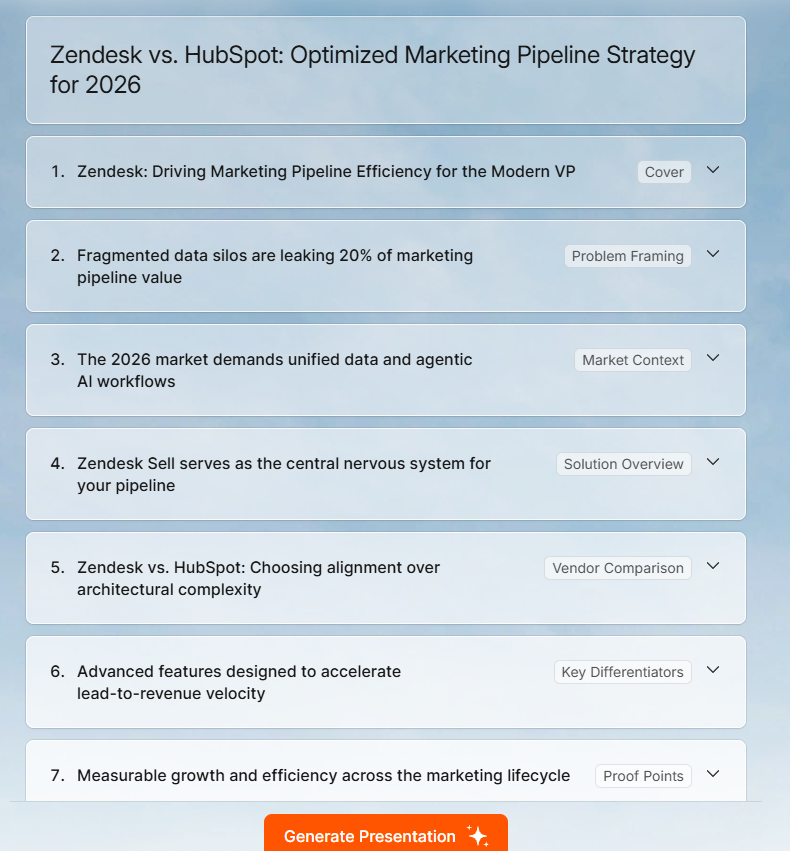
This one is not close. AI presentation tools compress first-draft creation from hours to minutes or even seconds. For instance, if you feed Presentations.AI a strategy doc or a URL, the Clip-E feature produces a structured deck, with layouts, hierarchy, and visual logic, in under two minutes.
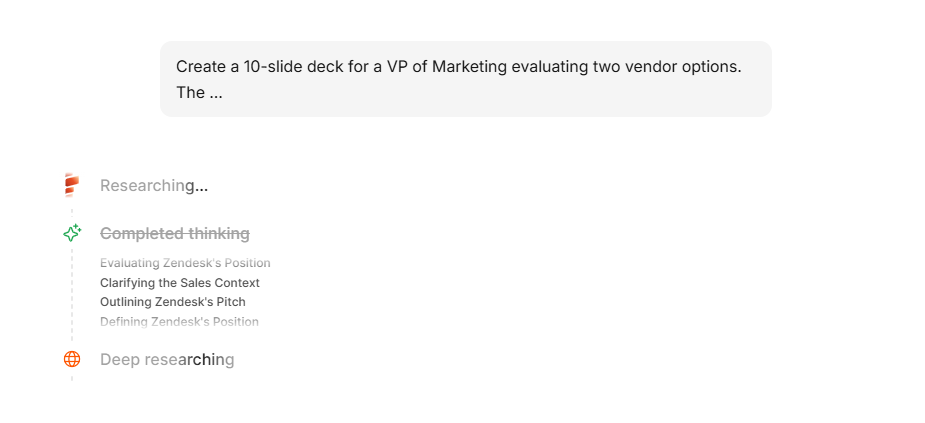
Manual design in PowerPoint or Google Slides means opening a blank file (or a template that almost fits), building a slide master, placing content block by block, and aligning everything yourself. For a 15-slide deck, you are looking at 2 to 4 hours minimum for a polished first pass.
But speed to the first draft only matters if the draft is usable. Early AI tools were fast but produced output so generic you would spend the time you saved on cleanup. The shift in 2026 is that better tools, particularly those with anti-fragile layouts and Brand Sync, produce drafts that are almost ready for review.
The tools have also changed what is possible before a single slide gets built. Getting your story straight upfront, knowing how to structure a presentation outline before you open any tool, saves more time than any AI feature.
Winner: AI. Even accounting for iteration, you are saving hours of total creation time on recurring deck types.
Visual Quality
Manual design has a higher ceiling. A skilled designer working in Figma or Keynote will produce a more visually distinctive deck than any AI tool today. That is just the reality.
But most presentations are not designed by skilled designers. They are built by founders, account managers, consultants, product marketers, anyone who has a brand guide PDF they have not opened in months. For these users, manual design does not mean pixel-perfect. It means inconsistent font sizes, misaligned elements, off-brand color choices, and layouts that looked fine until someone added a sixth bullet point and everything collapsed.
AI tools with layout intelligence consistently outperform the average non-designer. For instance, Presentations.AI's adaptable templates do not break when content scales; they reflow. That means a slide with three data points and a slide with nine data points both look intentional. In PowerPoint, the second version usually looks like a cry for help.
Winner: Manual design for bespoke, high-stakes keynotes. AI for everything else, because consistent and clean beats theoretically custom but actually messy.
Brand Control
This is where the AI presentations vs manual design gap has closed the fastest. Traditional workflow: someone on your brand team maintains a PowerPoint template. It gets emailed around. People modify it. Within a quarter, you have fifteen versions of your official deck floating around Slack, none of which match the current logo or color palette.
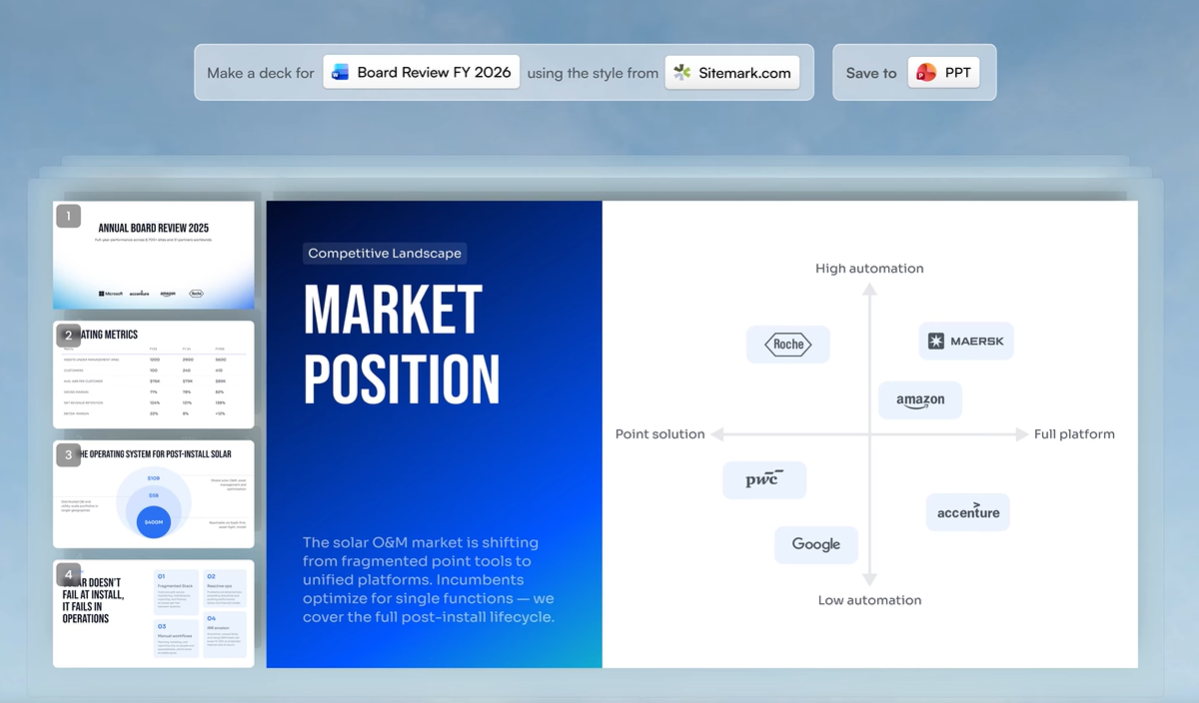
AI tools that automate brand extraction eliminate this drift entirely. Presentations.AI's Brand Sync pulls your colors, fonts, and logo directly from your company URL, with no template distribution, no hex code spreadsheets, no "Which blue is our blue?" conversations. Every deck starts on-brand by default, not by discipline.
Manual design gives you more brand control in theory. In practice, brand consistency breaks down at scale because it depends on every person on every team following the same rules every time. That does not happen.
Winner: AI with Brand Sync for teams larger than one. Manual design only wins here if you have a dedicated designer reviewing every deck before it ships.
Flexibility and Customization
Here is where manual design still holds real ground. Need a custom illustration embedded in a specific position? Want an unconventional slide transition for a product demo? Building a non-linear presentation with branching paths? Manual tools give you the freedom to do whatever you want, assuming you have the skill and the hours.
AI tools impose constraints. Even the best ones work within layout systems, which is precisely why they produce consistent output, but also why they cannot yet replicate a designer's one-off creative choices.
That said, conversational AI like Clip-E significantly expands what is possible without manual intervention. You can restructure sections, add comparison tables, change visual emphasis, and adjust tone, all through natural language. It is not unlimited flexibility, but it covers the customization range that most business presentations require.
Winner: Manual design for pixel-level customization and original creative work.
Export and Compatibility
Well, nothing beats PowerPoint or Keynote on compatibility when you’re within the same ecosystems.
The problem shows up the moment you step outside that ecosystem, or when you need to produce a polished deck faster than manual design allows. That is when export quality becomes the thing that makes or breaks an AI tool.
Clean .pptx export is non-negotiable for most B2B teams. A tool like Presentations.AI exports to PowerPoint with full layout fidelity on paid plans, meaning the file your stakeholder opens looks exactly like what you built in the platform. Some competing tools only offer PDF export on free plans, which is a dead end if someone needs to edit a number before a board meeting.
Winner: Manual if your ecosystems match. AI if you need universal compatibility.
The Long-Term Cost Math Most Teams Get Wrong
When people compare AI presentations vs manual design on cost, they usually look at the sticker price: tool subscription vs. free PowerPoint. That math is misleading because it ignores the most expensive line item in your presentation workflow: time.
PowerPoint and Google Slides are free (or included in licenses you are already paying for). But the labor cost of manual design is steep and recurring.
What Outsourcing Presentation Design Actually Costs in 2026
If you do not have internal design resources, the alternative is outsourcing. Here is what the market looks like across platforms:
On Fiverr, presentation design is priced across three tiers. Value work (under $50) gets you basic slides with limited customization. Mid-range ($50 to $175) gives you a more polished result with revisions included. A highly rated seller currently offers 10 slides for $140 and 20 slides for $290, with a 2-day turnaround.
On Upwork, top-rated-plus designers charge between $15 and $150 per hour, which means a 20-slide sales deck could cost anywhere from $150 to $600 or more depending on complexity.
You are also waiting 2 to 5 days for delivery, which is a problem when the pitch is tomorrow. And unless you brief the designer precisely, you will spend another round of back-and-forth on revisions before the deck is actually ready.
Compared to generating and refining a deck in Presentations.AI in under an hour, with full brand control and no waiting period, the economics are not even close.
What AI Tools Actually Cost
AI presentation tools introduce a subscription cost but dramatically reduce the labor input. If the same 20 decks take an average of 45 minutes each with an AI-native tool (initial generation plus refinement through Clip-E), that is 15 hours per month instead of 60. At the same blended rate, you are now at $1,125 per month in labor, plus the tool subscription.
Presentations.AI's pricing makes the math straightforward:
Starter plan: Free. No credit card. Unlimited users. You can test whether AI-generated output actually meets your bar without committing a dollar.
Pro plan: $198 per year per user. Unlocks full AI credits, Brand Sync, custom fonts and colors, .pptx export, and SOC 2 Type II compliance for teams handling sensitive data.
Enterprise: Custom pricing with unlimited AI credits and company-wide template governance.
Even at the Pro level, a 10-person team pays $1,980 per year for the tool, while saving roughly $40,000 per year in labor compared to manual design. The ROI is not marginal. It is an order of magnitude.
Where Manual Design Still Justifies the Investment
Not every presentation should be AI-generated. If you are building a keynote for a 5,000-person conference, a fundraising deck for a Series B, or a product launch narrative that needs to feel genuinely original, invest in a designer. The cost is justified because the stakes are high, the audience is large, and the creative bar is different.
But those presentations represent maybe a small percentage of what your team actually builds. The majority: the weekly pipeline reviews, the QBR decks, the enablement materials, the partner proposals, do not need a designer. They need to be accurate, on-brand, and done before the meeting starts. That is the work AI tools are built for, and that is where the cost math is unambiguous.
The practical move is not choosing one approach over the other. It is routing each presentation to the right workflow: AI-native for the volume work, manual design for the showcase moments.
How to Choose Between AI and Manual Design for Your Next Deck
Knowing where each approach wins does not help unless you can translate that into a decision for the deck you are building this week. Here is a practical filter: five questions that route any presentation to the right workflow in about 30 seconds.
1. Will more than one person touch this deck?
If yes, AI with brand governance wins. The more hands on a deck, the faster manual design drifts off-brand. Brand Sync eliminates the drift before it starts.
2. Does this deck type recur monthly or quarterly?
Pipeline reviews, QBRs, enablement materials, partner proposals: these are high-frequency, moderate-stakes decks. They do not need a designer. They need a reliable system that produces consistent output fast. AI-native tools were built for exactly this.
3. Is the audience internal or external?
For internal decks, speed and clarity matter more than visual polish. AI handles this effortlessly. For high-stakes external presentations: investor pitches, keynotes, major product launches, manual design still earns its time investment.
4. Do you already have the content in another format?
If your source material lives in a Word doc, PDF, or strategy brief, AI tools with multi-format input save you the most painful part of manual design: transferring and reformatting content slide by slide. Feed the document in, get a structured deck out, refine from there.
5. Does the final file need to be .pptx?
If your stakeholders need to edit in PowerPoint (and in most B2B environments, they do), confirm your AI tool exports clean .pptx before you commit. Presentations.AI handles this on Pro and above with full layout fidelity. Some tools only export PDF on free plans, which is a dead end if someone needs to change a number before a board meeting.
If you answered yes to three or more of these, AI-native creation is the faster, more reliable path. If you answered no across the board, you are probably building a one-off creative piece, and manual design is the right call.
What About Google Slides AI Add-ons and Other Tools?
The AI presentations vs manual design conversation is not binary. Between full manual design and AI-native platforms, there is a middle ground: AI add-ons layered on top of Google Slides or PowerPoint. Tools like SlidesAI or Plus AI bolt generation features onto your existing slide editor.
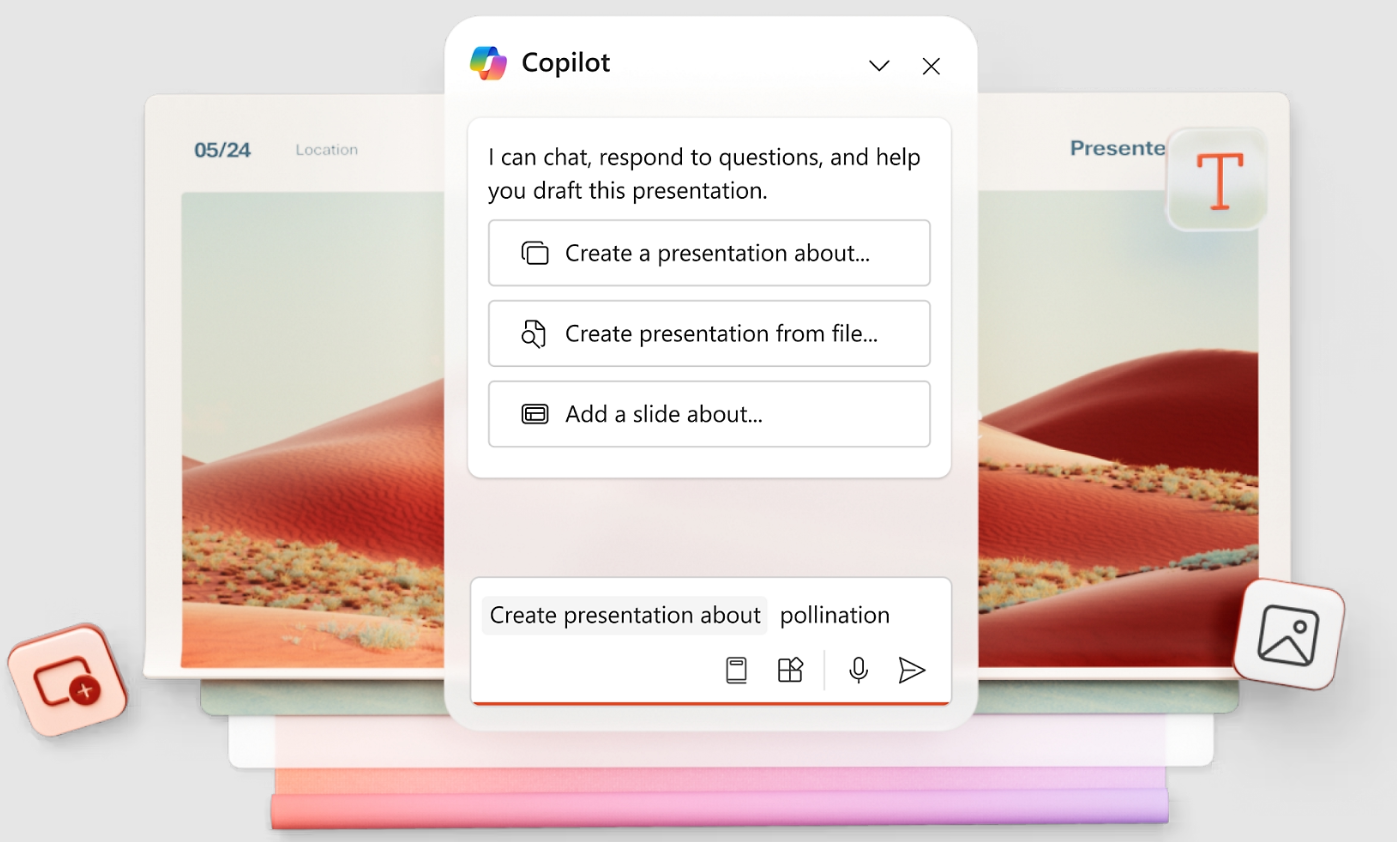
이러한 추가 기능은 일부 불편함을 줄여주지만, 호스트 플랫폼의 한계를 그대로 물려받습니다. 여전히 Google Slides나 PowerPoint의 레이아웃 엔진 내에서 작업하게 되는데, 이는 콘텐츠가 확장될 때 템플릿이 여전히 깨지고, 브랜드 통제는 여전히 규율에 의존하며, AI 레이어는 목적에 맞게 구축된 도구처럼 덱 아키텍처를 재구성할 수 없다는 것을 의미합니다.
또한 반복적인 AI 기능이 부족한 경향이 있습니다. 초안은 얻을 수 있지만, 이를 다듬으려면 수동 편집으로 돌아가야 합니다. 대화형 정교화(Clip-E가 자연어를 통해 특정 슬라이드를 재구성, 재스타일링 또는 확장하는 기능처럼)는 렌더링 레이어를 소유하지 않고는 단순히 덧붙이는 추가 기능이 복제할 수 없는 것입니다.
규정 준수 또는 워크플로우상의 이유로 Google Slides나 PowerPoint를 계속 사용해야 하는 팀에게는 추가 기능이 합리적인 절반의 해결책입니다. 다른 모든 사람들에게는 AI 네이티브 플랫폼이 더 많은 불편함을 제거하고 더 나은 결과물을 생성합니다. AI가 콘텐츠 생성뿐만 아니라 전체 디자인 파이프라인을 제어하기 때문입니다.
데이터 보안: 민감한 프레젠테이션에 AI 도구를 사용하는 것이 안전한가요?
이 질문은 많은 팀이 AI 프레젠테이션 도구를 테스트하는 것조차 주저하게 만들며, 이는 정당한 우려입니다. 영업 자료에는 파이프라인 데이터가 포함되어 있습니다. 이사회 보고서에는 재무 정보가 있습니다. 고객 제안서에는 경쟁업체가 보지 않기를 바라는 가격 정보가 들어있습니다.
답변은 어떤 도구를 평가하는지에 전적으로 달려 있습니다. 많은 무료 AI 생성기는 모호하거나 존재하지 않는 데이터 처리 정책을 가지고 있습니다. 도구가 데이터가 어디로 가는지 명시하지 않는다면, 모든 곳으로 간다고 가정하십시오.
민감한 정보를 다루는 팀의 경우, 두 가지를 확인해야 합니다.
- SOC 2 Type II 준수. 이는 공급업체의 데이터 처리, 접근 제어 및 운영 보안이 독립적으로 감사되었음을 확인하는 표준 B2B 보안 인증입니다. Presentations.AI는 Pro 플랜 이상에서 SOC 2 Type II를 제공합니다.
- 명확한 데이터 보존 정책. 도구가 콘텐츠를 저장하는지, 모델 학습에 사용하는지, 아니면 처리 후 삭제하는지 알아야 합니다. 공급업체가 이에 대해 명확하게 답변할 수 없다면, 그것이 바로 답입니다.
회사 SharePoint에 저장된 PowerPoint의 수동 디자인은 데이터가 자체 인프라 내에 머무른다는 점에서 본질적으로 안전합니다. 하지만 그 보안은 앞서 언급된 모든 인건비와 함께 제공됩니다. 목표는 생산성과 데이터 보호 사이에서 선택하는 것이 아니라, 보안 요구 사항을 충족하고 속도 및 품질 향상을 제공하는 AI 도구를 찾는 것입니다.
결론: AI 프레젠테이션 vs 수동 디자인
AI 프레젠테이션과 수동 디자인 사이의 결정은 더 이상 논쟁거리가 아닙니다. 그것은 경로를 정하는 질문입니다.
수동 디자인은 소수의 프레젠테이션 범주에 여전히 올바른 선택입니다. 창의적인 기조연설, 고품격 디자인의 브랜드 순간, 그리고 모든 픽셀이 전략적 중요성을 지니는 자료들입니다. 한 달에 5개 미만의 프레젠테이션을 만들고 각각이 진정으로 독특하다면, 수동 디자인이 여전히 효과적일 수 있습니다. 비록 이 경우에도 AI는 연구 및 개요 작성 단계를 가속화할 수 있습니다.
대다수의 비즈니스 프레젠테이션의 경우, 즉 반복되는 자료, 주간 업데이트, 영업 자료, 정확하고 브랜드에 부합하며 내일 회의 전에 완료되어야 하는 고객 제안서 등에서 AI 네이티브 도구는 더 적은 시간과 더 낮은 비용으로 더 나은 결과를 제공합니다. 이것은 예측이 아닙니다. 계산입니다. 60~75% 단축된 제작 시간, 자동 브랜드 일관성, 깨지지 않는 레이아웃, 그리고 실제로 작동하는 내보내기 기능.
실질적인 방법은 이 주장을 자신의 워크플로우에 맞춰 테스트해보는 것입니다. 팀이 정기적으로 만드는 자료(QBR 템플릿, 영업 제안서 구조, 월간 업데이트 형식 등)를 가져와 두 가지 방식으로 만들어보세요. 소요 시간을 측정하고, 결과물을 비교해보세요. AI 버전이 기준을 충족하는지 아니면 미달하는지 확인하세요.
Presentations.AI의 무료 Starter 플랜을 통해 예산 위험 없이 해당 테스트를 실행할 수 있습니다. 신용카드 필요 없음, 무제한 사용자, 실제 콘텐츠로 생성된 실제 AI 결과물. 만약 자료가 기준을 충족한다면, 팀에게 매주 몇 시간의 시간을 돌려줄 수 있는 워크플로우를 찾은 것입니다. 그렇지 않다면, 잃은 것은 15분뿐입니다.