You already know the pitch: AI makes presentations faster. But faster does not mean much if the output looks generic, breaks your brand guidelines, or still needs two hours of manual cleanup before it is client-ready.
The question is whether your workflow should change with AI, or whether manual design still earns its seat at the table for your specific use case. This piece breaks down both approaches across the dimensions that actually affect your week: speed, quality, brand control, flexibility, and total cost of ownership.
TL;DR
- Manual design wins for high-stakes, one-off creative work: keynotes, Series B pitches, major product launches. For everything else, the quality and speed trade-off favours AI.
- Brand consistency is where manual design breaks down fastest at scale. Every extra person touching a deck is another chance for the logo, fonts, or colors to drift. AI tools with Brand Sync remove that risk entirely.
- Export quality is the make-or-break factor for AI tools. Clean .pptx output is non-negotiable if your stakeholders live in PowerPoint. Confirm this before you commit to any platform.
- Presentations.ai's Starter plan is free with no credit card required, which means you can test AI-generated output against your own team's decks before spending anything.
What AI Presentations Actually Mean in 2026
Let us clear up a misconception first. "AI presentations" does not mean you type a prompt and blindly accept whatever comes out.
The current generation of AI presentation tools operates on a spectrum. On one end, you have simple prompt-to-slide generators. Type a topic and get a deck. These tools give you a rough starting point, but the output often feels templated, and you will still spend significant time editing layouts, swapping fonts, and fixing slides that broke when you added a third bullet point.
On the other end, you have AI-native presentation makers built around iterative creation. It lets you refine, restructure, and iterate slide-by-slide using natural language. Say, “Make slide 4 more visual" or "Add a competitor comparison table after the pricing section" and it adapts in real time.
Manual design, by contrast, means you are the layout engine. You choose the template. You apply the brand. You nudge every element into place. You troubleshoot every broken text box when a stakeholder adds just one more slide the night before the meeting.
That is not inherently bad. For highly custom, one-of-a-kind keynotes (a CEO's annual address, a major product launch), manual design gives you pixel-level control that no AI tool fully replicates yet. But for the majority of presentations your team builds every month (internal updates, sales decks, client proposals, board reports), the cost-benefit math has shifted dramatically.
AI Presentations vs Manual Design: Where to use Each Approach
Blanket statements like "AI is always faster" or "manual design is always better quality" do not survive contact with real workflows. The honest answer depends on which dimension you are measuring and which presentations you are building.
Here is how the two approaches compare across five dimensions that actually affect your output quality and your calendar.
Speed to First Draft
This one is not close. AI presentation tools compress first-draft creation from hours to minutes or even seconds. For instance, if you feed Presentations.AI a strategy doc or a URL, the Clip-E feature produces a structured deck, with layouts, hierarchy, and visual logic, in under two minutes.
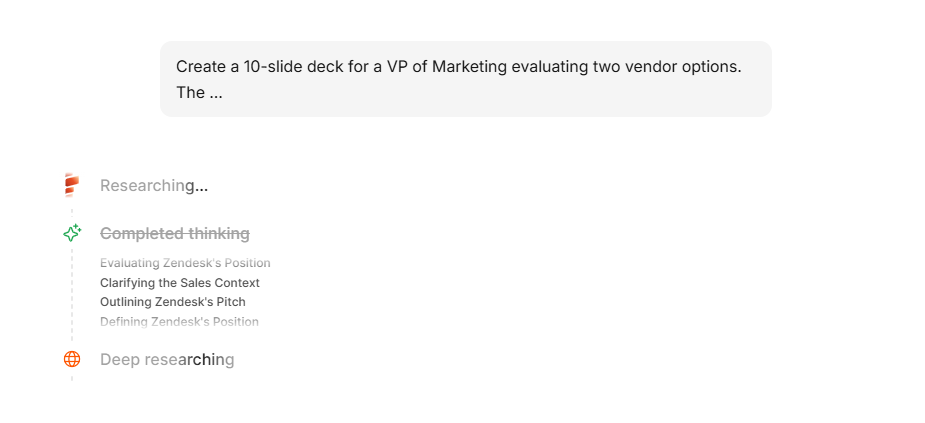
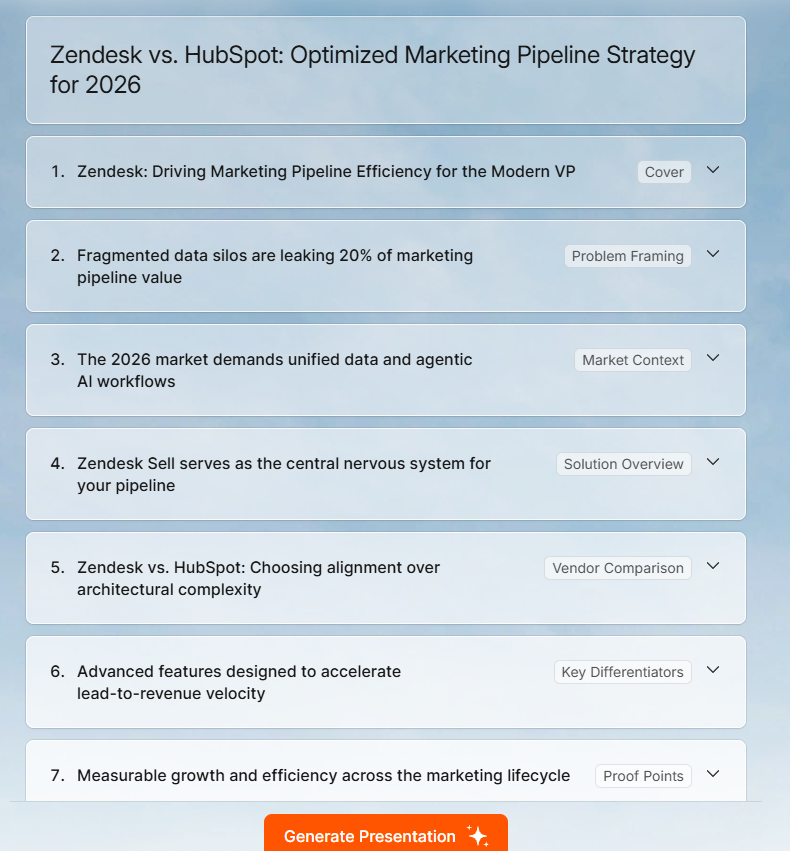
Manual design in PowerPoint or Google Slides means opening a blank file (or a template that almost fits), building a slide master, placing content block by block, and aligning everything yourself. For a 15-slide deck, you are looking at 2 to 4 hours minimum for a polished first pass.
But speed to the first draft only matters if the draft is usable. Early AI tools were fast but produced output so generic you would spend the time you saved on cleanup. The shift in 2026 is that better tools, particularly those with anti-fragile layouts and Brand Sync, produce drafts that are almost ready for review.
The tools have also changed what is possible before a single slide gets built. Getting your story straight upfront, knowing how to structure a presentation outline before you open any tool, saves more time than any AI feature.
Winner: AI. Even accounting for iteration, you are saving hours of total creation time on recurring deck types.
Visual Quality
Manual design has a higher ceiling. A skilled designer working in Figma or Keynote will produce a more visually distinctive deck than any AI tool today. That is just the reality.
But most presentations are not designed by skilled designers. They are built by founders, account managers, consultants, product marketers, anyone who has a brand guide PDF they have not opened in months. For these users, manual design does not mean pixel-perfect. It means inconsistent font sizes, misaligned elements, off-brand color choices, and layouts that looked fine until someone added a sixth bullet point and everything collapsed.
AI tools with layout intelligence consistently outperform the average non-designer. For instance, Presentations.AI's adaptable templates do not break when content scales; they reflow. That means a slide with three data points and a slide with nine data points both look intentional. In PowerPoint, the second version usually looks like a cry for help.
Winner: Manual design for bespoke, high-stakes keynotes. AI for everything else, because consistent and clean beats theoretically custom but actually messy.
Brand Control
This is where the AI presentations vs manual design gap has closed the fastest. Traditional workflow: someone on your brand team maintains a PowerPoint template. It gets emailed around. People modify it. Within a quarter, you have fifteen versions of your official deck floating around Slack, none of which match the current logo or color palette.
AI tools that automate brand extraction eliminate this drift entirely. Presentations.AI's Brand Sync pulls your colors, fonts, and logo directly from your company URL, with no template distribution, no hex code spreadsheets, no "Which blue is our blue?" conversations. Every deck starts on-brand by default, not by discipline.
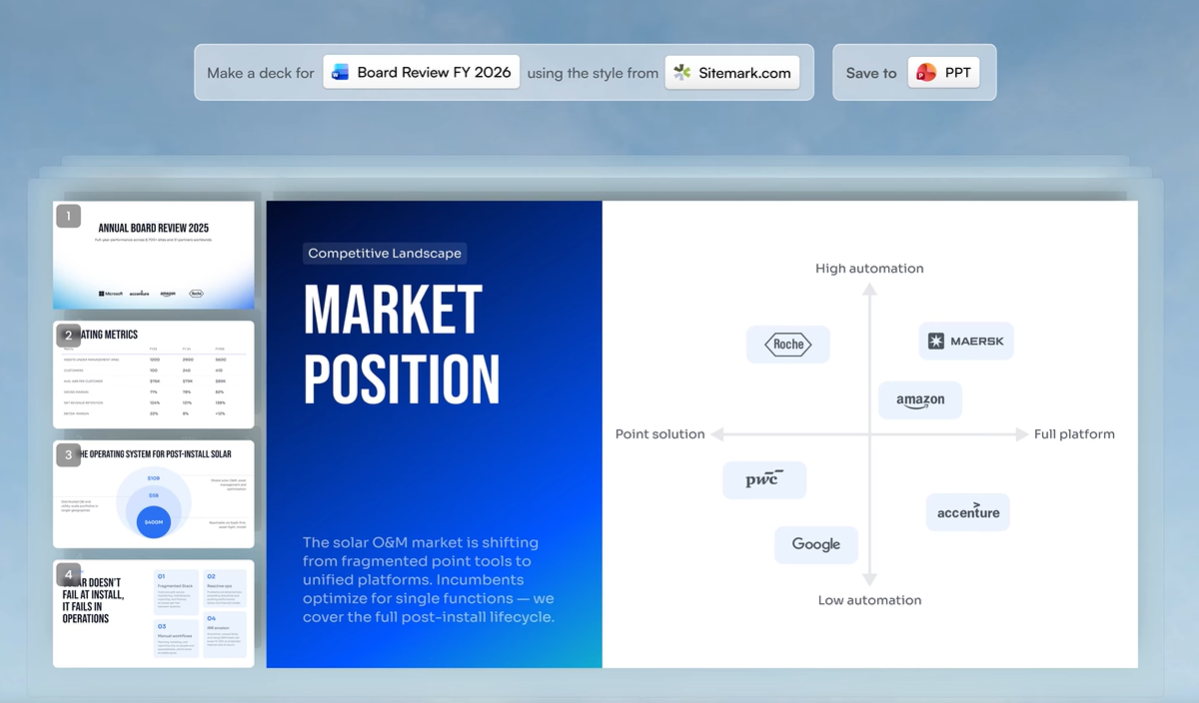
Manual design gives you more brand control in theory. In practice, brand consistency breaks down at scale because it depends on every person on every team following the same rules every time. That does not happen.
Winner: AI with Brand Sync for teams larger than one. Manual design only wins here if you have a dedicated designer reviewing every deck before it ships.
Flexibility and Customization
Here is where manual design still holds real ground. Need a custom illustration embedded in a specific position? Want an unconventional slide transition for a product demo? Building a non-linear presentation with branching paths? Manual tools give you the freedom to do whatever you want, assuming you have the skill and the hours.
AI tools impose constraints. Even the best ones work within layout systems, which is precisely why they produce consistent output, but also why they cannot yet replicate a designer's one-off creative choices.
That said, conversational AI like Clip-E significantly expands what is possible without manual intervention. You can restructure sections, add comparison tables, change visual emphasis, and adjust tone, all through natural language. It is not unlimited flexibility, but it covers the customization range that most business presentations require.
Winner: Manual design for pixel-level customization and original creative work.
Export and Compatibility
Well, nothing beats PowerPoint or Keynote on compatibility when you’re within the same ecosystems.
The problem shows up the moment you step outside that ecosystem, or when you need to produce a polished deck faster than manual design allows. That is when export quality becomes the thing that makes or breaks an AI tool.
Clean .pptx export is non-negotiable for most B2B teams. A tool like Presentations.AI exports to PowerPoint with full layout fidelity on paid plans, meaning the file your stakeholder opens looks exactly like what you built in the platform. Some competing tools only offer PDF export on free plans, which is a dead end if someone needs to edit a number before a board meeting.
Winner: Manual if your ecosystems match. AI if you need universal compatibility.
The Long-Term Cost Math Most Teams Get Wrong
When people compare AI presentations vs manual design on cost, they usually look at the sticker price: tool subscription vs. free PowerPoint. That math is misleading because it ignores the most expensive line item in your presentation workflow: time.
PowerPoint and Google Slides are free (or included in licenses you are already paying for). But the labor cost of manual design is steep and recurring.
What Outsourcing Presentation Design Actually Costs in 2026
If you do not have internal design resources, the alternative is outsourcing. Here is what the market looks like across platforms:
On Fiverr, presentation design is priced across three tiers. Value work (under $50) gets you basic slides with limited customization. Mid-range ($50 to $175) gives you a more polished result with revisions included. A highly rated seller currently offers 10 slides for $140 and 20 slides for $290, with a 2-day turnaround.
On Upwork, top-rated-plus designers charge between $15 and $150 per hour, which means a 20-slide sales deck could cost anywhere from $150 to $600 or more depending on complexity.
You are also waiting 2 to 5 days for delivery, which is a problem when the pitch is tomorrow. And unless you brief the designer precisely, you will spend another round of back-and-forth on revisions before the deck is actually ready.
Compared to generating and refining a deck in Presentations.AI in under an hour, with full brand control and no waiting period, the economics are not even close.
What AI Tools Actually Cost
AI presentation tools introduce a subscription cost but dramatically reduce the labor input. If the same 20 decks take an average of 45 minutes each with an AI-native tool (initial generation plus refinement through Clip-E), that is 15 hours per month instead of 60. At the same blended rate, you are now at $1,125 per month in labor, plus the tool subscription.
Presentations.AI's pricing makes the math straightforward:
Starter plan: Free. No credit card. Unlimited users. You can test whether AI-generated output actually meets your bar without committing a dollar.
Pro plan: $198 per year per user. Unlocks full AI credits, Brand Sync, custom fonts and colors, .pptx export, and SOC 2 Type II compliance for teams handling sensitive data.
Enterprise: Custom pricing with unlimited AI credits and company-wide template governance.
Even at the Pro level, a 10-person team pays $1,980 per year for the tool, while saving roughly $40,000 per year in labor compared to manual design. The ROI is not marginal. It is an order of magnitude.
Where Manual Design Still Justifies the Investment
Not every presentation should be AI-generated. If you are building a keynote for a 5,000-person conference, a fundraising deck for a Series B, or a product launch narrative that needs to feel genuinely original, invest in a designer. The cost is justified because the stakes are high, the audience is large, and the creative bar is different.
But those presentations represent maybe a small percentage of what your team actually builds. The majority: the weekly pipeline reviews, the QBR decks, the enablement materials, the partner proposals, do not need a designer. They need to be accurate, on-brand, and done before the meeting starts. That is the work AI tools are built for, and that is where the cost math is unambiguous.
The practical move is not choosing one approach over the other. It is routing each presentation to the right workflow: AI-native for the volume work, manual design for the showcase moments.
How to Choose Between AI and Manual Design for Your Next Deck
Knowing where each approach wins does not help unless you can translate that into a decision for the deck you are building this week. Here is a practical filter: five questions that route any presentation to the right workflow in about 30 seconds.
1. Will more than one person touch this deck?
If yes, AI with brand governance wins. The more hands on a deck, the faster manual design drifts off-brand. Brand Sync eliminates the drift before it starts.
2. Does this deck type recur monthly or quarterly?
Pipeline reviews, QBRs, enablement materials, partner proposals: these are high-frequency, moderate-stakes decks. They do not need a designer. They need a reliable system that produces consistent output fast. AI-native tools were built for exactly this.
3. Is the audience internal or external?
For internal decks, speed and clarity matter more than visual polish. AI handles this effortlessly. For high-stakes external presentations: investor pitches, keynotes, major product launches, manual design still earns its time investment.
4. Do you already have the content in another format?
If your source material lives in a Word doc, PDF, or strategy brief, AI tools with multi-format input save you the most painful part of manual design: transferring and reformatting content slide by slide. Feed the document in, get a structured deck out, refine from there.
5. Does the final file need to be .pptx?
If your stakeholders need to edit in PowerPoint (and in most B2B environments, they do), confirm your AI tool exports clean .pptx before you commit. Presentations.AI handles this on Pro and above with full layout fidelity. Some tools only export PDF on free plans, which is a dead end if someone needs to change a number before a board meeting.
If you answered yes to three or more of these, AI-native creation is the faster, more reliable path. If you answered no across the board, you are probably building a one-off creative piece, and manual design is the right call.
What About Google Slides AI Add-ons and Other Tools?
The AI presentations vs manual design conversation is not binary. Between full manual design and AI-native platforms, there is a middle ground: AI add-ons layered on top of Google Slides or PowerPoint. Tools like SlidesAI or Plus AI bolt generation features onto your existing slide editor.
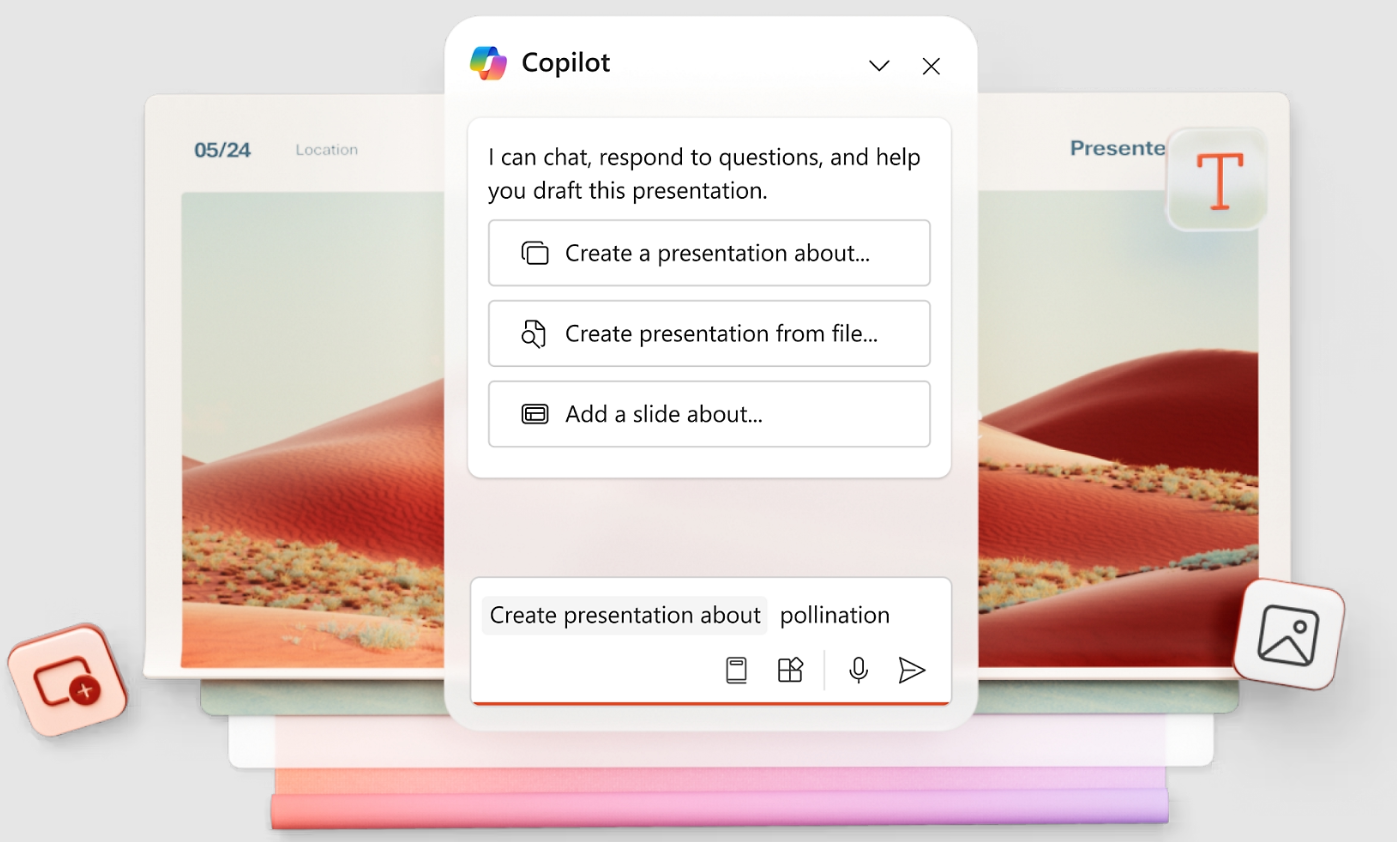
これらのアドオンは多少の手間を軽減しますが、ホストプラットフォームの制限を受け継いでしまいます。GoogleスライドやPowerPointのレイアウトエンジン内で作業することになるため、コンテンツの規模が大きくなるとテンプレートが崩れたり、ブランド管理が規律に依存したままになったり、専用ツールのようにAIレイヤーが資料のアーキテクチャを再構築できないといった問題が残ります。
また、反復的なAI機能が不足している傾向があります。初稿は得られますが、それを洗練するには手動編集に戻る必要があります。会話による洗練(Clip-Eが自然言語を通じて特定の資料を再構築、再スタイル化、または拡張する能力など)は、レンダリングレイヤーを所有しない後付けのアドオンでは再現できません。
コンプライアンスやワークフロー上の理由でGoogleスライドやPowerPointを使い続けなければならないチームにとって、アドオンは妥当な一時的な解決策です。しかし、それ以外のすべての人にとって、AIネイティブプラットフォームは、AIがコンテンツ生成だけでなくデザインパイプライン全体を制御するため、より多くの手間を省き、より良い成果を生み出します。
データセキュリティ:機密性の高いプレゼンテーションでAIツールを使用するのは安全か?
この疑問は、多くのチームがAIプレゼンテーションツールを試すことさえためらわせるものであり、正当な懸念です。営業資料にはパイプラインデータが含まれ、役員報告書には財務情報が含まれます。顧客提案書には、競合他社に見られたくない価格情報が含まれているでしょう。
その答えは、評価しているツールに完全に依存します。多くの無料AIジェネレーターは、データ処理ポリシーが曖昧であるか、存在しません。ツールがデータの行き先を明示しない場合、あらゆる場所に行くものと仮定してください。
機密情報を扱うチームは、次の2つの点に注目してください。
- SOC 2 Type II準拠。 これは、ベンダーのデータ処理、アクセス制御、運用セキュリティが独立して監査されていることを確認する、標準的なB2Bセキュリティ認証です。Presentations.AIは、Proプラン以上でSOC 2 Type IIを提供しています。
- 明確なデータ保持ポリシー。 ツールがコンテンツを保存するか、モデルトレーニングに使用するか、処理後に削除するかを知っておく必要があります。ベンダーがこれを明確に答えられない場合、それが答えです。
会社のSharePointに保存されたPowerPointでの手動デザインは、データが自社のインフラ内に留まるという意味で、本質的に安全です。しかし、そのセキュリティには、先に述べたすべての労力コストが伴います。目標は、生産性とデータ保護のどちらかを選ぶことではなく、セキュリティ要件に合致し、速度と品質の向上をもたらすAIツールを見つけることです。
結論:AIプレゼンテーション vs 手動デザイン
AIプレゼンテーションと手動デザインのどちらを選ぶかという決定は、もはや議論の対象ではありません。それは、どちらの道を選ぶかという問題です。
手動デザインは、ごく一部のプレゼンテーションにおいて依然として正しい選択肢です。例えば、クリエイティブな基調講演、デザイン性の高いブランドの瞬間、そしてすべてのピクセルが戦略的な重みを持つ資料などです。月に5つ未満のプレゼンテーションを作成し、それぞれが真にユニークである場合、手動デザインは依然として有効かもしれませんが、このような場合でも、AIは調査とアウトライン作成の段階を加速できます。
大多数のビジネスプレゼンテーション、つまり定期的な資料、週次更新、営業資料、正確でブランドに沿っており、明日の会議までに完成させる必要がある顧客提案書などにおいては、AIネイティブツールは、より少ない時間でより低いコストでより良い結果をもたらします。これは予測ではありません。計算です。作成時間を60~75%短縮し、自動的なブランドの一貫性を保ち、崩れないレイアウトを実現し、実際に機能するエクスポートが可能です。
実際的な動きとしては、その主張を自身のワークフローで試してみることです。チームが定期的に作成する資料(QBRテンプレート、営業提案書の構成、月次更新フォーマットなど)を取り上げ、両方の方法で作成してみてください。プロセスにかかる時間を計り、出力を比較し、AI版があなたの基準を満たすか、それとも及ばないかを確認してください。
Presentations.AIの無料Starterプランでは、予算リスクなしでそのテストを実行できます。クレジットカード不要、ユーザー数無制限、実際のコンテンツから生成された本物のAI出力です。資料が基準を満たせば、毎週チームに何時間もの時間を取り戻すワークフローを見つけたことになります。そうでなければ、失うものは15分だけです。