Most professionals dread building presentations. You open a blank slide, wrestle with alignment, hunt for the right images, and spend hours on work that still looks unpolished. According to a Verdana Bold survey, 55% of people spend between five and ten hours creating a single presentation. That is a significant chunk of the work week going to formatting instead of thinking.
Basic tools only make it worse. They offer limited templates, clunky formatting, and zero design intelligence. The result is wasted time and inconsistent decks that fail to impress.
Presentation software exists to solve exactly this problem. Modern platforms handle the heavy lifting so you can focus on your actual message.
This article breaks down the key benefits of presentation software, explains why it outperforms manual approaches, and shows what to look for in a modern tool.
Key Takeaways
- Presentation software eliminates the slow, frustrating process of designing slides from scratch with basic tools every single time you present.
- Built-in templates and smart design features ensure every slide looks polished, on-brand, and professional without requiring any graphic design expertise.
- Cloud-based collaboration lets distributed teams edit, review, and finalize presentations together in real time from anywhere in the world.
- AI-powered features now handle layout, content suggestions, and formatting automatically, cutting slide creation time from hours down to minutes.
- Presentations.AI combines these benefits into one platform, giving teams AI-driven slide creation, brand controls, and seamless sharing in a single workspace.
Why Building Slides from Scratch Falls Short
Every professional has been there. A deadline approaches, so you open a blank canvas and start dragging text boxes around. Two hours later, the deck still looks like a rough draft. Building slides from scratch feels productive in the moment, but it rarely delivers the results you need.
The Hidden Cost of Manual Slide Design
Manual slide creation is deceptively expensive. Each formatting decision takes time. Font pairing, color selection, and element spacing each demand attention. Multiply that across a ten-slide deck, and you have burned an entire afternoon on visual details alone.
The bigger cost is inconsistency. When every presenter on a team starts from zero, decks look different every time. Fonts clash. Colors drift off-brand. Layouts shift from slide to slide. The audience notices, even if they cannot articulate why.
Where Basic Tools Hit Their Limits
Basic slide editors handle text and images. That is roughly where their usefulness ends. They lack intelligent layout engines, real-time collaboration, version control, and design guardrails.
Here is what you typically miss when relying on basic tools:
- No smart templates: You rebuild common layouts every time
- No brand enforcement: Colors, fonts, and logos must be applied manually
- No real-time co-editing: Sharing means emailing files back and forth
- No design assistance: Spacing, alignment, and hierarchy are entirely your job
- No sharing controls: Distribution is limited to attachments or USB drives
The Shift Toward Smarter Workflows
Teams across industries are moving away from manual methods. They want tools that reduce repetitive work and let them focus on storytelling. According to the Verdana Bold survey, 47% of people say storytelling is the biggest challenge they face while building presentations. That problem gets harder when you are also fighting your tools.
Presentation software meets that demand by automating the parts of slide creation that consume time but add no strategic value.
Pro Tip: If your team spends more time formatting slides than crafting the narrative, that is a clear signal you have outgrown basic tools.
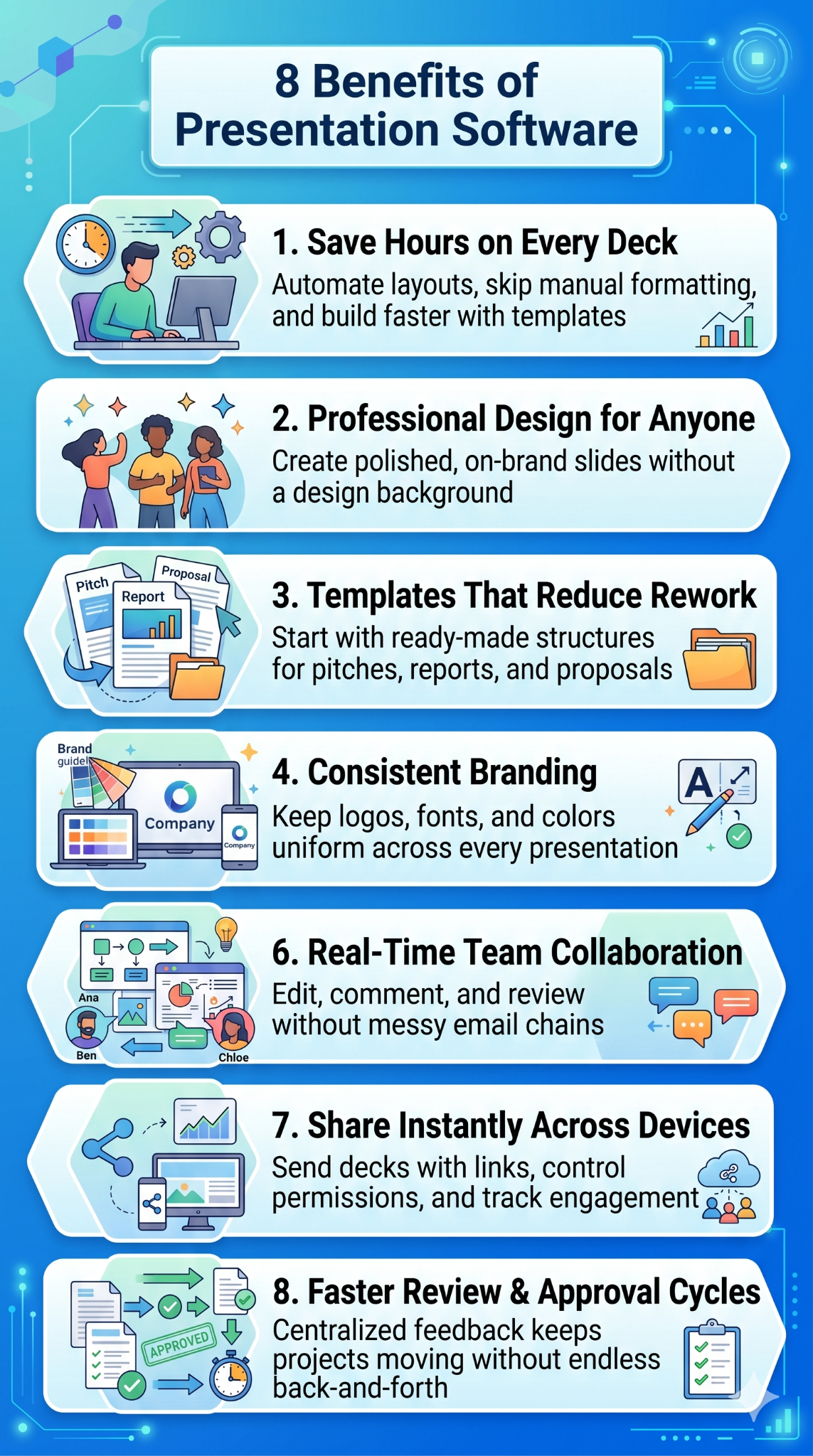
8 Key Benefits of Presentation Software
Understanding why manual methods fail is only half the picture. The real question is what you gain by switching to dedicated presentation software. The benefits extend well beyond convenience. They change how you prepare, design, and deliver every deck.
1. Saves Hours on Every Single Deck
Time is the most immediate benefit. Presentation software replaces repetitive manual tasks with streamlined workflows. Instead of positioning every text box and resizing every image by hand, you work within intelligent frameworks that handle layout automatically.
Starting from a template means you skip the blank-canvas problem entirely. You choose a structure, drop in your content, and refine. What once consumed an entire afternoon now fits inside a lunch break.
Note: The time you save on formatting is time you reinvest in sharpening your message, rehearsing your delivery, or moving on to higher-priority work.
2. Professional Design Without a Design Background
Presentation software bridges the gap between amateur formatting and professional-quality output. Built-in design engines manage typography, spacing, color harmony, and visual hierarchy. This matters more than most teams realize. Research from Canva's State of Visual Communication report found that 92% of leaders expect employees in non-design roles to have design skills and knowledge. Presentation software makes that expectation achievable without sending everyone through design school.
The result is a consistent deck every time, regardless of who builds it. Junior analysts produce slides that match the quality of senior creatives. New hires deliver on-brand decks on their first day.
3. Templates That Eliminate Redundant Work
Templates are strategic starting points, not shortcuts. Modern presentation software offers template libraries organized by use case: pitch decks, quarterly reviews, project updates, and sales proposals.
Each template comes pre-designed with placeholder content, suggested structures, and visual consistency built in. You adapt it to your specific needs and skip rebuilding from zero.
Pro Tip: Build a small library of custom templates for your most frequent presentation types. You will cut preparation time even further and ensure every deck matches your team's standards.
4. Brand Consistency Across Every Presentation
Brand drift is a silent problem. When dozens of people across a company create their own slides, visual identity fractures. Logos appear in different sizes, brand colors get approximated, and fonts vary from deck to deck.
Presentation software solves this with centralized brand controls. You define your brand guidelines once, and the platform enforces them everywhere. Every slide, regardless of who creates it, looks like it belongs to the same organization.
This consistency builds trust with audiences. Clients and investors perceive a unified brand as more credible and more organized.
5. Better Slide Design, Slide by Slide
Good slide design is about more than aesthetics. The Canva State of Visual Communication report found that 84% of people say poor visual communication causes delays and confusion. Presentation software gives you guardrails that prevent those problems before they reach your audience.
6. Real-Time Co-Editing Across Locations
Cloud-based presentation tools let multiple team members work on the same deck simultaneously. Files moving through email chains are no longer necessary. Everyone sees changes as they happen, and the current version is always visible to all contributors.
This capability is essential for distributed and hybrid teams. A marketing lead in London and a sales director in New York can finalize the same pitch deck without scheduling a single file-transfer call.
Real-time co-editing eliminates these common collaboration problems:
- Version confusion: One live file replaces dozens of attachments.
- Conflicting edits: Changes sync instantly, so no work gets overwritten.
- Delayed feedback: Reviewers comment directly on slides rather than sending separate emails.
7. Easy To Share
Once a deck is ready, sharing takes seconds. Modern presentation software provides shareable links, embed options, and permission controls. You choose who can view, comment, or edit.
Large files stay out of email entirely. Cloud-based sharing ensures your presentation looks exactly as intended on any device, in any browser, with no compatibility concerns.
Did You Know: Shareable presentation links also let you track engagement. You can see who opened your deck, which slides they spent time on, and when they viewed it.
8. Review Workflows
Feedback loops stall when they rely on informal channels. Presentation software formalizes the review process with built-in commenting, tagging, and approval features. Stakeholders leave feedback on specific slides. Creators resolve comments and mark sections as finalized.
This structured workflow prevents the endless back-and-forth that plagues email-based reviews. It also creates an audit trail, so you always know who approved what and when.
How AI-Powered Presentation Software Amplifies Benefits
Every benefit discussed so far gets amplified when artificial intelligence enters the workflow. AI-powered features in presentation tools saw a 47% increase in adoption over the past year, according to the Verdana Bold survey. That growth reflects how much teams value what AI actually delivers.
Automatic Layout and Formatting
AI engines analyze your content and generate optimized layouts instantly. You provide the text, data, or images, and the software arranges them into visually balanced slides. Manual nudging and pixel-level adjustments become unnecessary.
This goes beyond simple auto-alignment. AI considers visual hierarchy, content density, and slide flow to produce layouts that communicate effectively. The output feels intentionally designed, because it is, by an algorithm trained on proven design principles.
Intelligent Content Suggestions
Some AI-powered platforms go further by suggesting content, not just formatting. They recommend headlines and slide structures based on your topic. You guide the direction, and the AI handles the first draft.
This capability is especially valuable when you face a blank-page problem. Instead of staring at an empty slide, you start with a structured suggestion and refine it to match your voice.
Note: AI content suggestions accelerate the starting point so you spend your time refining ideas rather than generating them from nothing.
The broader impact shows in the data. The Canva State of Visual Communication report found that 82% of leaders have used AI-powered tools to produce visual content in the past year. AI-powered presentation tools are now a standard part of how high-performing teams work, not an experimental add-on.
Where Presentations.AI Fits In
Presentations.AIは、これらのAI駆動の利点を、現代のチーム向けに構築された単一のクラウドベースのワークスペースに統合します。この AIプレゼンテーション作成ツール は、スライド生成、レイアウト最適化、コンテンツ構成を自動的に処理します。ブランド管理機能により、AIが生成するすべてのスライドが視覚的に貴社のアイデンティティと一貫性を保つことができます。
チームは、同じ環境内でリアルタイムコラボレーション、共有可能なリンク、レビューワークフローも利用できます。デザイン、フィードバック、配布のためにツールを切り替える必要はありません。
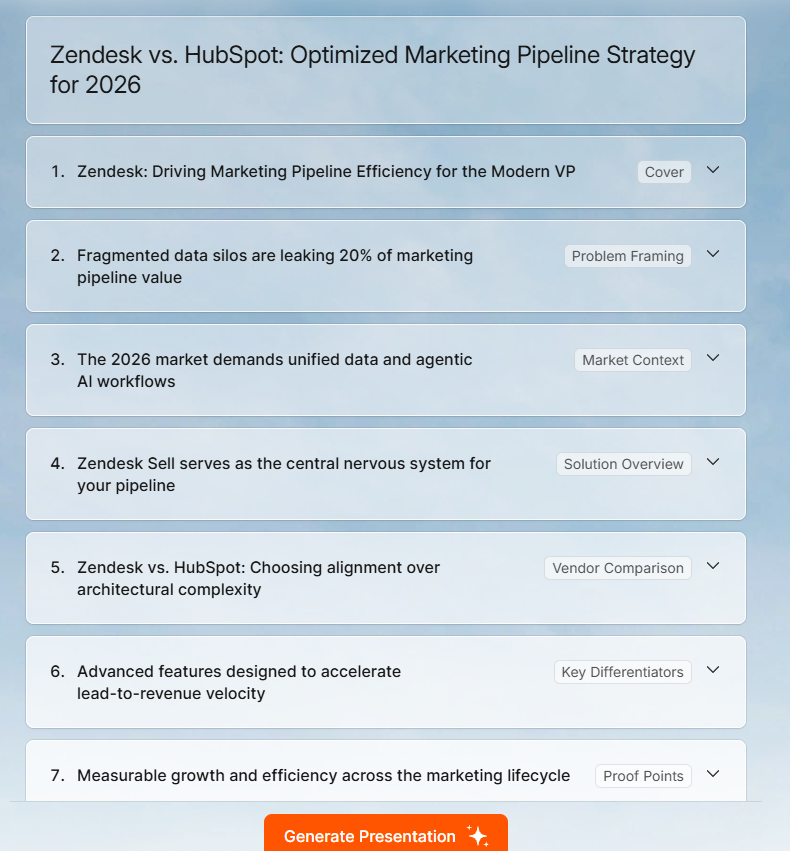
AIプレゼンテーションソフトウェアを検討しているチームにとって、決定的な要因となるのは統合性であることがよくあります。Presentations.AIは、作成、コラボレーション、共有を統合することで、別々のアプリに分散することなく、メリットを相乗的に高めます。これを AIスライド作成ツール として使用でき、シンプルなプロンプトから完全に構成された資料を生成します。
プレゼンテーションワークフローをアップグレード
基本的なスライドツールと最新のプレゼンテーションソフトウェアの間には大きな隔たりがあります。これは、チームが各資料に費やす時間、成果物のプロフェッショナルな見た目、そして場所を問わずスムーズに共同作業できるかどうかに影響します。手作業による書式設定、ブランドの一貫性の欠如、メールベースのレビューサイクルといった問題は、専用プラットフォームがすでに解決しています。
AI搭載機能は、その利点をさらに拡大します。レイアウト、コンテンツ生成、デザインの一貫性を自動的に処理するため、よりスマートなツールを導入したチームは、より質の高い資料を迅速に作成し、送信するすべてのプレゼンテーションで統一されたブランドイメージを維持できます。
プレゼンテーションソフトウェアの利点は、時間とともに増大します。以前は繰り返しの書式設定作業に費やされていた時間が、実際に物事を前進させるアイデアや議論に振り向けられます。クライアントへの提案資料や社内向けアップデートの準備は、誰もが密かに嫌がる作業ではなく、ワークフローの効率的な一部となります。