TL;DR
- Every successful presentation starts with one clear, focused message the audience can carry with them long after you finish speaking.
- Presentation structure matters more than aesthetics. A logical flow keeps attention high and makes your core argument land with impact.
- Simple slide design beats flashy visuals every time because cluttered decks distract audiences rather than clearly supporting your spoken message.
- Storytelling and audience awareness turn an informational deck into a persuasive one that people actually remember weeks or months later.
- Presentations.AI helps you nail the structural foundation fast so you can spend your energy on message clarity and confident delivery.
You've sat through it before. The deck with 47 bullet points per slide. The speaker reads every word off the screen. The audience checking their email by slide three.
The content is often solid, but the delivery, structure, and design never give that content a fighting chance. The gap between a presentation that informs and one that actually moves people to act is enormous. The cost of landing on the wrong side is real. A lost deal, a rejected proposal, a classroom full of glazed eyes, a team that walks out unconvinced.
So what makes a presentation successful? Clear messaging, intentional structure, and clean visuals each play a role. Smart storytelling, audience awareness, and confident delivery complete the picture. This article breaks down each element so you can build presentations that get results.
Why Presentations Fail to Land
Think about the last ten presentations you sat through. How many do you actually remember? If you're being honest, the answer is probably one or two at best. That's no accident. Most presentations are built to check a box, not to change a mind.
The symptoms are painfully familiar.
- Slides packed with paragraphs that no one reads.
- Speakers who narrate their bullet points word for word.
- Decks that wander from topic to topic without a clear destination.
- Charts so dense they need a legend just to find the legend.
These are the default modes for most presenters in most rooms on most days.
The stakes vary, but they're always real. In a sales meeting, a forgettable deck means a lost deal. In a classroom, it means disengaged students who retain nothing. In a boardroom, it means a strategy that goes unfunded because no one understood the case for it. A weak presentation wastes opportunity, not just time.
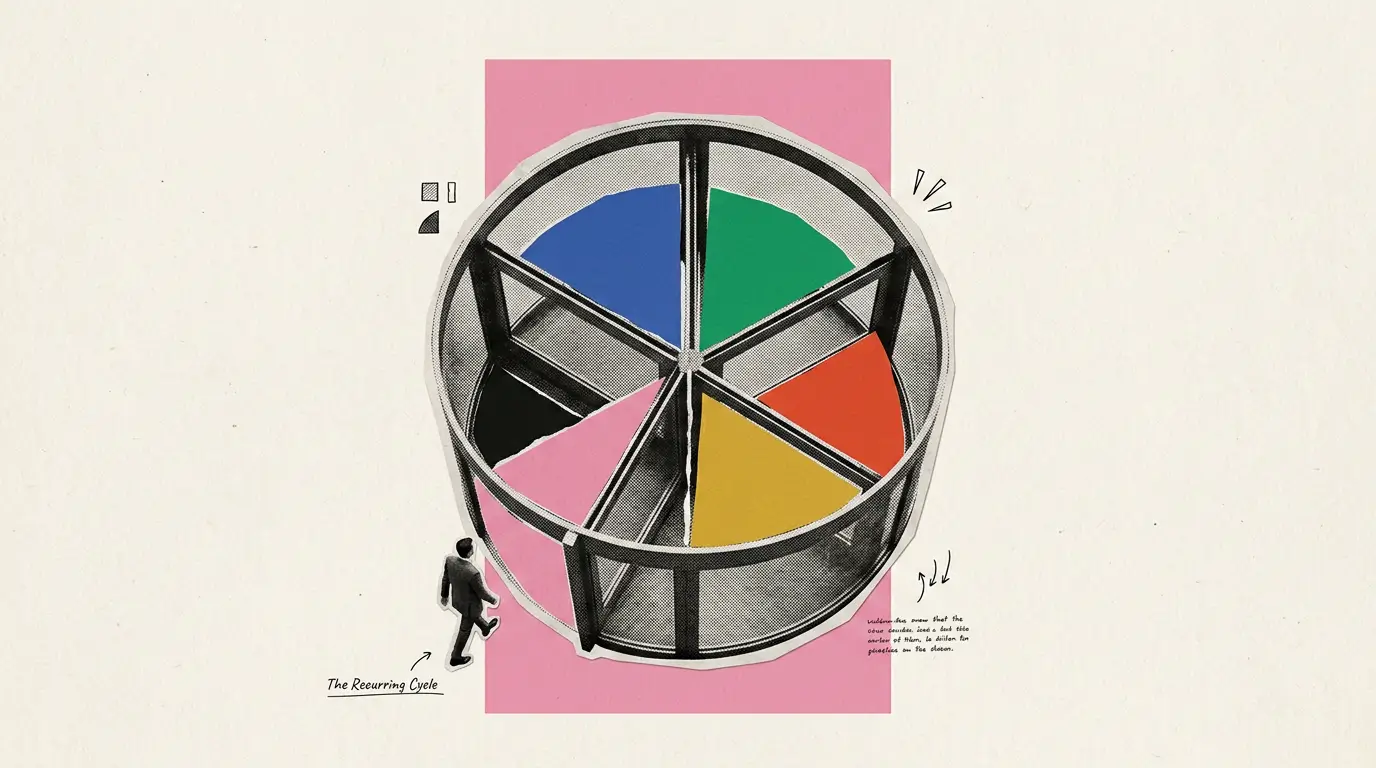
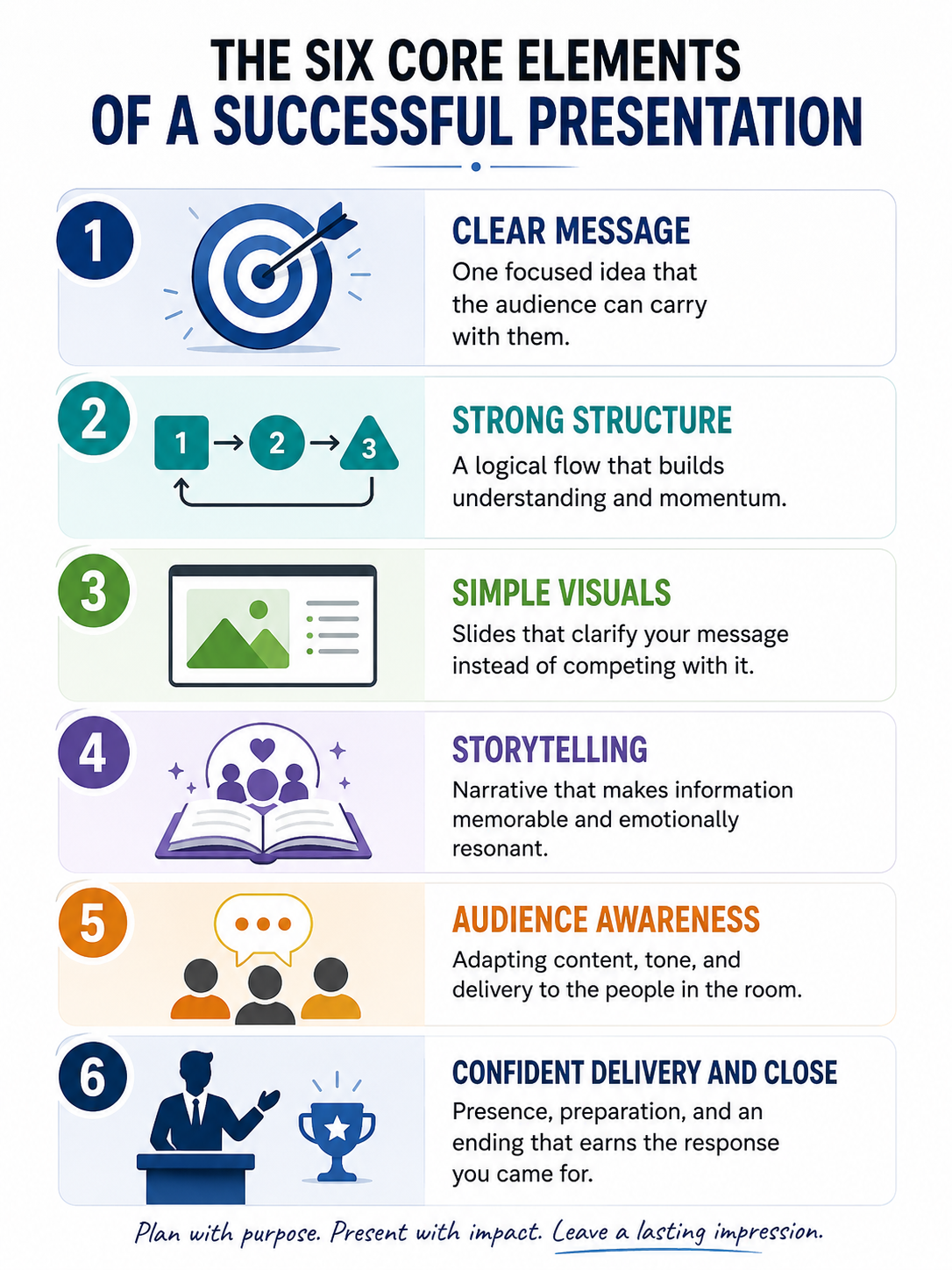
The difference between a deck that fades from memory and one that drives action comes down to a handful of elements that most presenters either skip or underestimate. It starts with message clarity.
It runs through presentation structure and slide design. It depends on storytelling in presentations and genuine audience engagement. And it lands, or fails to land, based on confident delivery and a close that earns the response you came for.
A Clear, Focused Message Is the Foundation
Every successful presentation starts before a single slide gets created. It starts with one question: what is the one thing the audience should remember?
Most presenters skip this step entirely. They open their slide editor, pick a template, and start filling in content. The result is a deck that covers a topic without actually saying anything specific about it. There is a critical difference between a topic and a message. "Quarterly results" is a topic. "We need to double down on retention before Q3, or we'll miss our annual target" is a message. One fills a meeting slot. The other drives a decision.
When a presentation lacks a focused message, the audience experiences cognitive overload. They hear facts and figures but have no framework for organizing them. Attention fragments. Engagement drops. People leave the room remembering nothing because nothing was framed as worth remembering.
The fix is ruthless clarity before you build anything. Every slide and every visual in your deck should serve the core message. If a slide fails to reinforce that single idea, it does not belong. This approach gives your audience a thread to follow through every piece of complexity you share.
How to Find Your Core Message Before You Open a Single Slide
Start with two exercises that force specificity. The first is the sticky-note exercise: write the entire point of your presentation on a single sticky note. If it does not fit, your message needs more focus. The second is the elevator test.
Try both exercises before you touch your slides. Talk your message out loud to a colleague. If they can repeat it back accurately in their own words, you have found your foundation. If they look confused or paraphrase something you did not intend, sharpen further.
This discipline pays off throughout the entire creation process. When your core message is locked, every decision gets easier. Which data to include, which stories to tell, which slides to cut. Presentation skills matter enormously, but they cannot rescue a deck that never decided what it was trying to say.
Structure That Holds Attention From Start to Finish
A clear message gives your presentation purpose. Structure gives it momentum. Without intentional flow, even a sharp message gets buried under disorganized content that loses the audience slide by slide.
Presenters dramatically underestimate how much structure matters. They treat their deck as a loose collection of related ideas rather than a deliberate sequence designed to build understanding and conviction. The audience feels the difference immediately. A well-structured presentation feels effortless to follow. A poorly structured one feels like work.
The foundation is deceptively simple: a clear beginning, middle, and end. The beginning establishes relevance and explains why the audience should care right now. The middle delivers your evidence and arguments in a logical order. The end ties it together and drives toward your desired outcome. Skip any layer, and the audience disconnects.
One of the most common structural mistakes is front-loading background instead of relevance. Presenters spend their first five minutes on context, history, or definitions while the audience silently wonders why any of it matters to them. Lead with the why before the what. Open with the problem your audience feels, then move into your framework for solving it.
Transitions between sections deserve deliberate attention, too. Every shift from one idea to the next should feel connected. A single bridging sentence can prevent the audience from feeling lost or wondering how you jumped from one topic to another. Pacing also matters here. Know when a point deserves depth and when you should move on. Lingering too long on a minor point drains the energy you need for your most important moments.
Three Presentation Structures That Work in Any Setting
No need to invent a framework from scratch. Three proven presentation structures work across virtually every setting.
Pick the structure that matches your goal and audience. Then build every slide within that framework. A reliable structure keeps your audience oriented and gives your presentation the momentum it needs to hold attention from the first word to the last.
Visuals That Clarify Instead of Clutter
Slides exist to amplify what you say, not to replace you as the speaker. The moment an audience starts reading your slides instead of listening to you, your presentation has lost its most powerful channel: your voice and presence.
Decks built as documents projected on a wall share the same problems. Dense paragraphs, complex tables, six bullet points per slide, competing colors and fonts. The presenter becomes a narrator of their own slides, and the audience becomes a roomful of readers squinting at a screen. This is where even strong messages and solid structures fall apart.
Good slide design follows a simple principle: less is more. Whitespace gives the eye room to focus. One idea per slide is a clarity strategy, not a limitation. Clean visual hierarchy — a headline, a supporting image or data point, and nothing else — tells the audience exactly where to look and what matters.
One Idea Per Slide, And Why That Rule Changes Everything
The single most effective design decision you can make is limiting each slide to one idea. When you put three points on a single slide, the audience splits their attention three ways while also trying to listen to you. When each slide carries only one concept, the visual and the spoken word reinforce each other. The audience processes more and retains more.
This applies to data visualization, too. A chart should make one comparison or highlight one trend instantly. If a chart needs a paragraph of explanation to make sense, it needs to be simplified or split across multiple slides. Use images and clean graphs to reinforce your spoken words rather than repeating them.
Consistent visual language builds credibility quietly. When your color palette and typography stay consistent from slide to slide, the audience perceives professionalism and preparation. When every slide looks like it came from a different deck, trust erodes before you even make your argument.
Pro Tip: If you have to say "I know you can't read this, but…" while presenting a slide, that slide needs to be redesigned. Every element on screen should be instantly legible from the back row.
Presentations.AI earns its place in your workflow here. The AI builds well-structured, clean decks with the right flow so you can focus on your message and delivery instead of fighting with design. Instead of spending hours adjusting fonts, aligning elements, and debating color choices, you get a polished visual foundation that follows proven slide design principles from the start. Your energy goes where it belongs: crafting your story and preparing to deliver it with confidence.
Storytelling and Audience Awareness
Information alone rarely changes minds. Facts and data give people reasons to agree. Stories give them reasons to care. The most effective presentation combines both, but the story is what the audience carries with them after the data fades.
The brain is wired for narrative. A well-told story activates emotion, creates mental imagery, and builds anticipation. Bullet points activate almost none of that. When a presenter opens with a real scenario or paints a vivid before-and-after contrast, the audience leans in. They stop scanning their phones. They stop thinking about lunch.
Did You Know: People are more likely to remember a story told during a presentation than any individual data point on a slide. The most successful presenters inform and make the audience feel something.
Storytelling only works if it connects to the right audience. Audience awareness is the strategic layer that shapes every creative decision in your deck. Before you write a single slide, you need answers to three questions: What does this audience already know? What do they care about most? What resistance or skepticism will they bring into the room?
Storytelling Techniques That Work Beyond the Basic Narrative
Basic storytelling means sharing an anecdote. Skilled storytelling means using narrative tools with precision. Three techniques sharpen your storytelling in presentations beyond a simple story.
Metaphor and analogy make complex ideas instantly accessible. Comparing a product rollout to launching a ship gives your audience a mental model they already understand. Contrast creates drama without exaggeration. Show the audience where things are today, then where they could be. The gap between those two states is where your message lives. Callbacks tie your presentation together. Reference an image or a phrase from your opening story later in the deck. Callbacks create a sense of coherence and reward the audience for paying attention.
Each technique works best when anchored to examples your specific audience recognizes. An analogy that resonates with engineers may confuse a marketing team. A contrast that motivates executives may bore frontline staff. The technique matters less than the audience fit.
How to Tailor Your Presentation to Any Audience
Audience analysis starts before the presentation and continues during it. Before you build your deck, map your audience. Executives want the conclusion first and supporting evidence second. Peers want depth and nuance. Clients want to see themselves in the story you tell.
Adapt your tone and vocabulary to match the complexity your audience expects. A pitch to a venture capital firm and a training session for new hires may share the same underlying data but demand entirely different presentations.
Reading the room in real time is equally important. If the audience looks confused, slow down. If energy drops, skip a slide and jump to your strongest example. If questions start flowing early, let them. Audience engagement is evidence that your presentation is working. The best presenters treat their deck as a flexible guide, not a rigid script.
Confident Delivery and a Close That Sticks
A well-designed deck with a sharp message and strong structure can still fall flat if the presenter disappears behind their slides. Delivery is where preparation becomes performance. It is the final element that separates a good presentation from a successful one.
Confident delivery is about being present. Eye contact that moves naturally around the room tells the audience you are speaking to them, not at them. Vocal variety: shifting your pace and emphasis keeps attention alive across a thirty-minute session. Deliberate pauses after a key point give the audience a moment to absorb what you just said. Body language that is open and grounded signals authority without arrogance.
How to Manage Presentation Nerves Without Trying to Eliminate Them
Nervousness is energy, and the goal is to channel it rather than suppress it. Attempting to feel zero anxiety before a high-stakes presentation is unrealistic and counterproductive.
Rehearsal is the most reliable nerve management tool available. Standing up, speaking out loud, and practicing transitions between sections builds the familiarity you need. Rehearse in front of a colleague or record yourself on video. Deep familiarity with your material means you can recover smoothly if you lose your place.
Breathing techniques work in the moments before you start. Three slow breaths, with a longer exhale than an inhale, calm the nervous system without requiring any special training. A brief walk before your talk helps burn off excess adrenaline so your hands stay steady and your voice stays controlled.
The presenters who look most confident are rarely the ones with zero nerves. They are the ones who prepared thoroughly enough that their nerves stay in the background where they belong.
Five Ways to End a Presentation So People Actually Remember It
The closing is the most underused moment in any presentation. Most presenters end with "any questions?" or a generic thank-you slide. Both waste the final seconds of audience attention, which are the seconds your audience is most likely to remember.
Five closing techniques match different presentation goals:
- Callback to your opening story. Circle back to the scenario you opened with and show how your message resolves it. This creates a satisfying narrative arc.
- A single memorable statement. Distill your entire message into one sentence that the audience can repeat to someone else tomorrow.
- A clear call to action. Tell the audience exactly what you want them to do next. Be specific. "Approve the budget by Friday" is stronger than "let's move forward."
- A provocative question. Laissez à l'auditoire une question qui les fera réfléchir longtemps après la fin de la présentation.
- Une vision de l'avenir. Dépeignez ce qui se passe si l'auditoire donne suite à votre message. Rendez le résultat suffisamment vivant pour qu'il semble réel.
Différents contextes appellent des conclusions différentes.. Adaptez votre conclusion à votre objectif. Conclure une affaire exige un appel à l'action. Inspirer une équipe demande une vision. Susciter la discussion passe par une question provocatrice. La technique importe moins que l'intentionnalité qui la sous-tend.
Ce qui distingue les présentateurs qui obtiennent des résultats des autres
La différence entre une présentation oubliable et une qui incite à l'action ne réside jamais dans une astuce unique. C'est l'accumulation de choix intentionnels : un message ciblé, une structure délibérée, des visuels qui soutiennent au lieu de distraire, et une prestation qui inspire confiance en temps réel.
Ces éléments exigent de la préparation, de la clarté et une volonté d'éliminer tout ce qui ne sert pas votre auditoire. Les présentateurs qui concluent constamment des affaires et obtiennent l'adhésion traitent chaque présentation comme une expérience conçue plutôt que comme un document lu à voix haute.
Commencez par votre message. Construisez votre structure autour de celui-ci. Simplifiez vos visuels. Connaissez votre auditoire. Répétez votre prestation. Concluez avec intention. C'est ce qui fait le succès d'une présentation.