The PDF to PPT Conversion Problem We Solved
Here's what you're dealing with: A 40-page PDF report that needs to become tomorrow's board presentation. A research paper that needs to become conference slides. Training manuals that need to become workshop decks.
The old way destroys your afternoon
Copy-paste marathons. Screenshots that pixelate. Tables that explode into chaos. Three hours later, you've got ugly slides and a stress headache.
Our PDF to PowerPoint converter changes everything
Upload your PDF. Watch our AI analyze structure, extract content, and build presentation-ready slides. Complete with animations, proper formatting, and your brand colors.
How to Convert PDF to PowerPoint Presentations
Step 1: Navigate to your dashboard and select "Import PDF"
Go to the dashboard. Select the option to import PDF into the system. Drag and drop any PDF file up to 100MB. Annual reports, research papers, proposals, technical documents; our PDF to PPT converter handles them all.
Supported PDF types:
- Multi-page business documents
- Academic papers with citations
- Reports with embedded charts
- Scanned documents (OCR included)
- Password-protected PDFs (after unlock)

Step 2: Upload your document
Choose the specific document you wish to incorporate into your presentation (e.g., Word, text, PDF).

Step 3: Watch Your PowerPoint Build Automatically
In 30 seconds, your PDF transforms into a complete PowerPoint presentation with:
- Professional slide layouts
- Editable text (not images)
- Native PowerPoint tables
- High-resolution graphics
- Automatic animations
PRO TIP: Enter your website URL. Our AI extracts your brand colors, fonts, and logos, then applies them across every slide. No more off-brand presentations.

Step 4: Review Your Converted Presentation
Preview immediately as a slideshow. Unlike basic PDF to PPT tools that create static images, you get:
- Fully editable PowerPoint elements
- Preserved formatting and structure
- Professional transitions
- Speaker notes from PDF annotations
- Clickable hyperlinks maintained

Step 5: Make any changes you deem fit
You can expand on the AI-generated draft and effortlessly make any changes you wish to the text, images or layouts from right within the editor. You can also add more slides if you wish to do so.
- "Summarize to 10 slides" - Executive summary creation
- "Add speaker notes" - Generate presentation talking points
- "Modernize design" - Update dated PDF layouts
- "Create sections" - Add logical chapter breaks
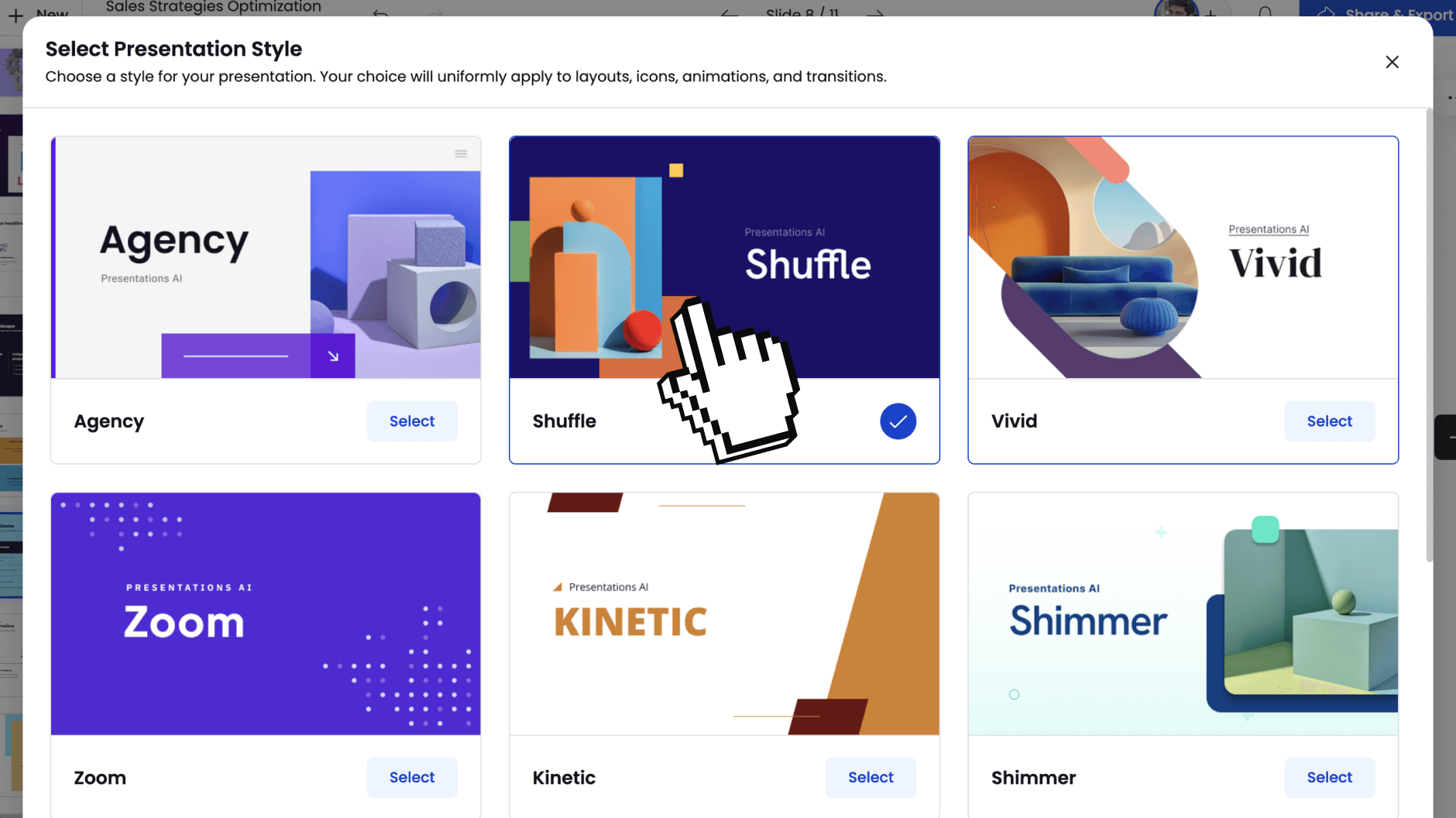
Step 6: Share Anywhere
Once you are satisfied with the output, you can share your deck with the world by publishing it as a link or you can invite selected team mates to view and edit it with you. You can also export it to PDF or a fully-editable PowerPoint if you wish to do so.
- PowerPoint (.pptx): Full fidelity, editable elements
- PDF: Professional documents with working links
- Share Link: Present from any browser
- Image Files: PNG/JPG for individual slides

Why Our PDF to PowerPoint Converter Leads the Market
Document Intelligence vs. Simple Extraction
Most PDF to PPT converters treat pages like images. We treat them like information. A dense 50-page PDF becomes a focused 20-slide narrative, not a 50-slide document dump.
Presentation Psychology Built In
PDFs are for reading comprehension. PowerPoint is for visual communication. Our AI restructures content for audience engagement; walls of text become digestible bullets, data tables transform into charts.
Enterprise-Grade Conversion Quality
No more black text on white slides. Every conversion uses professional templates, modern typography, and visual hierarchy. Add your brand automatically with one click.
Complex PDF Handling
Multi-column academic papers? Financial reports with embedded spreadsheets? Technical manuals with diagrams? Our converter handles the messy reality of business documents.