TL;DR
- Beautiful.ai não tem plano gratuito. O teste de 14 dias exige cartão de crédito e renova automaticamente anualmente, a menos que seja cancelado.
- O sistema de layout Smart Slide não pode ser ignorado, dificultando apresentações não padronizadas ou personalizadas.
- A IA é limitada à assistência na elaboração e layout; ela não itera conversacionalmente nem aceita documentos/URLs como entrada.
- Os recursos de colaboração estão restritos ao plano Equipe, que custa US$ 40 por usuário/mês.
- As exportações para PowerPoint às vezes apresentam problemas de formatação no PowerPoint para desktop.
- Melhor alternativa geral: Presentations AI com IA conversacional, sincronização automática de marca, exportação limpa para PPT, gratuito para começar.
- Melhor para liberdade de design: Canva; Melhor opção gratuita: Gamma ou Google Slides; Melhor para fluxos de trabalho de colaboração em equipe: Pitch.
A vantagem do Beautiful.ai é que, se você fornecer seu conteúdo, ele o deixará com uma aparência limpa e profissional em menos tempo do que o PowerPoint jamais conseguiria. Para um consultor individual que precisa de uma apresentação impecável para o cliente em horas ou dias, isso é um produto genuinamente útil.
As falhas aparecem quando você o exige mais, quando você:
- Precisa de um layout que não existe na sua biblioteca e descobre que não pode ignorar o sistema.
- Entrega uma exportação de PowerPoint a um cliente e recebe uma ligação constrangedora sobre formatação com problemas.
- Expande sua equipe e percebe que a colaboração adequada custa muito mais do que você está pagando agora.
- Quer que a IA realmente ajude a escrever a apresentação, não apenas a organizar.
Este guia é para quem já se deparou com um desses obstáculos. Avaliamos 10 ferramentas com base nos critérios que mais importam na prática: Quão útil é realmente a saída da IA, quão bem a ferramenta impõe os padrões da marca, se as exportações para PowerPoint se mantêm em condições reais, como a colaboração é estruturada e precificada, e o que você obtém pelo seu dinheiro em cada nível.
Como Avaliamos Estas Ferramentas: Metodologia
O Beautiful.ai ocupa um nicho específico: prioriza o design, automatiza o layout e tem uma IA relativamente superficial. Portanto, as ferramentas que valem a pena comparar não são apenas qualquer software de apresentação. São aquelas que ou fazem o que o Beautiful.ai faz melhor, ou oferecem algo significativamente diferente para equipes cujas necessidades o superaram.
Cada ferramenta desta lista foi avaliada em seis dimensões. São os pontos específicos onde o Beautiful.ai mais comumente fica aquém nas avaliações de usuários no G2, Capterra e Trustpilot.
- Qualidade da saída da IA: A IA está gerando algo realmente útil, ou é um andaime que você ainda precisa construir?
- Aplicação da marca: O controle da marca é algo que você configura uma vez e confia, ou algo que você precisa aplicar a cada vez? Há uma grande diferença prática entre os dois.
- Fidelidade da exportação para PowerPoint: O arquivo .pptx que você envia para um cliente se parece com o que você criou, ou exige uma segunda rodada de correções?
- Flexibilidade de layout e design: Você pode sair do modelo quando necessário, ou a ferramenta penaliza conteúdo não convencional com layouts quebrados?
- Recursos para equipes e modelo de acesso: As ferramentas de colaboração estão disponíveis em planos padrão, ou restritas a um nível de preço que as torna impraticáveis para a maioria das equipes?
- Preços: Quanto custa esta ferramenta na escala de equipe? Os planos gratuitos são reais, ou são testes com tempo limitado e mecanismos de cobrança automática?
O sentimento dos usuários do G2, Capterra e Trustpilot foi considerado em todo o processo, particularmente em áreas como qualidade de exportação e práticas de cobrança, onde a experiência relatada pelos próprios usuários diverge consistentemente das descrições oficiais dos recursos.
Onde o Beautiful.ai Fica Aquém
O Beautiful.ai tem fãs de verdade, e as avaliações positivas não estão erradas. Para um certo tipo de usuário, ele cumpre o que promete. Mas as frustrações que levam as equipes a buscar alternativas tendem a se agrupar em torno dos mesmos problemas. Compreender esses pontos especificamente ajuda a restringir qual substituto é realmente o certo para você.
Sistema de Slides Inteligentes
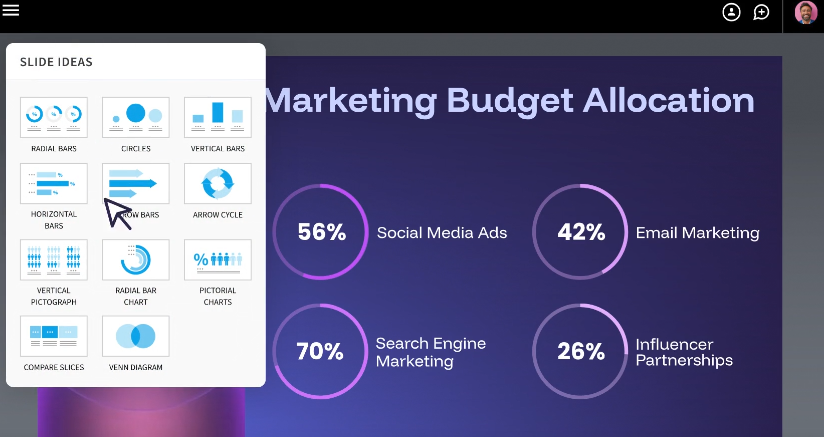
A automação que torna o Beautiful.ai rápido é também o que o torna inflexível. O motor de layout toma decisões que você não pode anular. Se o seu conteúdo não se encaixa perfeitamente em uma das mais de 300 estruturas de Smart Slide disponíveis, suas opções são: Escolher a aproximação mais próxima e conviver com o compromisso, ou mudar para um Slide Clássico com uma tela em branco e perder completamente a inteligência de formatação.
Para equipes que produzem um tipo de apresentação consistente e previsível, isso é aceitável. Para qualquer pessoa que regularmente cria apresentações personalizadas ou não padronizadas, isso se torna uma restrição genuína em vez de um recurso.
Pipeline de Conversão de Teste para Pago
A ausência de um plano gratuito significa que não há uma forma de baixo risco para avaliar se o Beautiful.ai se encaixa no seu fluxo de trabalho. O teste de 14 dias parece acessível até você notar a exigência de cartão de crédito e a cobrança anual automática caso se esqueça de cancelar.
Este é um tema recorrente nas avaliações do Trustpilot e uma das reclamações mais citadas. Para equipes que precisam testar uma ferramenta antes de obter aprovação de orçamento, ou para qualquer pessoa que prefira testar antes de se comprometer, essa estrutura funciona contra você desde o primeiro dia.
Funcionalidades Limitadas de IA
O DesignerBot do Beautiful.ai pode gerar um rascunho inicial razoável em resposta a um prompt. O que ele não consegue fazer é continuar trabalhando com você depois que esse rascunho existe. Ele não aceita documentos ou URLs como entrada, não itera sobre sua apresentação de forma conversacional e não pesquisa seu tópico nem constrói contexto em torno do seu negócio específico. Uma vez que o primeiro rascunho está pronto, o trabalho da IA está essencialmente terminado.
Para equipes que esperam uma IA capaz de pegar um documento de estratégia e transformá-lo em uma apresentação para a diretoria, ou que possa refinar um pitch deck através de múltiplas rodadas de edições, a IA do Beautiful.ai rapidamente atinge seus limites.
A Colaboração é Restrita
A arquitetura de preços do Beautiful.ai torna a colaboração um upgrade em vez de um padrão. O plano Pro, a $12/mês, cobre o uso individual de forma clara. No momento em que uma segunda pessoa precisa coeditar, você passa para o plano Equipe, a $40/usuário/mês, o que é mais de três vezes o custo. Para cinco pessoas, isso representa $2.400 por ano.
As diretrizes de marca impostas (aquelas que realmente impedem os membros da equipe de usar cores ou logotipos errados) só aparecem no plano Enterprise. As equipes frequentemente descobrem essa estrutura de preços depois de já terem começado a construir fluxos de trabalho dentro do produto.
Exportações para PowerPoint Exigem Ajustes
O sistema Smart Slide do Beautiful.ai é construído para o navegador. A conversão para o formato .pptx é onde as coisas se complicam: blocos de texto se dividem em caixas individuais, o alinhamento muda e as animações desaparecem ou se comportam de forma imprevisível no PowerPoint para desktop.
Para apresentações internas que permanecem no visualizador do Beautiful.ai, isso não importa. Para apresentações que são enviadas a clientes, submetidas a partes interessadas ou entregues a colegas que as editarão no PowerPoint, isso exige regularmente uma rodada de correções que anula o tempo que você economizou ao construir a apresentação inicialmente.
As 10 Melhores Alternativas ao Beautiful.ai
As ferramentas abaixo cobrem uma variedade de casos de uso, desde plataformas totalmente baseadas em IA até editores focados em design e espaços de trabalho centrados na colaboração. Cada perfil aborda a proposta de valor central, o que faz bem, onde tem limites e para quem é mais adequado.
1. Presentations.AI
O Beautiful.ai automatiza a aparência do seu conteúdo. O Presentations AI vai um passo além: ele ajuda você a descobrir o que seu conteúdo deve dizer e, em seguida, o deixa com uma ótima aparência também.
O principal diferencial é o papel da IA no fluxo de trabalho. Em vez de gerar um primeiro rascunho e se afastar, o assistente conversacional do Presentations AI (Clip-E) permanece ativo. Você pode alimentá-lo com um prompt, um PDF, um documento do Word ou um URL, e ele constrói um deck estruturado e totalmente projetado. Em seguida, você pode continuar conversando com ele para refinar, reestruturar ou expandir slide por slide. É mais parecido com trabalhar com um colega do que clicar em um modelo.
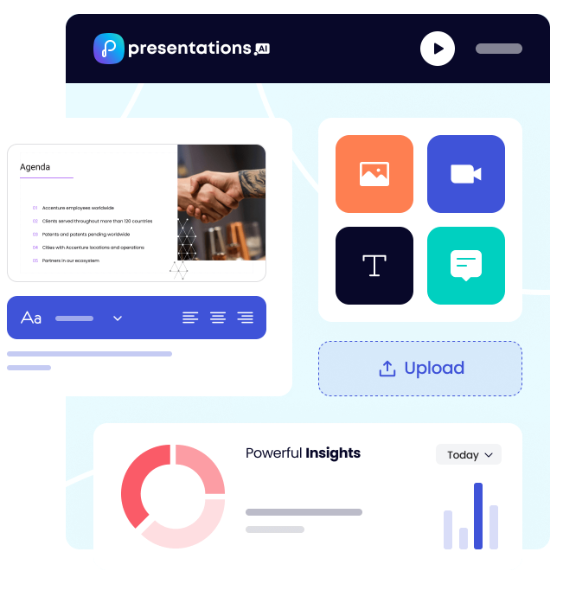
O Brand Sync é o outro destaque. Enquanto o Beautiful.ai exige que você configure um Brand Kit manualmente e confie que os membros da equipe se lembrarão de aplicá-lo, o Brand Sync extrai automaticamente suas cores, fontes e logotipo do URL da sua empresa. Cada deck começa com a marca. Não há nada para configurar por projeto e nenhum risco de os membros da equipe saírem do padrão.
Principais Pontos Fortes
- Assistente de IA conversacional (Clip-E) que constrói, refina e itera em apresentações em linguagem natural
- Múltiplos modos de criação: prompt, importação de PDF, documento Word, URL, texto bruto
- O Brand Sync aplica automaticamente sua identidade visual sem a necessidade de configuração manual de tema
- Modelos antifrágeis que se adaptam a mudanças de conteúdo sem quebrar
- Exportação limpa para PowerPoint que preserva a formatação de forma confiável
- Análises e rastreamento para ver o desempenho das apresentações após o compartilhamento
- Plano Starter gratuito sem necessidade de cartão de crédito
- Suporte multilíngue para equipes globais
No centro, nosso Gerador de Apresentações com IA não cria apenas um primeiro rascunho e se afasta. O Clip-E permanece envolvido para refinar e reestruturar a apresentação à medida que seu pensamento evolui, o que é a lacuna no fluxo de trabalho que afasta a maioria das equipes da IA de uso único do Beautiful.ai.
Limitações
- Plataforma mais recente, então a biblioteca de modelos ainda está crescendo em comparação com ferramentas mais estabelecidas.
- Pro e Enterprise são apenas anuais (Mas há um nível gratuito generoso)
Melhor Para
Equipes de negócios que precisam de apresentações de IA rápidas e consistentes com a marca. Equipes de vendas, equipes de marketing, fundadores apresentando a investidores e qualquer equipe que produza regularmente apresentações para clientes.
Compare Beautiful.ai e Presentations AI em detalhes →
2. Gamma
A Gamma apostou de forma diferente sobre como as apresentações deveriam ser, e valeu a pena. Em vez de replicar a grade de slides tradicional, ela cria apresentações nativas da web que rolam e fluem mais como documentos do que como apresentações de slides. A IA gera rascunhos rapidamente, a estética padrão é limpa e você pode usar o produto sem precisar de cartão de crédito. Para equipes frustradas com o teste de cobrança automática do Beautiful.ai, esse último ponto por si só já é digno de nota.
Principais Pontos Fortes
- Qualidade de rascunho de IA forte; rápido do prompt à saída apresentável
- Formato nativo da web que parece polido sem esforço de design
- Nível gratuito generoso sem necessidade de cartão de crédito
- Boa variedade de modelos e estética padrão limpa
Limitações
- Os limites de crédito de IA são atingidos rapidamente em planos gratuitos e de baixo custo
- As exportações para PowerPoint são inconsistentes; a formatação nem sempre é preservada
- Os controles de marca são limitados, sem aplicação robusta no nível do espaço de trabalho
- Os recursos de colaboração em equipe são limitados em comparação com ferramentas criadas especificamente para isso
Melhor Para
Indivíduos e pequenas equipes que desejam uma experiência de apresentação de IA rápida e moderna com baixa barreira de entrada e que não precisam de controle de marca rigoroso ou fluxos de trabalho de equipe.
3. Canva
Se a principal reclamação sobre o Beautiful.ai é que ele diz onde as coisas devem ir em vez de deixar você decidir, o Canva é o antídoto. É uma plataforma de design completa, não uma ferramenta de apresentação com recursos de design adicionados, o que significa que você tem controle total sobre cada elemento, camada e layout.
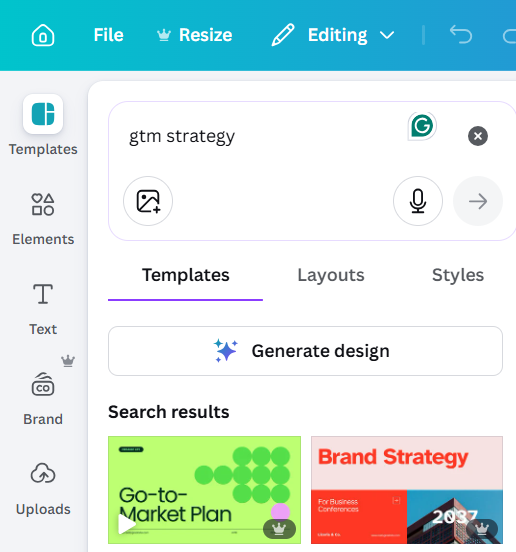
A amplitude é impressionante: milhares de modelos, milhões de ativos de estoque, vídeo, animações, gráficos sociais e, sim, apresentações. A desvantagem é que a geração de IA do Canva é menos sofisticada do que a das ferramentas de apresentação dedicadas, e o grande número de opções pode atrasá-lo se você estiver acostumado com o Smart Slides pensando por você.
Principais Pontos Fortes
- Enorme biblioteca de modelos e ativos
- Flexibilidade total de design sem restrições de layout
- Camada gratuita robusta
- Recurso Kit de Marca em planos pagos
- Compartilhamento fácil e colaboração em tempo real
Limitações
- A geração de IA é menos sofisticada do que as ferramentas de apresentação de IA dedicadas
- Muita flexibilidade pode se tornar um desperdício de tempo, levando a mais decisões em vez de menos
- Não otimizado especificamente para fluxos de trabalho de apresentação
Melhor Para
Equipes de marketing, pequenas empresas e qualquer pessoa que queira uma ferramenta de design versátil que abranja apresentações e outros formatos de conteúdo, e valorize uma vasta biblioteca de recursos e liberdade criativa em vez de ferramentas que priorizam a geração por IA.
4. Pitch
O Pitch foi desenvolvido com uma pergunta em mente: o que uma ferramenta de apresentação realmente precisa fazer quando várias pessoas estão envolvidas? A resposta, segundo o Pitch, é muito mais do que a maioria das ferramentas oferece.
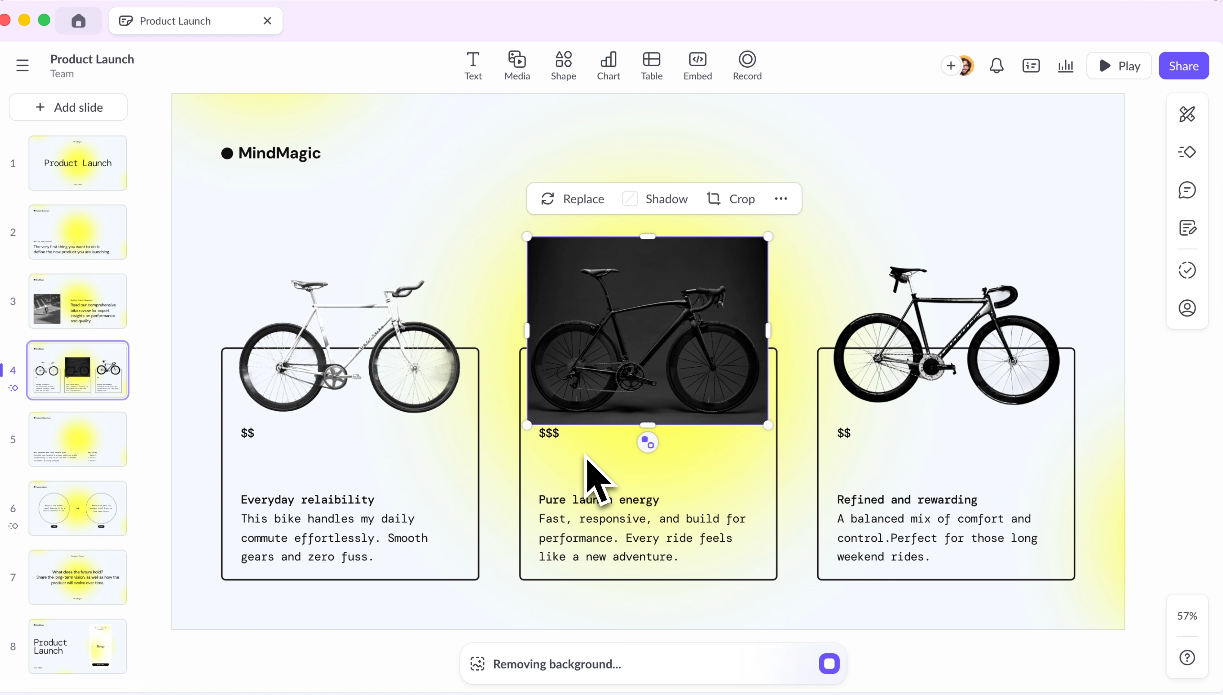
Espaços de trabalho compartilhados, bibliotecas de modelos de marca, permissões baseadas em função, comentários encadeados e fluxos de trabalho de aprovação estruturados são todos elementos centrais do produto, não funcionalidades extras restritas a um plano empresarial. Se o motivo pelo qual você está reconsiderando o Beautiful.ai é especificamente a lacuna de colaboração, o Pitch é a resposta mais direta para esse problema.
Principais Pontos Fortes
- Desenvolvido especificamente para fluxos de trabalho em equipe
- Bibliotecas de modelos compartilhadas e kits de marca
- Recursos robustos de comentários e revisão
- Boas análises sobre o engajamento com as apresentações
Limitações
- Recursos de geração por IA são menos avançados do que ferramentas dedicadas que priorizam a IA
- O preço fica elevado para equipes maiores
- Curva de aprendizado para equipes que migram de ferramentas mais simples
Ideal Para
Equipes de marketing e vendas que produzem um grande volume de apresentações e precisam de estrutura, consistência e colaboração integradas — especialmente onde os fluxos de trabalho de revisão e aprovação são importantes.
5. Prezi
O Prezi resolve um problema completamente diferente. O seu formato de tela amplificável (onde se navega e se move por um único espaço visual em vez de avançar por um conjunto de slides) foi polarizador quando lançado e continua a ser polarizador hoje.
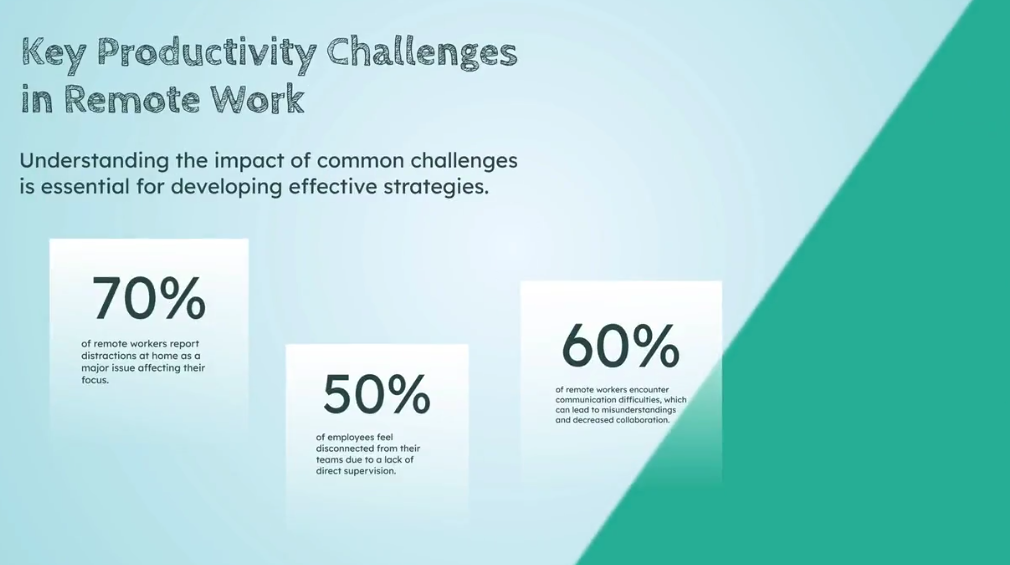
Bem feito, é genuinamente memorável e pode comunicar relações complexas de formas que os slides sequenciais não conseguem. Se procura especificamente destacar-se em apresentações ao vivo e o seu conteúdo tem uma estrutura não linear que beneficia de um layout espacial, o Prezi vale a pena considerar. Se precisa de uma ferramenta de trabalho diário para apresentações de negócios, não é a opção ideal.
Principais Vantagens
- Estilo de apresentação altamente distinto e memorável
- Bom para visualizar relações complexas e estruturas não lineares
- Excelente para apresentações em conferências ou demonstrações ao vivo
Limitações
- Curva de aprendizagem acentuada
- O formato não se adequa a todos os tipos de conteúdo, especialmente trabalhos com muitos dados ou sequenciais.
- Pode desorientar o público se for usado em excesso
- Capacidades de IA limitadas em comparação com ferramentas mais recentes
Ideal Para
Palestrantes e educadores que querem destacar-se e têm conteúdo que beneficia de uma estrutura visual e não linear, em vez de slides sequenciais padrão.
6. Visme
O Visme é a resposta certa para uma pergunta específica: o que usar quando as suas apresentações são principalmente dados, gráficos e infográficos, e precisa que pareçam ter sido feitos por um designer? Ele se enquadra numa categoria própria como plataforma de conteúdo visual, abrangendo apresentações, infográficos, documentos de marca e relatórios interativos num único espaço de trabalho.
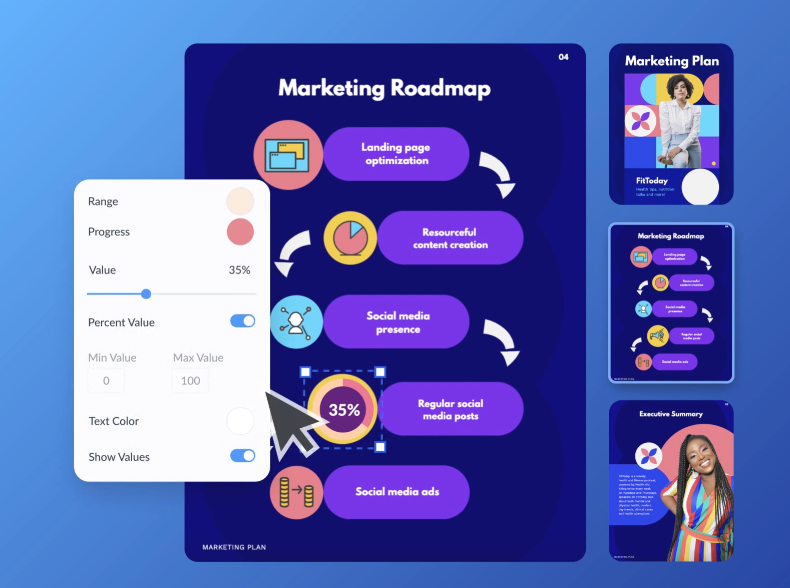
A profundidade das ferramentas de visualização de dados vai muito além do que o Beautiful.ai ou a maioria das outras ferramentas de apresentação oferecem. A desvantagem é a complexidade. O Visme tem uma curva de aprendizagem, e para equipas que apenas precisam de uma apresentação polida, pode parecer uma ferramenta mais robusta do que o necessário.
Principais Vantagens
- Excelentes recursos de infográficos e visualização de dados
- Recursos robustos de kit de marca
- Ampla variedade de tipos de conteúdo além dos slides
Limitações
- Mais complexo do que a maioria dos usuários precisa para apresentações padrão
- A geração por IA não é seu ponto forte principal
- O preço pode parecer alto para casos de uso mais leves
Ideal para
Equipes de marketing e criadores de conteúdo que precisam de conteúdo visual de marca em vários formatos, e cujas apresentações são ricas em dados ou baseadas em infográficos.
7. Slidesgo
Nem todo problema de apresentação precisa de uma IA ou de um motor de layout inteligente. Às vezes, você só precisa de um ponto de partida bem projetado em um formato que já conhece. Slidesgo é uma biblioteca de modelos: grande, gratuita e profissionalmente projetada, criada para PowerPoint e Google Slides. Escolha um modelo que se adapte ao seu tipo de conteúdo, insira seu texto e pronto.

Não há plataforma para aprender, nenhuma assinatura para acesso básico e nenhum risco de layouts inteligentes anularem suas decisões. Não está competindo com Beautiful.ai em automação. Está oferecendo uma proposta de valor completamente diferente.
Principais Pontos Fortes
- Grandes bibliotecas de modelos gratuitas em centenas de categorias
- Sem curva de aprendizado; funciona com ferramentas que você já conhece
- Qualidade de design limpa e profissional
Limitações
- Sem geração por IA
- Os modelos são apenas pontos de partida; a personalização é totalmente manual
- Não é adequado se você precisa de velocidade, automação de marca ou fluxos de trabalho em equipe
Ideal para
Apresentadores ocasionais e estudantes que precisam de um ponto de partida rápido e profissional sem se comprometer com uma nova plataforma ou assinatura mensal.
8. Microsoft PowerPoint + Copilot
O argumento mais forte para o PowerPoint + Copilot não é a profundidade dos recursos. É a ausência de atrito na saída. Quando seus clientes esperam arquivos .pptx e seus stakeholders editam no PowerPoint, escolher uma ferramenta que exporta de forma limpa para o PowerPoint resolve o problema errado.
O PowerPoint é o formato. O Copilot integra a IA à experiência nativa, para que você obtenha slides gerados por IA, reformatação baseada em prompts e resumo de apresentações sem uma única etapa de exportação. A ressalva: ele exige uma licença do Microsoft 365 Copilot além do que você já pode pagar pelo Microsoft 365, e a qualidade da saída da IA é variável o suficiente para que a limpeza ainda seja frequentemente necessária.
Principais Pontos Fortes
- Experiência nativa do PowerPoint sem problemas de exportação ou importação
- O Copilot entende seus arquivos existentes e dados da empresa via Microsoft Graph
- Interface familiar com curva de aprendizado quase nula para usuários existentes do PPT
- Integração empresarial profunda com segurança e conformidade do Microsoft 365
Limitações
- Requer uma licença do Microsoft 365 Copilot, o que adiciona um alto custo
- A qualidade da saída da IA varia e frequentemente precisa de ajustes
- Não é um produto autônomo; é um complemento para ferramentas pelas quais você já paga
Ideal para
Equipes empresariais já inseridas no ecossistema Microsoft 365 que desejam adicionar IA sem mudar de plataforma, e cujos fluxos de trabalho são construídos em torno de arquivos .pptx.
9. Google Slides + Complementos de IA
O Google Slides não se destaca em design ou IA. Ele se destaca na colaboração, e o faz gratuitamente. Múltiplos editores na mesma apresentação, comentários encadeados, histórico de versões automático e controle de acesso sem um plano de equipe separado. São recursos pelos quais o Beautiful.ai cobra US$ 40/usuário/mês.
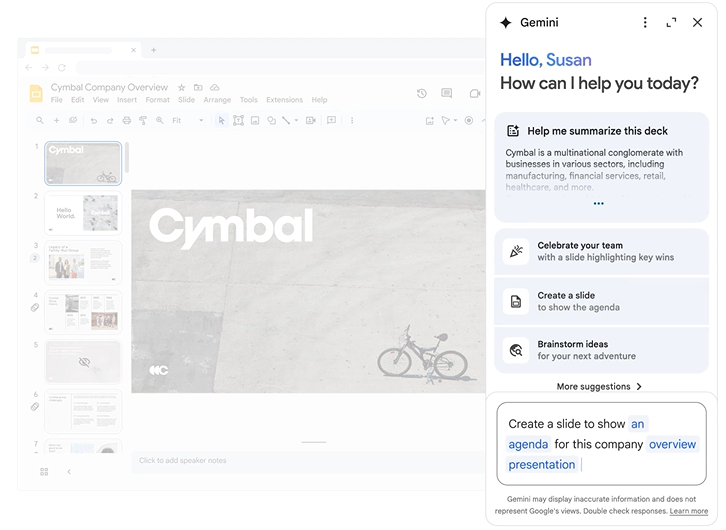
O Google Slides os disponibiliza com uma conta Gmail. Complementos de terceiros, como o Slides AI, podem adicionar recursos básicos de geração, embora a qualidade varie significativamente entre os provedores.
Principais Vantagens
- Colaboração em tempo real de ponta
- Gratuito com uma conta Google
- Compartilhamento e controle de acesso sem interrupções
- Forte integração com Google Docs, Sheets e Drive
Limitações
- As capacidades de design nativas são limitadas em comparação com ferramentas de apresentação dedicadas.
- Os complementos de IA são de terceiros e variam em qualidade.
- Não é a opção ideal se você valoriza muito o acabamento do design ou a consistência da marca
Ideal Para
Equipes que já utilizam o Google Workspace e precisam de uma solução gratuita e colaborativa, e que não estão criando apresentações para clientes com design complexo ou sensíveis à marca.
10. Keynote
O Keynote é a ferramenta de apresentação da Apple, e a abordagem da Apple é exatamente o que se esperaria: estética padrão premium, animações suaves, custo zero para usuários de Mac e nenhum interesse em ditar onde seus elementos devem ser posicionados.
Para quem valoriza a qualidade do design, mas considera a automação de layout do Beautiful.ai mais restritiva do que útil, o Keynote oferece controle criativo total numa ferramenta que faz com que esse controle pareça sem esforço, desde que você esteja usando hardware Apple.
Principais Vantagens
- Qualidade de design padrão impressionante
- Gratuito para usuários Apple
- Animações e transições suaves
- Flexibilidade total de layout sem estrutura imposta
Limitações
- Sem recursos significativos de geração por IA
- A colaboração é limitada em comparação com o Google Slides ou Pitch
- A exportação para PowerPoint pode causar problemas de formatação
- Apenas para Mac e iOS
Ideal Para
Usuários de Mac que desejam uma ferramenta de apresentação polida e confiável para apresentações ao vivo e não precisam de geração por IA, colaboração em equipe ou compatibilidade multiplataforma.
Resumo das alternativas ao Beautiful.ai
Como Escolher a Alternativa Certa ao Beautiful.ai
As 10 ferramentas acima resolvem problemas diferentes. A escolha certa depende menos de qual tem a lista de recursos mais longa e mais de qual limitação específica do Beautiful.ai é mais importante para você. Veja como analisar isso.
Comece com o papel da IA no seu fluxo de trabalho: A IA do Beautiful.ai melhora a aparência dos slides, não o que eles dizem. Se você quer uma IA que possa pegar um resumo, um documento ou um URL e rascunhar algo que valha a pena desenvolver, você precisa de uma ferramenta onde a geração esteja genuinamente no cerne do produto.
Batalhando com o layout: Se você precisa regularmente de layouts ou estruturas que a ferramenta não suporta, ou se está produzindo um trabalho altamente personalizado para clientes, escolha uma alternativa.
Teste a exportação para PowerPoint: Pegue uma apresentação realista, exporte-a para .pptx, abra-a no PowerPoint para desktop e verifique se as fontes estão incorporadas, se os layouts se mantêm e se o arquivo é editável sem retrabalho significativo.
Confira os preços: A diferença de preço do Beautiful.ai entre o Pro e o Team é uma das suas frustrações mais citadas. Antes de mudar, verifique se a alternativa que você está avaliando trata a colaboração como um recurso principal ou como um upgrade pago.
A Melhor Alternativa ao Beautiful.ai para a Maioria das Equipes: Presentations AI
Veja o que a torna a resposta certa para a maioria das equipes:
- Sincronização de Marca extrai automaticamente sua identidade visual da URL da sua empresa. Cada apresentação já começa com a sua marca.
- Modelos antifrágeis adaptam-se inteligentemente quando o conteúdo muda. Adicione uma seção, reestruture a narrativa, troque dados, e o design se ajusta em vez de se desintegrar. Esses modelos funcionam com um Gerador de Slides com IA que constrói cada slide individualmente em torno do seu conteúdo, em vez de prendê-lo a um layout fixo de Smart Slide, o que é a diferença estrutural entre um sistema de design adaptativo e um rígido.
- IA Conversacional (Clip-E) permite refinar slide por slide, reestruturar seções e iterar em linguagem natural até que a apresentação esteja realmente pronta.
- Múltiplos formatos de entrada (prompt, PDF, documento Word, URL, texto bruto) significam que você pode começar com o conteúdo que já possui.
- Uma exportação limpa para PowerPoint significa que o arquivo que você envia se parece com o que você criou.
- Análise e rastreamento informam quem visualizou a apresentação, quanto tempo gastou em cada slide e onde parou de assistir.
- Plano Inicial Gratuito: não é necessário cartão de crédito; qualquer número de usuários. Experimente a experiência completa antes de gastar qualquer coisa.
Quem deve escolher o Presentations AI?
- Equipes de vendas que criam e personalizam apresentações para conversas individuais com clientes em escala
- Equipes de marketing que produzem materiais de marca de forma consistente em um grande volume de produção.
- Fundadores e executivos que fazem apresentações regularmente e querem apresentações com ótima aparência sem um ciclo de design
- Equipes internas que transformam rapidamente relatórios, resumos e documentos de estratégia em apresentações.
Escolhendo a Melhor Alternativa ao Beautiful.ai
O sistema Smart Slide do Beautiful.ai é inteligente e, para usuários individuais ou pequenas equipes com necessidades de apresentação consistentes e diretas, ele cumpre o prometido. No entanto, a maioria das equipes supera esse caso de uso mais rápido do que esperam. Se o limite da IA era o problema e você quer mais do que automação de layout, o Presentations AI é a atualização mais clara.
Para a maioria das equipes de negócios que produzem regularmente apresentações para clientes ou stakeholders, se preocupam com a consistência da marca e desejam uma IA que funcione durante todo o processo, e não apenas no início, o Presentations AI abrange a maior parte das necessidades. É a ferramenta que mais se assemelha ao que o Beautiful.ai almeja ser, sem as limitações que o levaram a procurar alternativas em primeiro lugar. Se você preferir verificar isso por si mesmo em vez de confiar em nossa palavra, o App de Apresentação nível Starter gratuito é a maneira mais fácil de comparar diretamente com seu fluxo de trabalho atual no Beautiful.ai. Sem cartão de crédito, sem cobrança automática, sem prazo de validade.